Create an Exploration to interactively analyze data from your datasets in Quick BI.
Access points
Access the Exploration page from My Dashboards > Exploration or from a dataset.
Main entry point
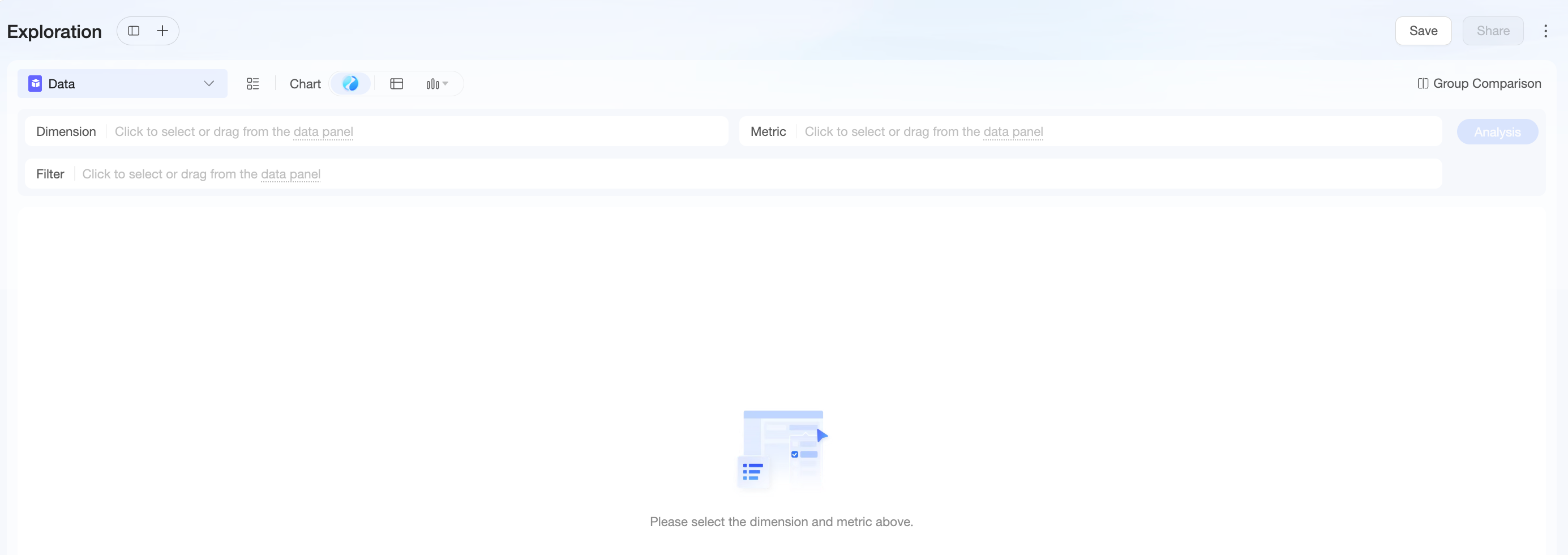
In the top navigation bar of Quick BI, click My Dashboards > Exploration to open the Exploration page.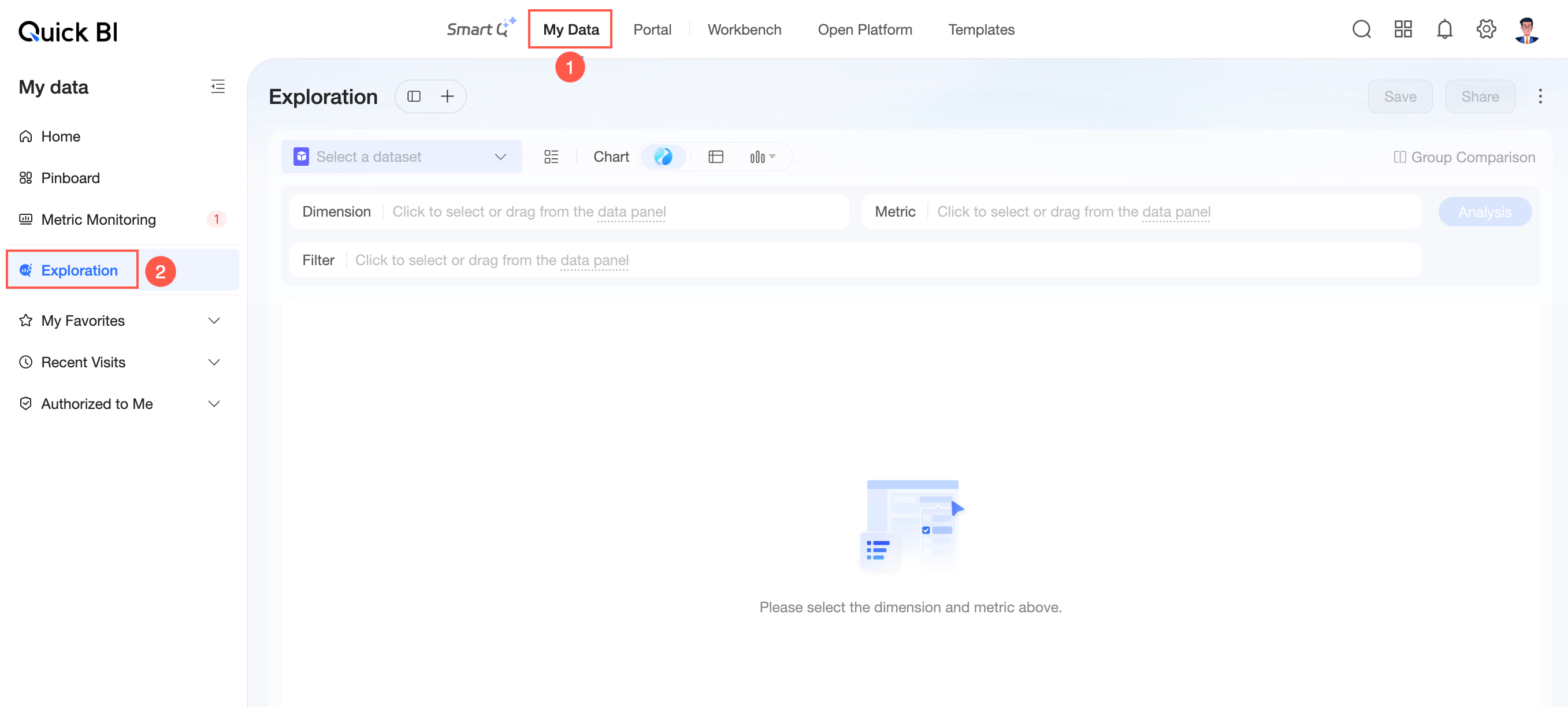
Dataset entry points
Access the Exploration page from the dataset list, edit, or preview page.
-
Dataset list page
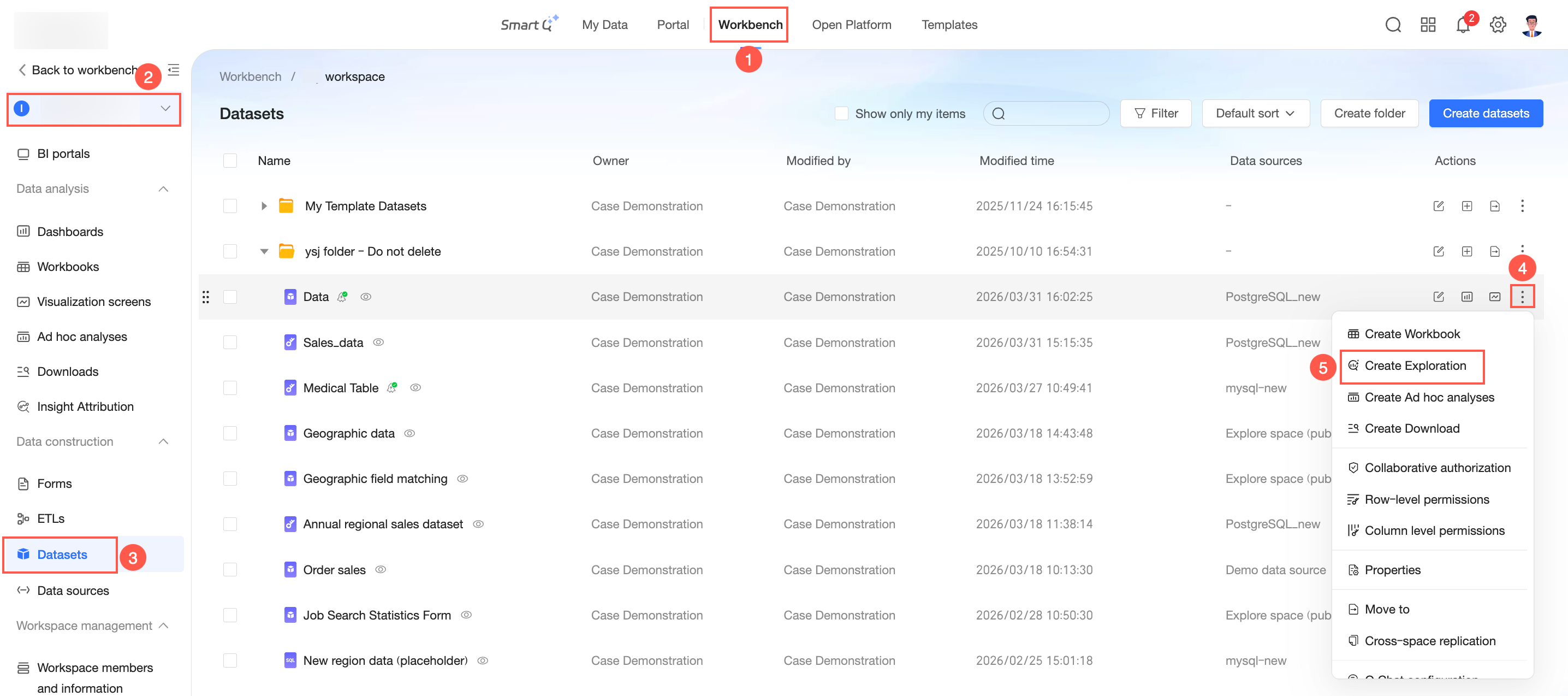
-
Dataset edit page
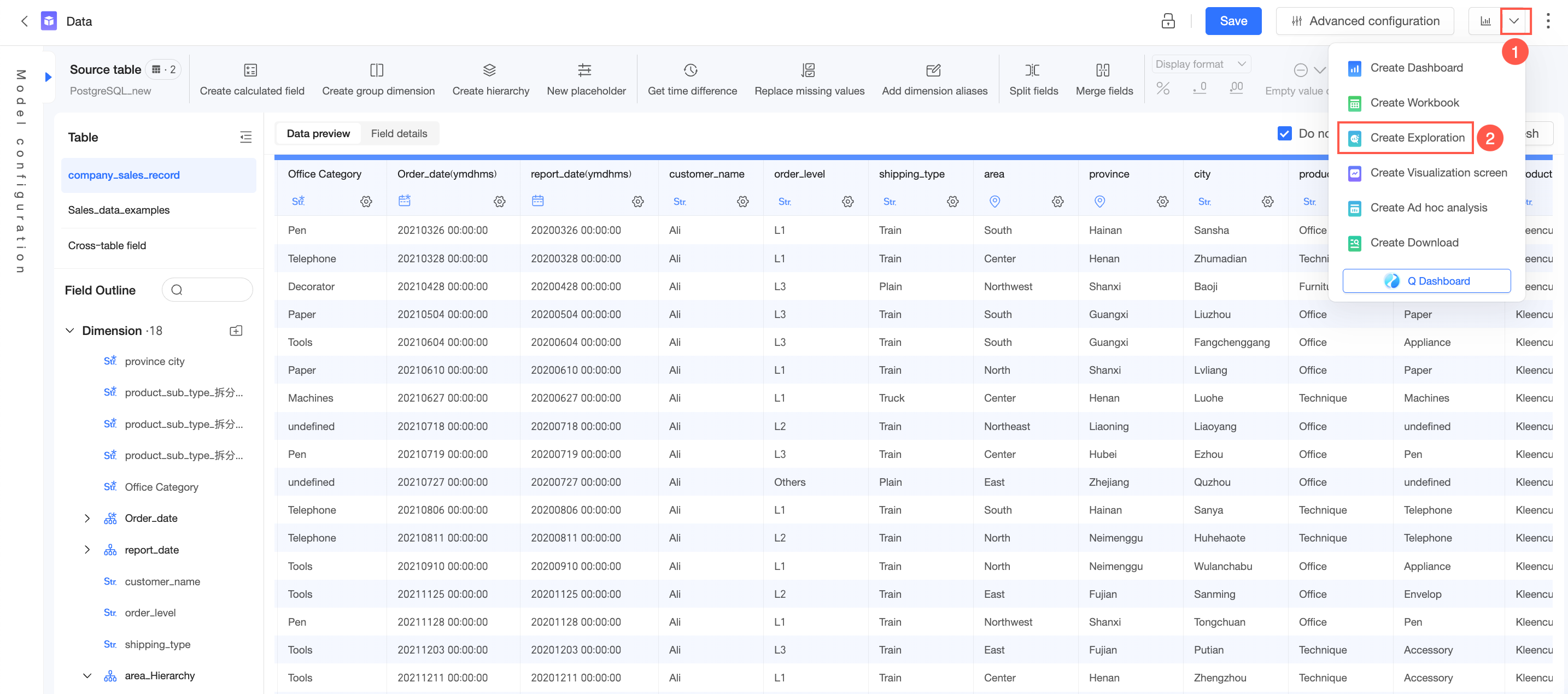
-
Dataset preview page
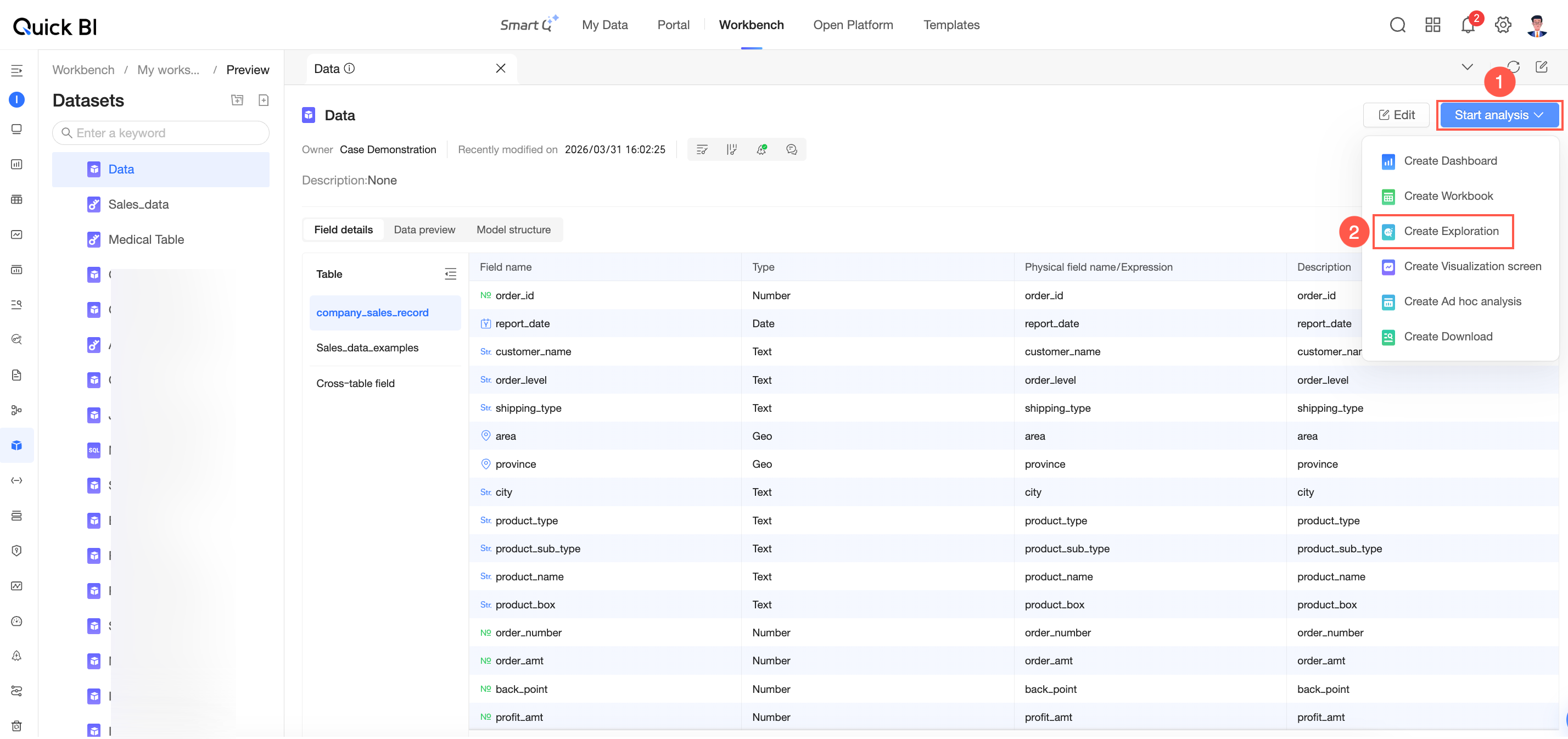
What to do next
After you open the Exploration page, select a dataset and configure it to generate an analysis. For more information, see Configure an Exploration.
该文章对您有帮助吗?