Permission administrators can grant developers the Edit or Use permission on data sources within a workspace.
Background information
The permission attributes differ between the Collaborative state and the Private state, as shown in the following diagram.

The two permission types work as follows:
-
Edit permission: Allows a developer to create, edit, replace, or delete a data source.
-
Use permission: Allows a developer to create a dataset based on a data source.
Use scenarios
|
Scenario |
Expected effect |
|
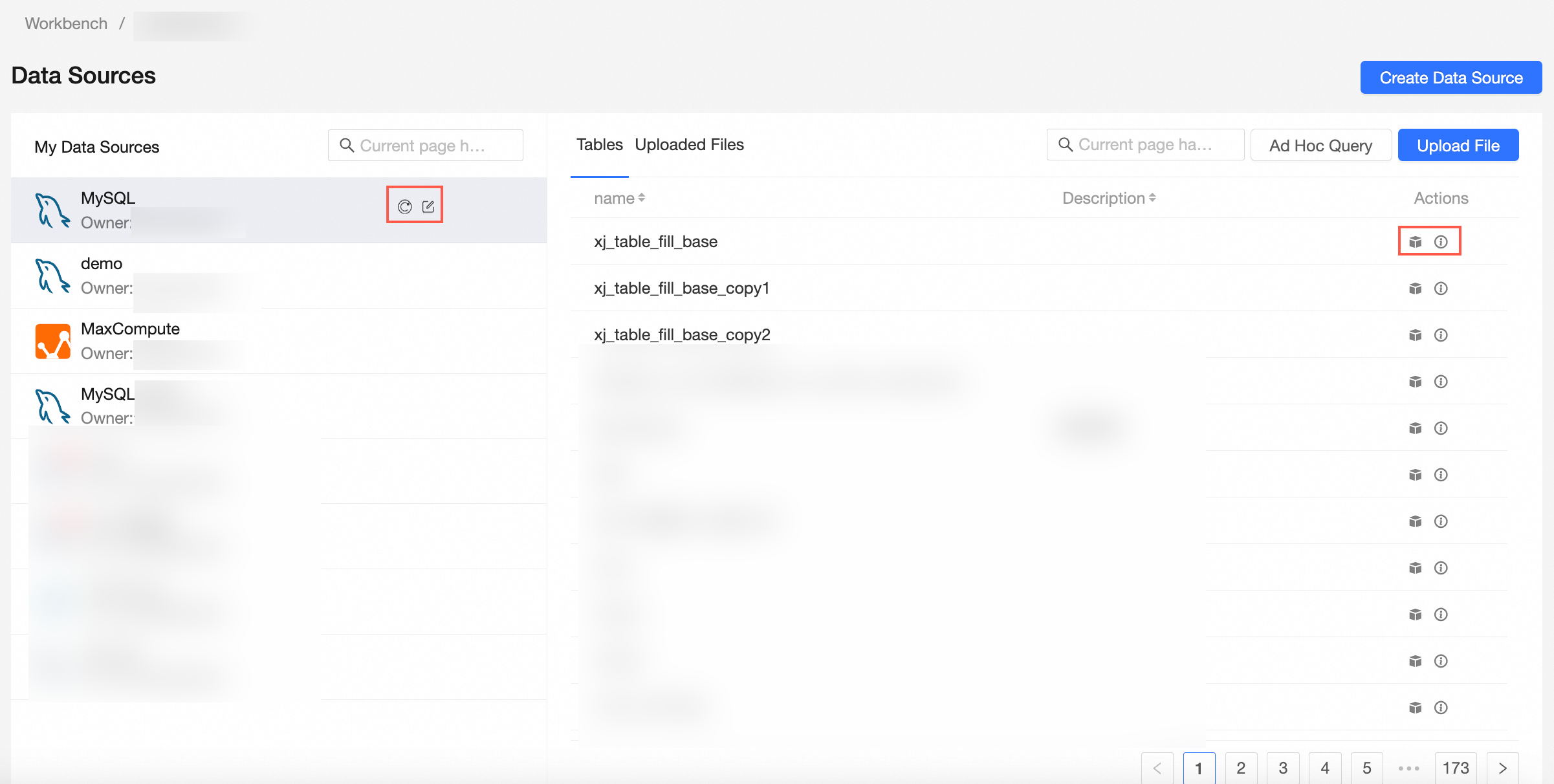
Developer B can operate the data source in the workspace. |
|
|
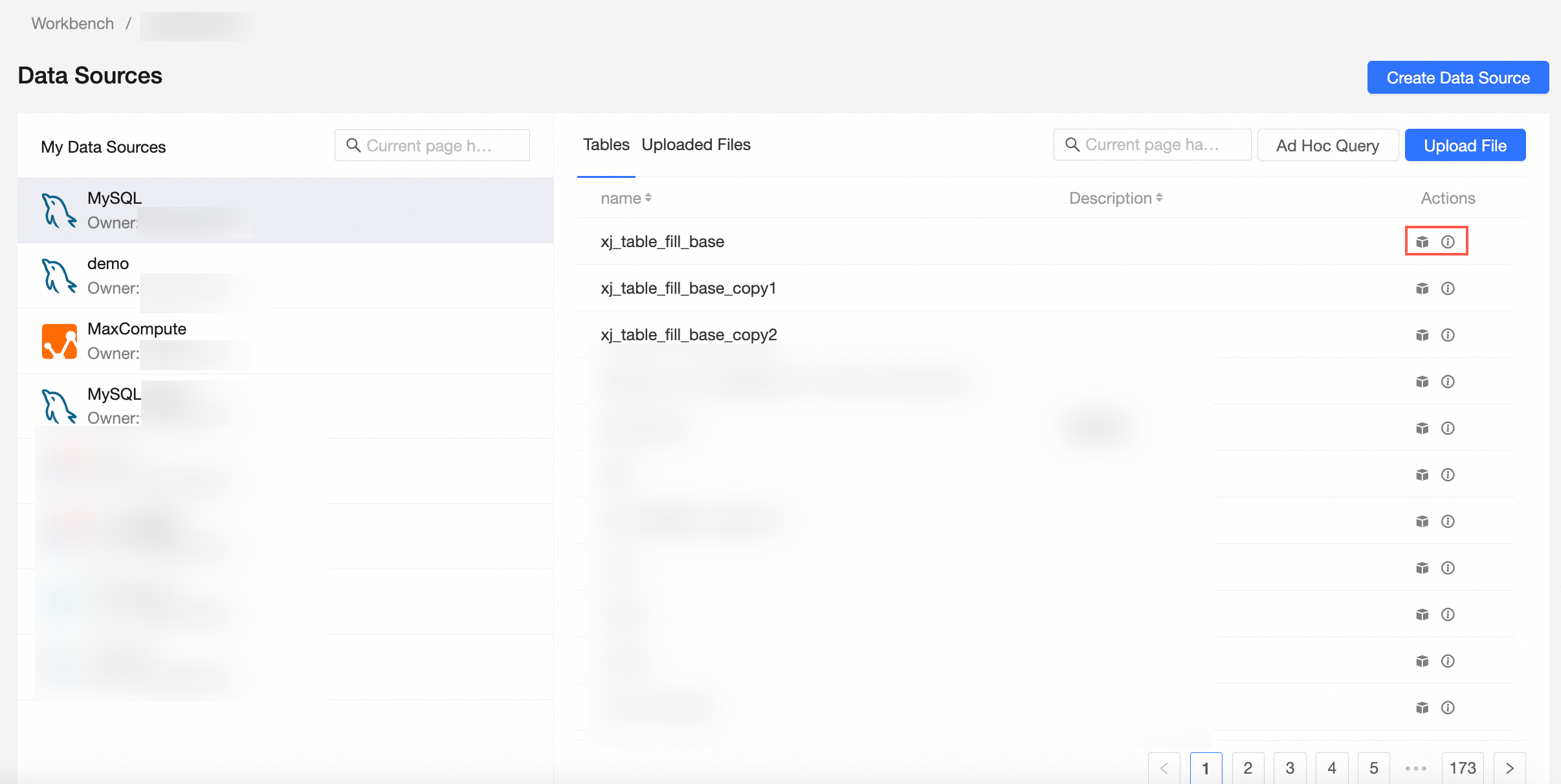
Developer B can create a dataset based on a data source in the workspace. |
Scenario 1: Grant the Edit permission on a data source
When Editing Permission is set to Specified Members or All Workspace Members, workspace developers are granted the Edit permission on the data source.
-
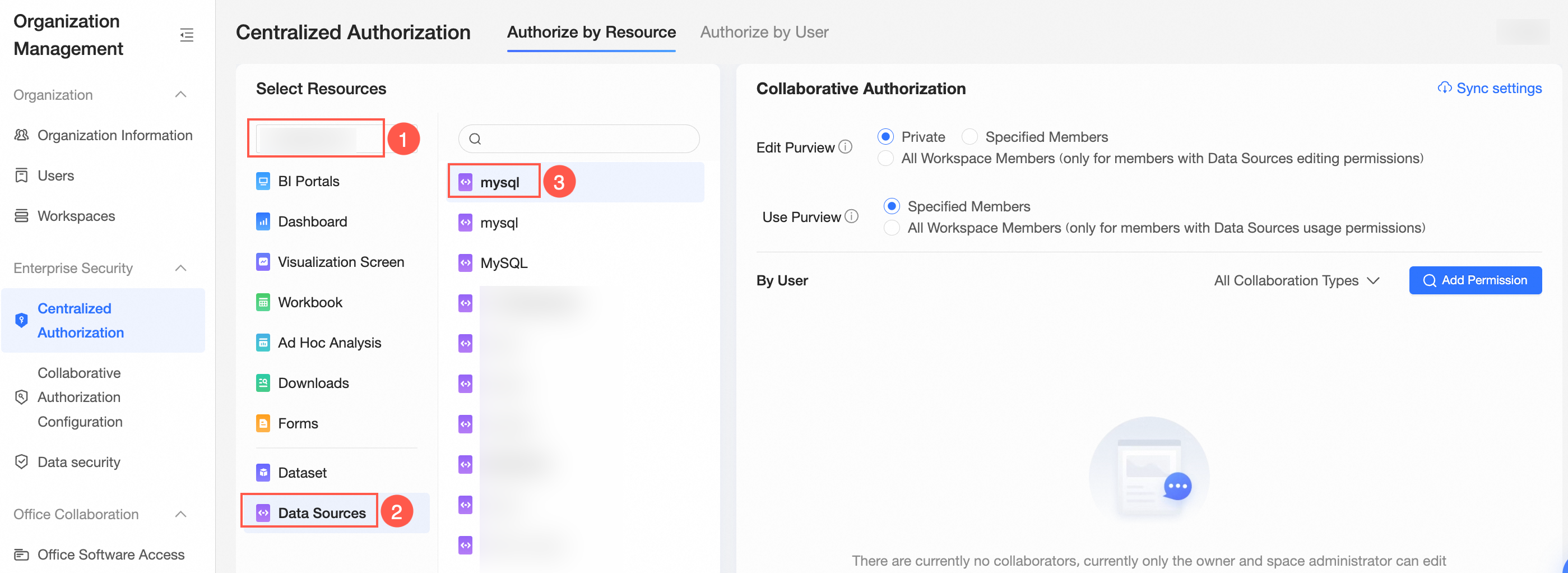
On the Centralized Authorization page, select a workspace and a data source.
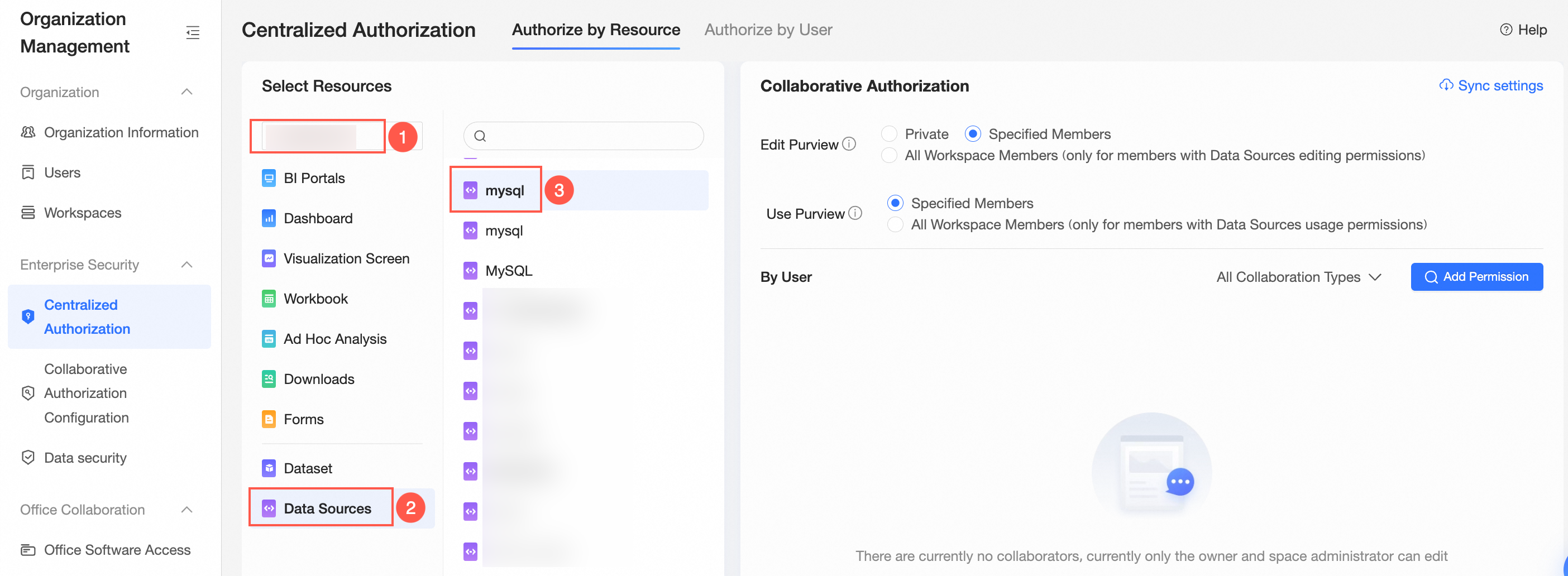
-
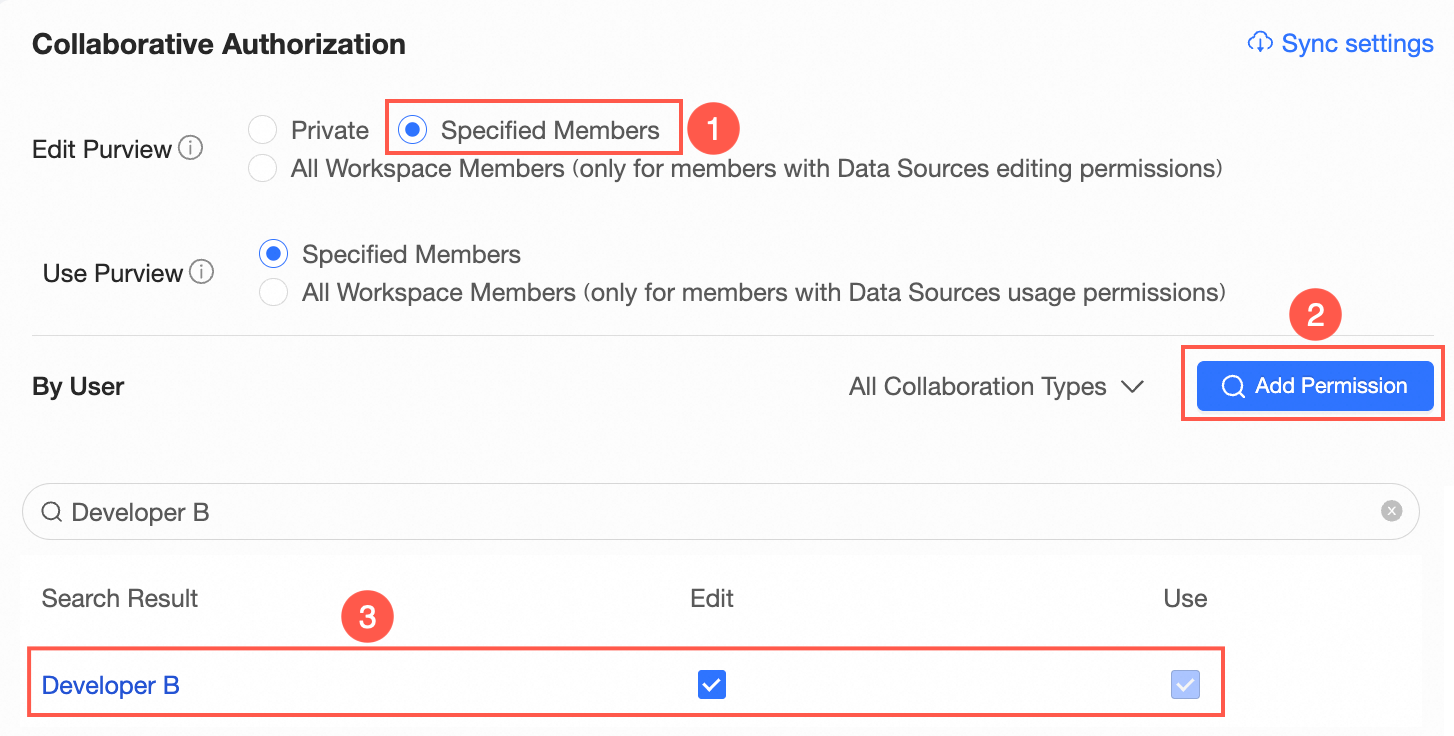
On the Collaboration Authorization page, select Edit Permission and grant permissions.
In the following example, Specified Members is selected for Editing Permission and Developer B is granted the Edit permission.
 Note
NoteAfter Developer B is granted the Edit permission, Developer B can edit or use the data source. You can later change the permission from Edit to Use based on your business requirements.
-
Optional: Synchronize permissions.
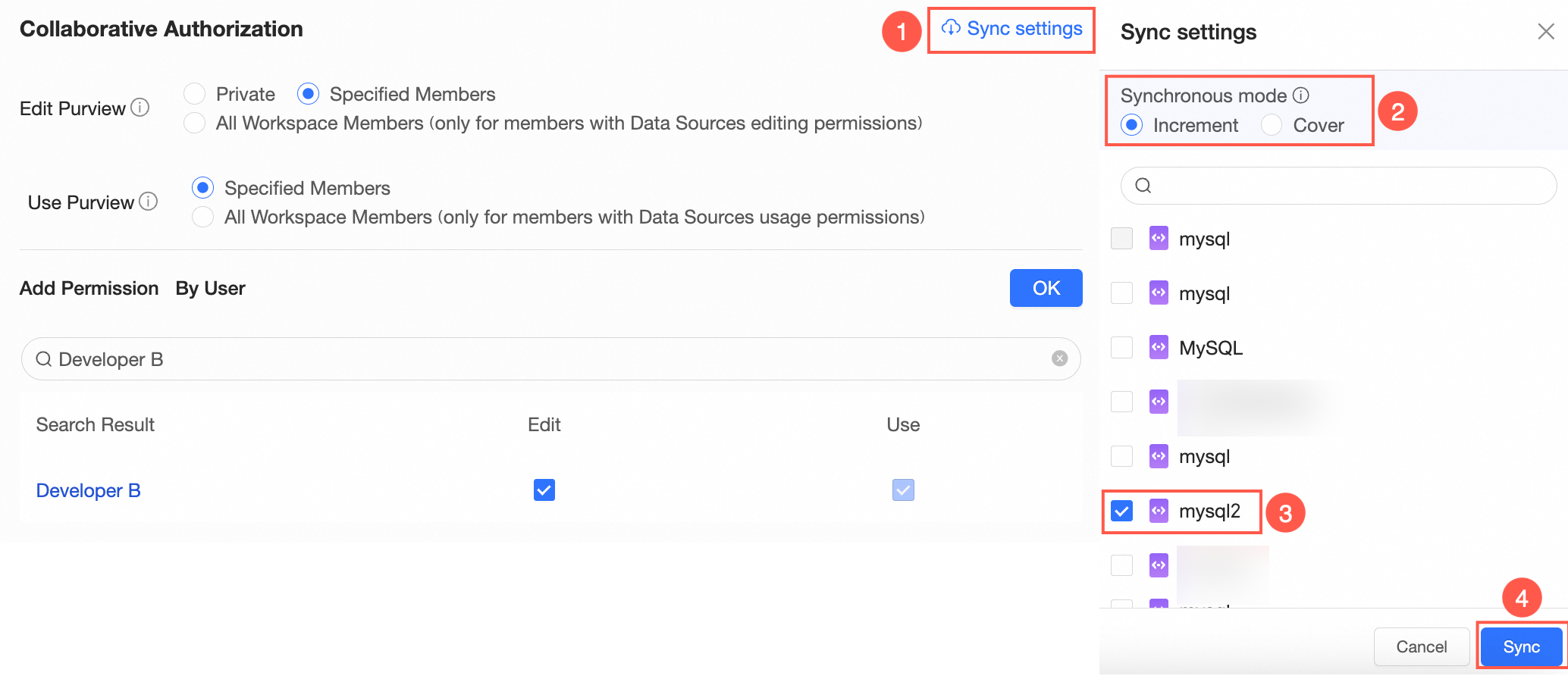
If Developer B needs to edit another data source in the same workspace, the permission administrator can click Synchronization Settings, select a data source, and then click Sync.
For example, Developer B has the Edit permission on the cloud mysql80 data source. After synchronization, Developer B can also edit the oracle data source.
 Note
NoteSynchronization Mode supports Increment Synchronization and Cover Synchronization.
-
Increment Synchronization: Retains the existing permissions on the target resources.
-
Cover Synchronization: Replaces the existing permissions on the target resources with those of the current resource.
-
Scenario 2: Grant the Use permission on a data source
When Editing Permission is set to Private, the permission administrator can grant developers in the workspace the Use permission on a data source.
In this example, Developer B is granted the Use permission on the mysql80 data source.
-
On the Centralized Authorization page, select a workspace and a data source.
-
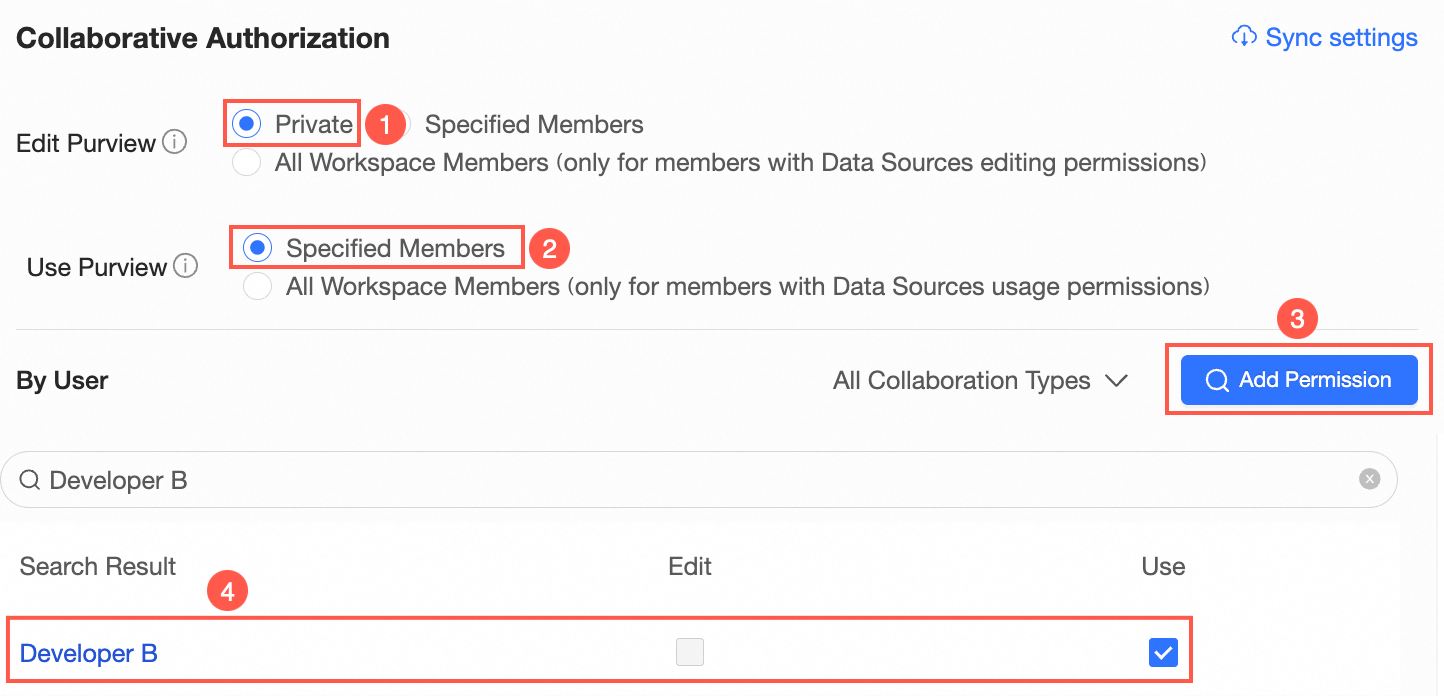
On the Collaboration Authorization page, set the Edit Permission property to Private, select a permission property, and grant the permission.
In the following example, Specified Members is selected for Use Permission and Developer B is granted the Use permission on the data source.
-
Optional: Synchronize permissions.
If Developer B needs to use another data source in the same workspace, the permission administrator can click Synchronization Settings, select a data source, and then click Sync.