Role management and permissions
Quick BI provides a comprehensive permission system with predefined and custom roles at both the organization and workspace levels, helping you secure data access across your organization.
Roles and permissions
All users added to Quick BI belong to the same organization, and all operations are performed within that organization.
At the organization level, Quick BI provides three predefined organization roles and allows you to create custom organization roles.
-
Organization administrator: Manages project information, status, and members, and can assign the organization administrator role to other users.
We recommend assigning this role to one to three users, typically project managers or BI platform owners.
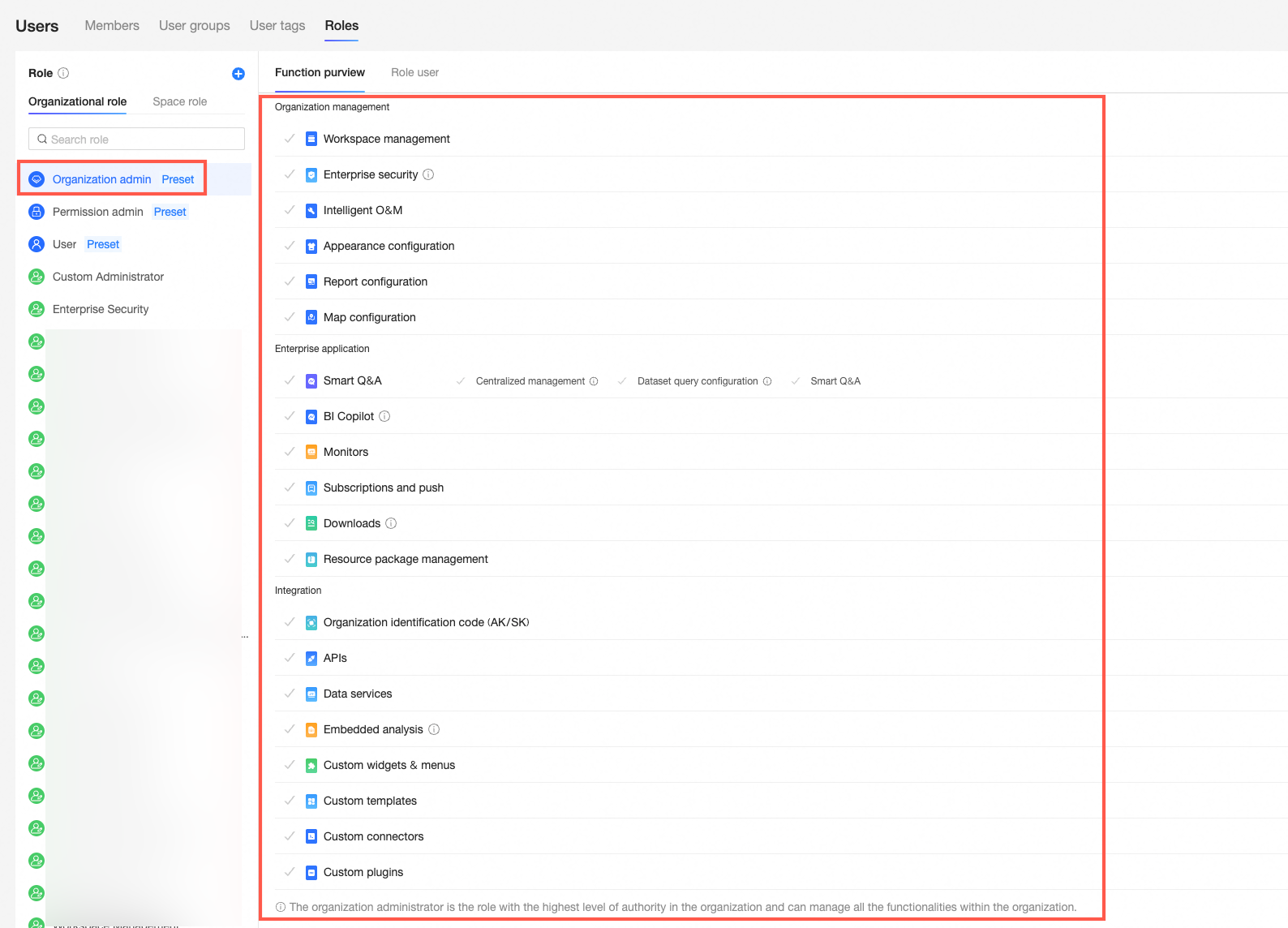
-
Permission administrator: Centrally assigns and manages permissions for project resources. We recommend assigning this role to one to three users, typically BI platform owners.

-
Standard user: Any user not assigned the organization administrator or permission administrator role.

-
Custom organization role: A user-defined role at the organization level for specific business needs. For more information, see role management.

For fine-grained access control, an organization can be divided into multiple workspaces. Organization administrators create workspaces and assign a workspace administrator to each one.
Workspace administrators manage member permissions and all resources within their workspace.
At the workspace level, Quick BI provides four predefined workspace roles and allows you to create custom workspace roles.
-
Workspace administrator: The most privileged role in the workspace. Has full permissions to create, edit, use, and view all resources, and can manage member permissions and reports.
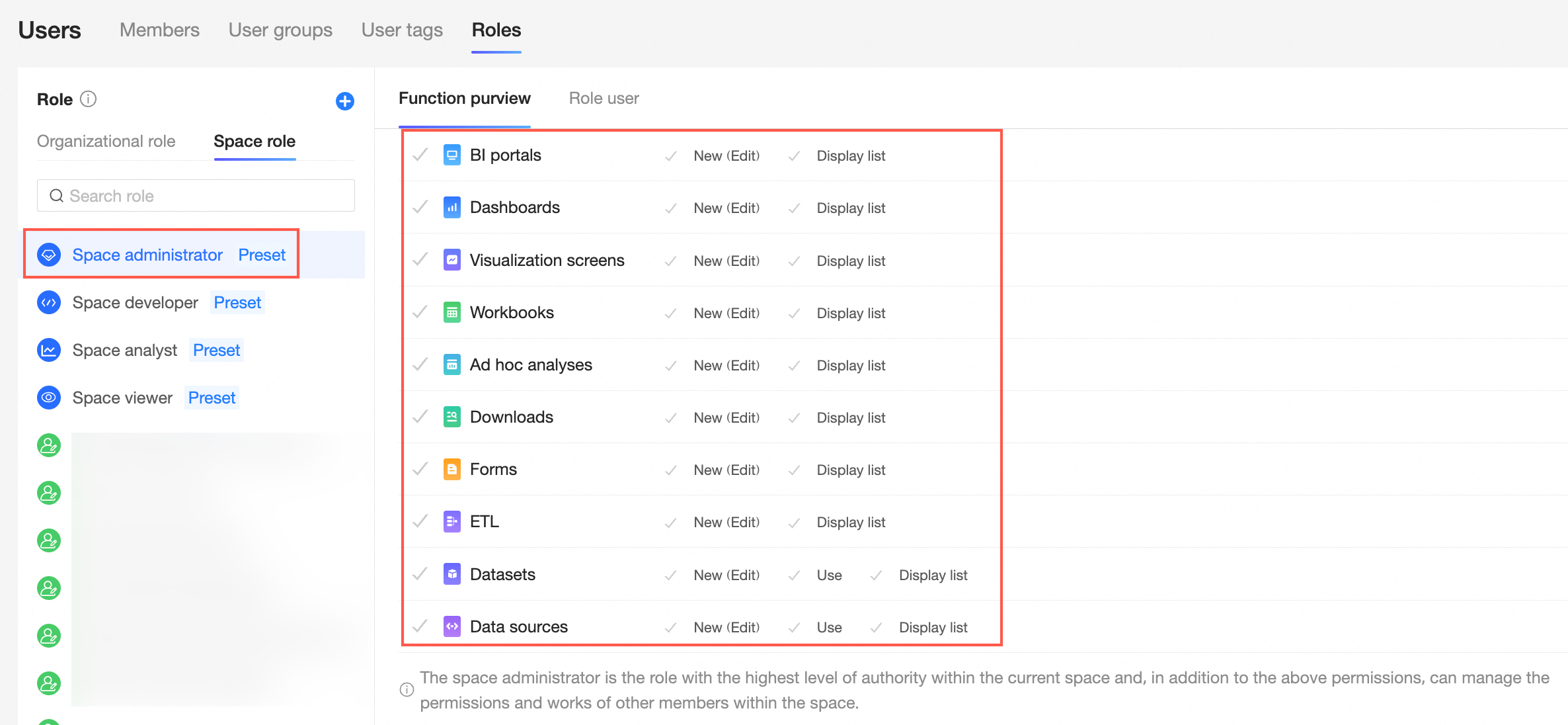
-
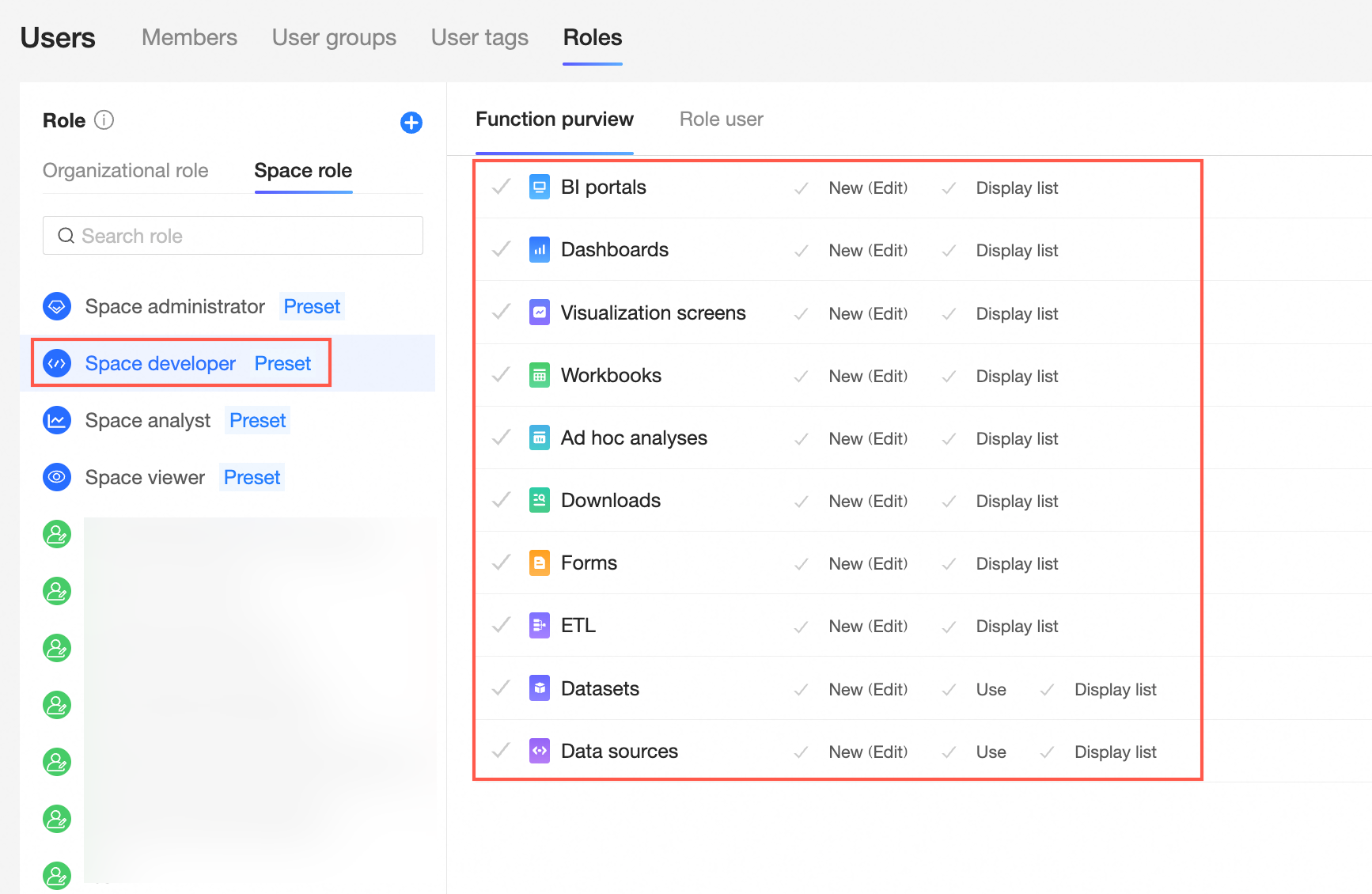
Workspace developer: Can connect to data sources, create datasets, analyze data, and view all resources within the workspace, with create, edit, use, and view permissions for all modules. Typically assigned to IT staff, data analysts, and data operations staff.

-
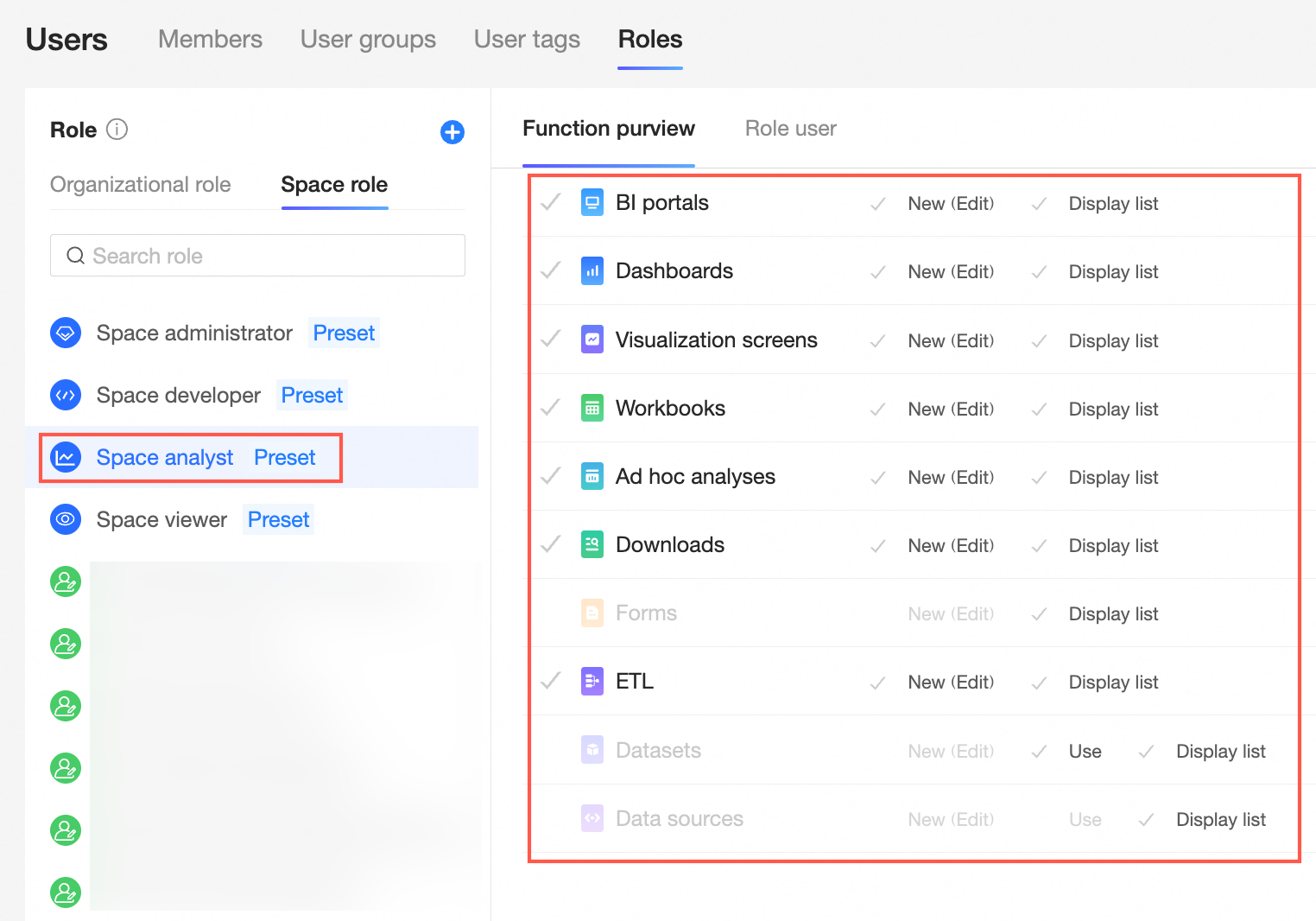
Workspace analyst: Can analyze data and view all reports in the workspace. Typically assigned to business users who perform analysis but have limited technical expertise. Grants create (edit) and view permissions for BI portals, dashboards, data screens, workbooks, ad hoc analysis, self-service query, and data preparation modules; view permissions for data entry and data sources; and use and view permissions for datasets.
-
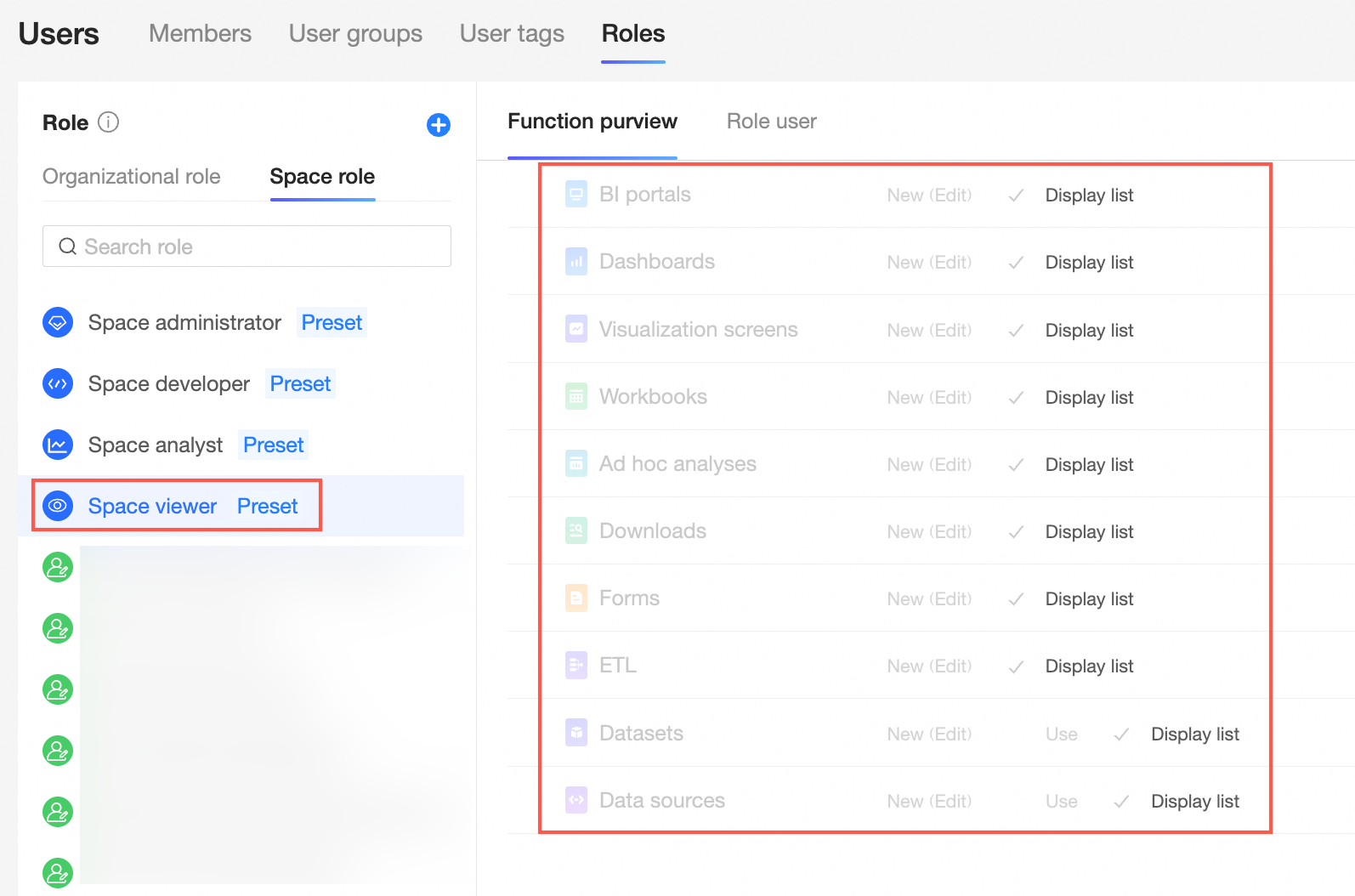
Workspace viewer: Can view reports through URLs or subscriptions, with view-only permissions for all modules. Typically assigned to executives or front-line staff who consume data.
-
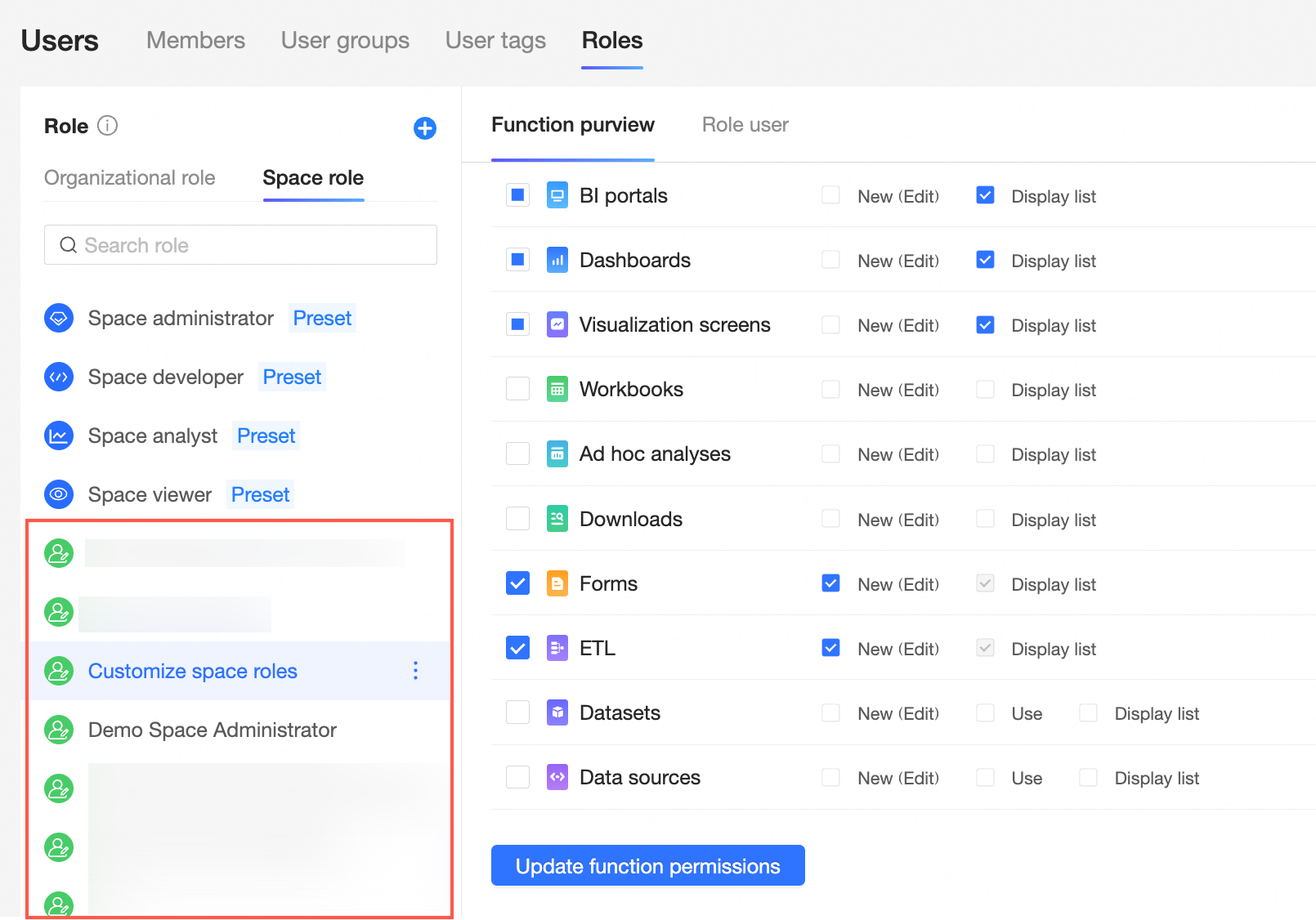
Custom workspace role: A user-defined role at the workspace level for specific business needs. For more information, see role management.