Http download
1. Overview
Prerequisites: None
This component sends an HTTP GET request to a download URL and saves the response to a specified file path.
If you need to download a file by clicking an element on a web page, see Download file (Web).
2. Inputs
For details on each input parameter, see the help information in the visual editor's component panel.
3. Outputs
For details on each output parameter, see the help information in the visual editor's component panel.
4. Examples
4.1. Configuration example
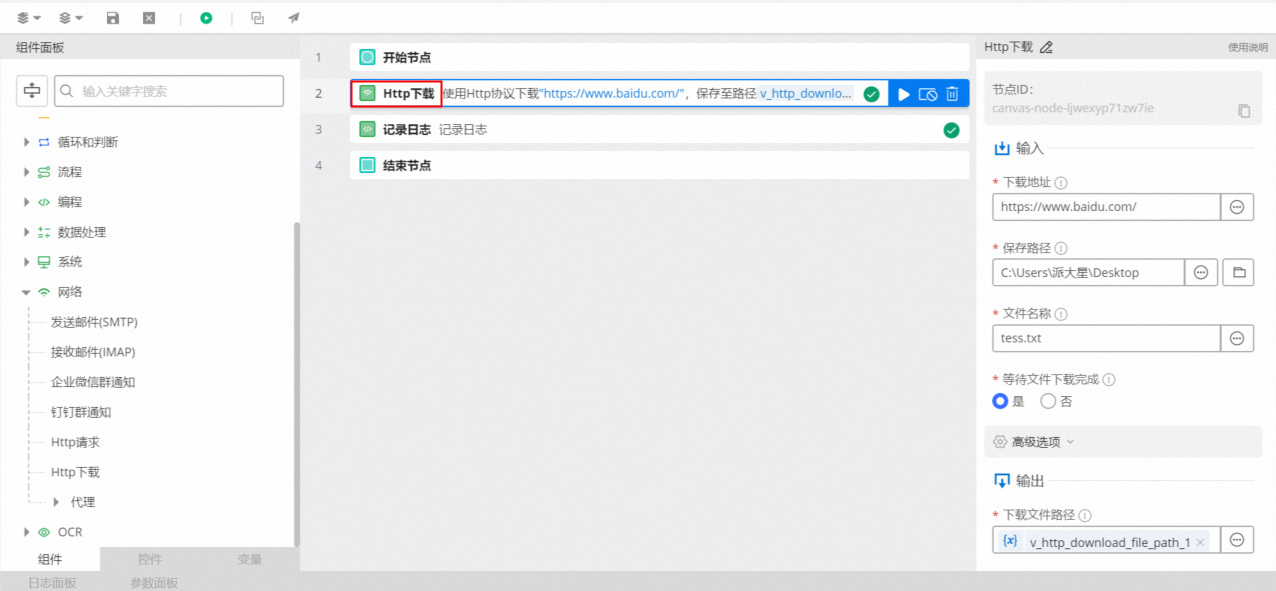
The
download URLis a required parameter that specifies the download URL for an HTTP request (the URL must include the protocol type, such as http:// or https://).In the
Save Pathfield, you can specify the path for the file to be downloaded by selecting or creating variables, entering the path in the text box, or browsing to select a folder.In the
File namefield, you can specify the file name by selecting or creating a variable, or by entering text.In
Wait for file download to complete, select whether to wait for the file download to complete.Keep the default values for the advanced options.
4.2. Execution result
None
5. Workflow example
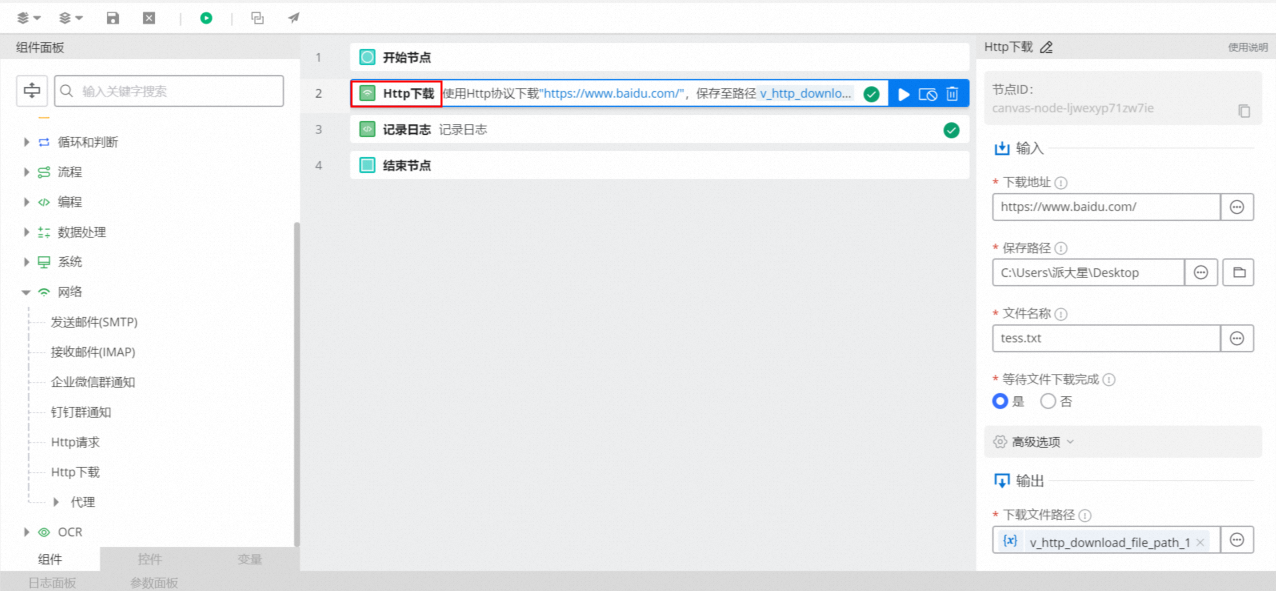
Procedure
Use the Http download component, set its input parameters, and save the output path to the
v_http_download_file_path_1variable.Use the Record Log component to print the value of the
v_http_download_file_path_1variable.
Execution result
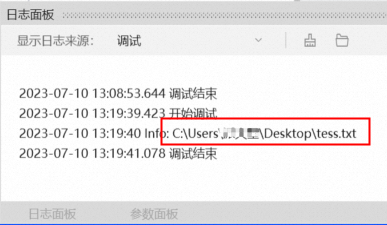
After the workflow runs successfully, the result is printed in the log panel.