For client version 4.11.0.1068 or later, we recommend using Move Mouse (CV).
This component is still functional. Existing automation flows that use this component are not affected.
1. Component overview
Prerequisites: Open New Web Page or Get Opened Web Page
This component uses OCR to move the mouse to a specific location in a Chrome, Edge, or IE browser.
2. Inputs
For details about each input, see the help text in the component panel of the visual editor.
Pre-configuration steps for OCR
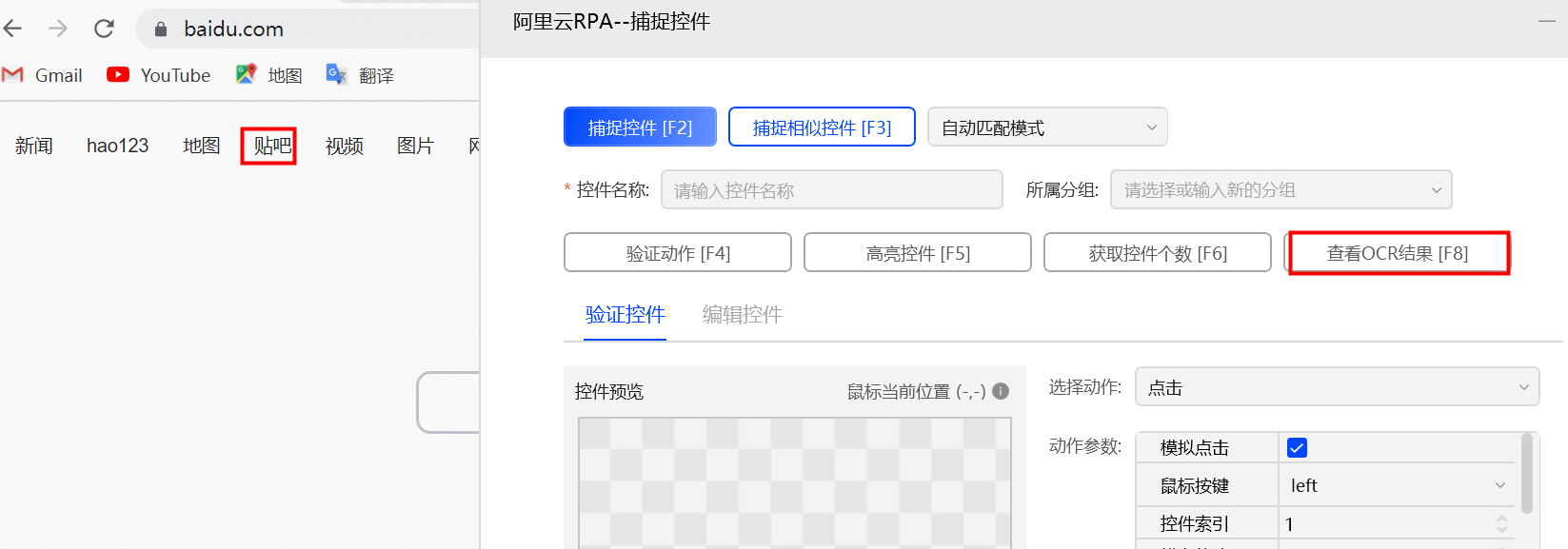
a. In the control capture tool, click View OCR Result.
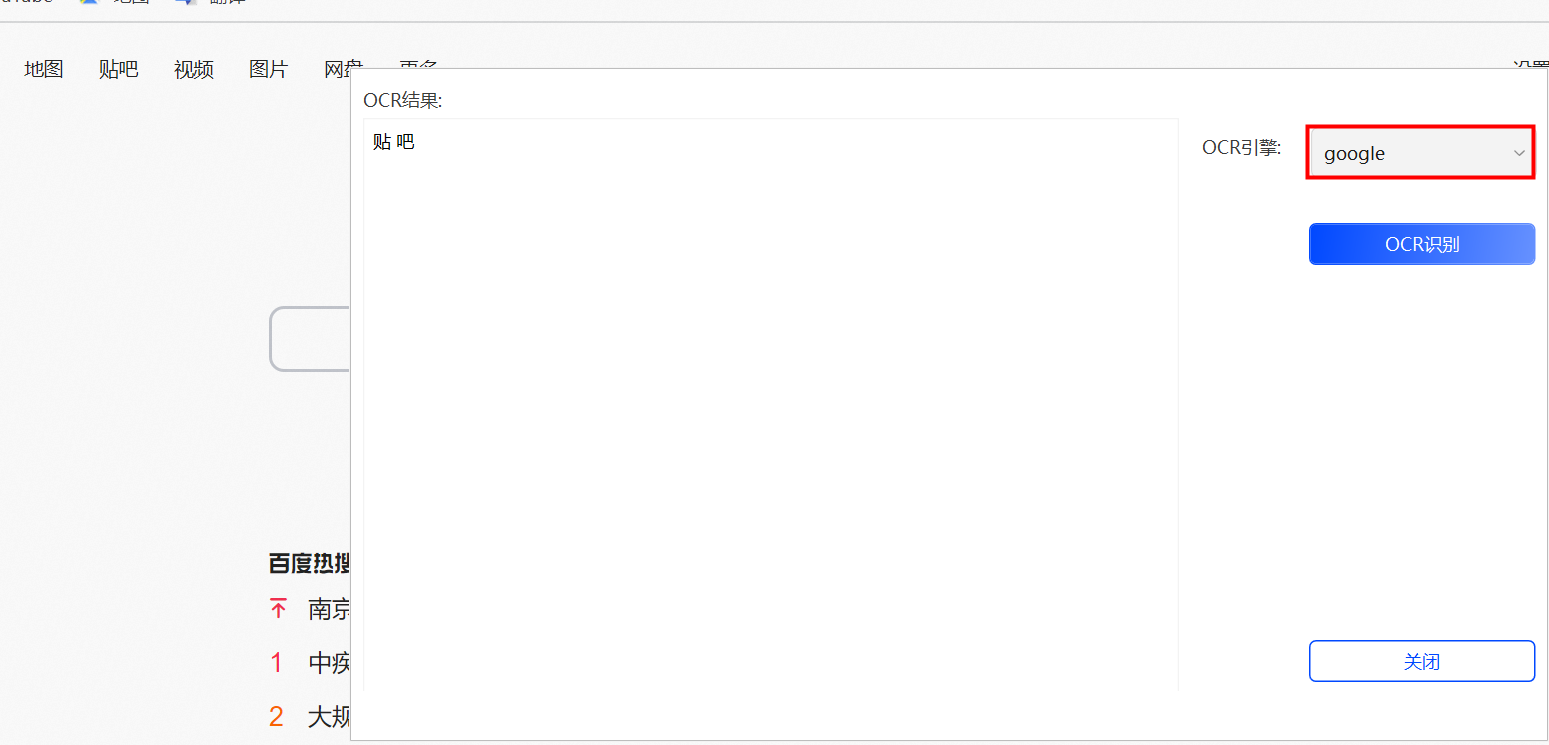
b. In the OCR engine drop-down list, select a suitable engine. The engine you choose affects character recognition accuracy.
Google engine: A lightweight, offline OCR engine that performs well with English text.
Alibaba Cloud engine: A comprehensive, server-based OCR engine that requires authorization. It provides very high accuracy in a wide range of scenarios.
Paddle engine: A lightweight, offline OCR engine that performs well with Chinese text.
c. Enter the recognized text in the Keyword to be recognized field.
3. Outputs
For details about each output, see the help text in the component panel of the visual editor.
4. Usage example
4.1. Example configuration
In the
Move Mouse by OCR (Web)component, select v_web_obj_1, the output from the prerequisite Open New Web Page or Get Opened Web Page component.In
Target Control, select the captured control.In
OCR engine, keep the default selection, Google.In
Keyword, enter New.In
Move Right Distance (px), enter 200.In
Move Down Distance (px), enter 200.Leave the other options at their default values.
4.2. Example result
The component successfully moves the mouse 200 pixels to the right and 200 pixels down relative to the keyword "New".
5. Example flow
Build the flow
Use the Open New Web Page component to open a Chrome browser and navigate to the Alibaba Cloud English website.
Use the (Not Recommended) Move Mouse by OCR (Web) component to move the mouse to the target location.
Result
The flow successfully opens the Alibaba Cloud English website in Chrome and moves the mouse to the specified location relative to the configured keyword.