Get robot ID
Updated at:
1. Component introduction
Note
Prerequisite components: None
This component retrieves the robot ID.
2. Inputs
Note
For information about the input parameters, see the component's help text in the application flow editor.
3. Outputs
Note
For information about the output parameters, see the component's help text in the application flow editor.
4. Component usage example
4.1. Sample configuration
Keep the default settings for the advanced options.
4.2. Sample result
None
5. Sample flow
Setup flow
Use the Get robot ID component to retrieve the robot ID value.
Use the Record log component to print the value of the specified variable.
Result
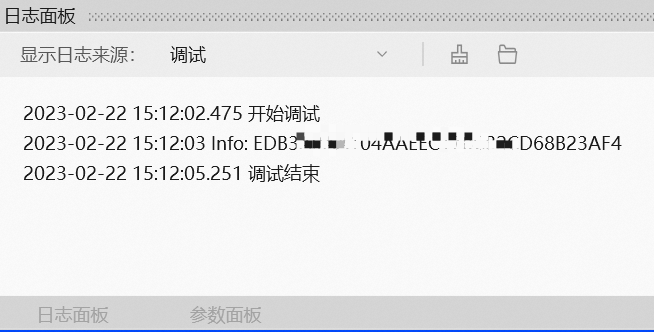
After the flow runs successfully, the robot ID value is printed to the log panel, as shown in the following figure.
Is this page helpful?