Get the current application ID
1. Component introduction
Prerequisites: None
Use this component to retrieve the ID of the currently running application.
2. Input parameters
For more information about each input parameter, see the help information in the component pane of the application flow editor.
3. Output parameters
For more information about each output parameter, see the help information in the component pane of the application flow editor.
4. Component usage example
4.1. Component configuration example
Keep the default values for advanced options.
4.2. Example execution result
None
5. Flow creation example
Setup flow
Use the Get current application ID component to retrieve the application ID of the current robot task.
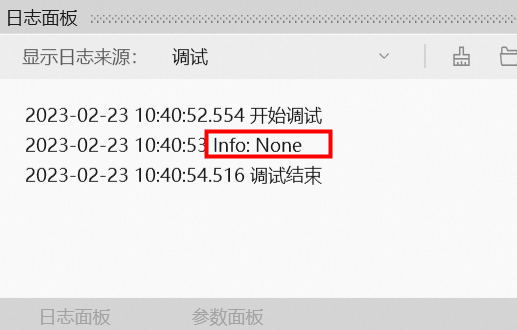
NoteThis component returns an empty value when executed in the editor. To retrieve the application ID, publish the flow to the cloud and run it with a robot.
Use the Record Log component to print the value of a specified variable.
Execution result
As shown in the following figure, after the flow runs successfully, the value of the specified parameter is printed to the log pane.