Use the Smart Access Gateway (SAG) console to upgrade the software version running on an SAG device. Upgrades can be triggered manually by selecting a specific version, or scheduled automatically within a configured time window.
Upgrade an SAG device
Log on to the Smart Access Gateway console.
Open the Device Management tab using either of the following methods:
Click the ID of the SAG instance. On the instance details page, click Device Management.
Find the SAG instance and choose
 > Device Management in the Actions column.
If both the active and standby devices are associated with the SAG instance, select the target device, then click Upgrade Version.
In the Upgrade Version dialog box, select an upgrade method:
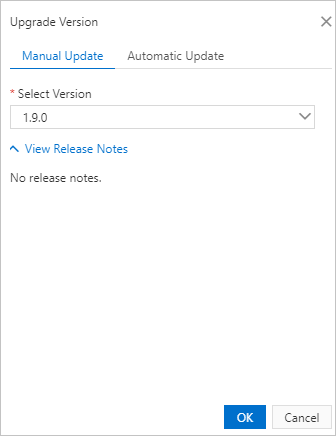
Manual Update — Click the Manual Update tab, select a version from the list, and then click OK. The device is upgraded to the selected version.
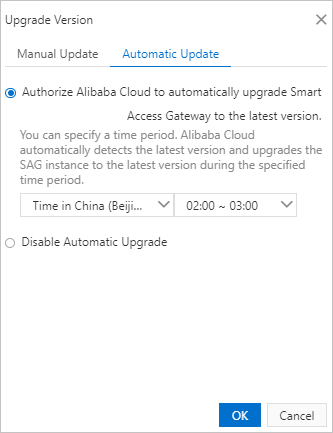
Automatic Update — Click the Automatic Update tab, select the Authorize Alibaba Cloud to automatically upgrade Smart Access Gateway to the latest version check box, select a time zone and time period, and then click OK. The device is upgraded to the latest version during the specified time period.
Disable automatic upgrades
To stop automatic upgrades, open the Upgrade Version dialog box, click the Automatic Update tab, and then select Disable Automatic Upgrade.