The SCG5000 device connects wired and wireless clients to the internet and Alibaba Cloud. This device integrates Wi-Fi 6 and SD-WAN capabilities and supports connections to 4G and 5G cellular networks, making it suitable for a wide range of networking environments. This topic describes the SCG5000 device.
Device specifications
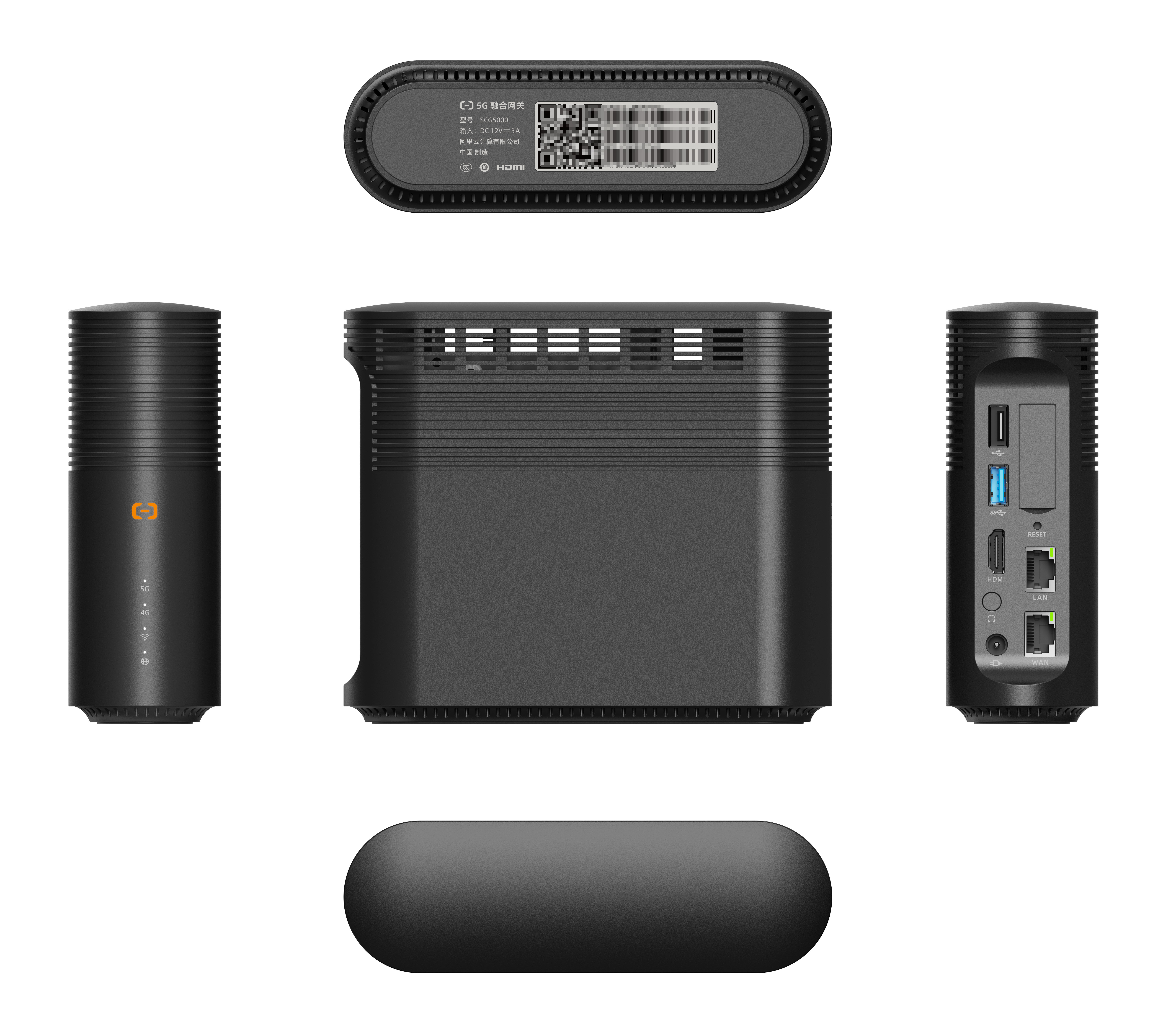
| Specification | Description |
| Dimensions (H × L × W) | 160 mm × 138 mm × 50 mm |
| Color | Black |
| Encrypted bandwidth to Alibaba Cloud | 200 Mbps |
| Cellular network | Available in 5G and LTE versions. The 5G version is backward compatible with LTE.
|
| Security | A built-in TPM 2.0 hardware encryption chip (CC EAL4+ certified) protects sensitive product information. |
| Bluetooth | Supports IoT devices through BLE 5.0. |
| Wireless |
The device provides a total speed of up to 1,800 Mbps. |
| Number of clients | 254 |
| Antenna | Built-in 5 dBi omnidirectional antennas for wireless, cellular network, and Bluetooth connectivity. |
| Ports |
|
| Cooling | Features a smart, quiet fan for cooling. |
| Operating temperature | 0°C to 40°C (32°F to 104°F) |
Control panel
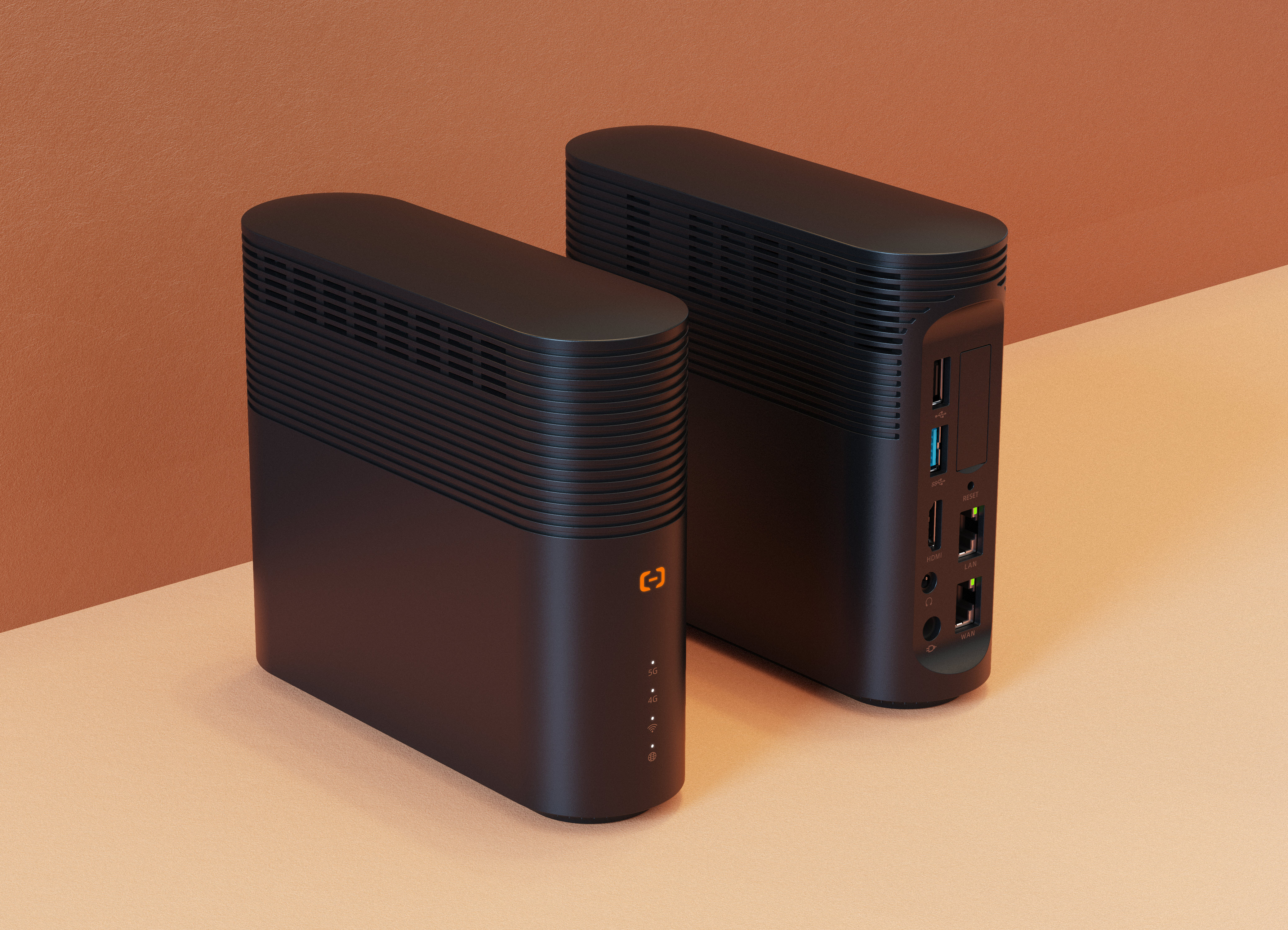
 : Indicates the power status.
- 5G: Indicates the 5G cellular network signal strength.
- 4G: Indicates the 4G cellular network signal strength.
 : Indicates the Wi-Fi connection status.
 : Indicates the internet connection status.
- RESET button
To reset the device to its default settings, press and hold the RESET button for over 3 seconds with a pointed object while the device is on. It will then restart automatically.
- SIM card slot
Only Nano-SIM cards are supported.Note Currently, only the SIM1 slot is supported.
- USB port
The USB port does not currently support internet connectivity.
- HDMI port
The HDMI port is not currently supported.
- Network ports
- LAN port
Connects to local clients or a switch and supports dynamic routing.
- WAN port
Connects the device to the internet and Alibaba Cloud. Supports SNAT forwarding, custom DNS server configuration, and port speed limit.
- LAN port
- Power port
This port requires a 12 V DC power supply from the included power adapter.
Indicator status
| Indicator | Description |
|
Solid on: The device is running. |
| 5G | Indicates the 5G cellular network signal strength:
|
| 4G | Indicates the 4G cellular network signal strength:
|
|
Indicates the Wi-Fi connection status:
|
|
Indicates the internet connection status:
|