We provide a general-purpose model, which is a foundational language model. If you have a large amount of historical data in your domain, you can use this data as a corpus to train a custom language model. Custom language models are trained on top of the general-purpose model. Training the model with your corpus improves speech recognition accuracy for your specific scenarios, especially for proper nouns and frequently used words.
Video tutorial
Training corpus requirements and optimization suggestions
Corpus requirements
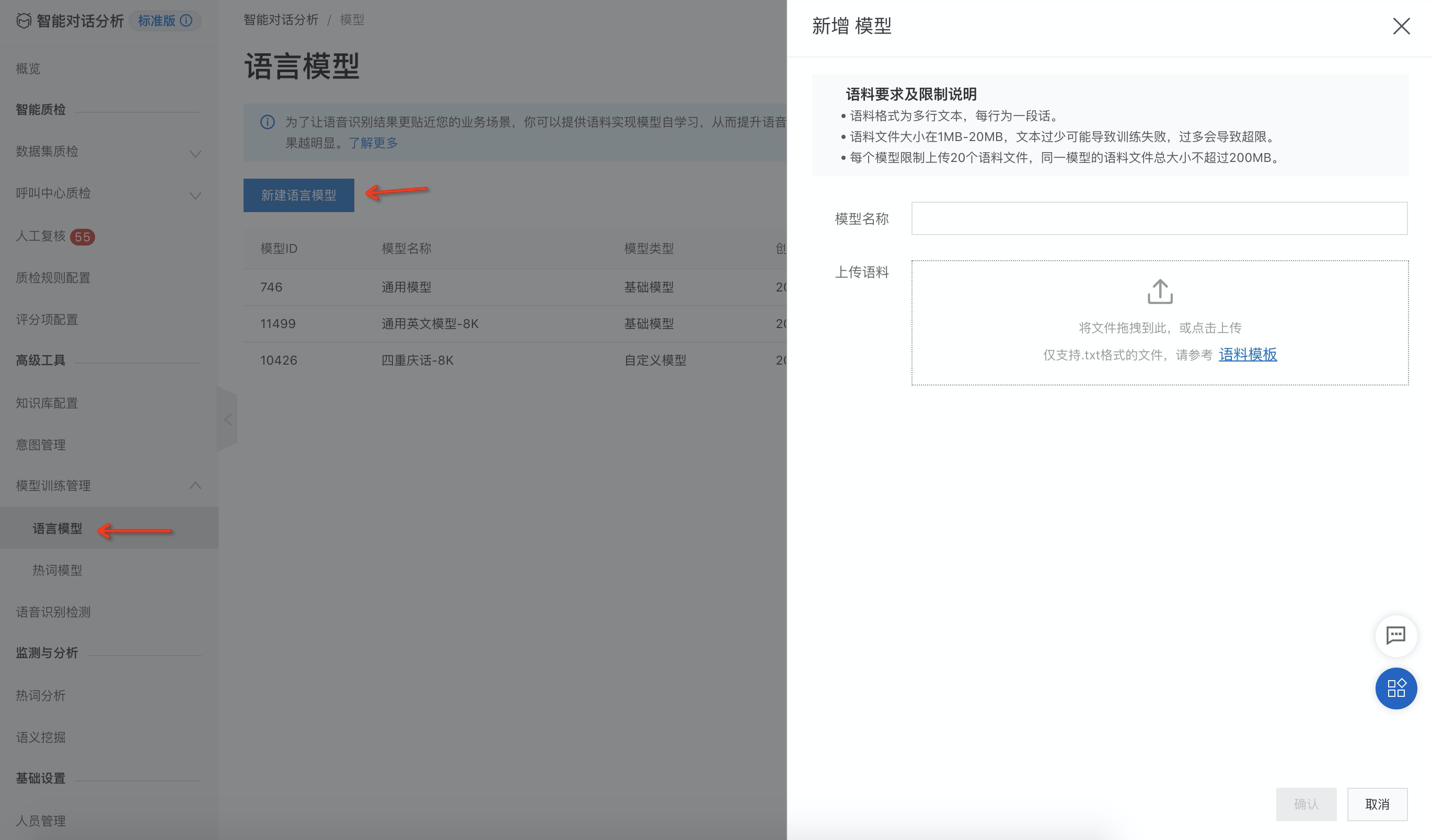
You can use materials such as business introductions, product introductions, scripts, training materials, and annotated results from manual verification in model evaluation as your training corpus. The specific requirements for the corpus file are as follows:
The training data must be domain-specific text. The closer it is to the speech data you want to recognize, the better the optimization results.
Save the data as a text file with UTF-8 encoding and no bill of materials (BOM) header. The corpus file size must be between 1 MB and 20 MB. A file that is too small may cause training to fail, and a file that is too large will exceed the size limit.
Place each sentence or keyword that needs extra optimization on a separate line. Keep each line under 500 characters, not bytes.
In the text, replace numbers with their corresponding words based on pronunciation. For example, convert "58.9" to "fifty-eight point nine".
The file must contain at least one line that is a sentence with more than four words.
Use only commas (,), periods (.), question marks (?), and exclamation marks (!). End each sentence with punctuation. Remove other punctuation, such as book title marks and double quotation marks.
Optimization suggestions
For keywords that are not recognized accurately, you can copy the sentence containing the keyword, or the keyword itself, to multiple new lines. For example, you can add 10 copies. Each copy must be on its own line. If this has no effect, you can add more copies as needed.
Note:
First, ensure that inaccurate keyword recognition is not caused by unclear speech or poor audio quality.
Do not add too many copies. This can negatively affect the recognition of other words or the overall recognition rate. You can find the right balance by experimenting with your actual business data.
Operational flow
Create a custom language model
Follow the steps shown in the following image.
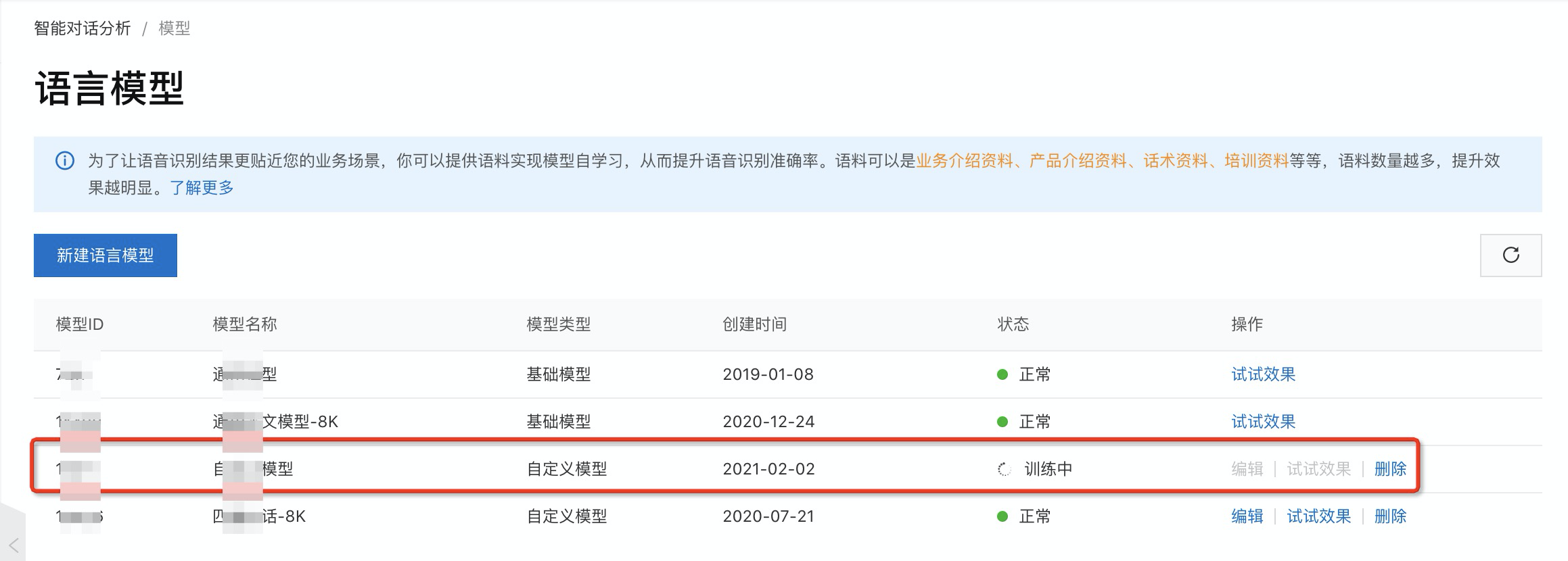
After the model is created, the new custom language model appears in the model list with a 'Training' status.
Optimize an existing custom language model
You can edit the model to add more corpus data for retraining or to delete uploaded data. You cannot edit the general-purpose model.
In the model list, click the Edit button in the rightmost column.
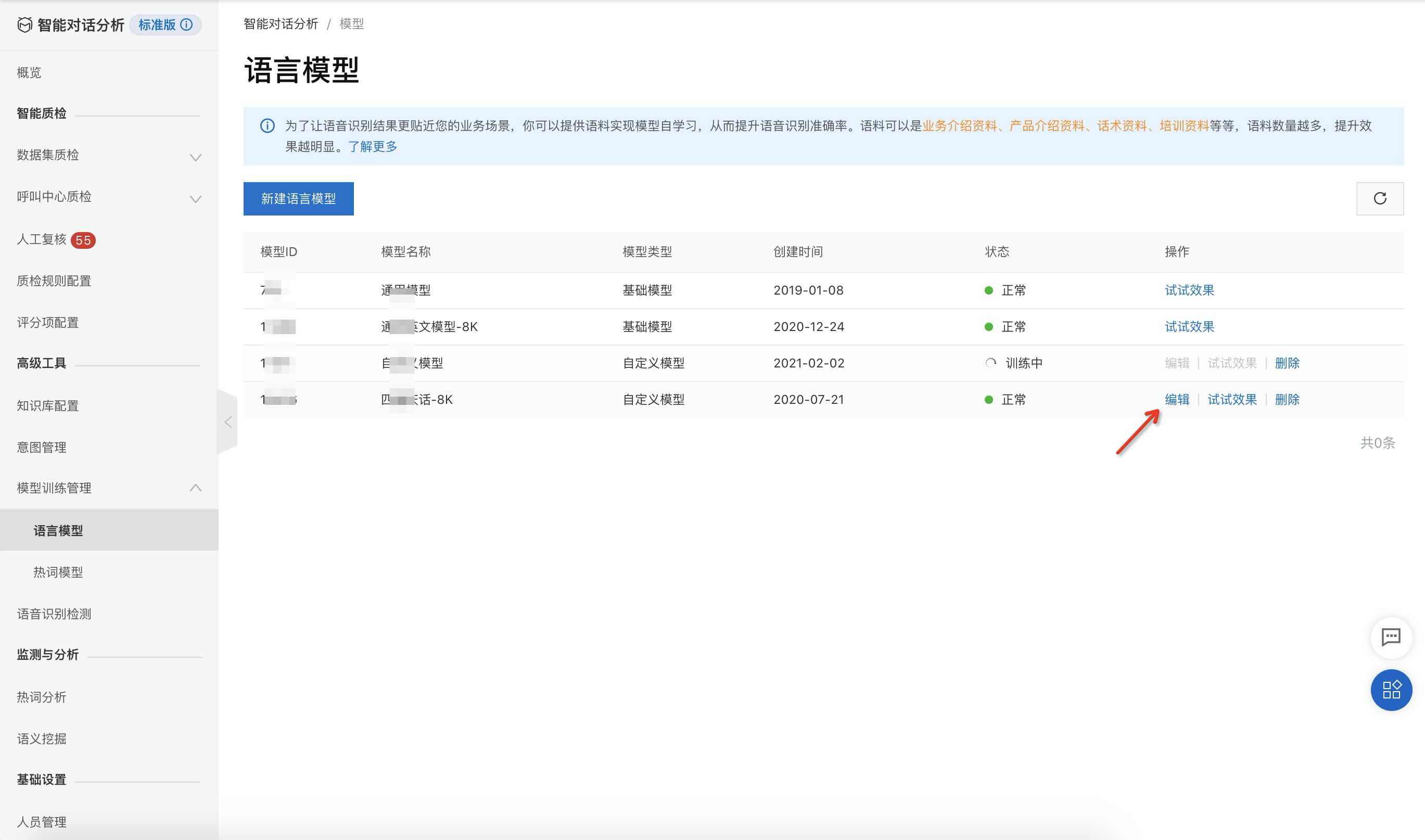
Similar to creating a new model, submit your changes after you upload or delete corpus data. The model will then begin retraining.
Try it out
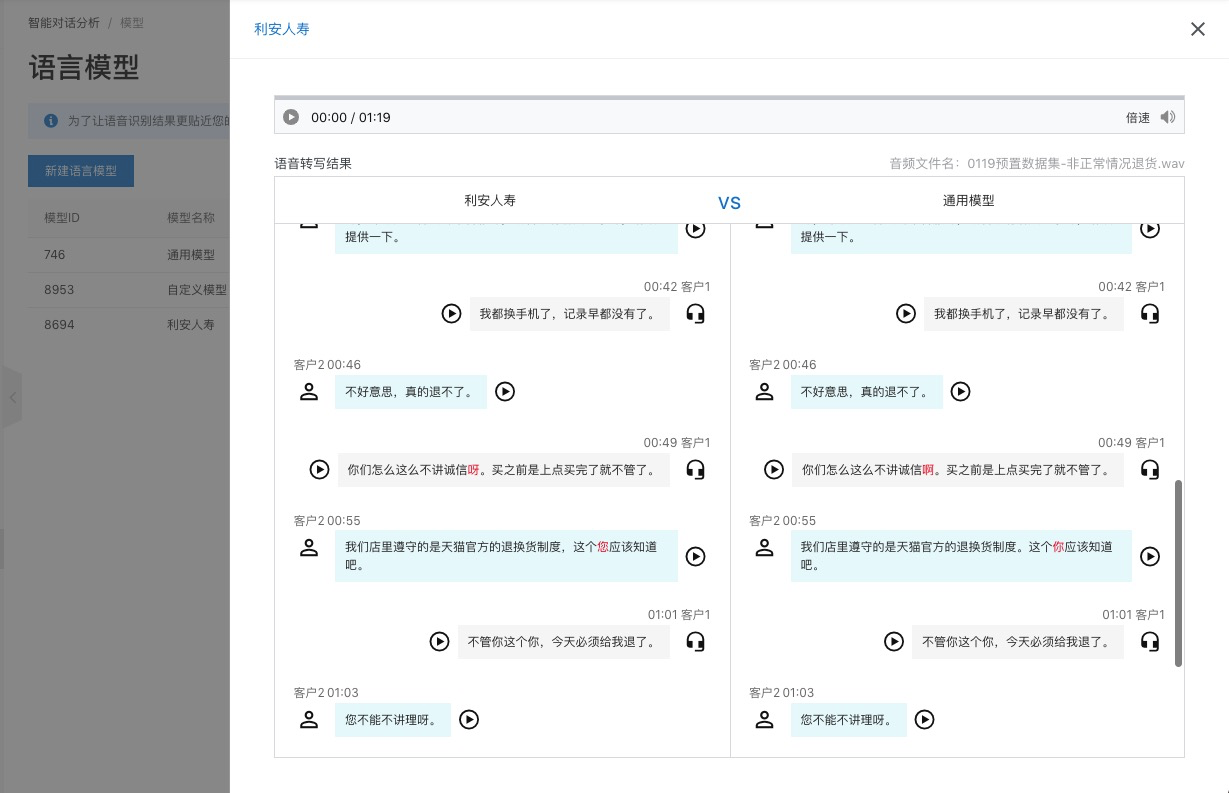
The test feature lets you transcribe audio files from an uploaded dataset using a specified language model. For the general-purpose model, you can only view its transcription results. For a custom model, you can view and compare the transcription results from both the custom model and the general-purpose model. This lets you see the differences between them. The following example uses a custom model.
In the model list, click the Test Performance button in the rightmost column.
Select a dataset and click Start Audio Transcription.
After the transcription is complete, the differences between the results of the two models are highlighted, as shown in the following image: