1. Preparations
1.1 Ensure you have an Alibaba Cloud account that has completed enterprise identity verification
For more information, see Enterprise identity verification.
2. Create RAM users and groups
You can use RAM users (sub-accounts of your Alibaba Cloud account) or RAM user groups to manage permissions.
2.1 Create a user
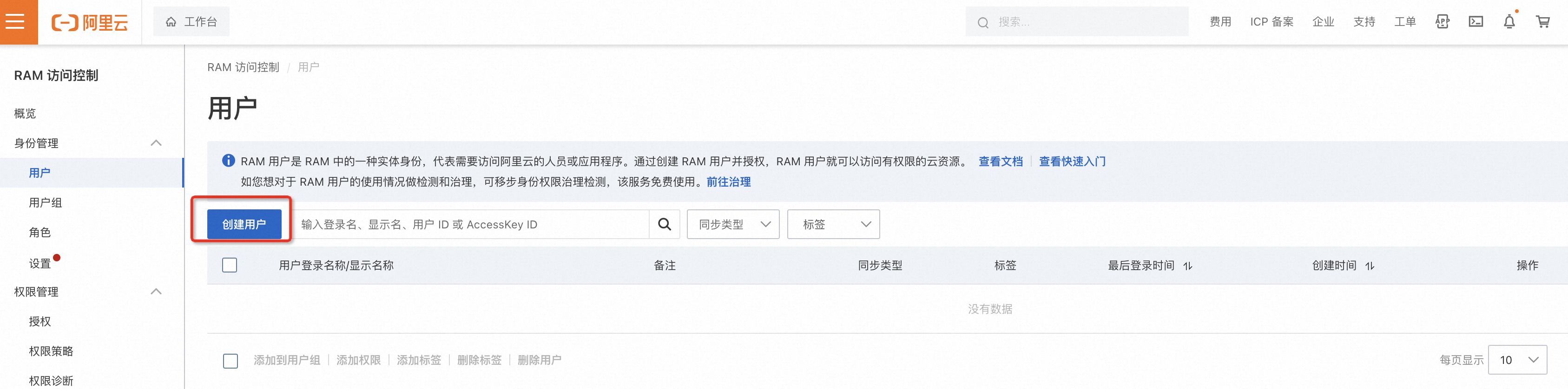
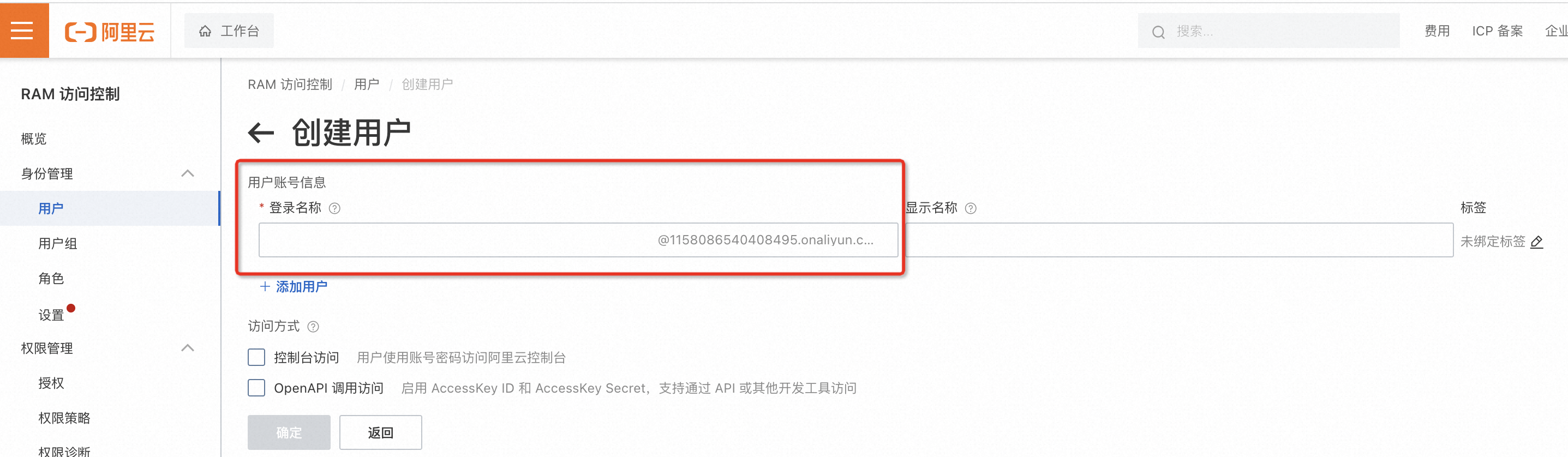
Enter the user information.
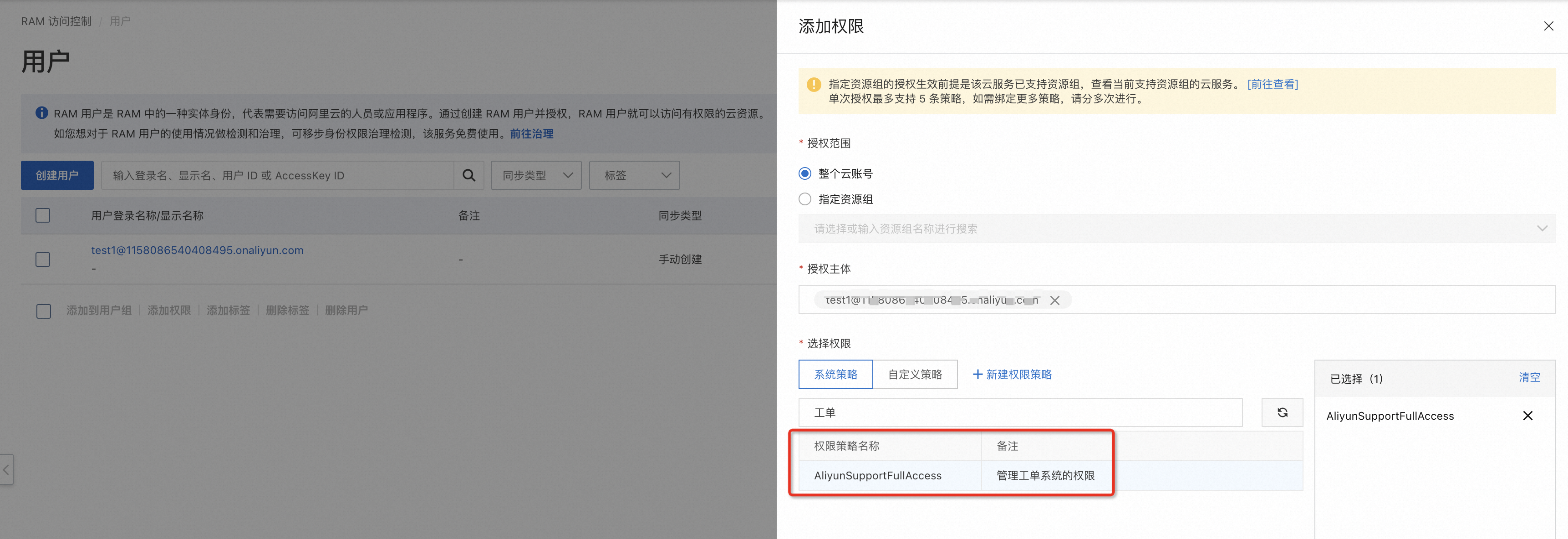
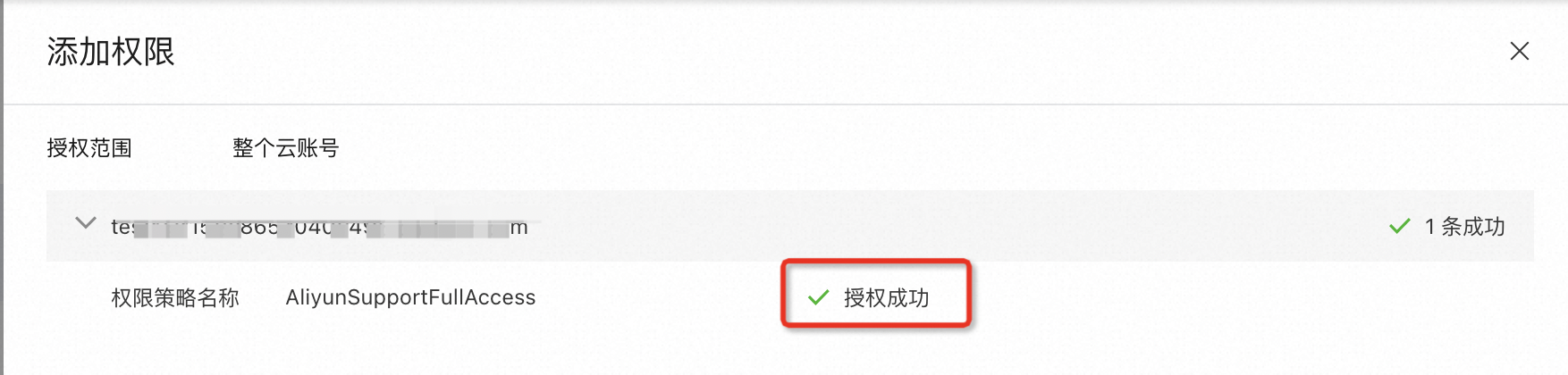
2.2 Manage user permissions
Select the AliyunSupportFullAccess permission.

2.3 Create a user group
Log on to the console and choose User Groups > Create User Group.
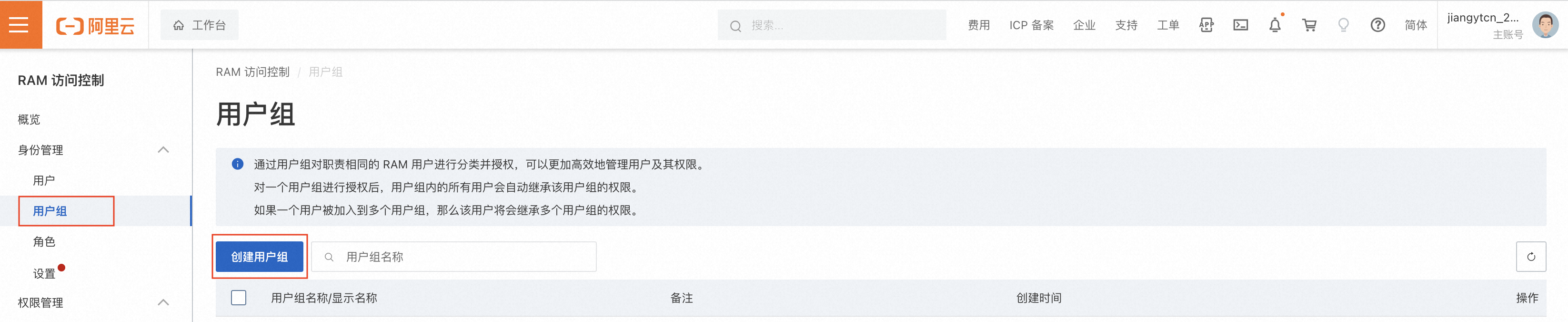
Enter a name for the user group.
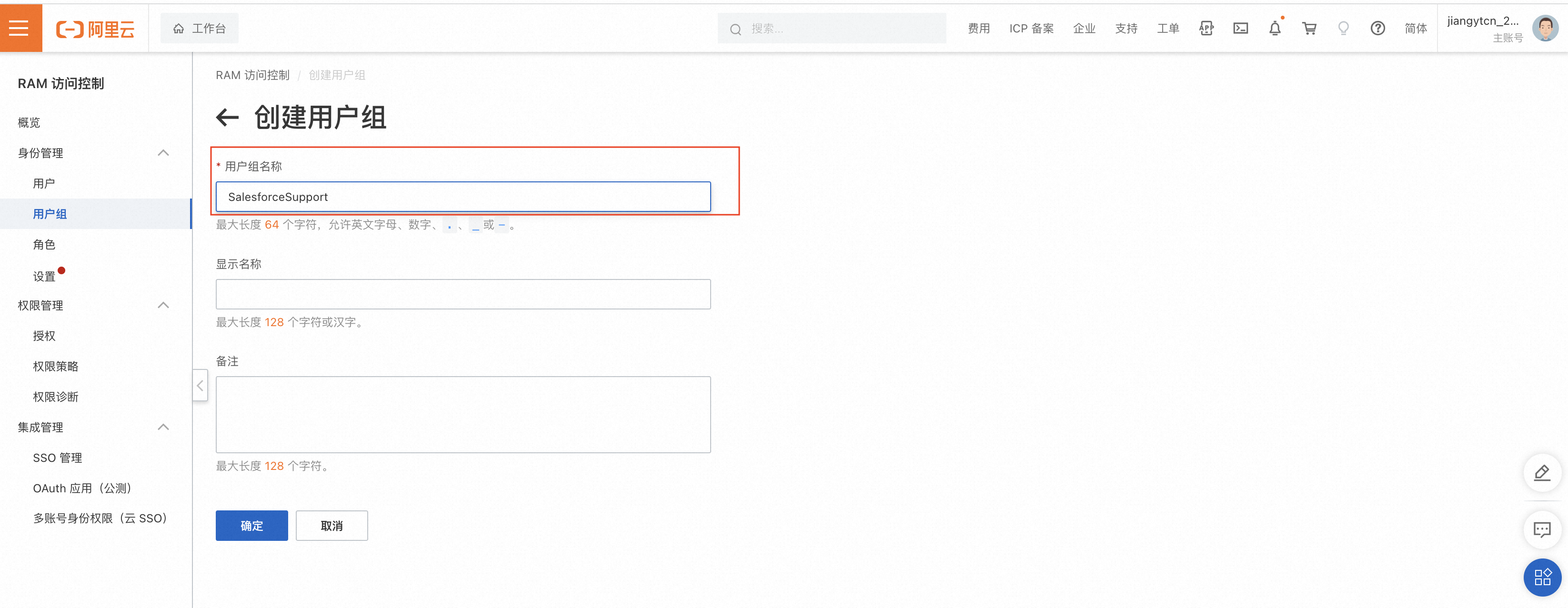
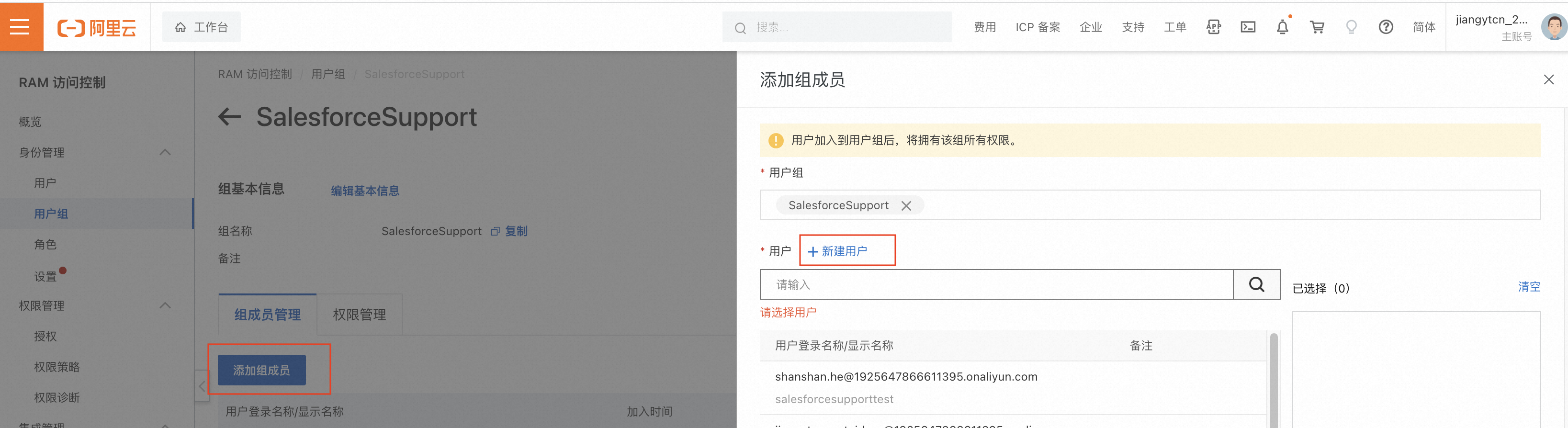
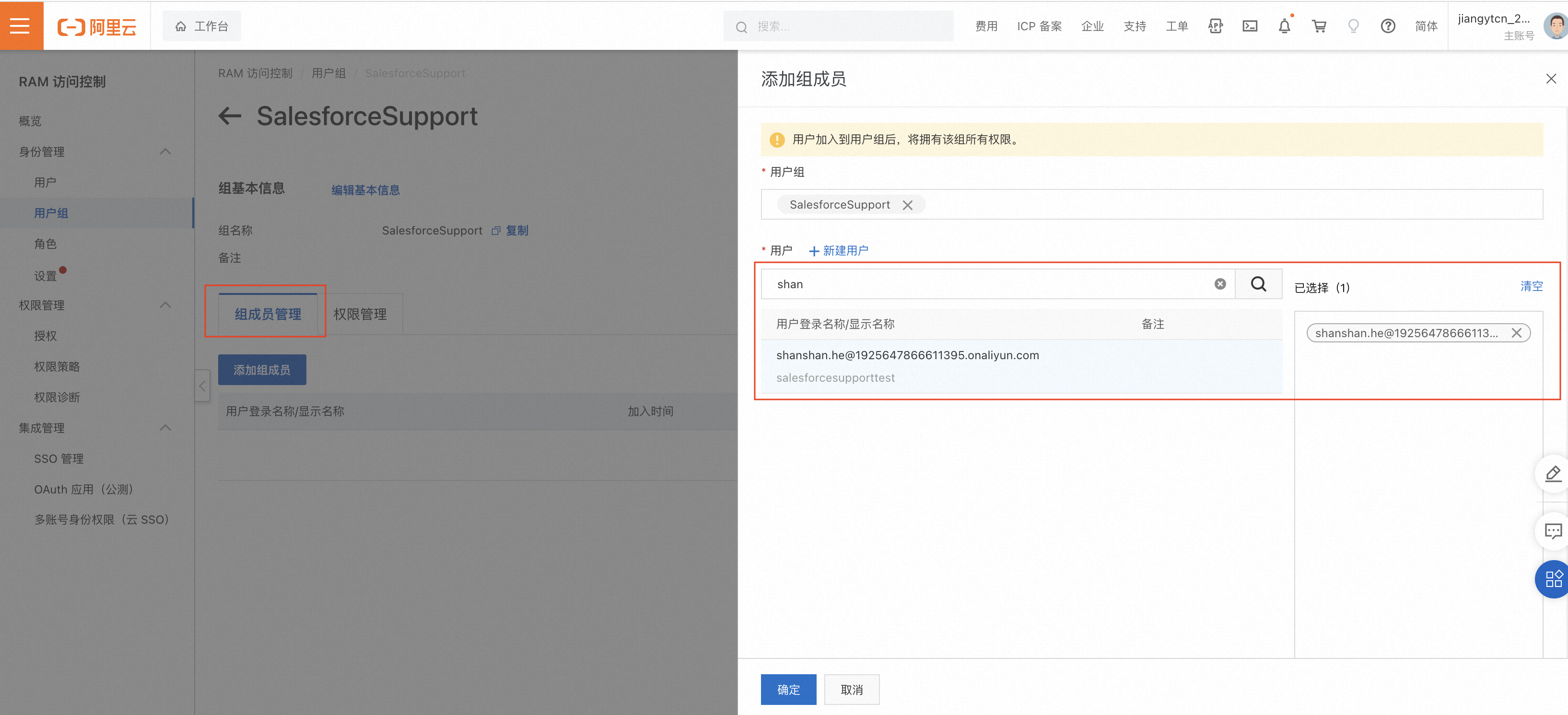
2.4 Add members to a user group
After you create the user group, choose Add Members > Create User.
Enter the user details.
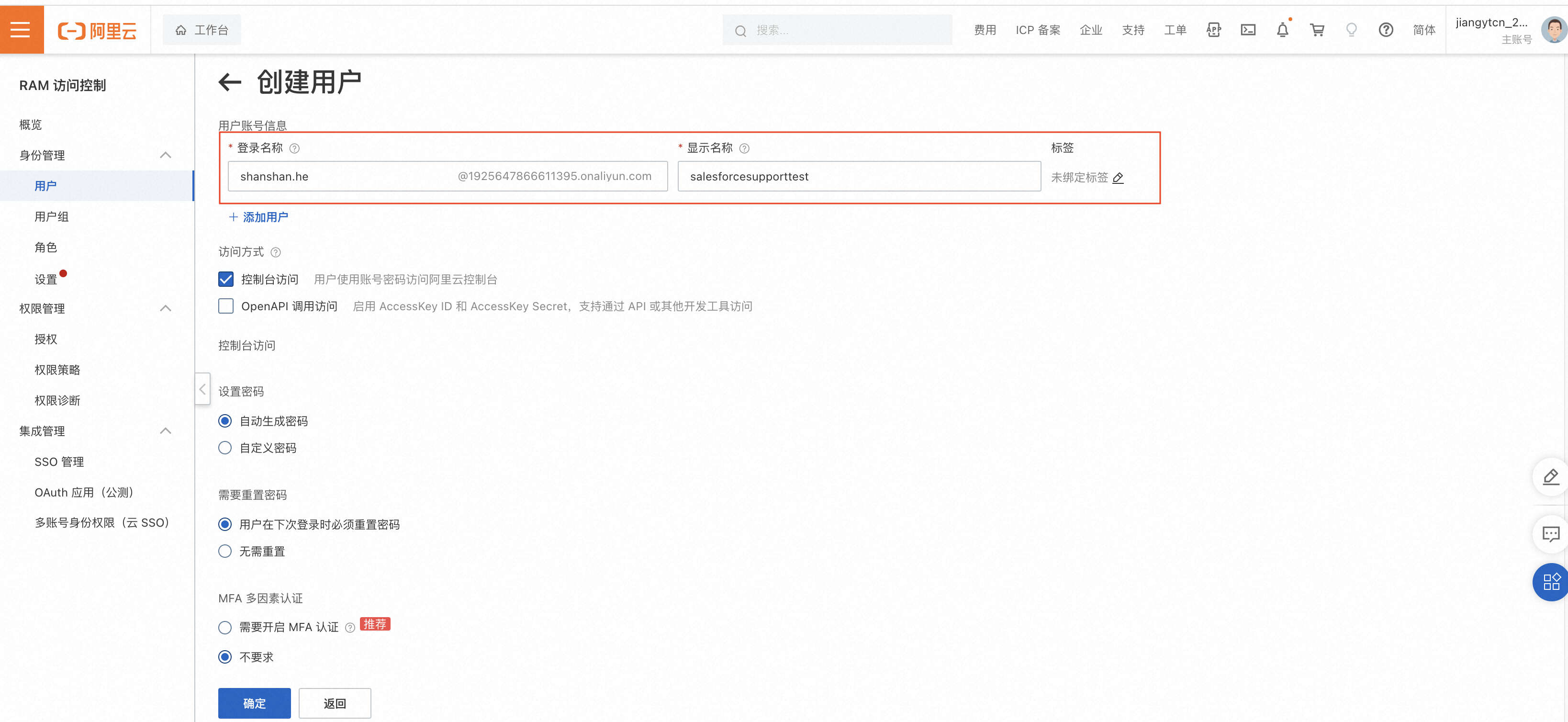
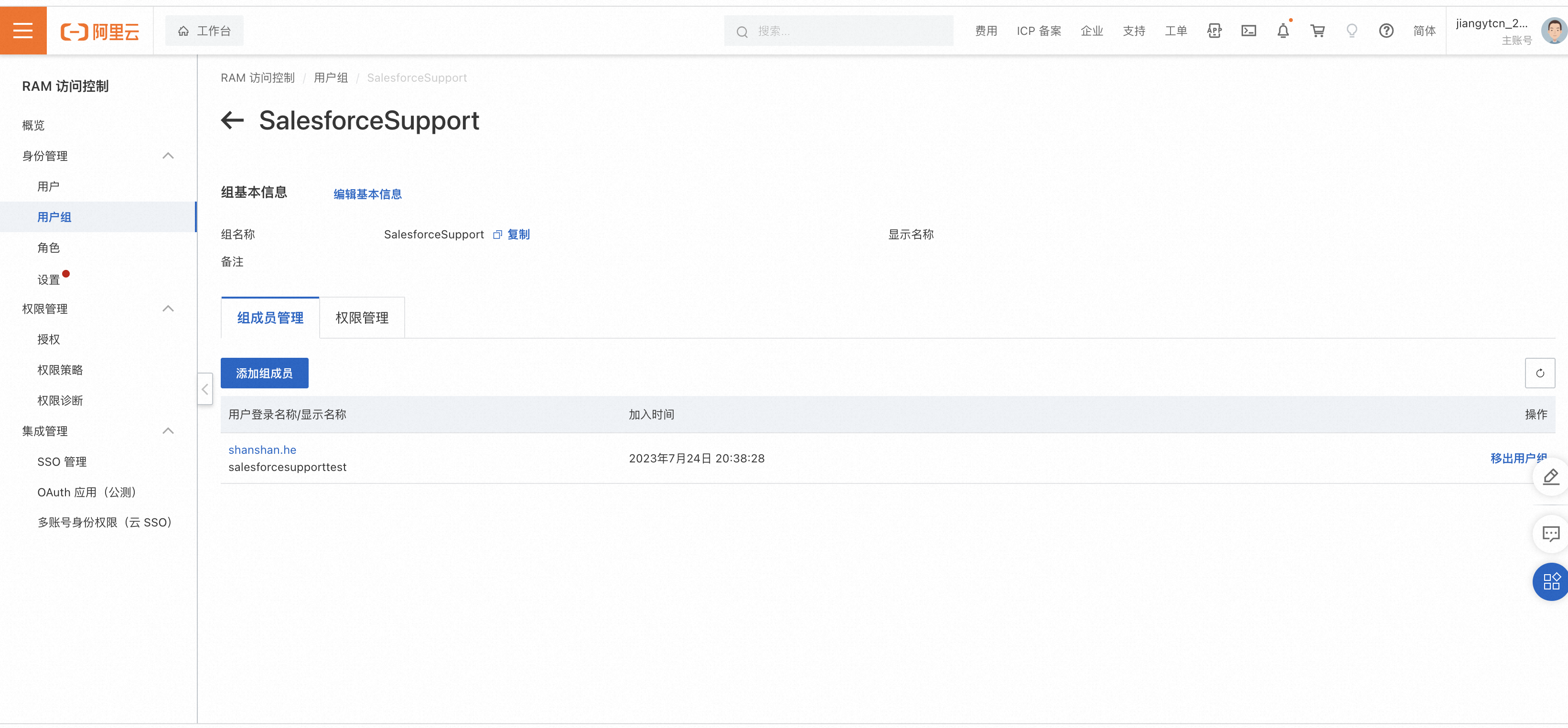
After you create the user, add the new user to the user group.
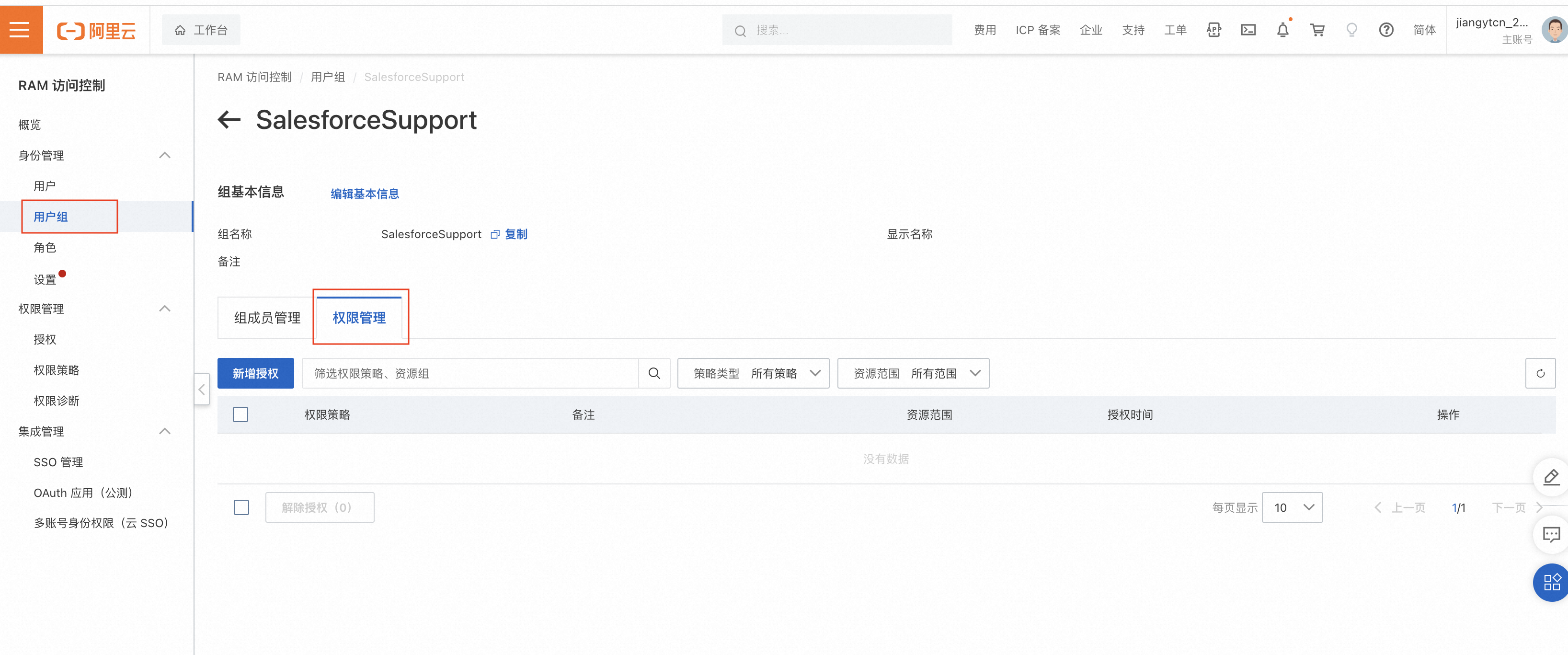
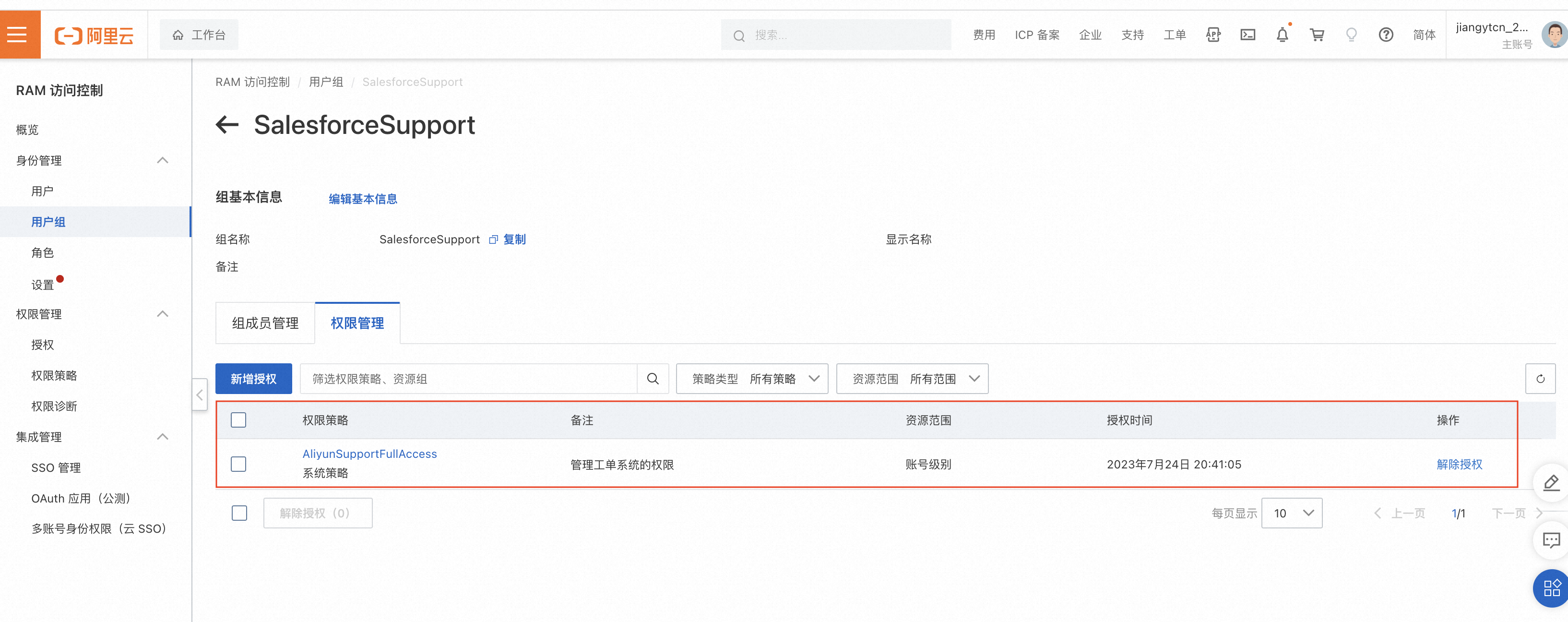
2.5 Manage user group permissions
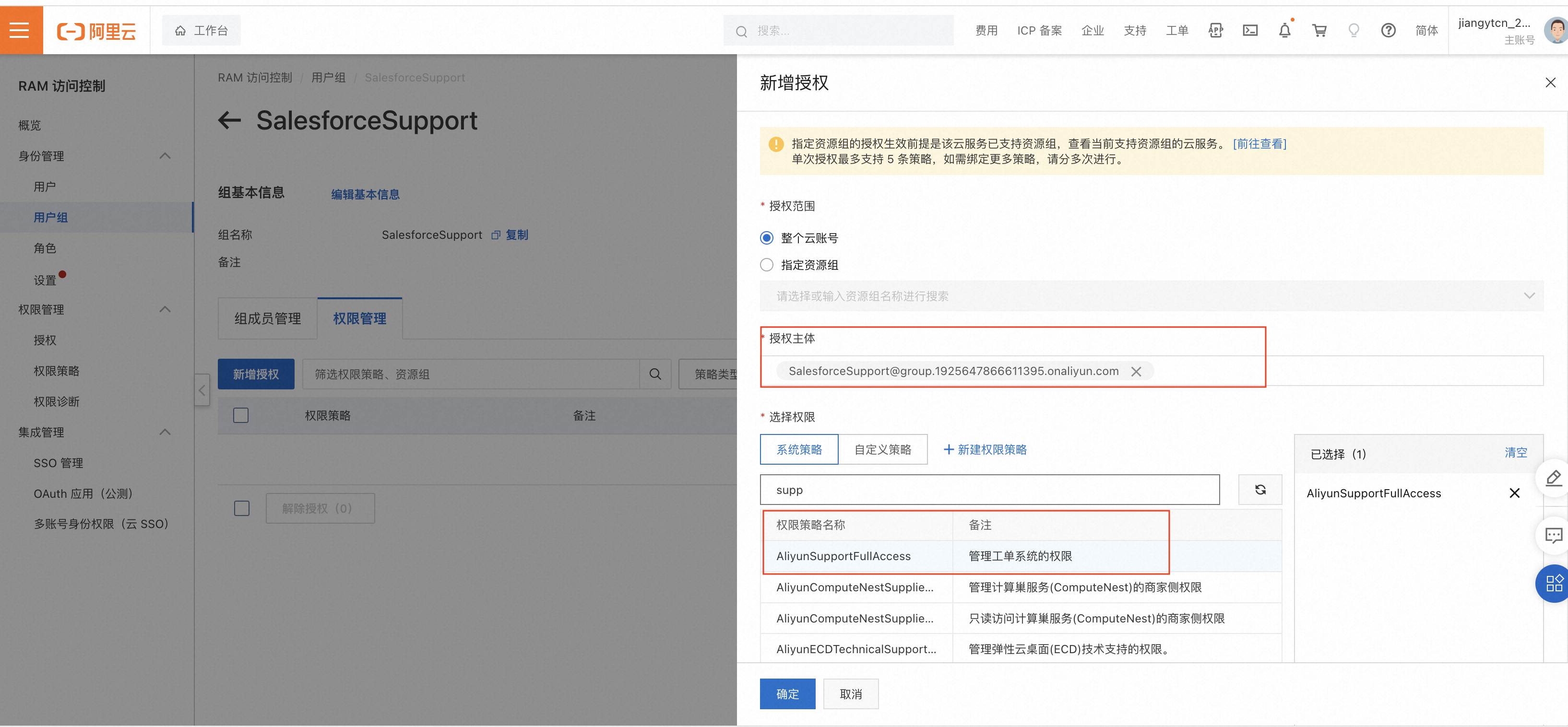
Choose Permission Management to grant permissions to the user group.
Set the authorization entity to User Group and select the AliyunSupportFullAccess permission.
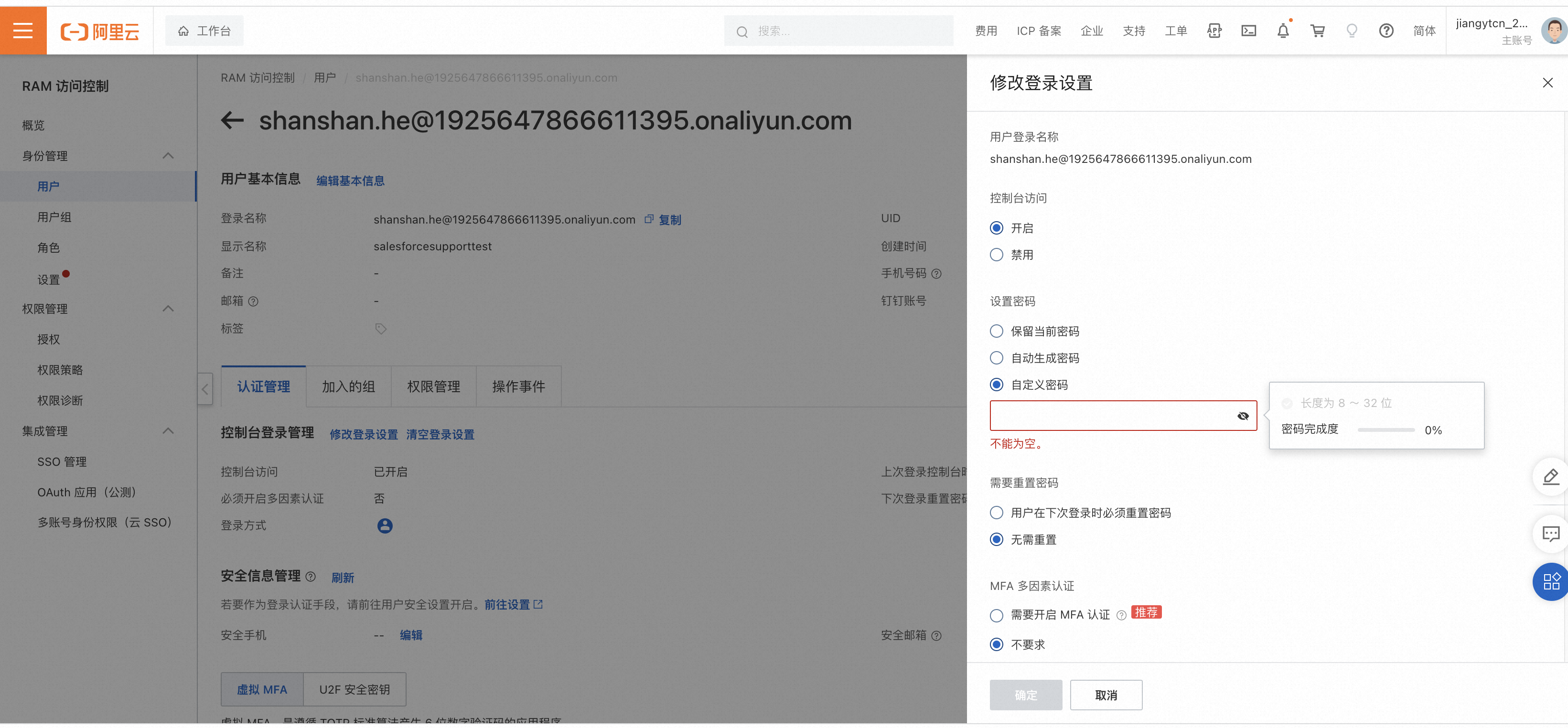
*Go to the user's logon settings and set a custom password.
3. Create a ticket as a RAM user
3.1 Log on to the workbench with your Alibaba Cloud account and password
3.2 Submit a ticket
For more information, see How to submit a ticket for a Salesforce on Alibaba Cloud product.