How to debug a regular expression
If you use the full regex mode to parse and collect text logs with Logtail, you must configure a regular expression based on your log sample. This topic describes how to debug the regular expression during configuration.
This document may include information about third-party products. This information is for reference only. Alibaba Cloud makes no warranties, express or implied, about the performance or reliability of third-party products. Alibaba Cloud is not responsible for any potential effects that may arise from using these products.
Features
You can use the validation feature to debug the regular expression during configuration.
Start of line regular expression: Checks whether the current settings correctly match the expected number of logs.
Field extraction: Verifies that each field contains the expected value.
For more advanced debugging, you can use a tool such as Regex101. Paste the regular expression that is automatically generated in the console into the tool. Then, add your log sample to test and debug the expression.
The full regex mode can automatically generate a regular expression. However, the generated expression may not work correctly for multi-line logs. This topic uses Regex101 as an example to demonstrate how to debug and modify a regular expression.
Procedure
Go to Regex101. Copy the regular expression that Simple Log Service automatically generated from your log sample and paste it into the REGULAR EXPRESSION field. For more information about how to generate a regular expression, see Full regex mode.
\[([^]]+)]\s\[(\w+)]\s([^:]+:\s\w+\s\w+\s[^:]+:\S+\s[^:]+:\S+\s\S+).*An explanation of the regular expression appears on the right side of the page.
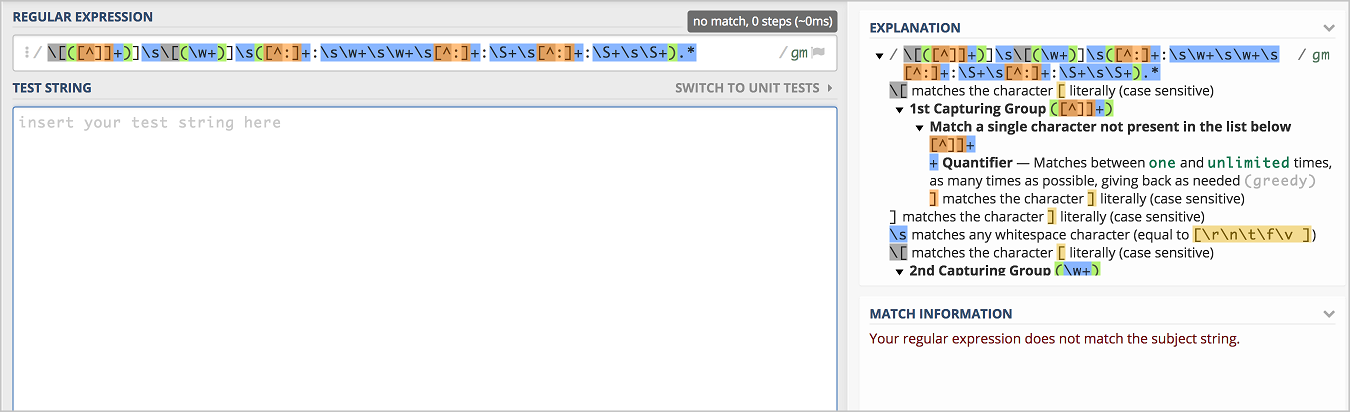
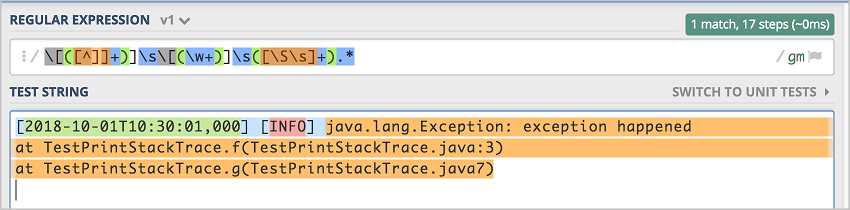
Paste your log sample into the TEST STRING field. The content after `at` is not included in the `message` field, which is highlighted in blue. This means the expression does not fully match the log sample. The regular expression is incorrect for this sample and will fail to collect all the log data.
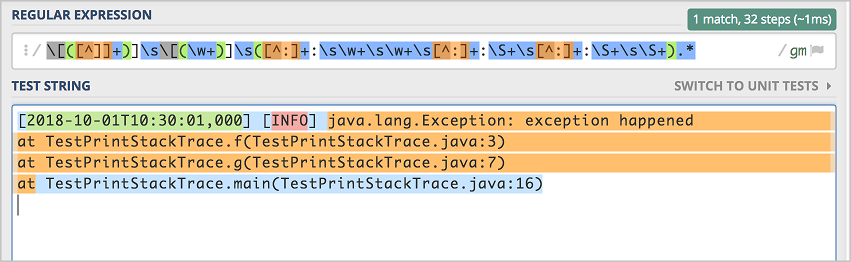
The match also fails if the log contains only two colons.
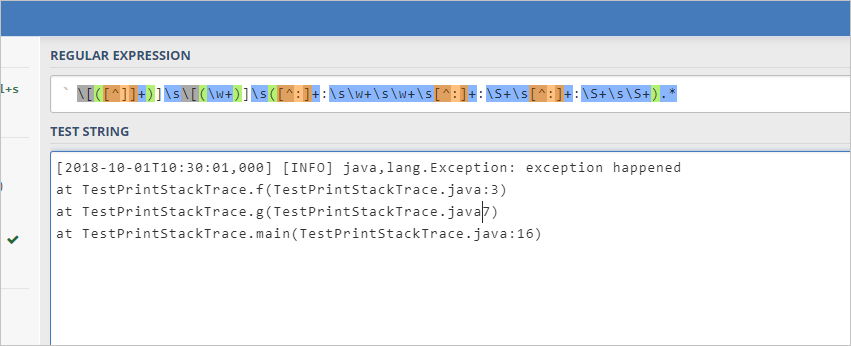
Replace the last part of the regular expression with
[\S\s]+and test the match again. The expression now provides a complete match.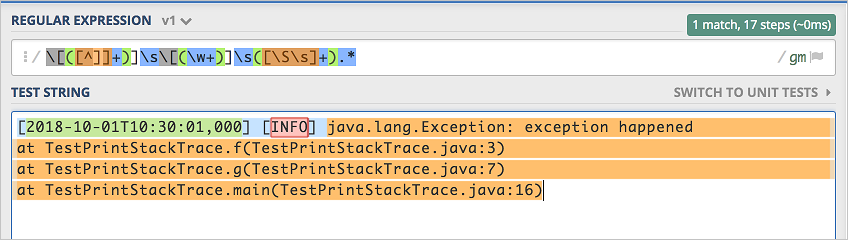 Logs that contain only two colons also result in a complete match.