FAQ about orders and resource transfers
Category | Question |
My Order | |
Resource transfers |
My order
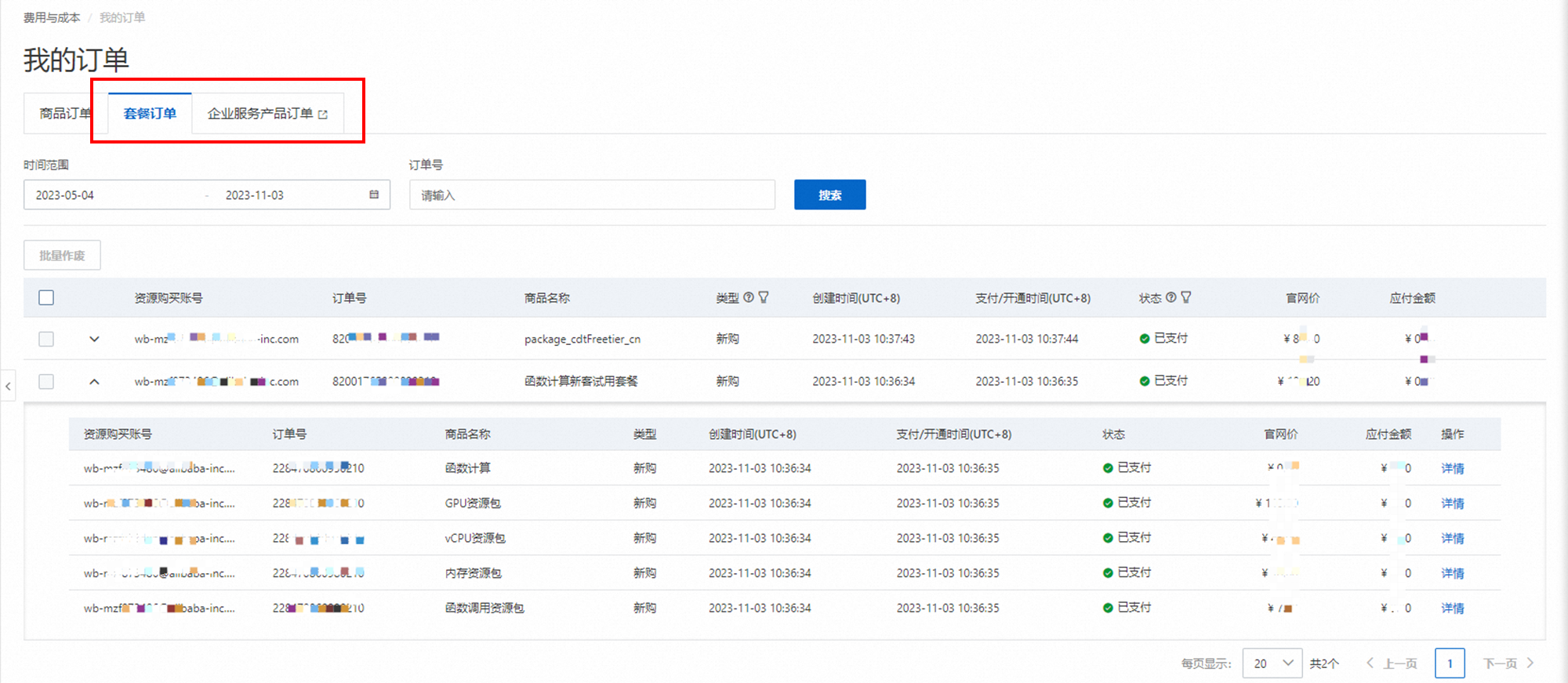
Why can't I find my new order?
The order may be a data plan order or an enterprise service product order. Switch to the Plan Order or Enterprise Service Order tab to find it.
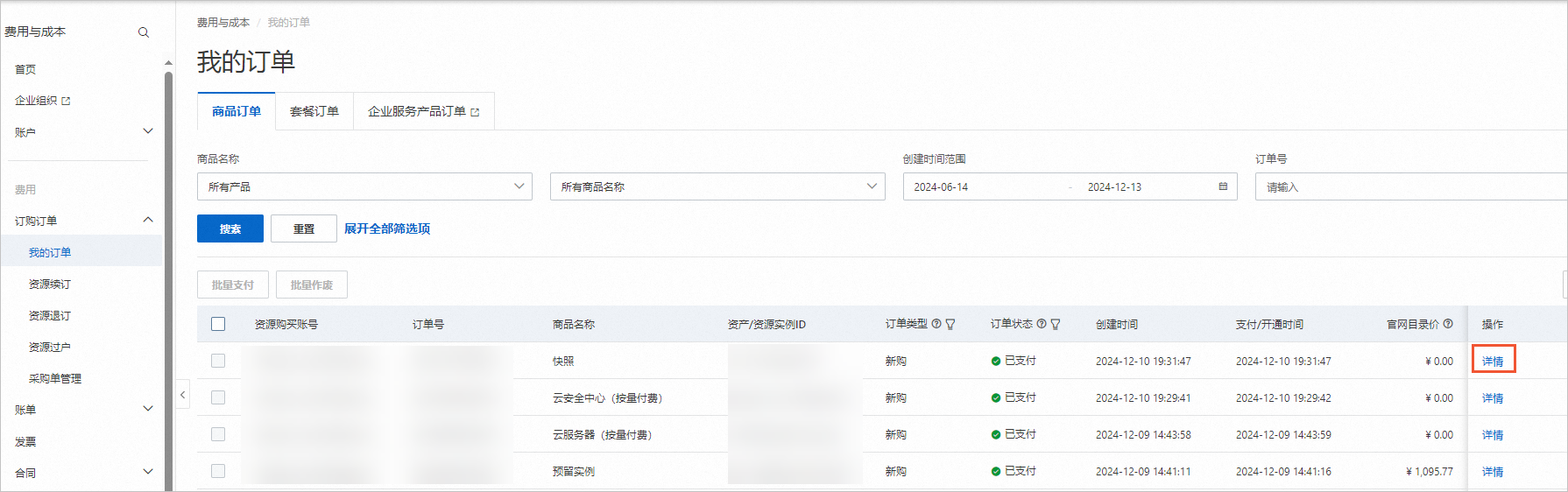
How do I view discount and payment details?
On the My Order page, find the order and click View Details in the Actions column.
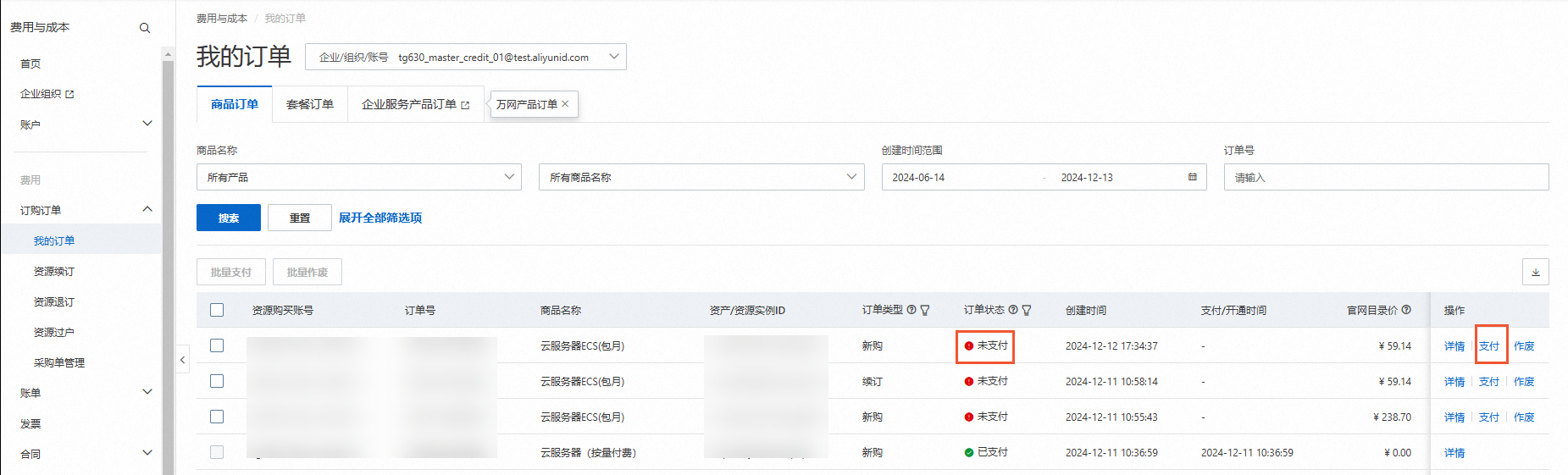
What do I do if my payment times out?
Go to the My Order page. Filter by the Pending Payment Order Status, then click Pay to complete the payment.
Why does my order still show Pending Payment after I paid?
After topping up your account, you must use your account balance to pay for the order.
If a direct payment through Alipay or online banking fails, contact the payment provider or try a different payment method.
If your payment succeeded and the funds were credited to your account, but the order was automatically closed because it was not paid before the payment deadline, check your account balance to confirm whether the funds arrived. If the funds arrived, use your account balance to place the order again. If the funds did not arrive, contact the payment provider to confirm. A closed order cannot be restored, so you must place a new order.
When is an unpaid order automatically canceled?
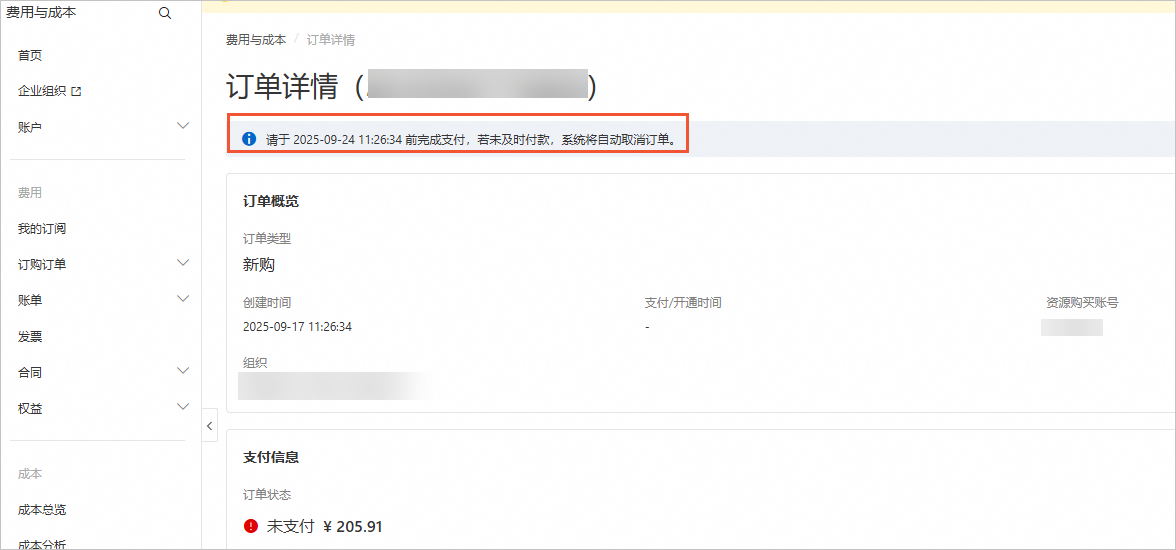
An unpaid order is valid for 7 days by default, but some products have shorter deadlines. For example, resource plan orders expire in one hour. Pay promptly to avoid cancellation.
On the My Order page, click View Details in the Actions column to view the cancellation deadline.
Can a canceled order be restored?
No. Place a new order if you still need the service.
What causes an order to be canceled?
An order is canceled for one of the following reasons:
You manually cancel an unpaid order.
The system automatically cancels an order that is not paid before the payment deadline.
The payment deadline varies by product. On the My Order page, click View Details for an unpaid order to check its deadline.

Resource transfers
Why is my transfer request invalid?
The destination account did not accept the request within 24 hours.
The source account canceled the transfer before you accepted it.
What are the limitations of resource transfers?
Prerequisites: The transfer process runs multiple validation checks. If your instance does not meet the requirements, a notification appears.
Prohibited operations: During a transfer, you cannot upgrade, downgrade, manually renew, terminate, unsubscribe, change the OS, adjust bandwidth, or switch from subscription to pay-as-you-go.
Allowed operations: Auto-renewal is not affected. Renewal fees are charged to the account that owns the resource at the time of renewal.
Refunds after a transfer:
Unsubscribing or downgrading does not refund the original configuration value.
Unsubscribing after renewal refunds only the remaining value of the renewed portion.
Downgrading after an upgrade refunds only the remaining value of the upgraded portion.
Is there a limit on the number of destination accounts?
No limit for destination accounts that share the same identity verification as the source account.
Only one destination account is allowed if it does not share the same identity verification as the source account.