Desktop client
The Alibaba Cloud Workspace desktop client includes the Windows client and the macOS client for connecting to Alibaba Cloud Workspace services.
This topic uses the macOS client V7.13 and the Enterprise Edition as examples. If your experience differs, you may be using a different client or an outdated version. Upgrade to the latest version. For the Personal Edition, see Personal Cloud Computer.
Client interface
Logon interface 1
|
| ||
| Logon interface 2
| ||
Cloud resource list interface
|
| ||
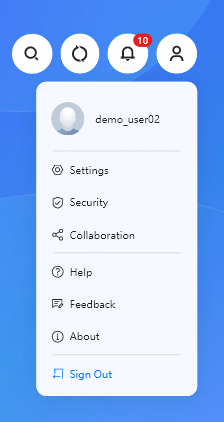
The Personal Center provides access to features such as Account Information, Settings, and Product Suggestions. | Personal Center
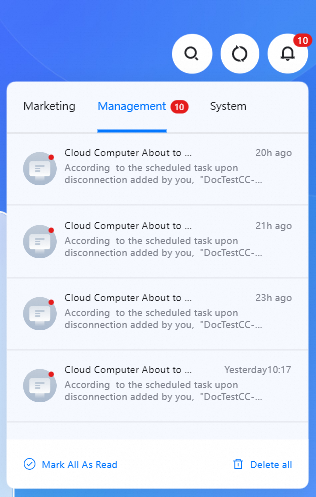
| Notification Center
| The Notification Center has three message types: Campaigns, Management Messages, and System Messages. |
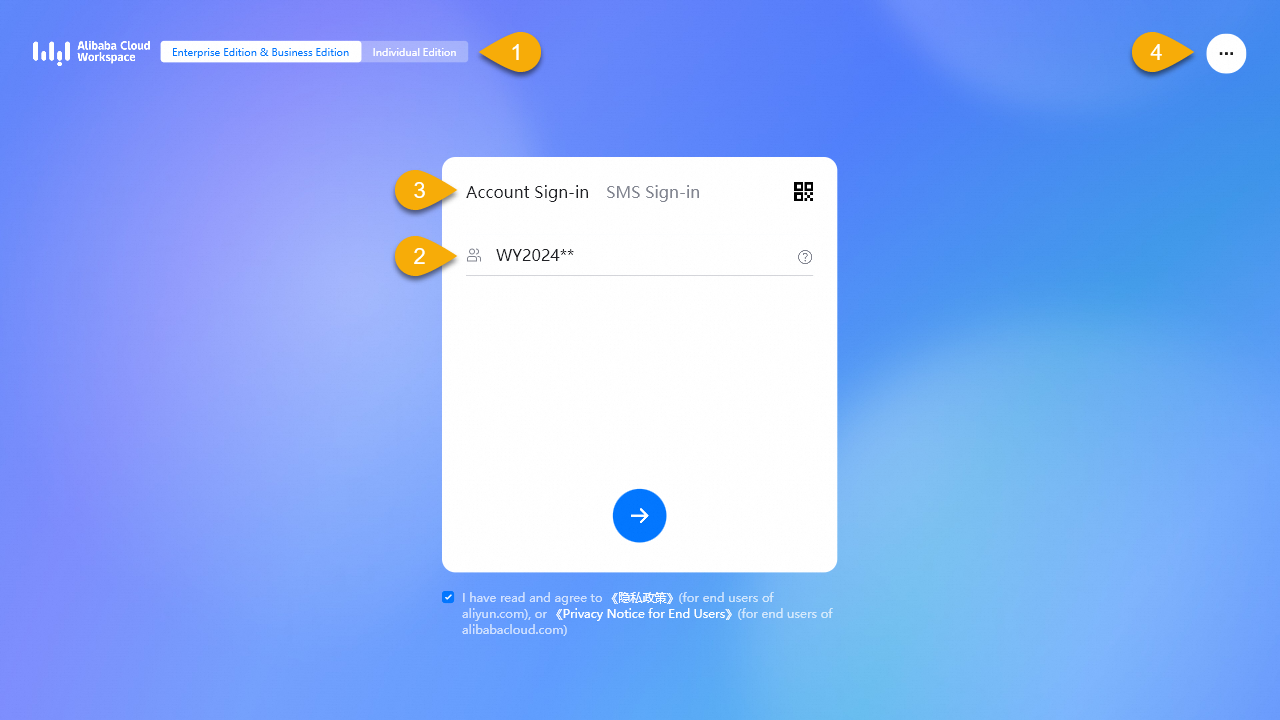
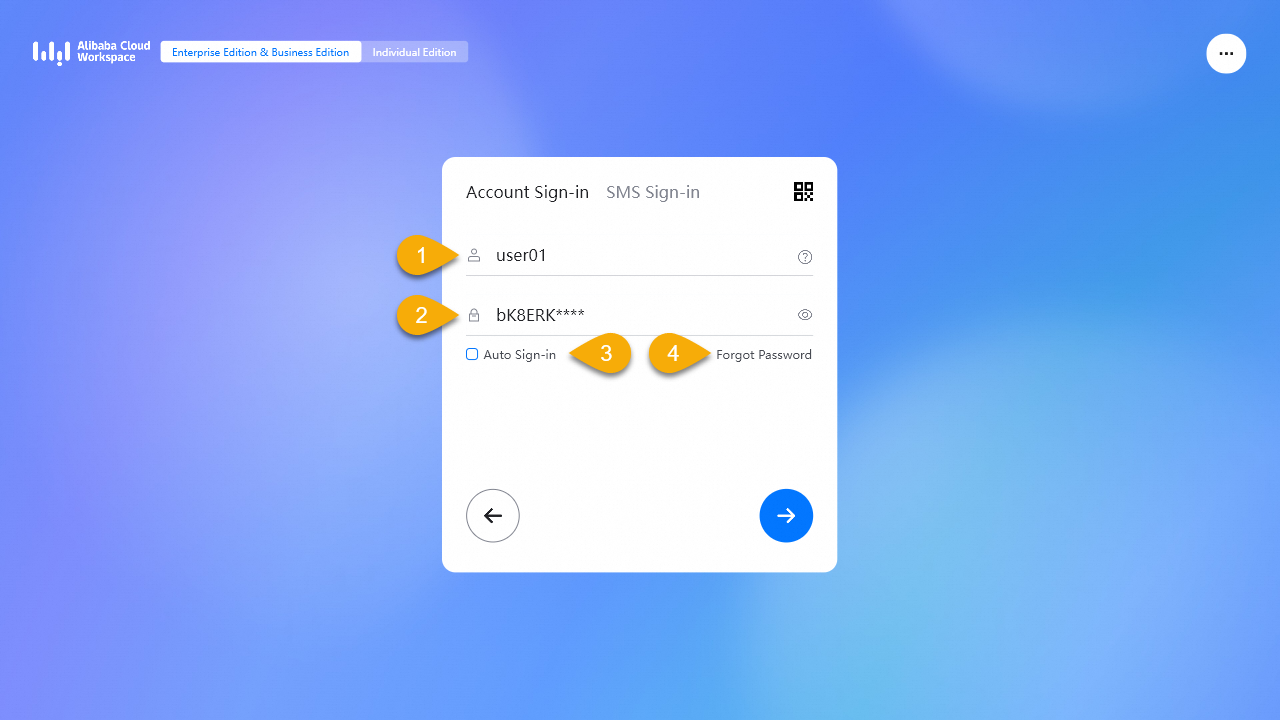
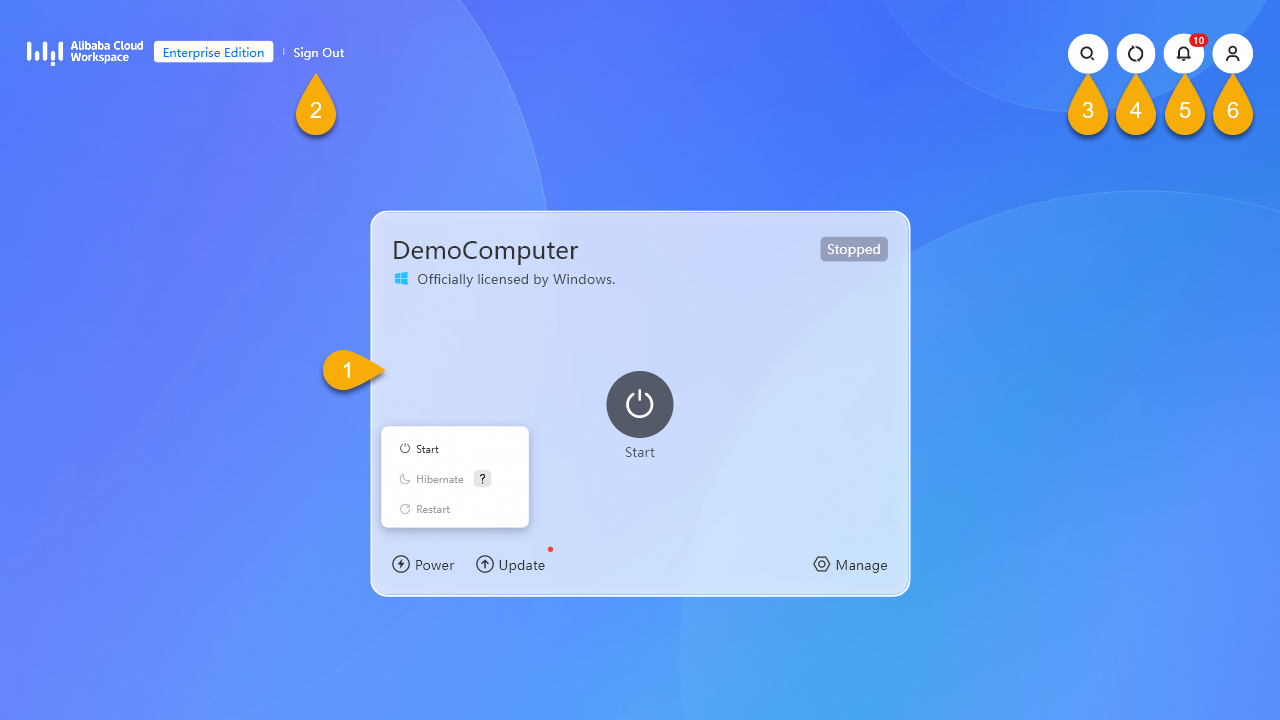
Management capabilities of the Enterprise Edition desktop client
EDS Enterprise Edition supports terminal management. An Enterprise Edition administrator can register employees' desktop clients to the organization and use terminal policies to manage the client experience. Enterprise Edition administrators can group managed clients and assign different terminal policies to each group.
Policy Item | Description | Supported Types | Supported Versions |
Logon entry settings | |||
Personal Edition logon | Enabled by default. Disabling hides the Personal Edition logon entry. | Windows client macOS client | V7.8 and later |
Enterprise Edition QR code logon | Enabled by default. Disabling hides the Enterprise Edition QR code logon entry. | Windows client macOS client | V7.8 and later |
Enterprise Edition text message logon | Enabled by default. Disabling hides the Enterprise Edition text message logon entry. | Windows client macOS client | V7.8 and later |
Immersive mode settings | |||
Immersive mode | Disabled by default. When enabled, only the client interface is visible on the local device running the Windows client, providing an immersive cloud computer experience without local desktop distractions. Note This feature is in invitational preview. To use it, ask your Enterprise Edition administrator to submit a ticket to request access.
| Windows client | V7.10 and later |
System Control Panel | Visible only after Immersive Mode is enabled. Disabled by default. When disabled, the client hides the System control entry.
Note Log on to the client again for the setting to take effect. | Windows client | V7.10 and later |
References
For more information about how Enterprise Edition administrators can create terminal policies, see Manage terminal groups and policies.