FAQ
This topic answers frequently asked questions about knowledge bases and Apsara Devops projects.
What is the Apsara Devops knowledge base?
The Apsara Devops knowledge base is an enterprise knowledge management tool. It provides independent knowledge base spaces to structurally organize online collaborative documents. This process accumulates and retains enterprise knowledge and promotes its reuse and sharing. The tool helps enterprises convert scattered, intangible knowledge into a structured, tangible asset that can be shared efficiently.
What is an enterprise space?
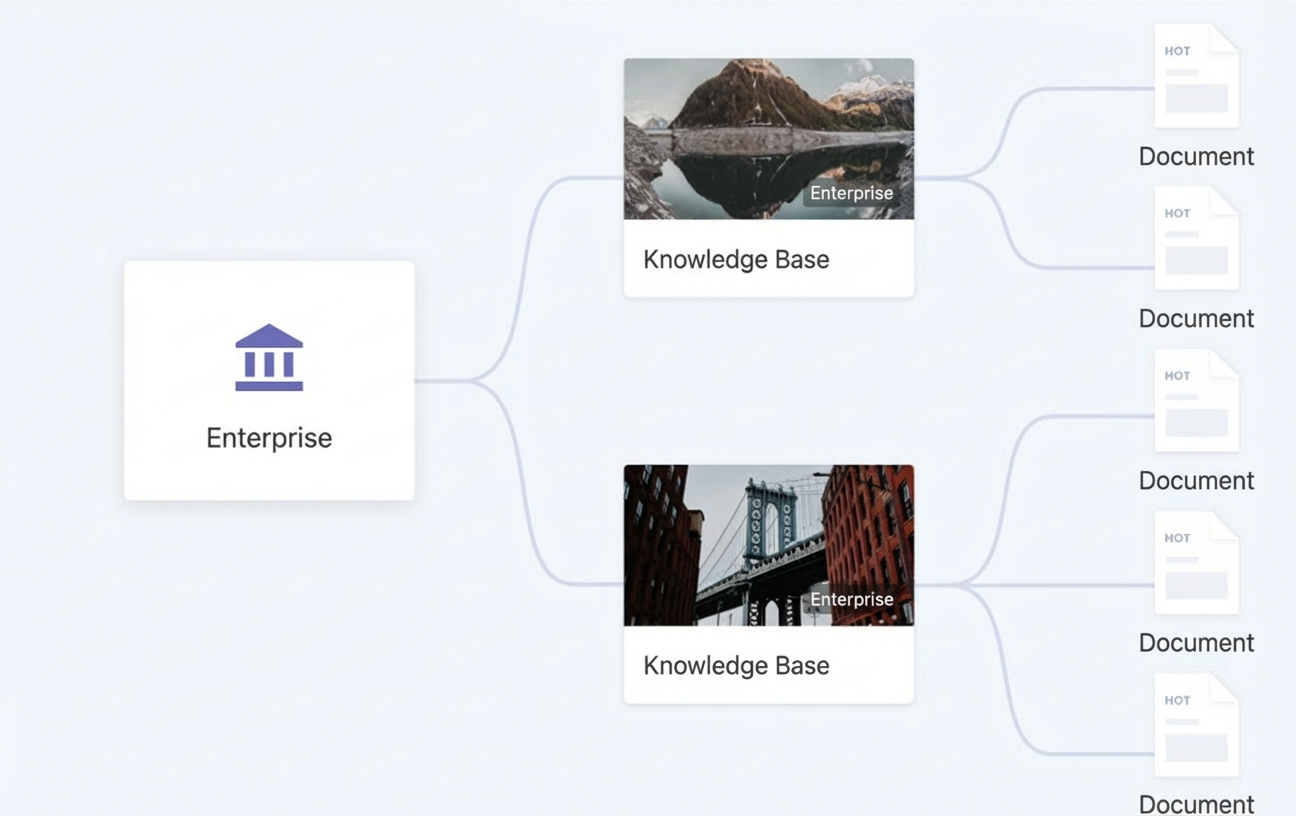
An enterprise space is an area for an enterprise or organization. Each enterprise space is independent. Administrators can manage members and data within the space.
The following figure shows the relationship between an enterprise, a knowledge base, and a document:
How do I create a knowledge base?
In the Knowledge Base space, click the icon in the upper-right corner and then click Knowledge Base. You can use a provided template to create the knowledge base.
Does the knowledge base support importing Word or Markdown files?
Yes. We are continuously improving the import and export features. In addition to Confluence, you can now import documents from sources such as Word (.docx) and Markdown (.md).
How do I export a Word document?
Open the document you want to export. Click the three-dot icon in the upper-right corner to open the menu. Under Export as, select the document format.
Knowledge base permissions
Organization owners or administrators can manage knowledge base members.
Knowledge base owners or administrators can manage permissions for documents and folders
Knowledge base document template management
Go to the knowledge base, click the Settings icon, and then manage templates on the Template Management page.
Choose . Click the template management button to manage the templates.