
本文介绍如何将Nuxt.js应用部署到函数计算。与传统的部署方法相比,您可以跳过购买机器等步骤,将传统的Nuxt.js应用一键部署至远端直接用于生产,并且拥有弹性伸缩、按量付费和免运维等特性。
前提条件
您已完成以下操作:- 安装Funcraft。更多信息,请参见安装Funcraft。
- 配置Funcraft。更多信息,请参见配置Funcraft。
重要
本文介绍的如何使用Funcraft迁移传统框架的相关内容,后期将不再维护,建议您使用Serverless Devs迁移相关框架到函数计算。
关于如何将函数计算的相关资源从Funcraft迁移到Serverless Devs进行管理的详细操作,请参见从Funcraft迁移到Serverless Devs。
关于如何使用Serverless Devs迁移Web框架的详细操作,请参见使用Serverless Devs部署Web框架。
由此带来的不便,敬请谅解!
背景信息
Nuxt.js是一个基于Vue.js的通用应用框架。通过对客户端/服务端基础架构的抽象组织,主要关注的是应用的UI渲染。Nuxt.js预设了利用Vue.js开发服务端渲染的应用所需要的各种配置,为客户端或服务端这种典型的应用架构模式提供了很多有用的特性,例如异步数据加载、中间件支持、布局支持等。
操作步骤
- 执行以下命令创建一个Nuxt.js项目。
npx create-nuxt-app <project-name>说明 若已有Nuxt.js项目则跳过该步骤。 - 执行以下命令进入刚创建的示例项目或您已有的项目。
cd <project-name> - 执行以下命令安装依赖。
yarn install - 执行以下命令运行本地项目。
yarn devtxd123deMacBook-Air:nuxtjs txd123$ yarn dev yarn run v1.22.4 error Couldn't find a package.json file in "/Users/txd123/Desktop/nuxtjs" info Visit https://yarnpkg.com/en/docs/cli/run for documentation about this command. txd123deMacBook-Air:nuxtjs txd123$ cd nuxtjs txd123deMacBook-Air:nuxtjs txd123$ cd nuxtjs -bash: cd: nuxtjs: No such file or directory txd123deMacBook-Air:nuxtjs txd123$ yarn dev yarn run v1.22.4 $ nuxt Nuxt.js v2.12.0 Running in development mode (universal) Listening on: http://localhost:3000/ i Preparing project for development 17:31:26 i Initial build may take a while 17:31:26 ✔ Builder initialized 17:31:26 ✔ Nuxt files generated 17:31:26 ✔ Client Compiled successfully in 6.60s ✔ Server Compiled successfully in 4.28s i Waiting for file changes 17:31:37 i Memory usage: 161 MB (RSS: 210 MB) 17:31:37 i Listening on: http://localhost:3000/ 17:31:37运行效果如下。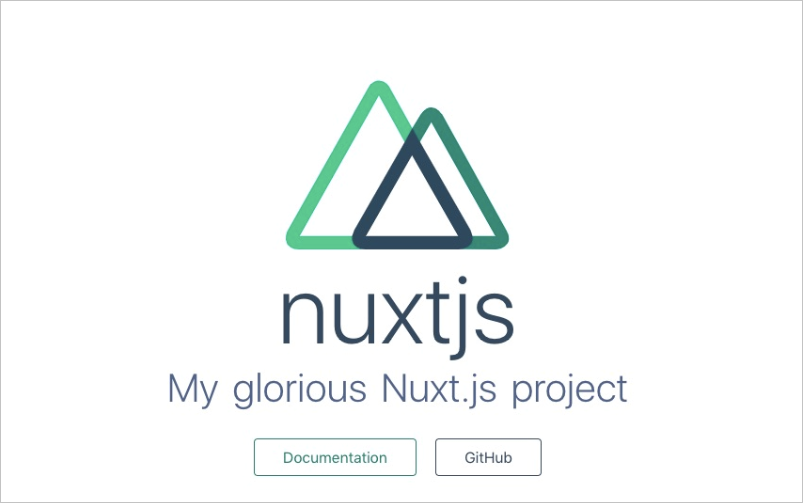
- 执行以下命令编译Nuxt.js项目。
yarn build - 执行
fun deploy -y命令将项目部署至函数计算。
说明 若出现无法添加template.yml文件的问题,请更新Funcraft到最新版本。txd123deMacBook-Air:nuxtjs txd123$ fun deploy -y current folder is not a fun project. Generating /Users/txd123/Desktop/nuxtjs/nuxtjs/bootstrap... Generating template.yml... Generate Fun project successfully! ========= Fun will use 'fun deploy' to deploy your application to Function Compute! ========= using region: cn-qingdao using accountId: ************3743 using accessKeyId: ************Ptgk using timeout: 60 Collecting your services information, in order to caculate devlopment changes... Resources Changes(Beta version! Only FC resources changes will be displayed):部署成功后,您可以在日志中看到函数计算为您生成的临时域名,通过这个临时域名您可直接访问刚部署的应用。nuxtjs Aliyun::Serverless::Function Add CodeUri MemorySize InstanceConcurrency Timeout httpTrigger HTTP Add AuthType Methods Waiting for service nuxtjs to be deployed... Waiting for function nuxtjs to be deployed... Waiting for packaging function nuxtjs code... The function nuxtjs has been packaged. A total of 15364 files were compressed and the final size was 24.3 MB Waiting for HTTP trigger httpTrigger to be deployed... triggerName: httpTrigger methods: [ 'GET', 'POST', 'PUT' ] url: https://xxx Http Trigger will forcefully add a 'Content-Disposition: attachment' field to the response header, which cannot be overwritten and will cause the response to be downloaded as an attachment in the browser. This issue can be avoided by using CustomDomain. trigger httpTrigger deploy success function nuxtjs deploy success service nuxtjs deploy success Detect 'DomainName:Auto' of custom domain 'Domain' Request a new temporary domain ... The assigned temporary domain is 14508250-xxx.test.functioncompute.com, expired at 2020-03-28 13:10:50, limited by 1000 per day. Waiting for custom domain Domain to be deployed... custom domain Domain deploy success说明 临时域名仅用作演示以及开发,具有时效性。如需用作生产,请绑定已经在阿里云备案的域名。详细信息,请参见配置自定义域名。
该文章对您有帮助吗?