Change the metering method
Starting January 8, 2021, Alibaba Cloud Content Delivery Network (CDN) uses the pay-by-traffic metering method by default. If you find that the current metering method does not suit your business needs, you can switch to a more appropriate one. This topic explains how to change the metering method for Alibaba Cloud CDN.
Instructions
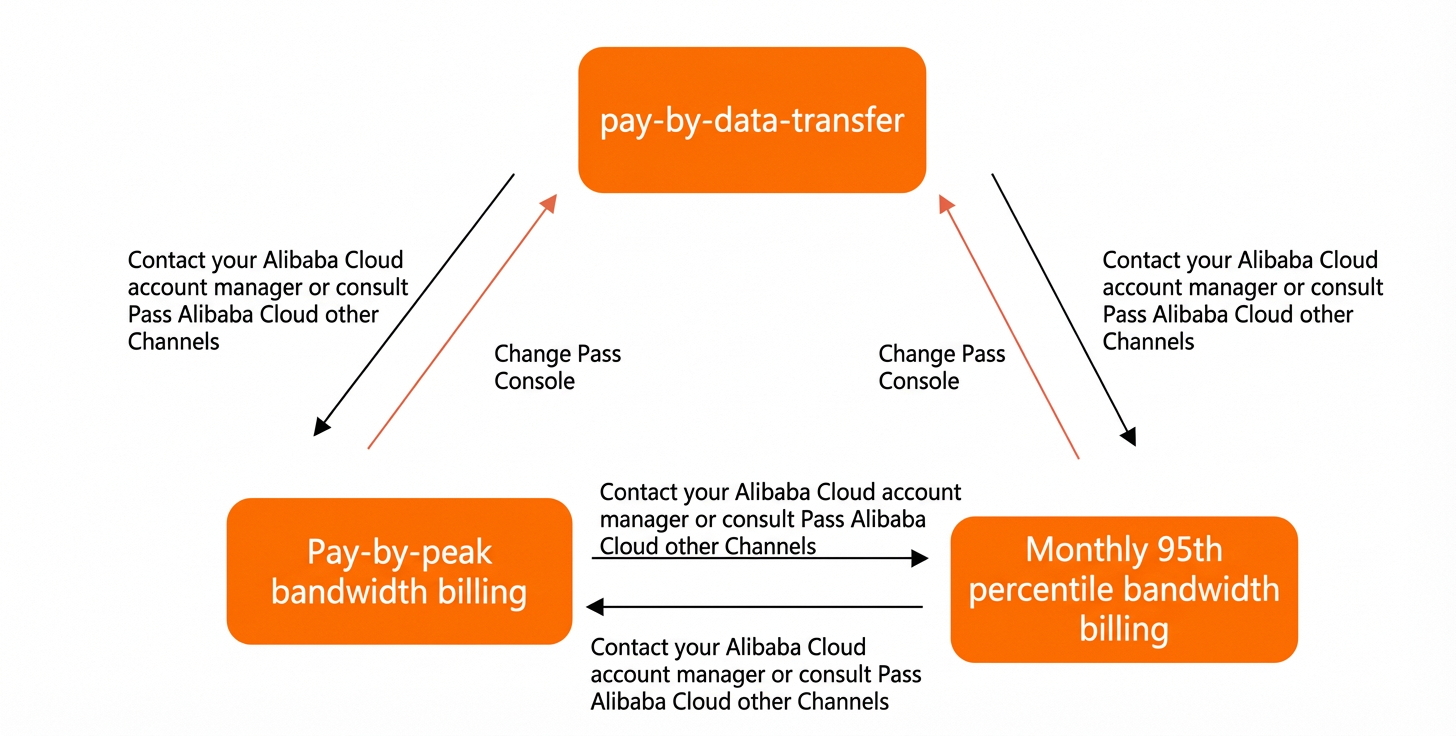
Alibaba Cloud CDN supports switching between different metering methods to suit your business requirements.
-
If you have purchased a CDN data transfer package, you must use the pay-by-traffic metering method. Otherwise, the package cannot be used to deduct charges.
-
After you submit a request to change the metering method, the request cannot be canceled, and you cannot initiate another change until the new method takes effect.
-
Billing continues under the original metering method until the new method takes effect.
|
Scenario |
Actions |
|
Change from pay-by-peak-bandwidth or pay-by-monthly-95th-percentile-bandwidth to pay-by-traffic |
|
|
Other change requests (for example, pay-by-traffic to pay-by-monthly-95th-percentile-bandwidth) |
Contact your Alibaba Cloud account manager or contact us through other means. Alibaba Cloud evaluates your request based on factors such as business security and resource availability. If your request is approved, you can then change the metering method in the console. Note
|
Change metering method in the console
You can use the console to switch from the Pay by Bandwidth or pay-by-monthly-95th-percentile-bandwidth method to the Pay-By-Data-Transfer method.
-
Log on to the CDN console.
-
On the Overview page, find the current metering method on the right. To change it, click Change.
-
Review when the new metering method takes effect and click OK.
-
On the upgrade/downgrade page, select the Content Delivery Network (CDN) Service Terms and click Buy Now.
When changes take effect
If you contact your account manager or contact us through other means to request a change in your metering method and your request is approved, you can then change the metering method in the console. After you submit the change, the new method takes effect at the end of the current billing cycle. The following rules apply:
-
If you switch from the pay-by-traffic method to another method, the new method takes effect at 00:00 on the following day.
-
If you switch from a daily billing method, such as pay-by-peak-bandwidth, to another method, the new method takes effect at 00:00 on the following day.
-
If you switch from a monthly billing method, such as pay-by-monthly-95th-percentile-bandwidth, to another method, the new method takes effect at 00:00 on the first day of the following month.