Basics
A template defines the style in which an electronic shelf label (ESL) displays content. You can create templates in different styles to provide different display effects based on your marketing and promotion requirements.
What is a template?
A template defines the style in which an ELS displays content. You can create templates in different styles to display commodity information by using different display effects.
Template management
You can manage templates by template version, device type, and template type. The three-level hierarchy management helps you display content in diverse ways based on the scenarios.
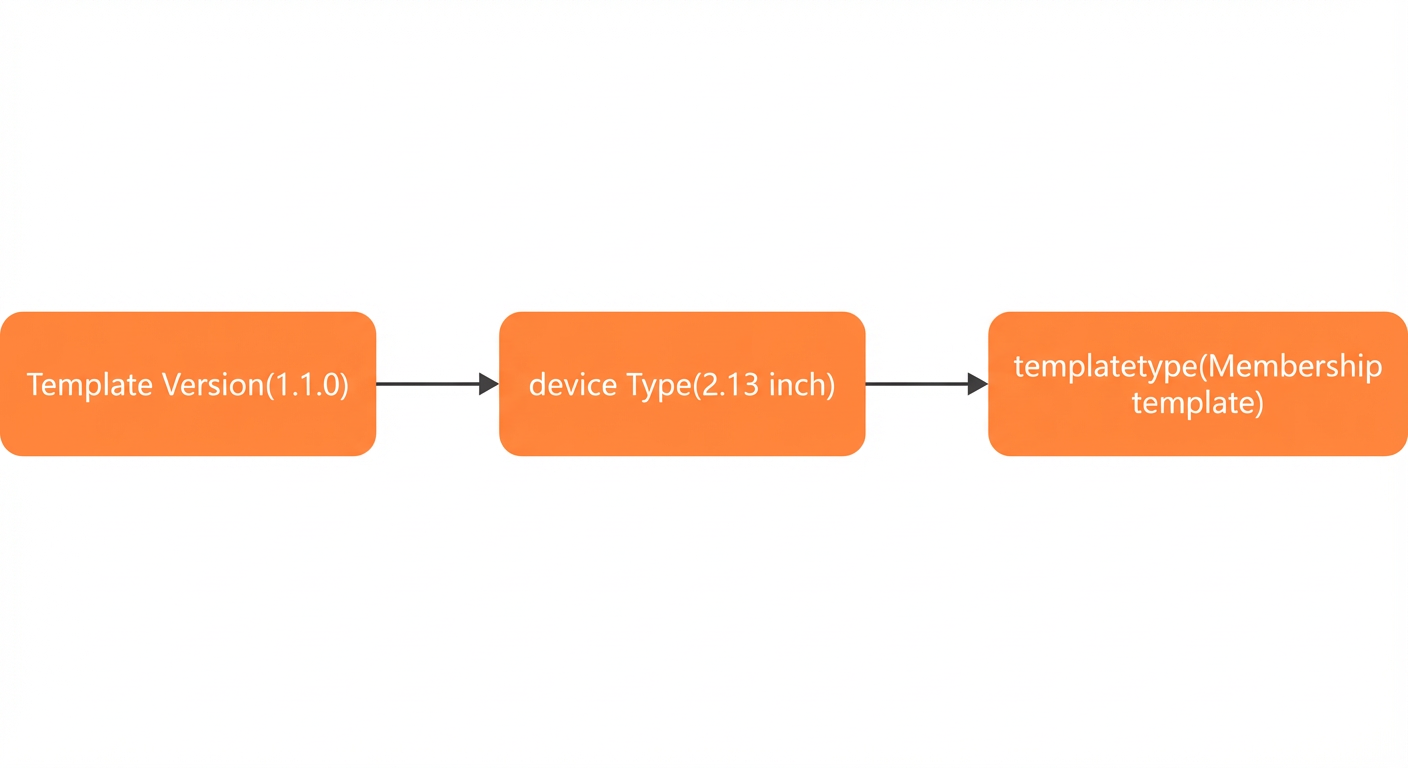
You can create a template version to define a set of templates for a specific store or marketing campaign. This way, you can distinguish the content to be displayed for different stores or marketing campaigns.
You can add a device type to define a set of templates whose display effects and content are optimized for a specific hardware device. This way, you can further group templates by device type.
You can specify the type of template that you want to create after the device type is determined. Cloud Electronic Shelf Label (CloudESL) supports a variety of template types, such as Default, Regular, Membership, On Sale, Tracing, and Out of Stock.
Association between templates and commodities
 When you use a personal digital assistant (PDA) or log on to the CloudESL console to bind an ESL to a commodity, CloudESL can search for a supported template based on the template version, commodity information, and the size of the ESL. The commodity information includes whether the commodity is provided only for members, whether the commodity can be traced, and whether the commodity is on sale. For more information, see Manage bindings and Manage stores.
Mappings between templates and commodity information
Template type | Commodity information |
Default | The default template is used if the ESL is not bound to a commodity or CloudESL cannot find a supported template. |
Regular |
|
Out of Stock |
|
Tracing |
|
Membership |
|
On Sale |
|
Tracing & On Sale |
|