SQL conversion
Cloud Migration Hub allows you to convert Data Definition Language (DDL), Data Query Language (DQL), and Data Manipulation Language (DML) statements.
Batch convert DDL statements
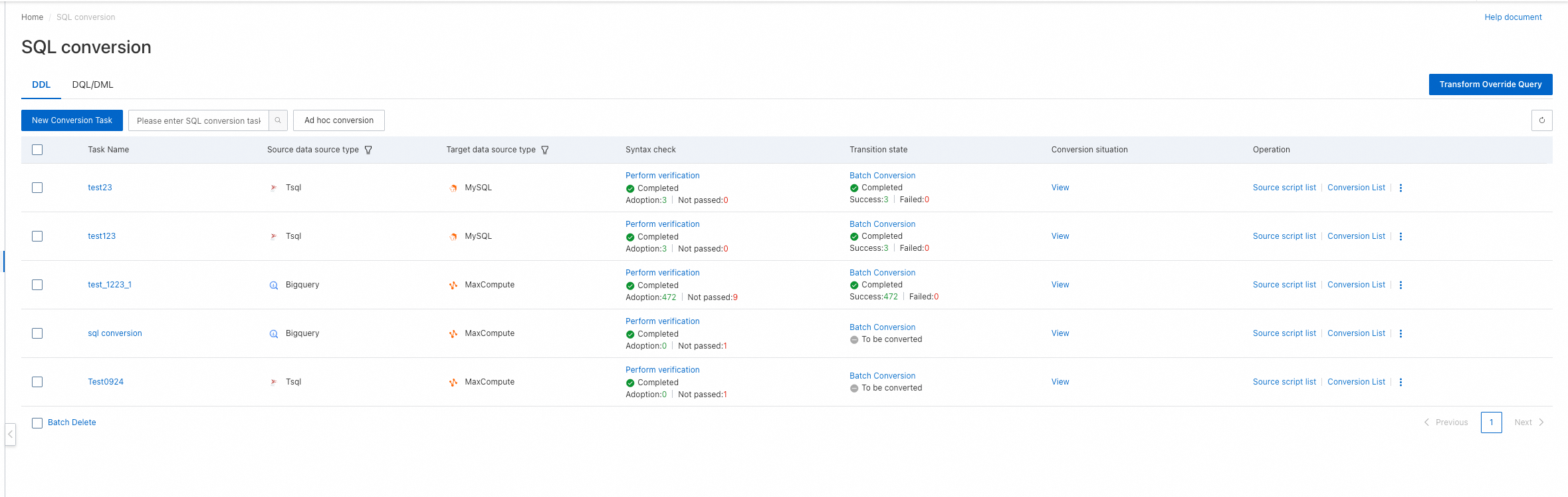
On the SQL conversion page, click the DDL tab and click New Conversion Task.
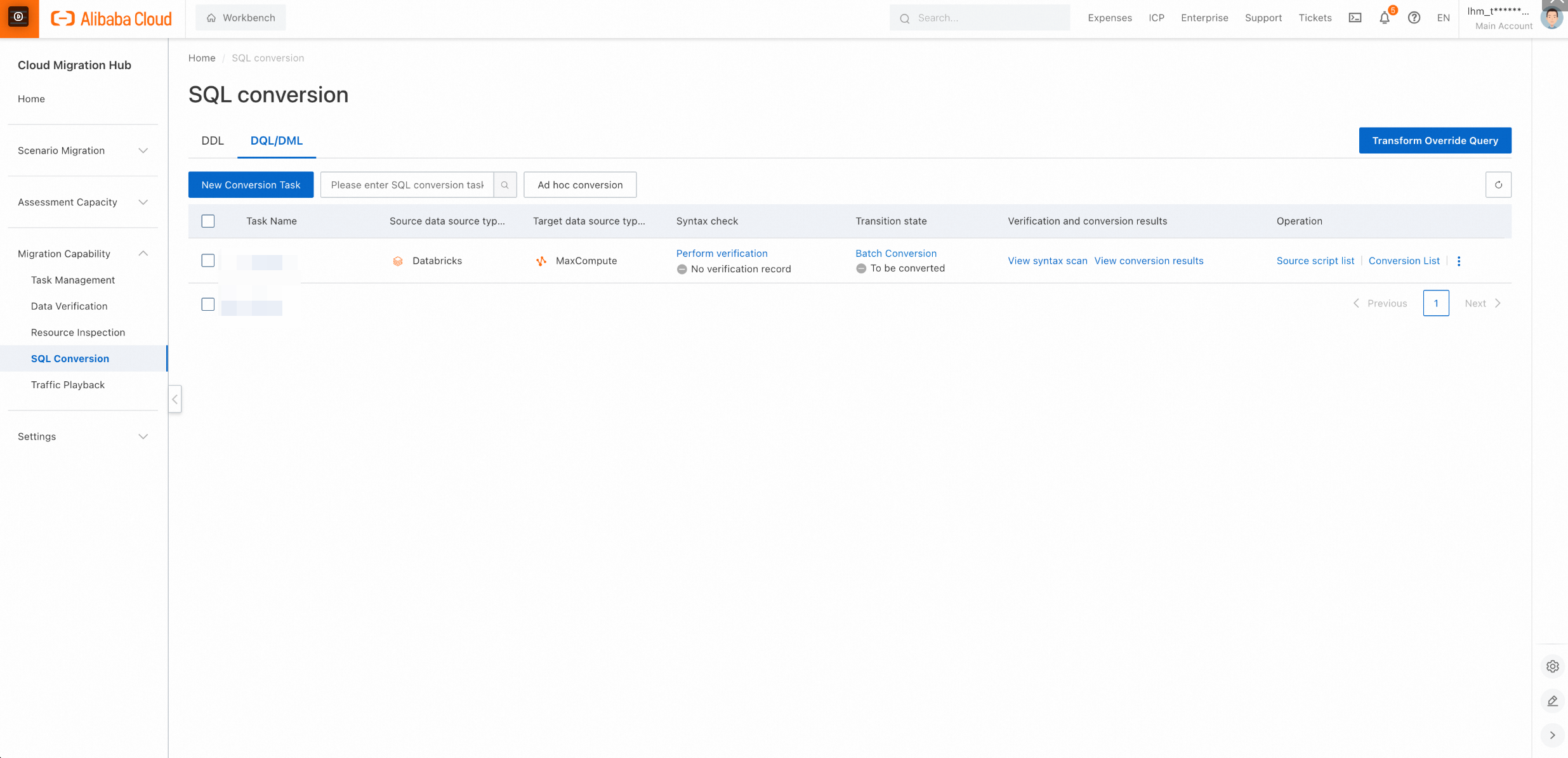
On the New Conversion Task page, enter a task name, select the source and destination types, upload an SQL source file, upload Excel files for table and type mappings, and configure global parameters. By default, global parameters can be left empty.
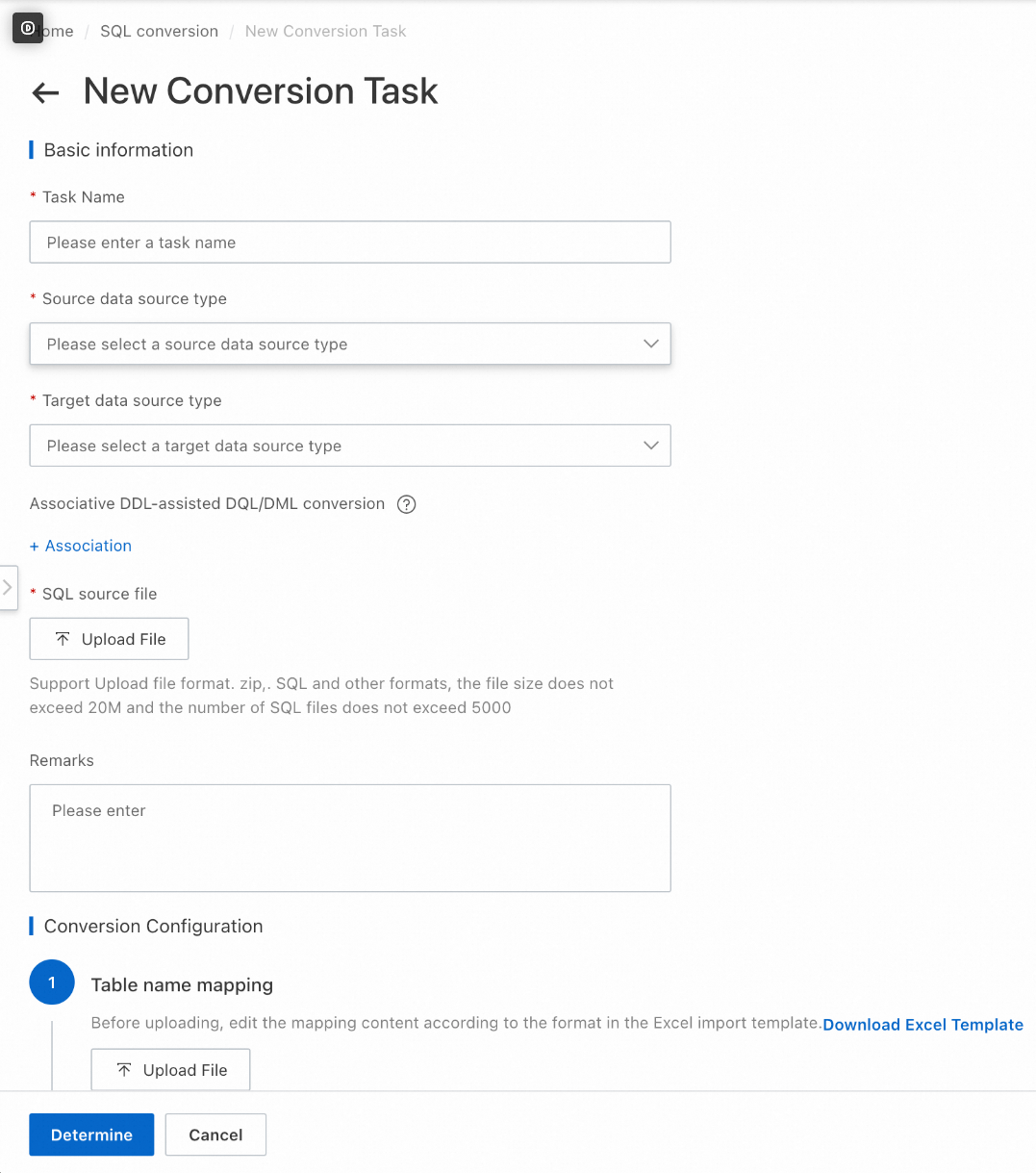
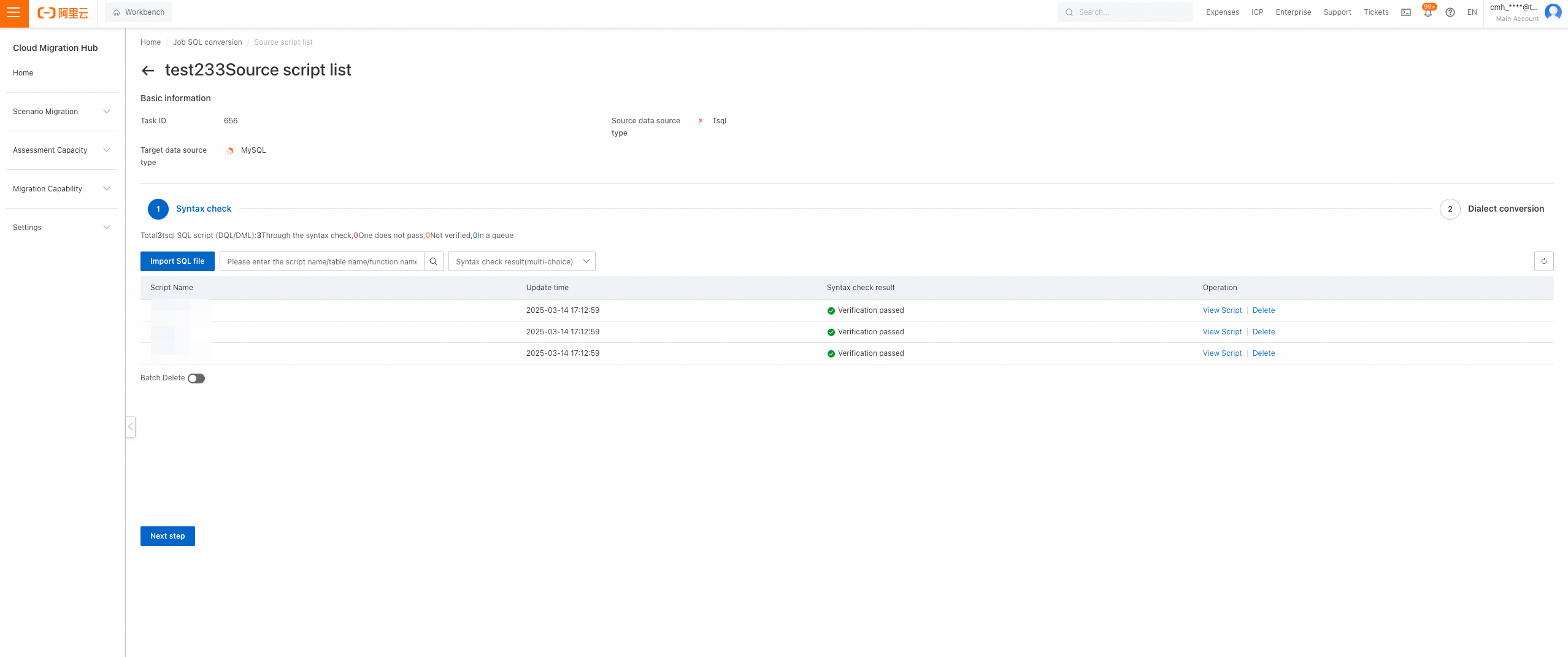
After you create a task, click Batch Conversion to start conversion. The process includes Syntax check and Dialect conversion. Click Source script list or Conversion List in the Operation column to view execution details.
Batch convert DQL and DML statements
Create a conversion task
On the SQL conversion page, click the DQL/DML tab and click New Conversion Task.
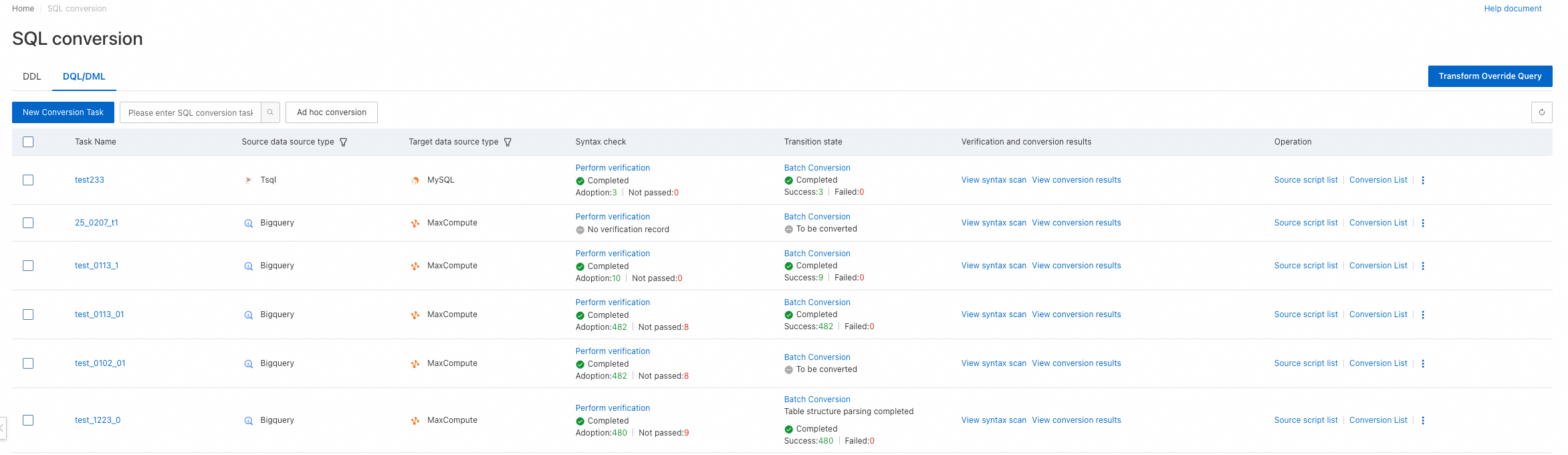
On the New Conversion Task page, specify the required information.
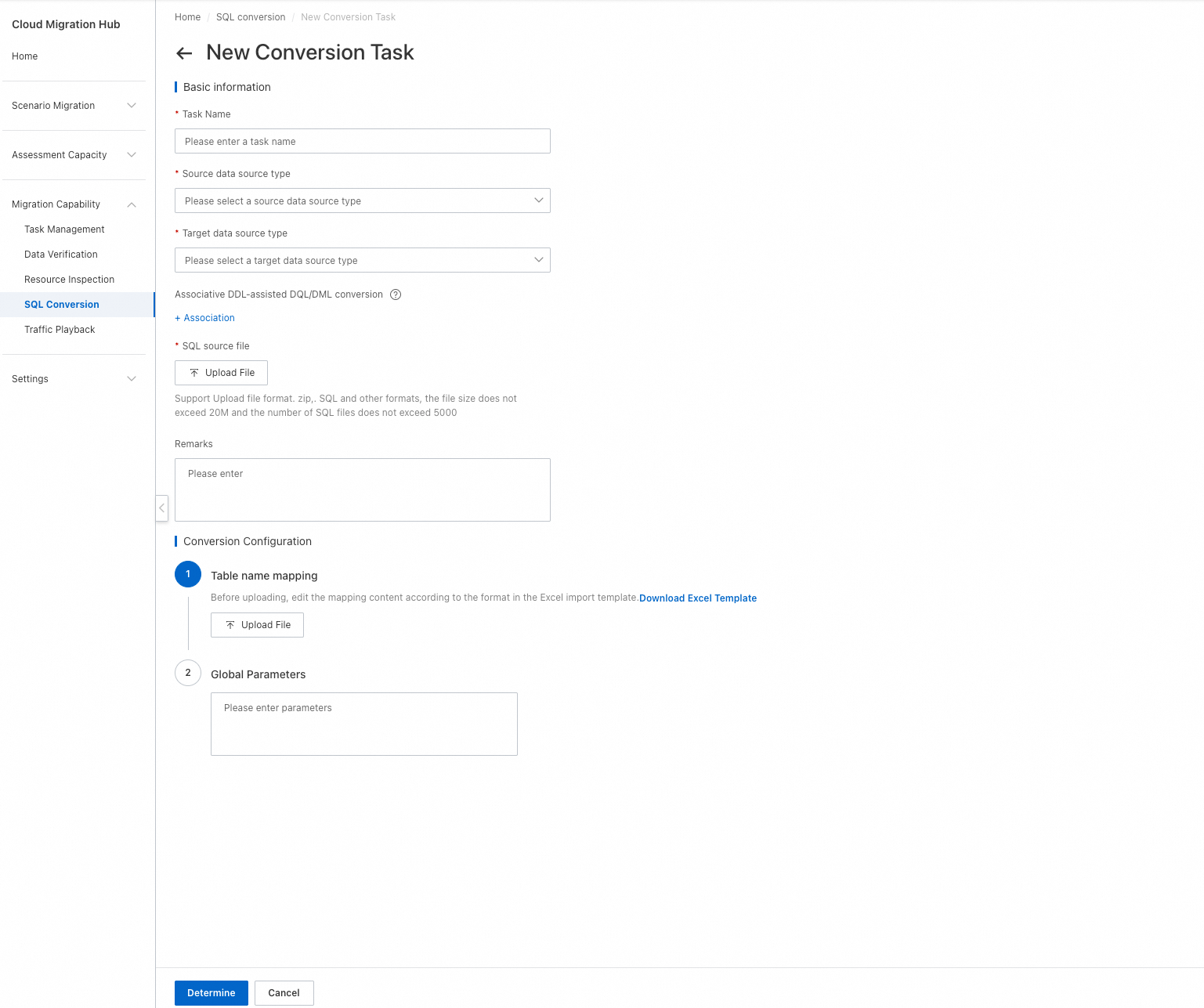
Run the task
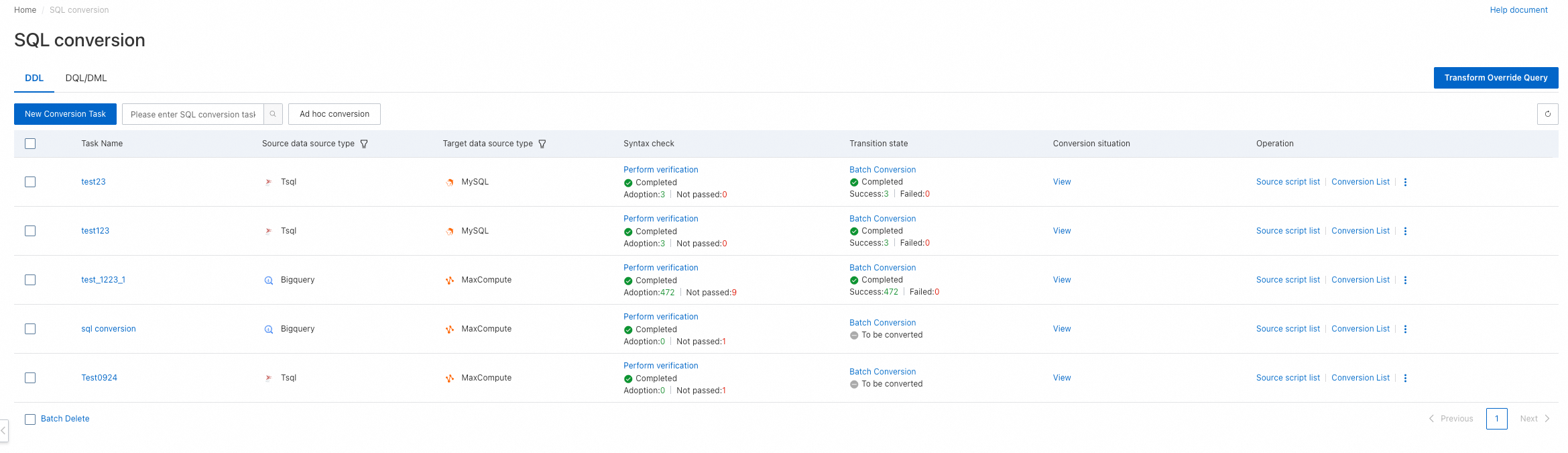
After you create a task, click Perform verification to start SQL verification. After the verification is complete, view the results in the Verification and conversion results column, and then click Batch Conversion to run the task.

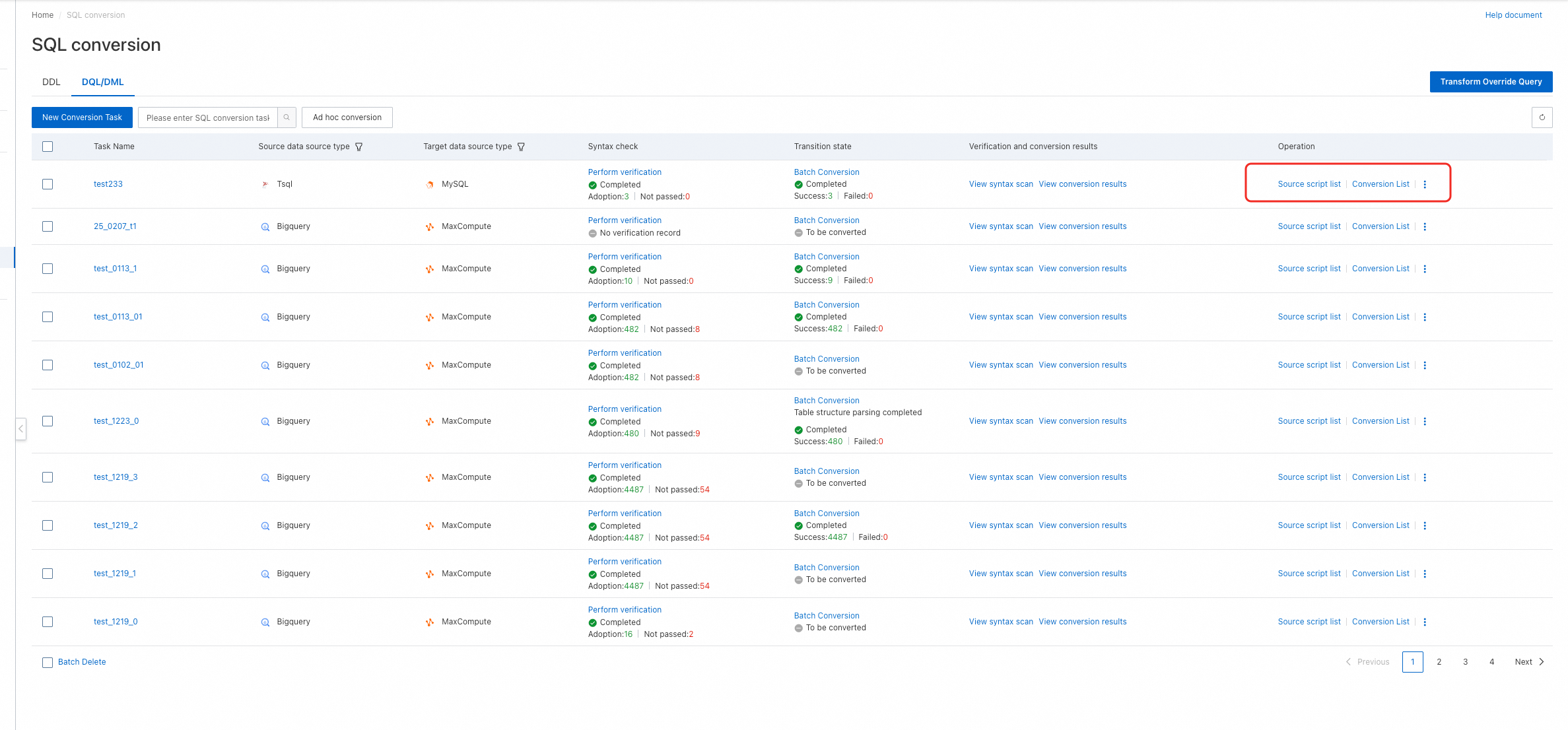
Click Source script list and Conversion List in the Operation column to view verification and conversion details.

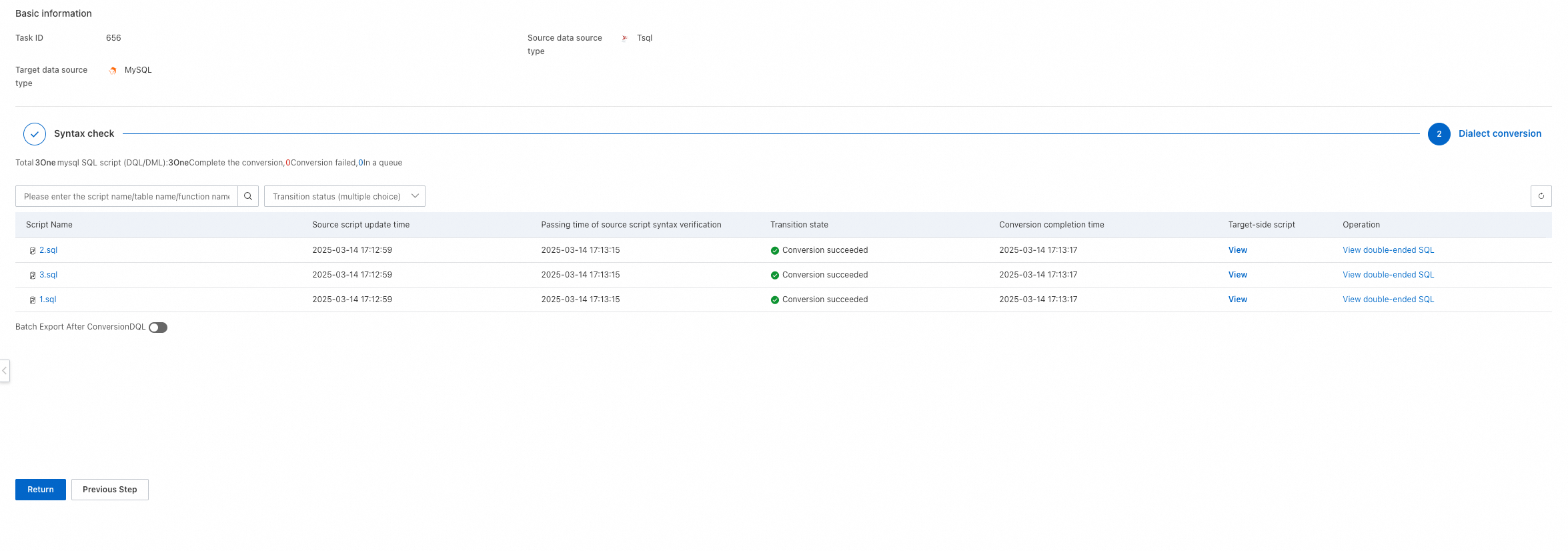
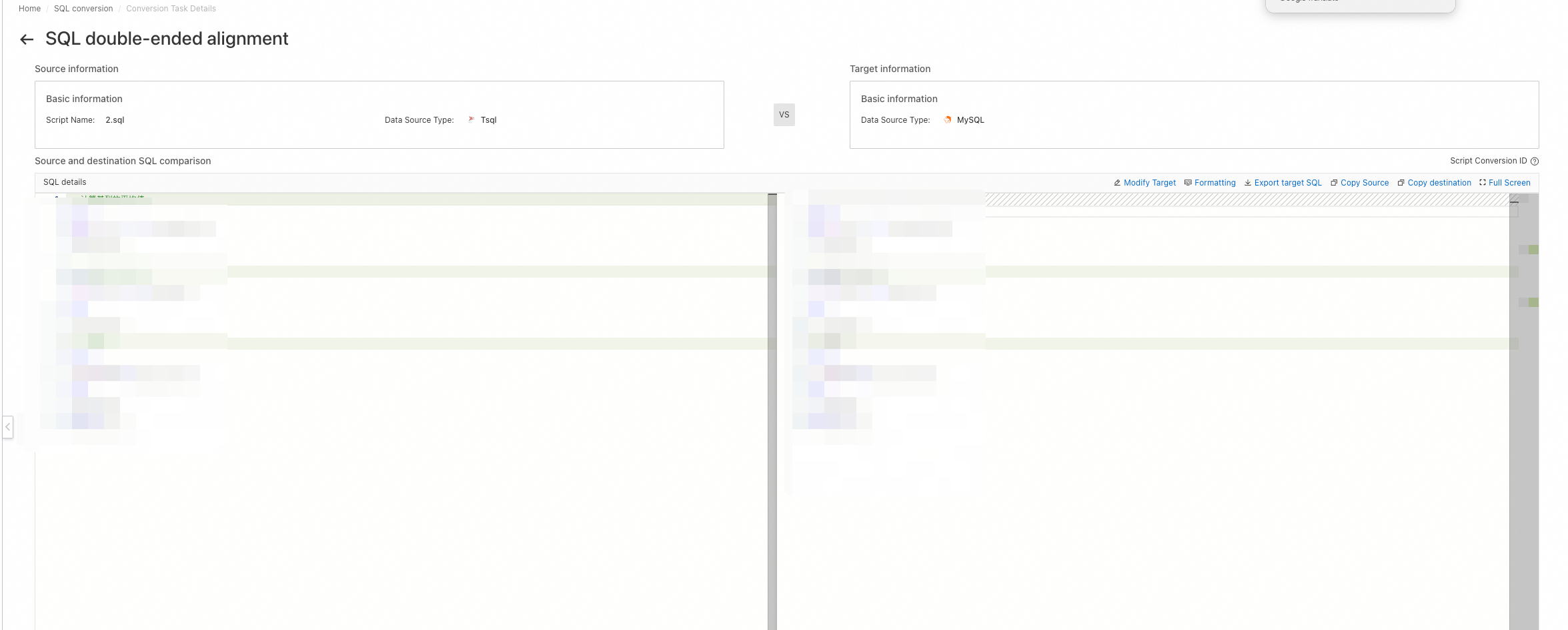
In the Dialect conversion list, click View double-ended SQL to view the SQL comparison results.
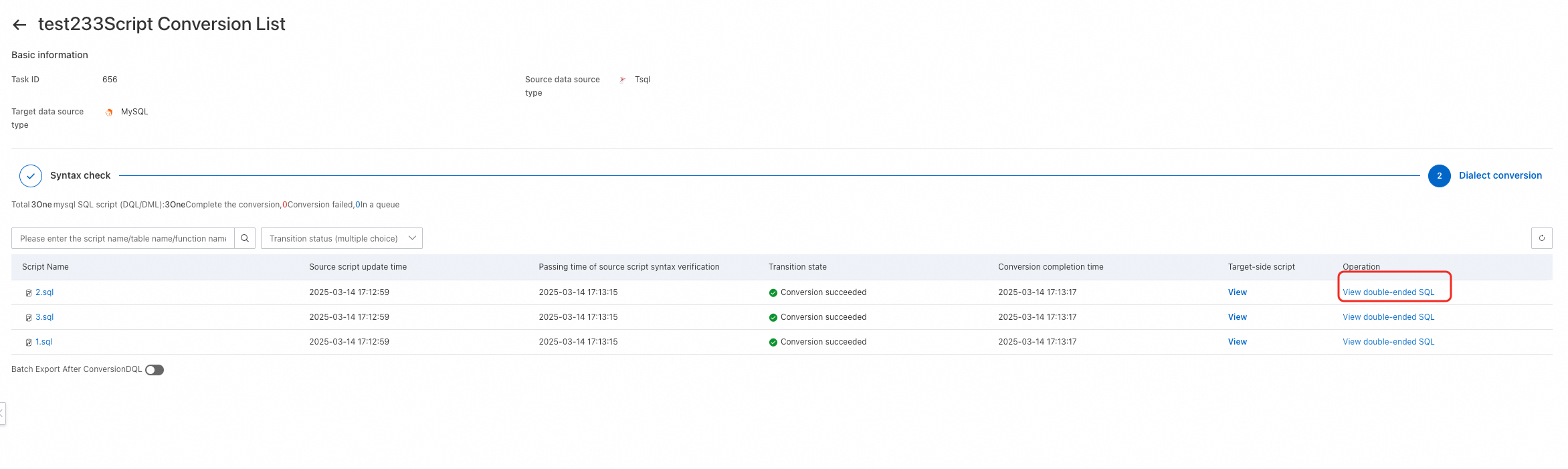
Select Batch Export After Conversion to export multiple scripts at a time. If you select the Select All check box below the list, scripts on all pages are exported. If you select the Select All check box above the list, only scripts on the current page are exported.
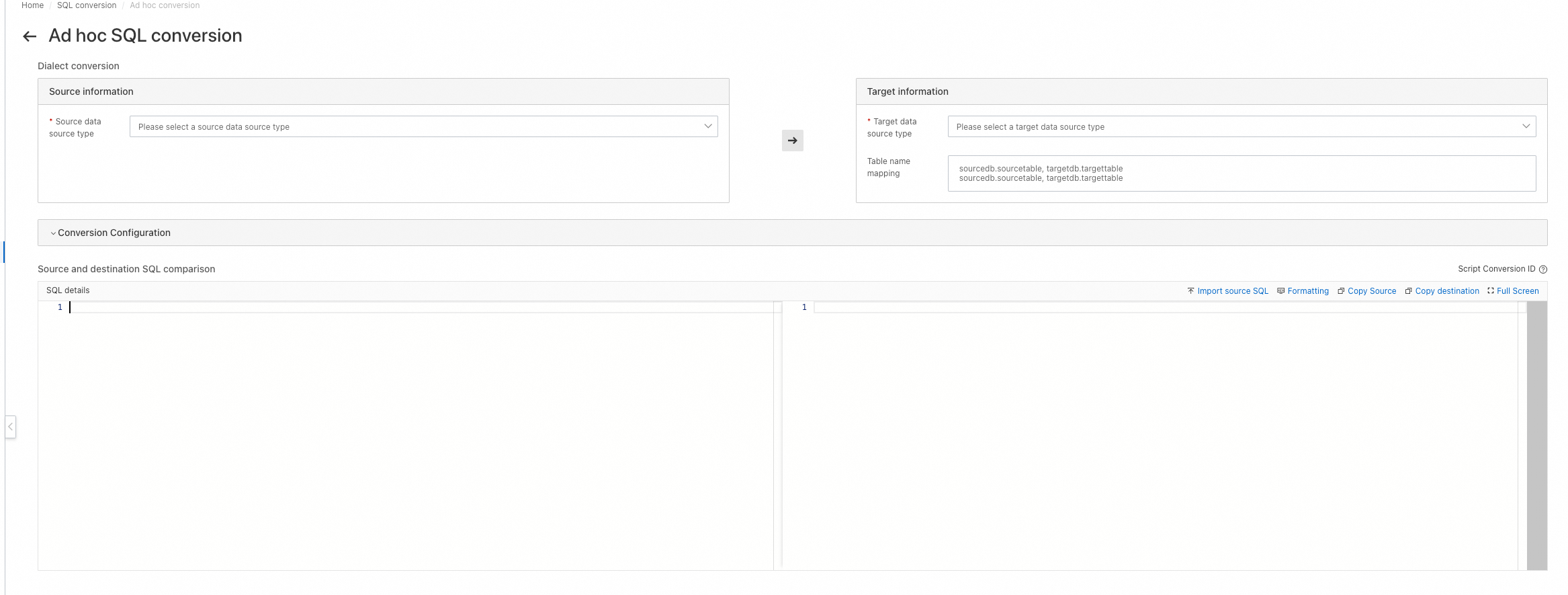
Ad hoc conversion
Click Ad hoc conversion to enter an SQL statement and convert it on the fly.
Conversion