Use an ASM gateway in Knative
For large-scale microservice traffic management, especially if you use or plan to use Istio as your service mesh, we recommend using a Service Mesh (ASM) gateway to route traffic for Knative services. ASM is compatible with community Istio and features a managed control plane to simplify service governance. This includes traffic routing and splitting, securing inter-service communication, and providing mesh observability.
Prerequisites
You have created a Service Mesh (ASM) instance (version 1.21.6.84 or later). For more information, see Create an ASM instance. You have added your Container Service (ACS) cluster to the instance in the Kubernetes Cluster section.
Step 1: Select ASM as the gateway
Log on to the ACS console. In the left navigation pane, click Clusters.
On the Clusters page, click the name of the target cluster. In the left navigation pane, choose .
-
On the Knative page, click the Add-ons tab, and then click Deploy Knative. In the Gateway section, select ASM and click Quick Deployment.
After the deployment succeeds, you can use ASM as the service mesh in Knative.
Step 2: Access services through the ASM gateway
This section uses a sample Knative Service to demonstrate how to deploy a service with ASM.
Log on to the ACS console. In the left navigation pane, click Clusters.
On the Clusters page, click the name of the target cluster. In the left navigation pane, choose .
-
On the Knative page, click the Services tab, set Namespace to default, click Create from Template, paste the following YAML example into the template, and then click Create to create a Service named helloworld-go.
ImportantReplace
{REGION-ID}in the following code with the region ID of your cluster (for example,cn-beijing) to make sure that the image can be correctly accessed and used.apiVersion: serving.knative.dev/v1 kind: Service metadata: name: helloworld-go spec: template: spec: containers: - image: registry.{REGION-ID}.aliyuncs.com/knative-sample/helloworld-go:73fbdd56 # Replace {REGION-ID} with the region ID of your cluster. env: - name: TARGET value: "Knative" On the Services page, in the Gateway column, get the gateway address of the helloworld-go Service.
-
Run the following command to access the helloworld-go Service.
curl -H "Host: helloworld-go.default.example.com" http://39.XX.XX.XX # Replace the gateway IP address and domain name with your actual data.Expected output:
Hello Knative!The expected output indicates that the Service is accessed successfully.
(Optional) Step 3: View service monitoring data
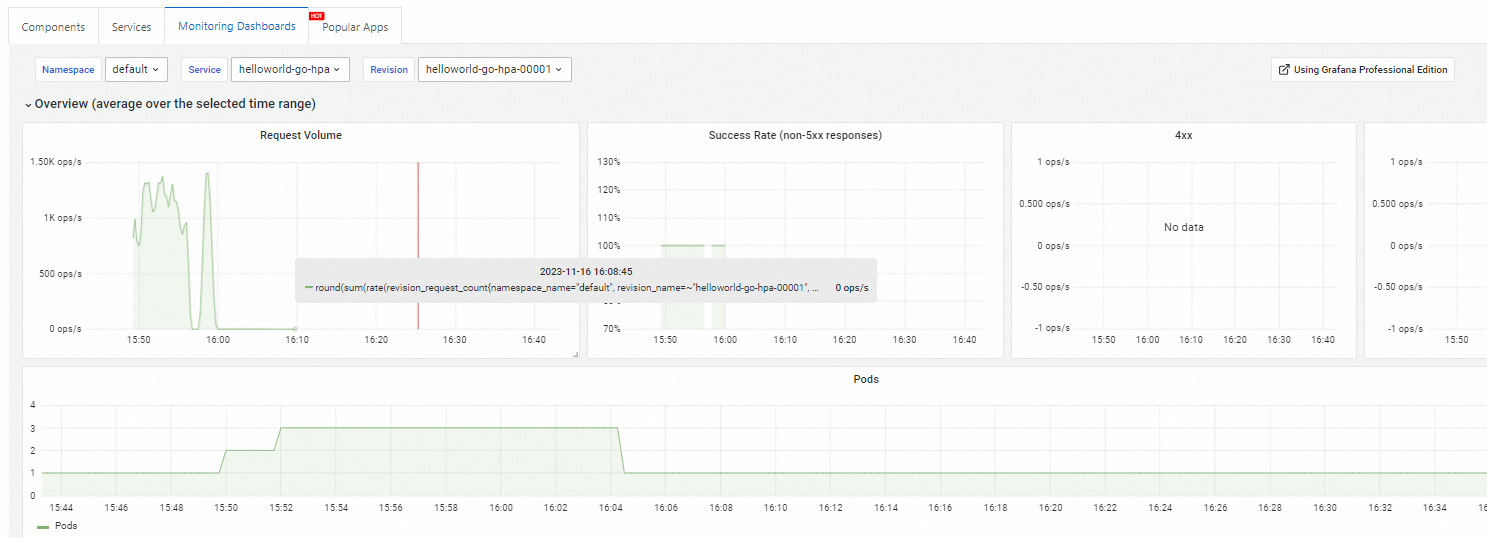
Knative provides built-in observability. On the Knative page, click the Monitoring Dashboards tab to view monitoring data. View the Knative Service monitoring dashboard.
Related documents
-
Enable a custom domain for your Knative Service. Use a custom domain.
-
Configure an HTTPS certificate for your Knative Service. Configure an HTTPS certificate.
-
Deploy a gRPC service in Knative to improve network efficiency. Deploy a gRPC service in Knative.
-
Configure a probe to monitor the health of your Knative Service. Configure a port probe in Knative.