Long-term lease
This topic describes the end-to-end data migration process for a long-term lease of a Data Transport Micro device, from service activation and order creation to data collection and device return.
Activate the Data Transport Micro service
Go to the Data Transport Micro activation page to activate the Data Transport Micro service.
First, activate the service on this page. Then, log on to the data migration service console and select Data Transport > Data Transport Micro from the left-side navigation pane to create an order.
From creating an order to receiving the device
-
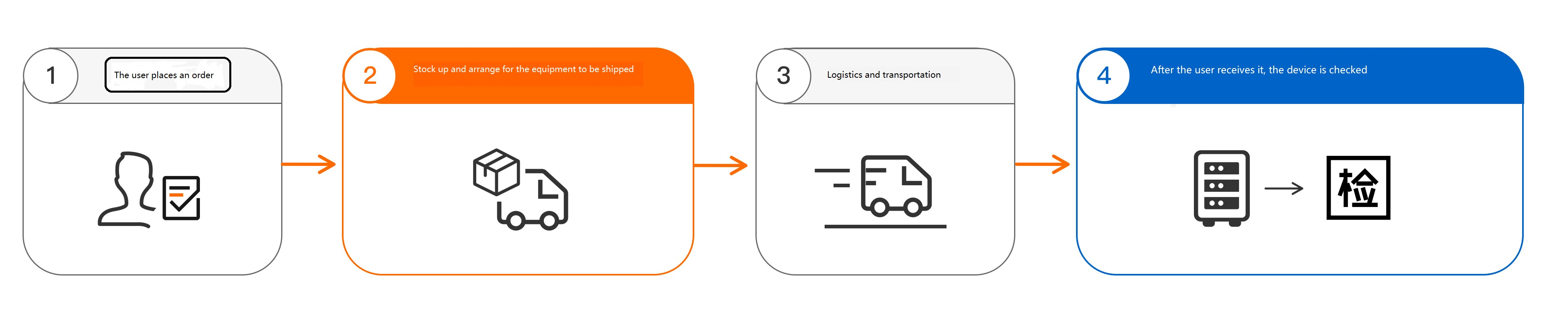
Lease the device long-term and complete the order.
NoteAfter you create the order, Alibaba Cloud prepares and ships the Data Transport Micro device to your specified address.
When you receive the device, unpack it and inspect the ports for damage. Check that all accessories, such as the power cord, are included. If the device is damaged or accessories are missing, contact Alibaba Cloud support.
Data collection and cloud migration
Collect data
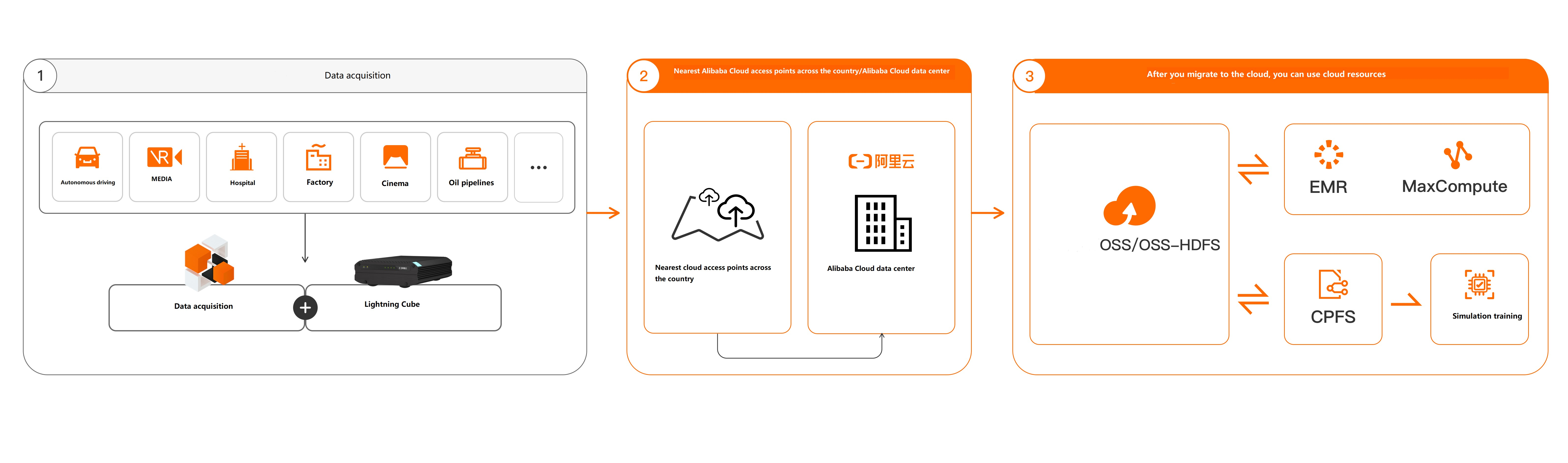
Mount the Data Transport Micro device. After mounting, check network connectivity and test writing data. If the device is working correctly, begin data collection.
After data collection is complete, power off the device and disconnect the network cables.
Migrate data to the cloud
To migrate the data to the cloud, send the Data Transport Micro device to an Alibaba Cloud data center or a nearby third-party data center.
Send to an Alibaba Cloud data center
Notify Alibaba Cloud support to retrieve the device.
Hand over the device and its accessories to the logistics staff.
Alibaba Cloud support migrates the data to the cloud after receiving the device.
After the data is migrated to the cloud, verify your data.
Migrate through a third-party data center
The third-party data centers are provided by Alibaba Cloud partners. There are 18 locations in the Chinese mainland: Beijing, Nanjing, Wuhan, Changsha, Shanghai, Jinan, Hefei, Guangzhou, Fuzhou, Zhengzhou, Tianjin, Shijiazhuang, Xi'an, Chengdu, Chongqing, Shenzhen, Hangzhou, and Xuzhou.
Notify the third-party data center to expect the device.
Hand over the device and its accessories to the third-party data center staff.
The third-party data center can perform custom data processing. Afterwards, its staff will assist with migrating the data to the cloud.
After the data is migrated to the cloud, the staff at the third-party data center will coordinate the device return process.
After the data is migrated to the cloud, verify your data.
Return the device
Before you return the device, delete all data from it.
If you changed the console login password or the storage pool password, reset them to their initial passwords before powering off the device.
Check that you have the device and all accessories.
Notify Alibaba Cloud support to retrieve the device.
Hand over the device and its accessories to the logistics staff.
After Alibaba Cloud support receives the device and confirms all items are present and correct, the order is complete.
