Add a static JSON file
Updated at:
Add a static JSON file as a data source for widgets in a DataV visualization application.
Prerequisites
Have a static JSON file ready.Procedure
Log on to the DataV console.
- Create a visualization application.
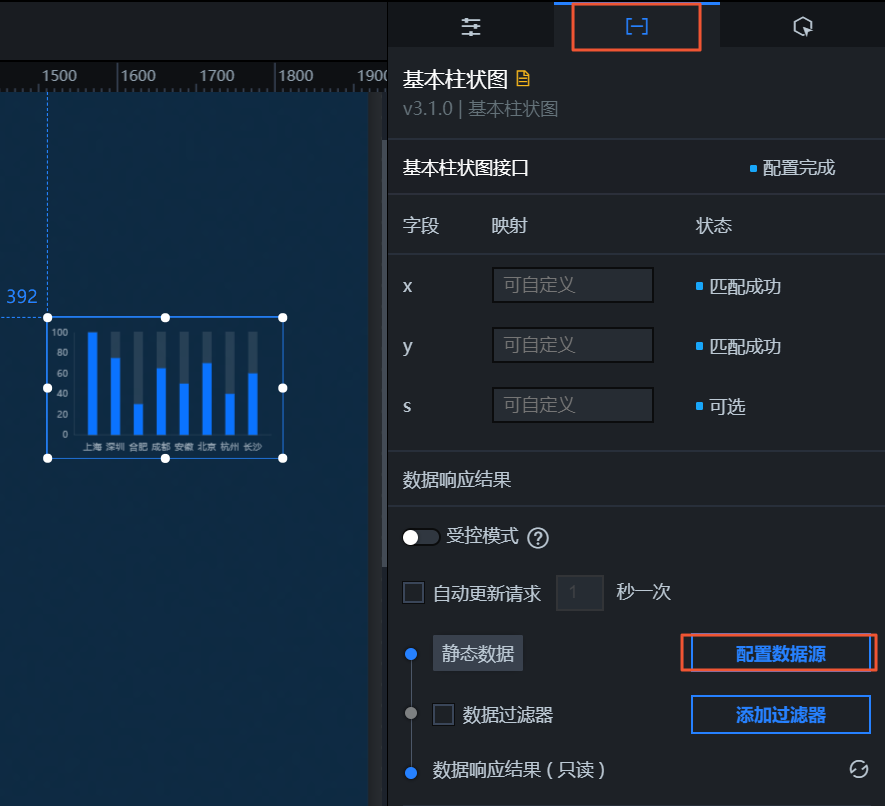
- Click a widget on the canvas, and then click Data in the configuration panel.
- On the Data panel, click Configure Data Source.
- In the Set Data Source dialog box, set Data Source Type to Static Data.
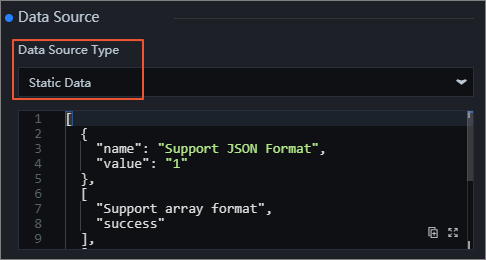
- Paste the JSON file content into the data editor.
Important The file size must be less than 512 KB.
- Click Preview Data Source Response to verify the response format.
Is this page helpful?