Earth layer
The Earth layer is a subcomponent of the 3D globe map. You can configure the earth map style and atmosphere layer settings.
Chart style
The Earth sphere layer is a subcomponent of the 3D spherical map that supports custom Earth maps and atmosphere configurations. 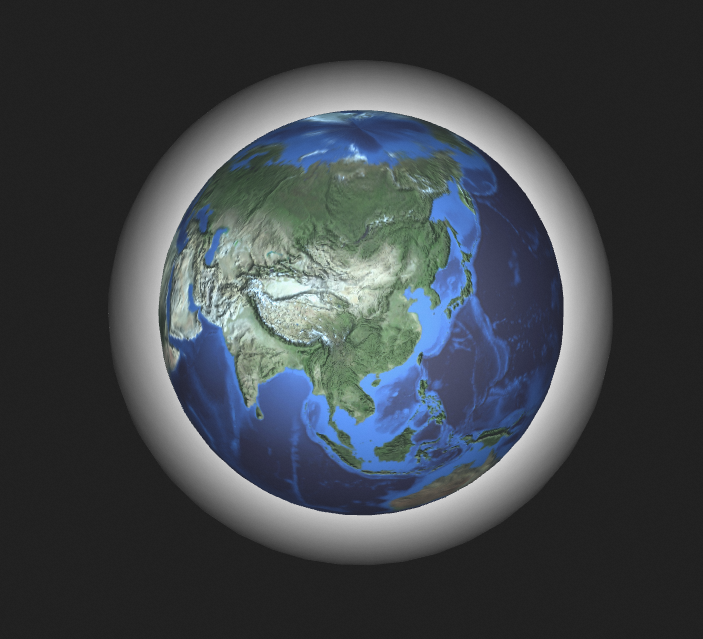
Settings
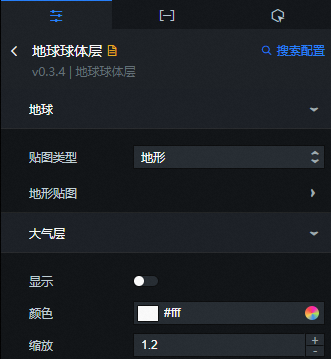
- Search for Configurations: In the right-side panel of Canvas Editor, click the Settings tab, and click Search for Configurations in the upper-right corner. Enter the required configuration item in the search box, and click the search icon to quickly locate the configuration item. Fuzzy match is supported. For more information, see Search for Configurations.
-
Earth: the style of the map.
Map Type: determines the visual style of the sphere layer. Valid values: Terrain, Satellite, Particle, Administrative Regions, and Customization. Each map type supports configuring Scale, Asperity Degree, Map Color, Floodlight Color, and Highlight Color.
-
Atmosphere Layer: the style of the atmosphere layer.
Parameter
Description
Display
Specifies whether to show the atmosphere layer.
Color
The color of the atmosphere layer.
Zoom
The ratio of the atmosphere layer to the radius of the 3D globe. The larger the scale value, the larger the atmosphere layer. If the scale value is 1, the atmosphere overlaps the globe surface. Valid values: 0.9 to 1.5.
Data tab
This component does not support data configuration.
Interaction tab
This widget does not support interaction events.
Configure interactions in Blueprint Editor
-
In Canvas Editor, click the icon on the right side of Earth sphere layer in the sub-widget list of
 3D globe map.
 -
Click the
 icon in the upper-left corner.
 -
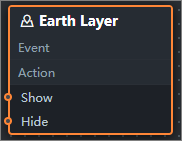
In Blueprint Editor, click Earth sphere layer in the Import Nodes pane. You can view the parameters of the Earth sphere layer in the canvas, as shown in the following figure.
-
Event: The earth layer does not support events.
-
Policy Action
Policy Action
Description
Display Widget
Shows the widget. No parameters are required.
Hide components
Hides the widget. No parameters are required.
-