Add the SDK
Add the Upgrade and Release SDK to enable over-the-air app version updates through the mPaaS console.
After you add the Upgrade and Release SDK and configure it (Use the SDK), you can publish new app versions from the mPaaS console:
-
Configure options such as Update Prompt and Release Type for each release.
-
The client detects new versions through the upgrade API and prompts users to download updates.
App Store policies prohibit in-app upgrade detection. Do not publish new versions in the mPaaS console while your app is under App Store review.
Prerequisites
Your project is connected to mPaaS. Connection methods:
Add the SDK
Choose the method that corresponds to your connection type.
Use the mPaaS Xcode Extension plugin
Use this method if you connected your project based on the mPaaS framework or using the mPaaS plugin.
-
In Xcode, choose Editor > mPaaS > Edit Project.
-
Select Upgrade and Release, save the settings, and click Start Editing.
Use the cocoapods-mPaaS plugin
Use this method if you connected your project using CocoaPods.
-
Add the Upgrade and Release dependency to your Podfile:
mPaaS_pod "mPaaS_Upgrade".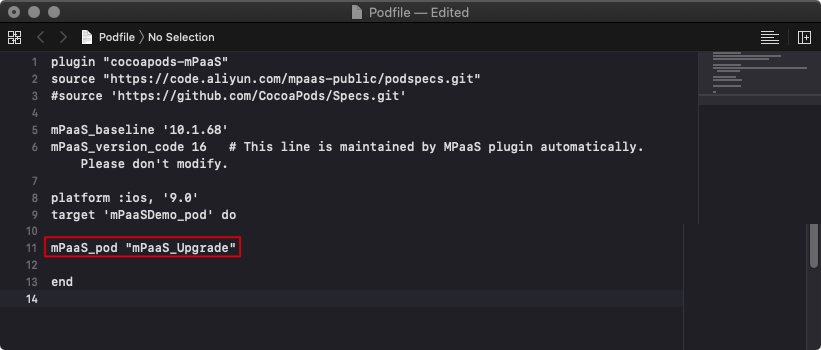
-
Run
pod install.