Real-time Publishing FAQ
iOS client
Hotpatching error codes
The following table describes the error codes.
Error code | Description |
300 | Unknown error |
301 | The local patch file is empty. Check if the patch file was downloaded successfully or if the file path is correct during local testing. |
302 |
|
303 | The local patch file is empty. Check if the patch file was downloaded successfully or if the file path is correct during local testing. |
304 | Patch file decryption failed. Check if the Security Guard signature verification image |
305 | Patch file decompression failed. Retry the operation. |
306 | Patch file MD5 check failed. Confirm that the published patch file is in the encrypted |
Why does the patch not take effect when I locally test the .js file converted from Objective-C?
Check the error message returned by the method call in the following code. If the message is not nil, use the error codes above to troubleshoot the issue.
    NSString *jsFile = [[NSBundle mainBundle] pathForResource:@"Test" ofType:@"js"];
    NSError *errorJS = [MPDynamicInterface runWithResultDynamicLocalFile:jsFile];
If no error is reported in the previous step, check if the .js file syntax is correct. For more information, see Objective-C to JS syntax.
Why does the patch not take effect when I locally test the encrypted .zip file?
Check if the RSA asymmetric key encryption information in the project is correct. You can verify this by checking if the value of `ret` is 0, as shown in the following image.
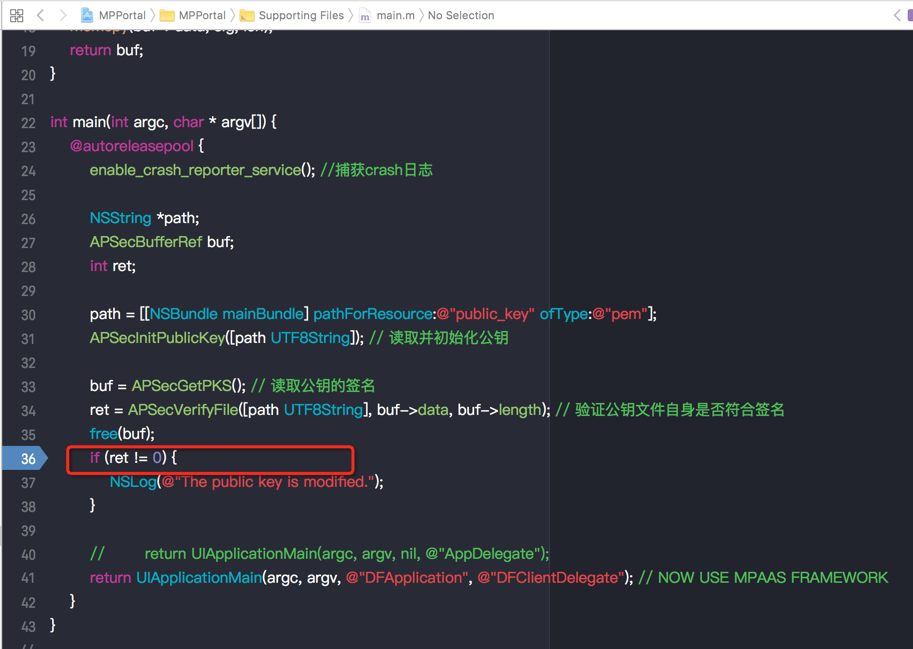
Ensure that the Security Guard image in the project is correct and matches the
meta.configfile in the project. If you are unsure, regenerate the Security Guard image and update the hotpatching.zipfile.Ensure that you are testing the encrypted
.zipfile.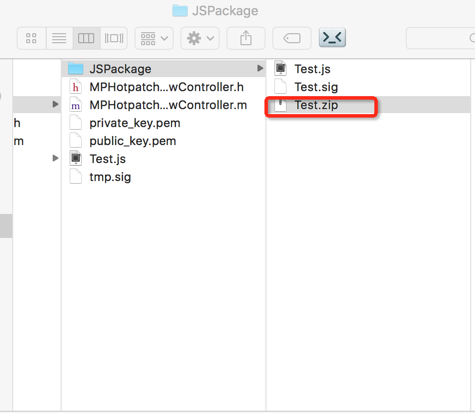
Check the error message returned by the method call in the following code. If the message is not nil, use the error codes above to troubleshoot the issue.
 NSString *jsZip = [[NSBundle mainBundle] pathForResource:@"Test" ofType:@"zip"];
 NSError *error = [MPDynamicInterface runWithResultDynamicLocalSecFile:jsZip];
After I deliver the encrypted .js file from the publishing platform, why does the patch not take effect on the client?
After encrypting the original
.jsfile, locally verify that the patch in the.zipfile takes effect.When you upload a new patch task in the console, ensure that the patch package uploaded to the publishing platform is the encrypted
.jsfile.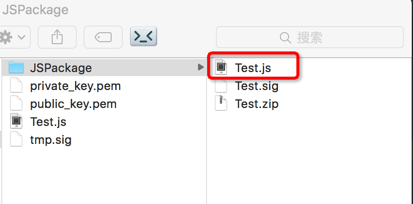
The target version must match the
Product Versionfield in theinfo.plistfile of the project.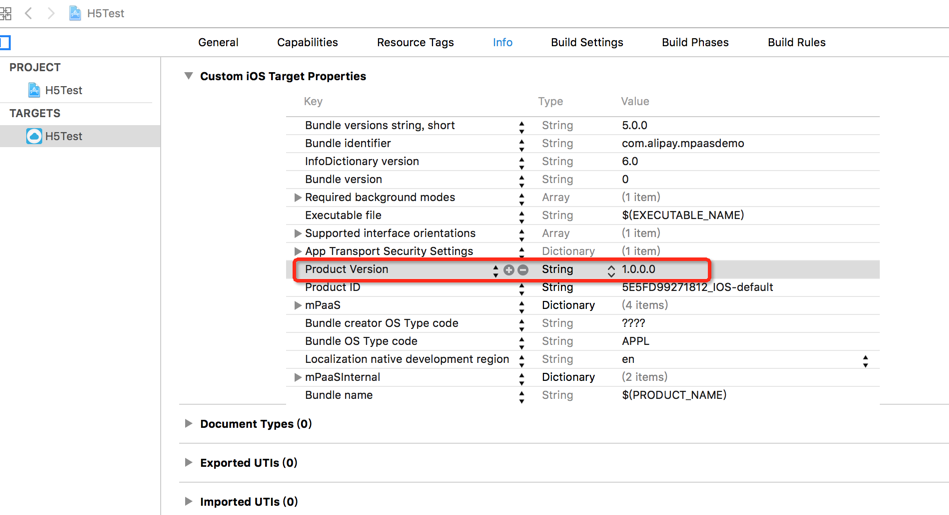
In the Xcode console, check if the gateway returns 1000 for
alipay.client.getUnionResourceto ensure that the network request is successful. If the gateway does not return 1000, troubleshoot the issue. For more information, see Mobile Gateway > Client-side programming > FAQ.
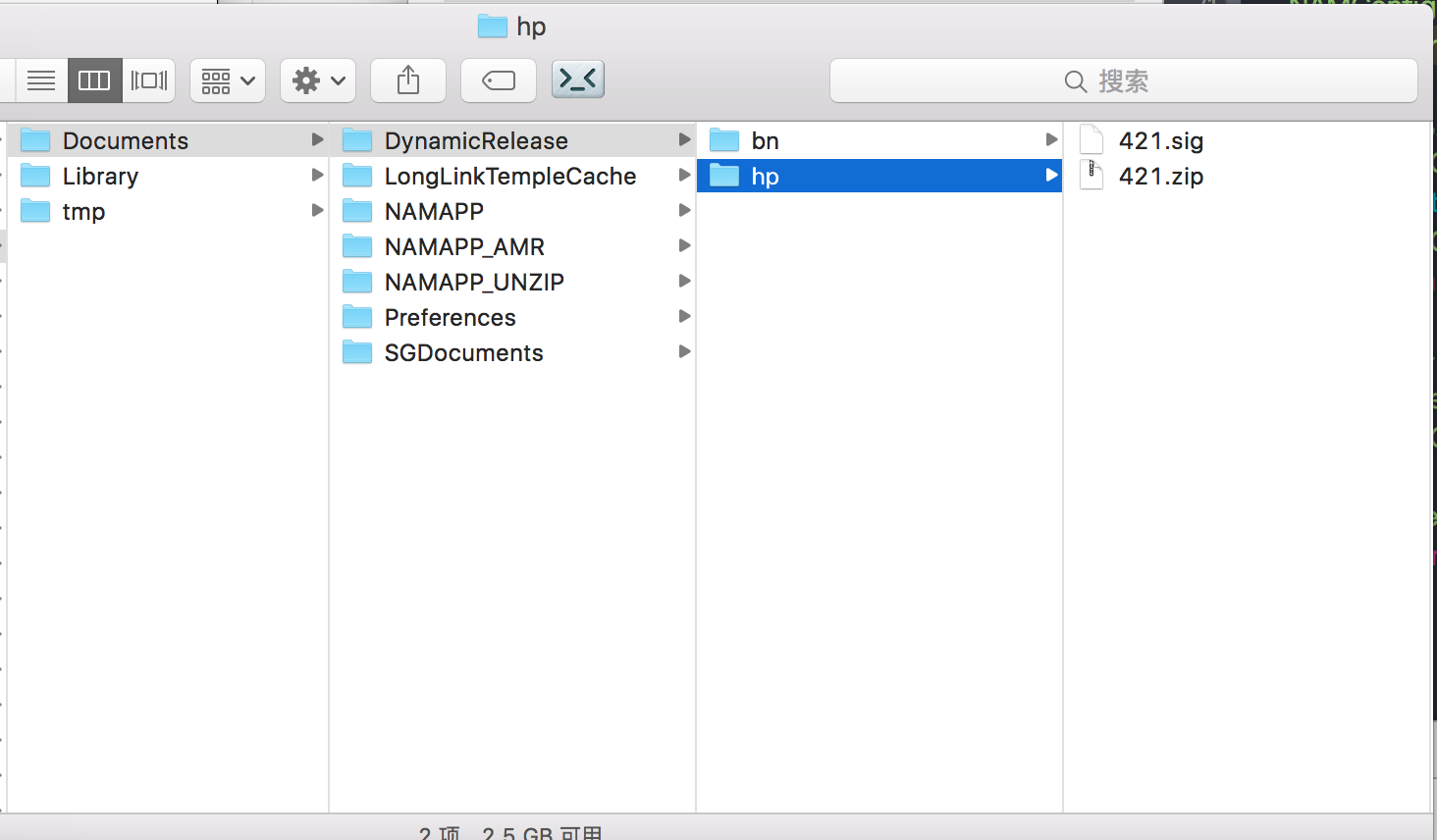
After the network request is successful, check the local sandbox path to see if the patch package has been delivered. If
.zipand.sigfiles are generated in the directory, the client has received the script from the publishing platform. The patch will take effect after you restart the application.
Android client
RPC-related calls cause an Apache HTTP-related crash after hotpatching.
Import the Apache HTTP client using the method described on the official Android website. Do not import the HTTP client by importing a JAR package or using `gradle implementation/compile`. Otherwise, this may disrupt the class loading order.
Hotpatching for whitelisted inner classes
References to inner classes require fully qualified names. If you must patch an inner class, the easiest way is to decompile it into smali. The smali filename is the name of the inner class.
RPC call issues
If an exception occurs when you call a resource through an RPC request, troubleshoot the issue. For more information, see Security Guard result code descriptions.