Problem definition
To update an H5 application or miniapp, a developer uploads a new package to the Mobile Platform as a Service (mPaaS) publishing platform and assigns it a new version number. The client then queries the server for updates. If an update is available, the server provides the package details. The client downloads the new resource package, unzips it, and overwrites the old offline resource files. If this update process fails, the user experience is significantly affected.
Common symptoms
A developer publishes a new offline package for an H5 application or a new miniapp package through the Real-time Distribution Service (MDS). However, when the client opens the H5 application or miniapp, the old version is displayed. This is not the expected behavior.
Troubleshooting methods
If you are unsure how to troubleshoot the offline package update issue, see Analyze using HTTP packets. You can scrape and analyze the HTTP packets to identify the update problem.
Check MDS publishing configuration
First, confirm that the target offline package version is in the Published state. If it is not, click Create Release to create a publishing task for a specific version.
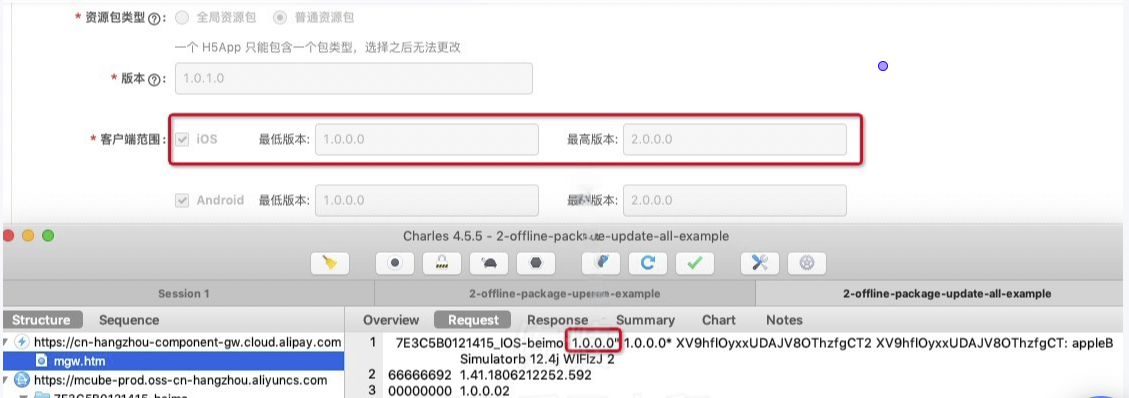
Check the client version range for the publishing task. For the target offline package version, click View to see the details.
The version number in the Client version range refers to the version number of the native iOS or Android application built on the mPaaS framework. For iOS clients, the version number is the value of the
Production Versionfield ininfo.plist, not the Xcode project version number. For Android clients, the version number is the value of theversionNamefield inbuild.gradle.For an offline package or miniapp package, keep the publishing tasks as simple as possible, such as using only one or two tasks. To prevent cache issues in MDS, stop or delete publishing tasks for legacy offline package versions that are no longer in use.
Check client configuration
Check the update code logic. The mPaaS client developer frameworks for iOS and Android provide APIs for proactive offline package updates. By default, the framework also checks for updates each time an offline package is opened. Confirm that the mPaaS framework and the H5 container or offline package component are integrated correctly and that the APIs are used correctly. If you call the proactive update API, confirm the timing of the call and check if requestAllNebulaApp (iOS) or
updateAll(Android) is called correctly.Confirm that the client version number is within the publishing range of the offline package or miniapp package.
For iOS, check if the value of the
Production Versionfield ininfo.plistis within the publishing range.For Android, check if the value of the
versionNamefield inbuild.gradleis within the publishing range.
Check if the RPC request to retrieve updates returns a normal response. In the console, check if the RPC request sent when calling the update API returns correctly.
Analyze using HTTP packets
Process of updating a single offline package
The process for updating a single offline package is as follows:
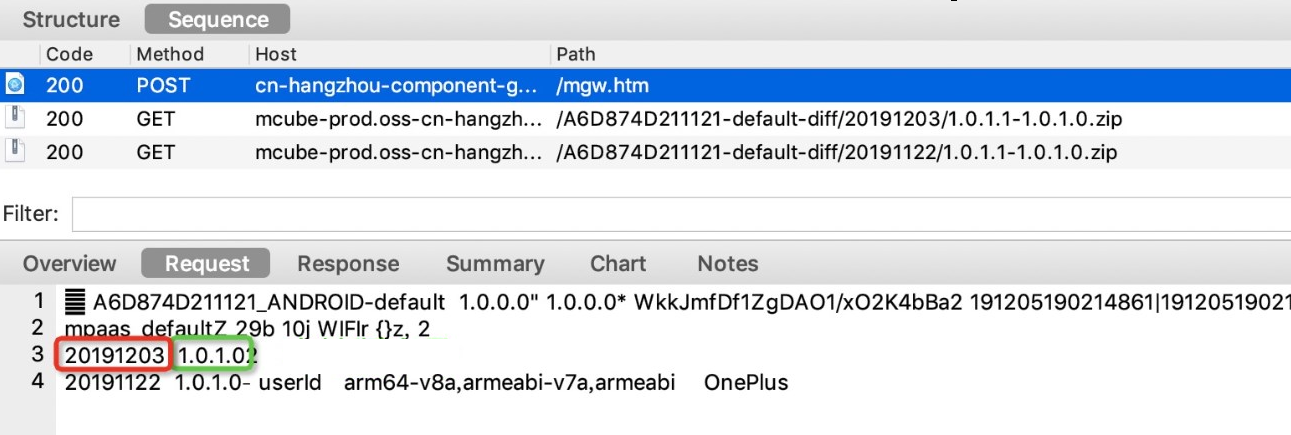
The client sends a request to the MDS server. The request provides the ID and local version number of the target H5 app.
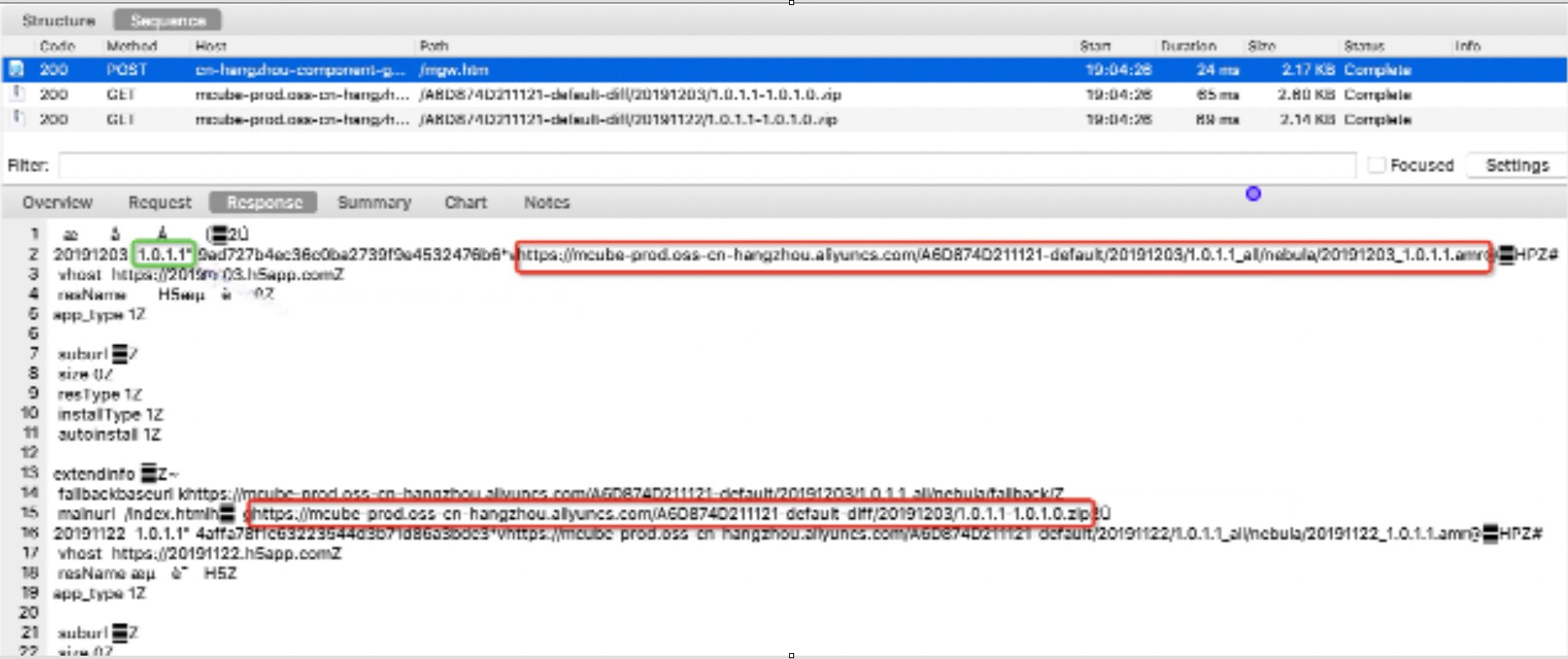
The server returns relevant update information for the offline package, if an update exists.
Based on the
incremental package URLand thedownload configuration parametersin the returned information, the client downloads the .amr update file. If there is no incremental package URL, the client downloads the full package using thePackage URL.
Procedure
Request offline package information.
 Note
NoteThe content in the green box in the image above is the local version number.
Return offline package update information.
 Note
NoteIn the image above, the content in the green box is the latest version number hit on the server. The content in the upper right red box is the full package URL. The content in the lower red box is the incremental update package URL.
The client downloads the corresponding .amr file using the incremental package URL from the previous step.

Sample offline package scrape: 2-offline-package-update-example.chls.zip
Process of updating all offline packages
The iOS and Android platforms both provide an API to request update information for all offline packages in a single request. The basic process is as follows:
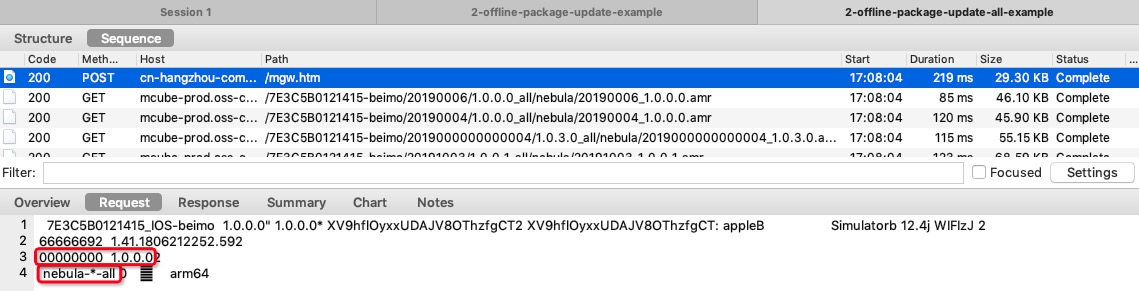
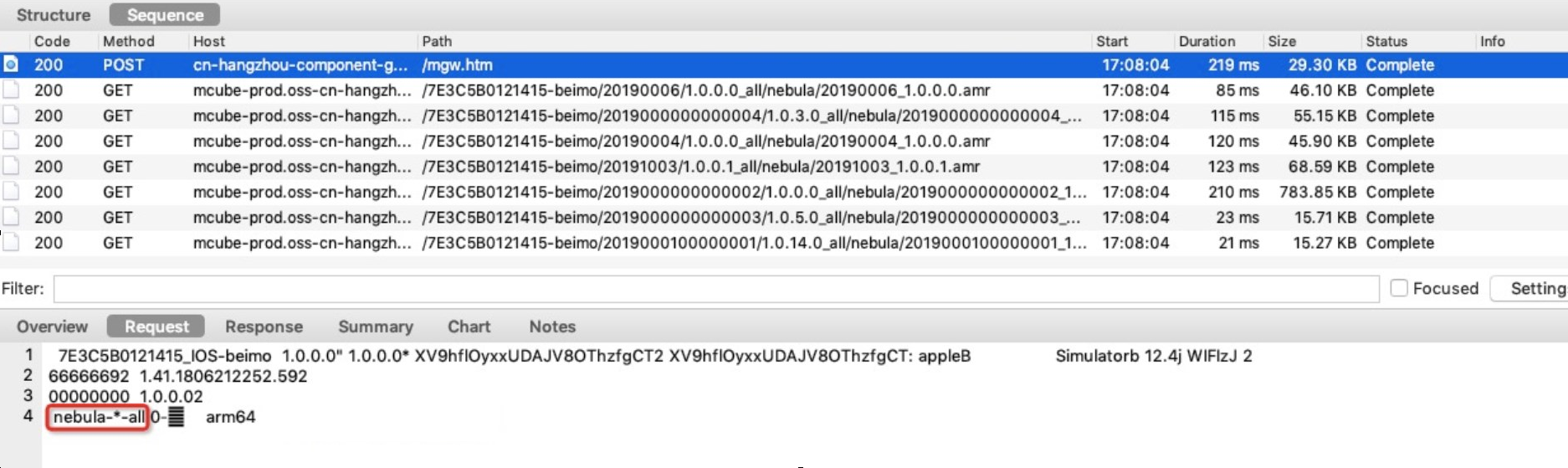
The client sends a request to the MDS server. The request provides the IDs and local version numbers of all installed H5 apps, plus a special App ID:
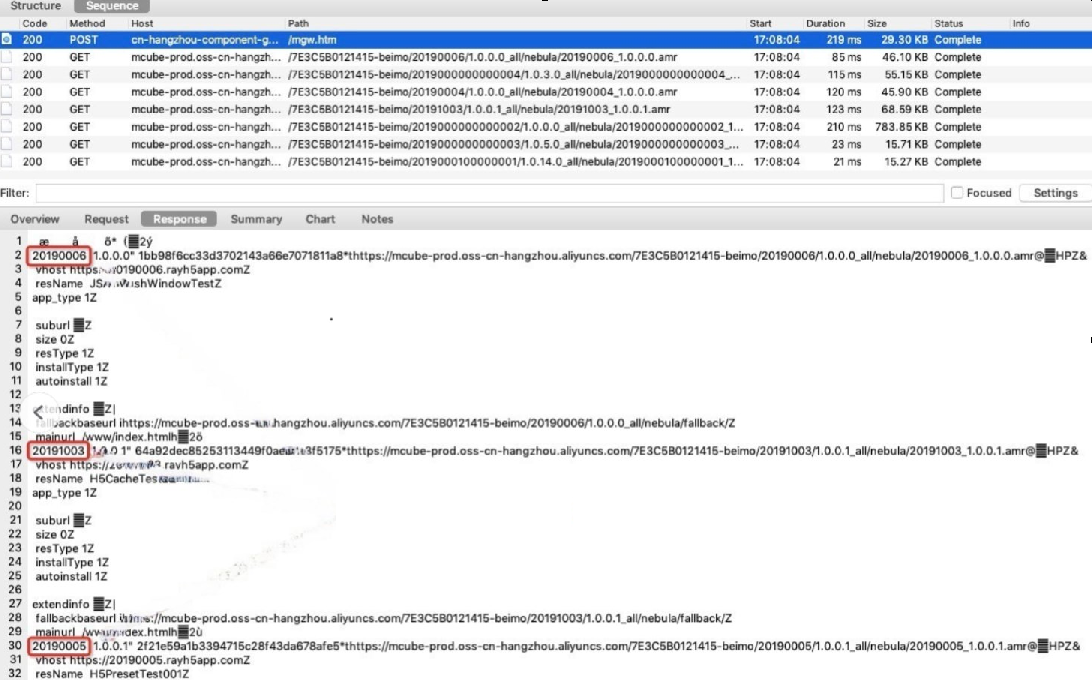
nebula-*-all.The server returns information for all offline packages that meet the conditions. The server does not return information for packages that are outside the client version range.
Based on the content in the returned information, the client downloads the full or incremental .amr files.
Procedure
Request offline package information.
 Note
NoteThe content in the red box in the image above indicates the update-all wildcard character.
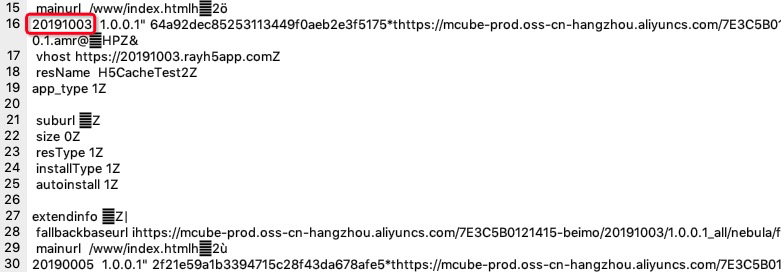
Return information for all required offline packages.
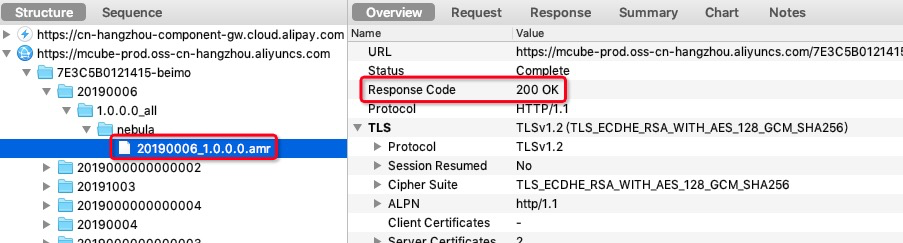
The client downloads all .amr files using the URLs from the previous step.


Sample offline package scrape: 2-offline-package-update-example.chls.zip
Key points for HTTP packet analysis
Check the client version number in the request body of the offline package update information request. Confirm that this version number is within the client version range of the offline package release.
Check if the request body of the offline package update information request contains the
App ID of the target offline packageor thenebula-*-allfield.Confirm that the response data of the offline package update information request contains the target offline package and related information, such as the .amr address and fallback address.
Confirm that the .amr file download process is normal.