Instance management
更新时间:
复制 MD 格式
The instance management page lets you purchase new instances, view existing ones, and modify the number of containers.
Before purchasing an instance, review the supported instance types and billing policies to select one that meets your needs. For details on instance resources and billing, see pricing.
- Log on to the Cloud Gaming Platform console. Click Resource Management. On the Instance management page, click Purchase Instance.
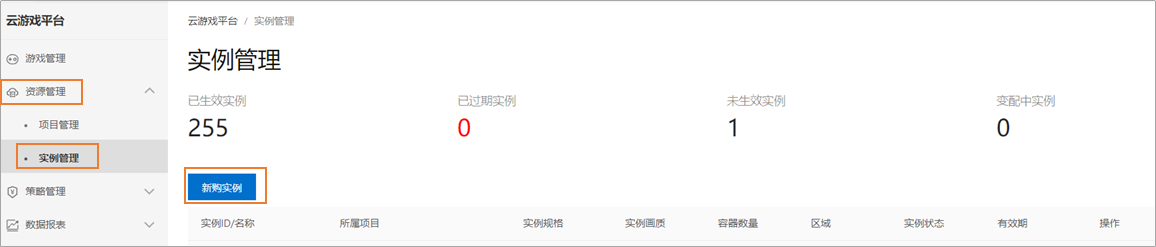
- On the purchase page, select a region, instance type, and subscription duration, then click Buy Now.
- On the order confirmation page, review your order details, accept the service agreement, and click Go to Pay.
- Follow the prompts to complete the payment. After you complete the payment, you will be returned to the Instance management page.
- On the Instance management page, find the new instance and click Associate Project in the Operation column.
- Follow the prompts to associate your project.
该文章对您有帮助吗?