Scan code analysis
Mobile Analysis helps you analyze usage data for the mPaaS scan code component, including the number of calls, successful calls, call duration, and success rate.
To view the scan code analysis report, follow these steps:
Log on to the console, click Products & Services > Mobile PaaS, and select an application.
In the navigation pane on the left, choose Mobile Analysis > Component Usage Analysis > Scan Code Analysis to view the statistical report.
Filter the data. In the upper-right corner of the page, click the Add Filter Condition button. Select a platform, application version, and time range to view the scan code analysis data.
Select the dimension to display the data: minute, hour, or day.
ImportantThe minute and hour dimensions are available only when the time range of the query is a single day. For example, if you select a time range from 2020-06-01 to 2020-08-01, the hour and minute dimensions are unavailable.
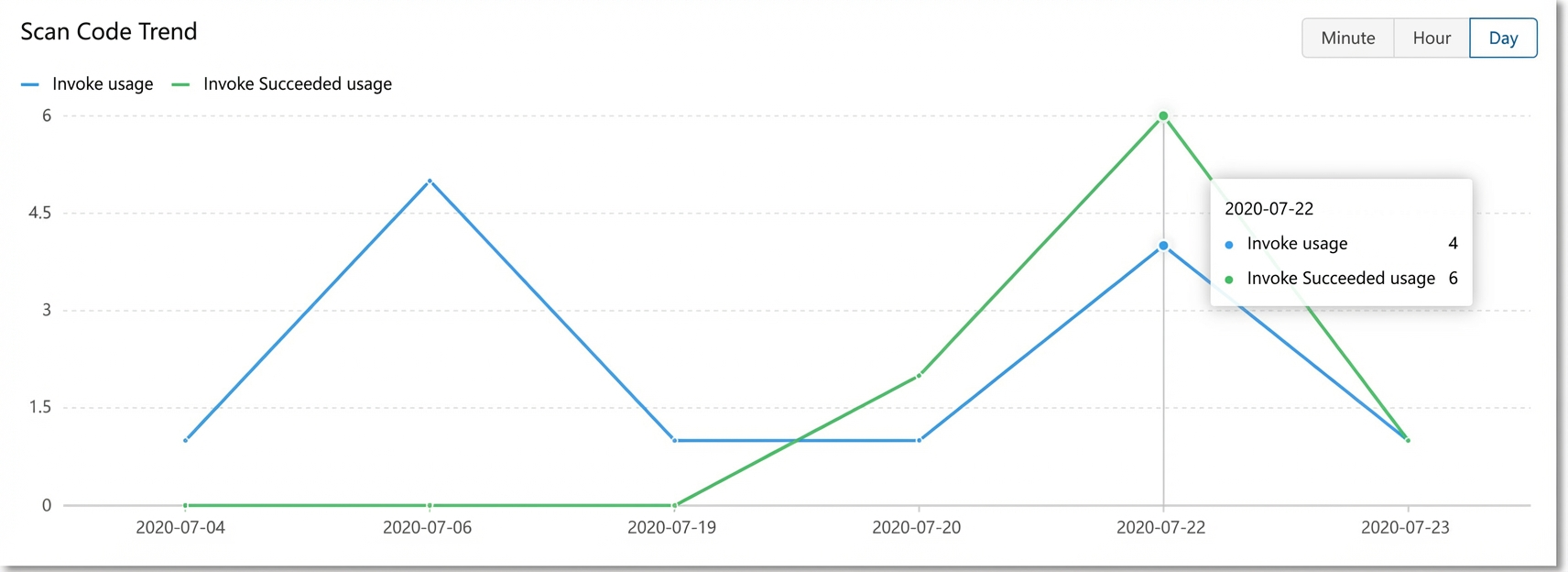
Scan code trends
This section shows the trend of scan code calls over a specified time range.
Number of calls: The number of times the scan code component is called.
Number of successful calls: The number of times the scan code component is called and completes a scan successfully.
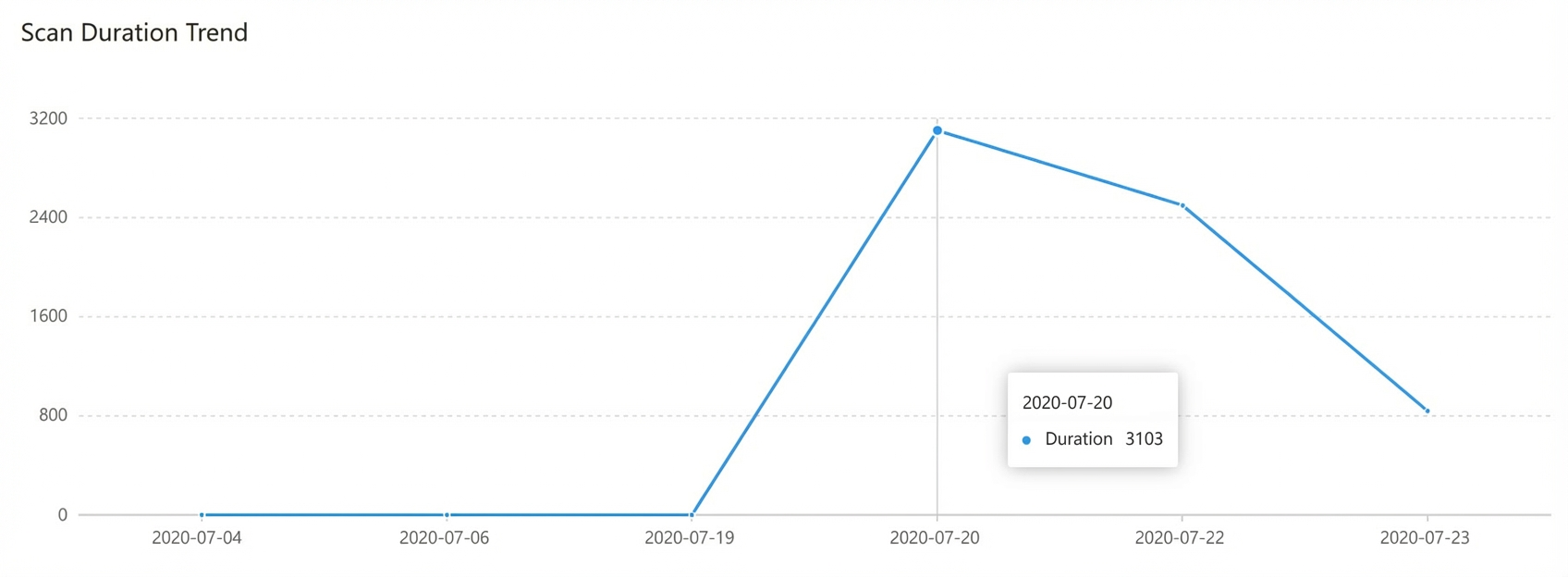
Scan code duration trend
This section shows the trend of scan code duration over a specified time range. Scan code duration is the time elapsed from calling the scan code component to completing a scan. In mPaaS scan code analysis, the duration is measured in milliseconds (ms).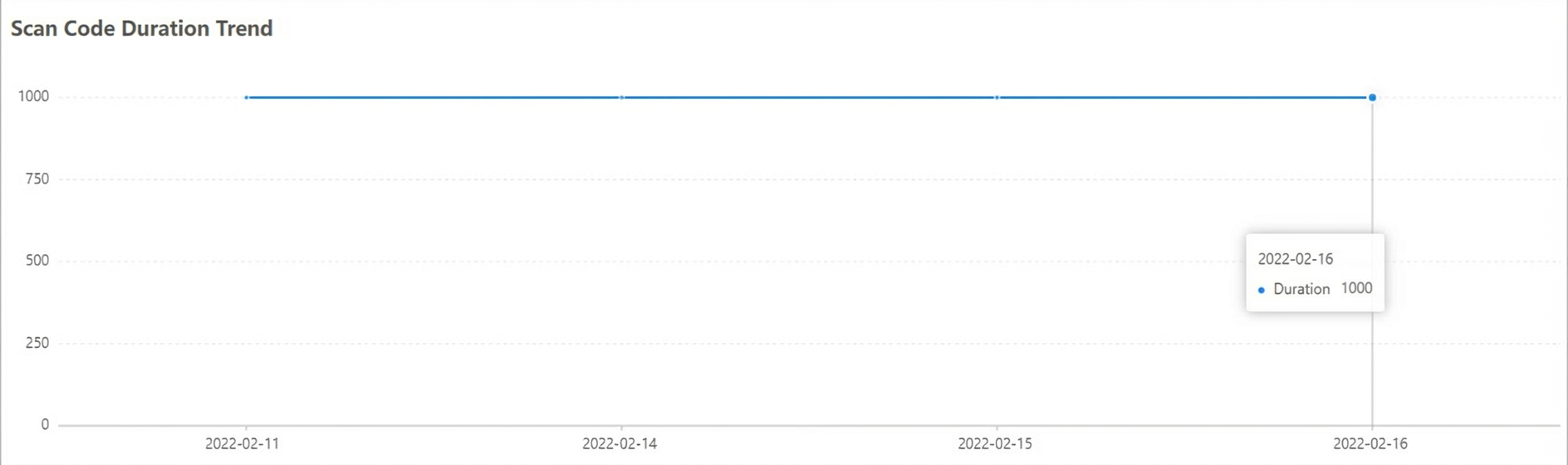
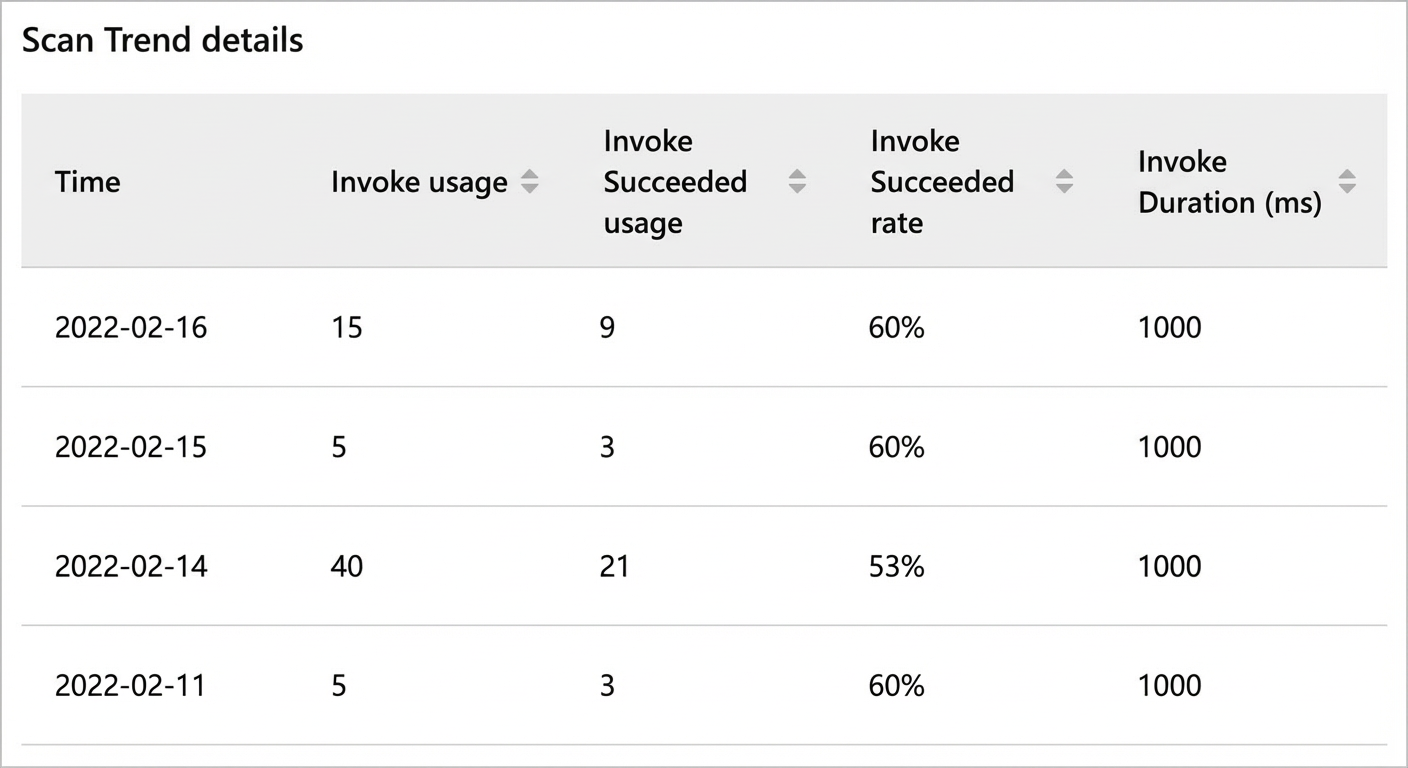
Scan code trend details
This section shows detailed scan code data for the specified time range. The time granularity of the data is determined by the dimension you select.