Quick Start
This topic guides you through the basics of using the Cloud Gaming Platform.
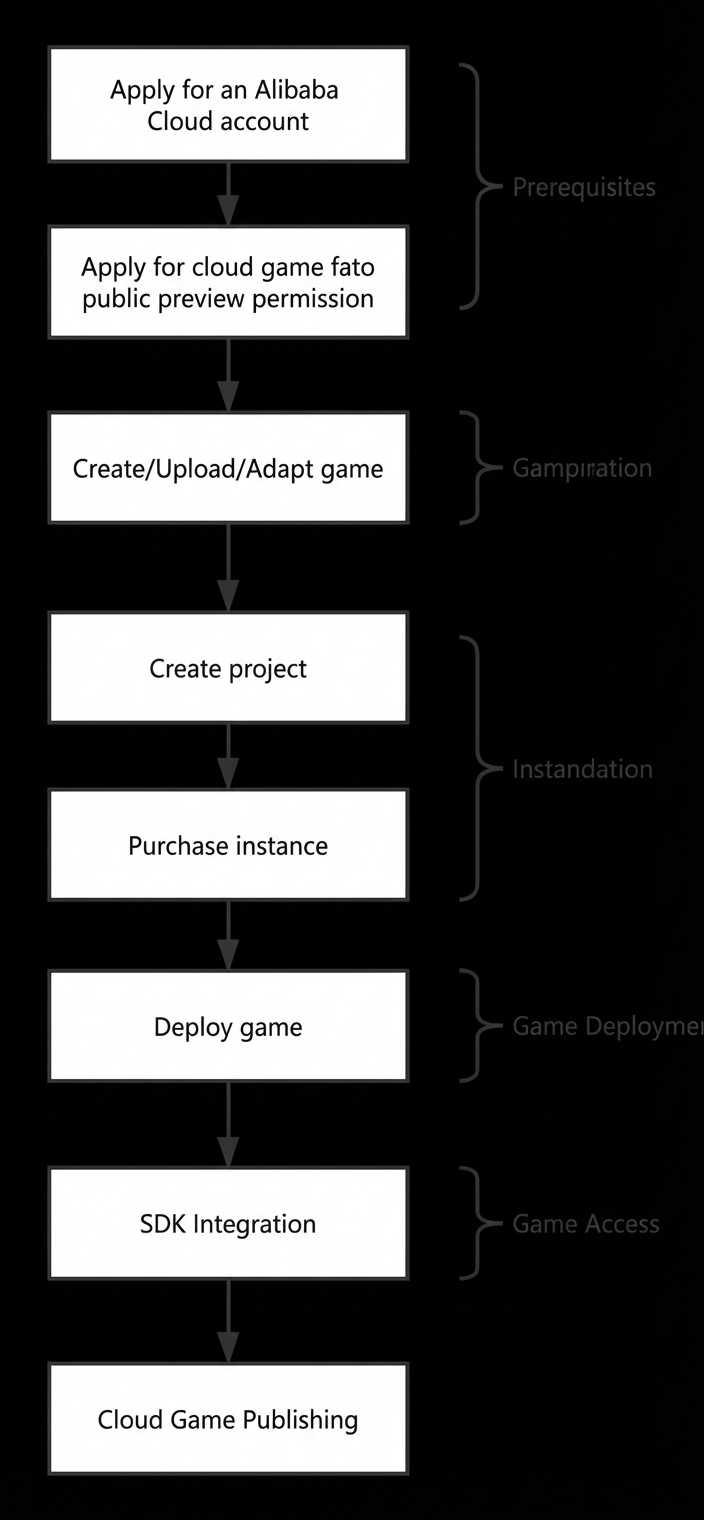
The following flowchart shows the entire process:
Prerequisites
Before you use the Alibaba Cloud Gaming Platform, you must have an Alibaba Cloud enterprise account and complete identity verification. You also need to apply for public preview access. You can use the Cloud Gaming Platform after your application is approved.
For more information, see Alibaba Cloud Account Registration Process.
For more information, see Enterprise Identity Verification Process.
For more information, see Cloud Gaming Platform Public Preview Application Process.
Game preparation
After your public preview application is approved, log on to the Cloud Gaming Platform console.
Go to the Game Management > Create Game page and enter the required information to create the game.
Go to the SDK and Tool Downloads page to download and install the game upload tool. The tool runs on Windows and macOS.
Upload the game installation package using the upload tool.
After the upload is complete, go to the Game Management > Version Management page and click Adapt. The platform then starts adapting the game.
Instance preparation
After the game adaptation is complete, purchase instance resources for one or more games.
Go to the Resource Management > Project Management page to create a project and add the game to it.
Go to the Resource Management > Instance Management > Purchase Instance page and purchase instances of the types that the platform recommends for the project.
Game deployment
After you prepare the game and instances, deploy the game to the instances.
Go to the Deployment & Scheduling > Deployment Management > New Deployment page to deploy the game from the project to the purchased instances.
Contact your account representative to obtain the corresponding SDK
Integrate the Cloud Gaming Platform SDK into your application. You can then use the API to control cloud games and manage resources.
Go to the SDK and Tool Downloads page and download the SDK package.
Refer to the SDK Reference to integrate the required features.