The Security Questions Setup, Modified and Reset of Alibaba Mail
Alibaba Mail has enabled the security question binding feature as an extra layer of account protection. This topic explains how to set, modify, and reset security questions for both postmaster and user accounts.
Set security questions
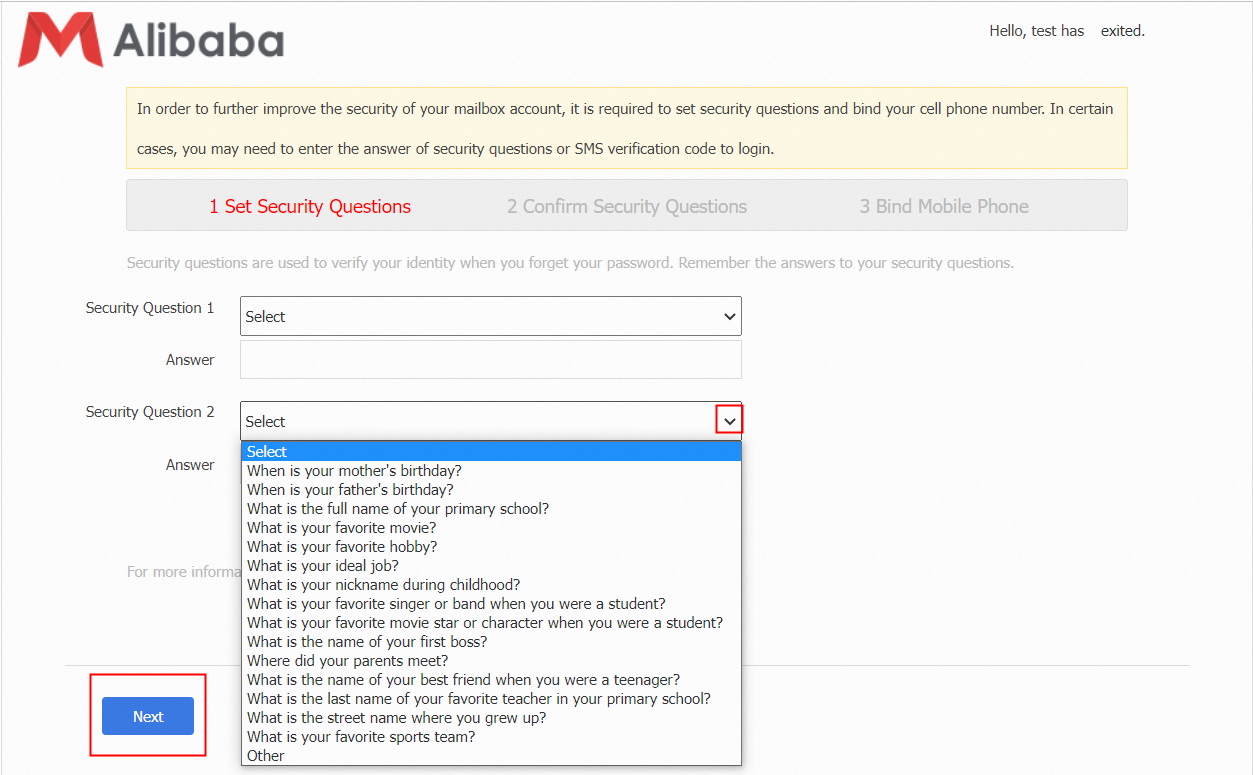
The first time you log in to Alibaba Mail webmail, you are prompted to set security questions. Select 2 questions, enter the corresponding answers, and click Next.
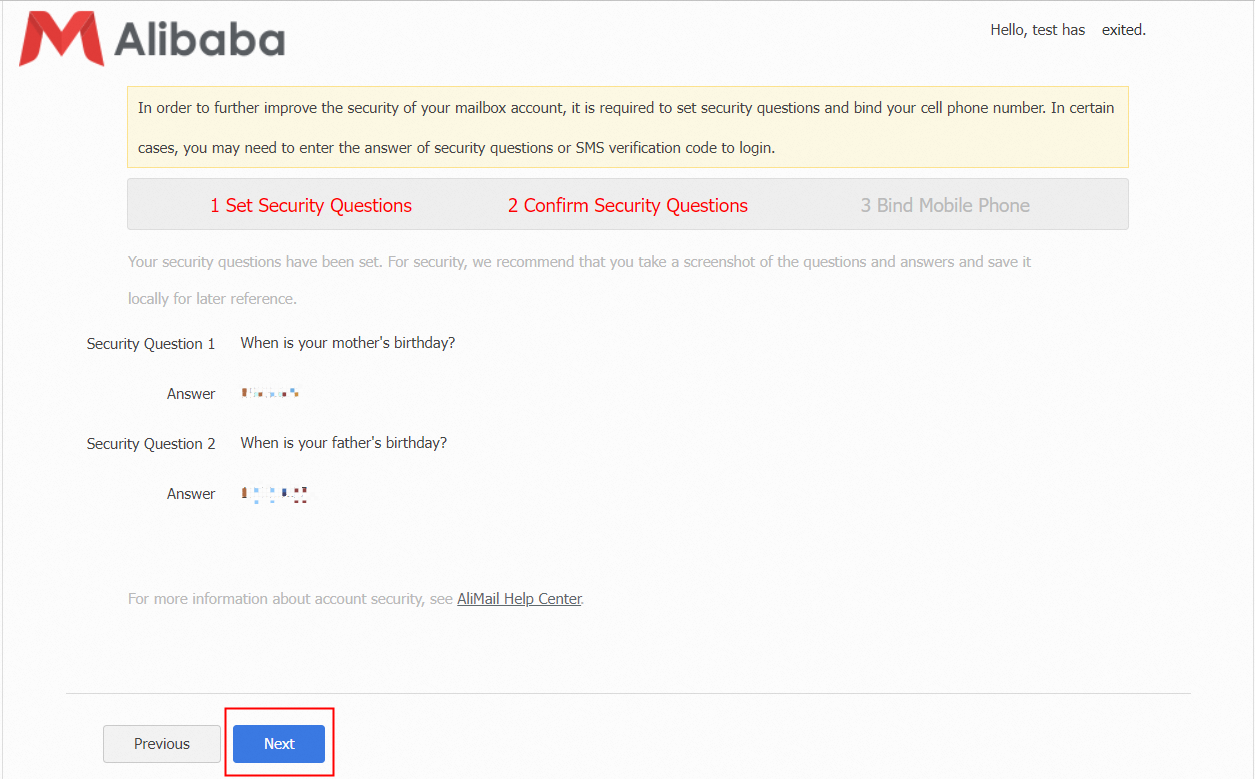
Confirm your answers on the next screen. If the answers are correct, click Next to proceed to the Bind Mobile Phone page. For details on binding a security mobile phone, see The Security Mobile Phone Setup, Replace and Unbind of Alibaba Mail.
Modify security questions
This procedure applies to both postmaster accounts and user accounts.
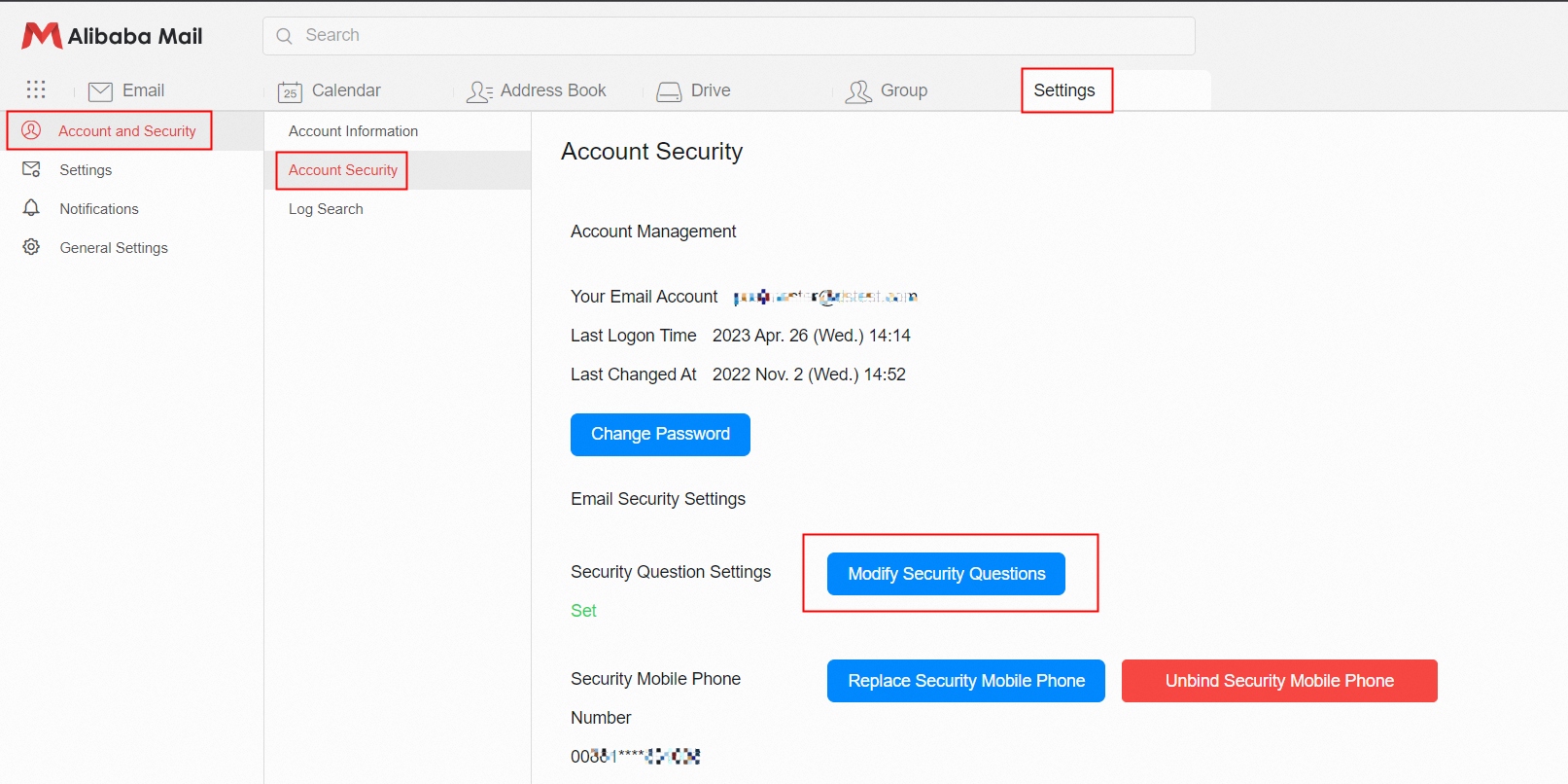
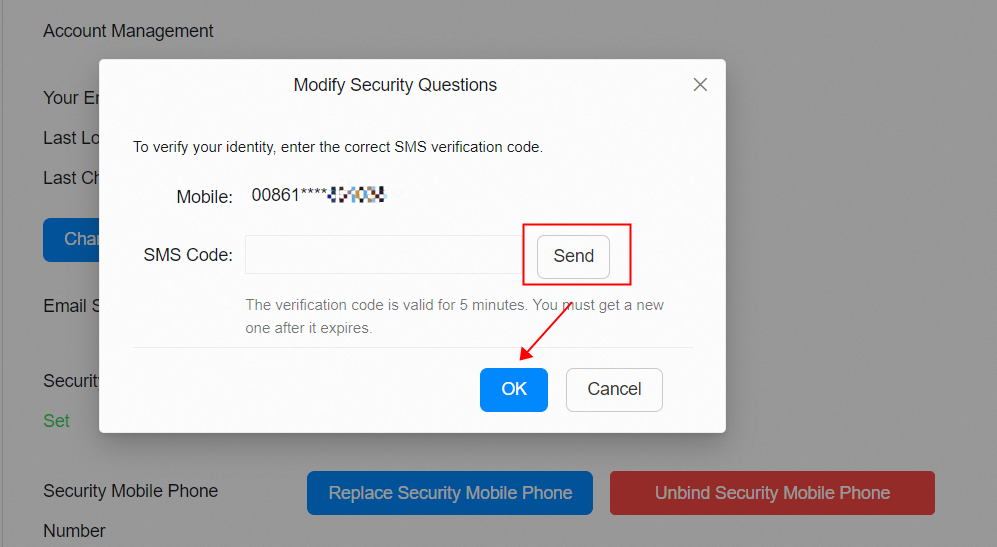
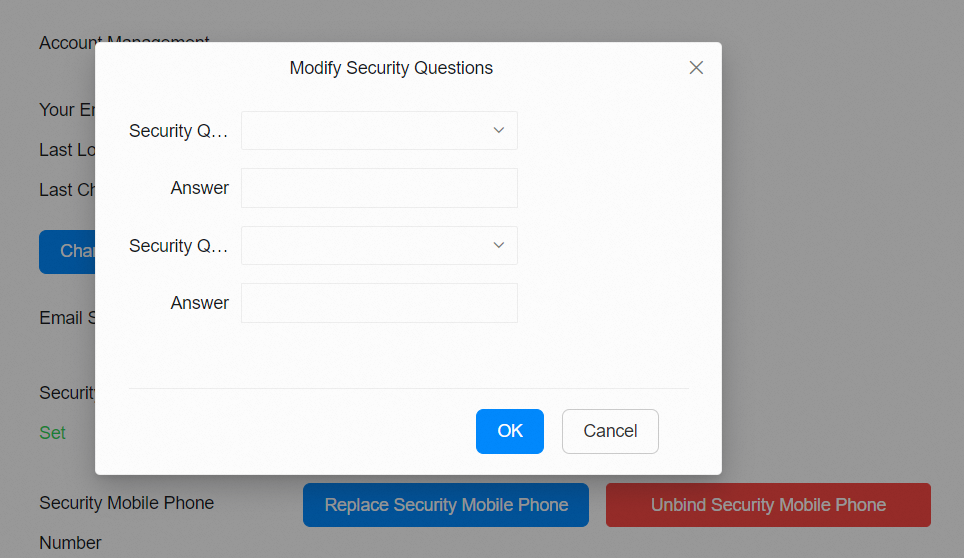
Log in to Alibaba Mail, go to Settings > Account and Security > Account Security, and click Modify Security Questions. Verify your security mobile phone. After verification, you can update your security questions.
Reset security questions for a user account (postmaster)
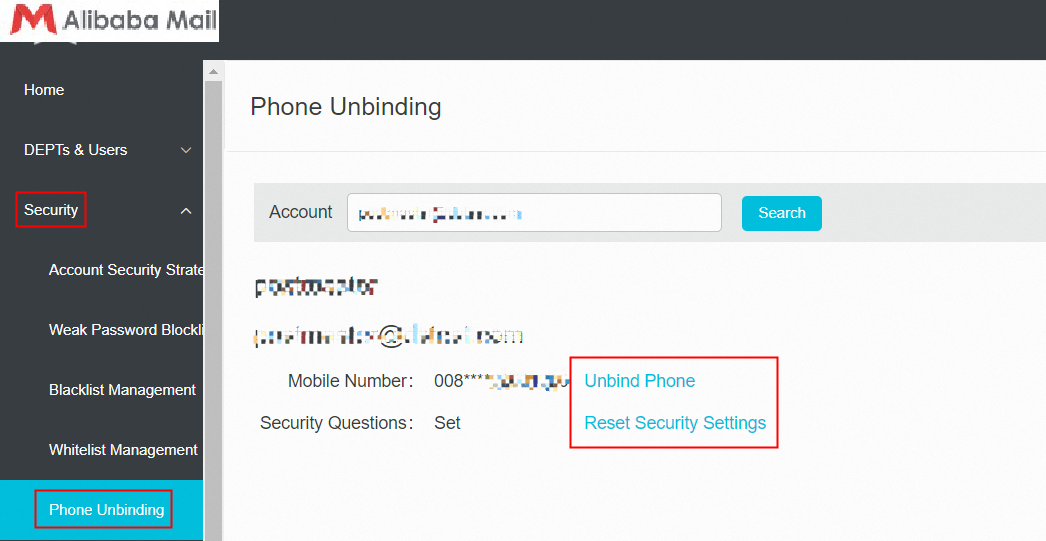
Log in to the Domain Management Platform as the postmaster, go to Security > Phone Unbinding, and enter the user's email account. Click Query, then click Unbind and Reset Security Settings. This resets the user's security questions and unbinds the mobile phone. The next time the user logs in, they can set new security questions and bind a mobile phone.
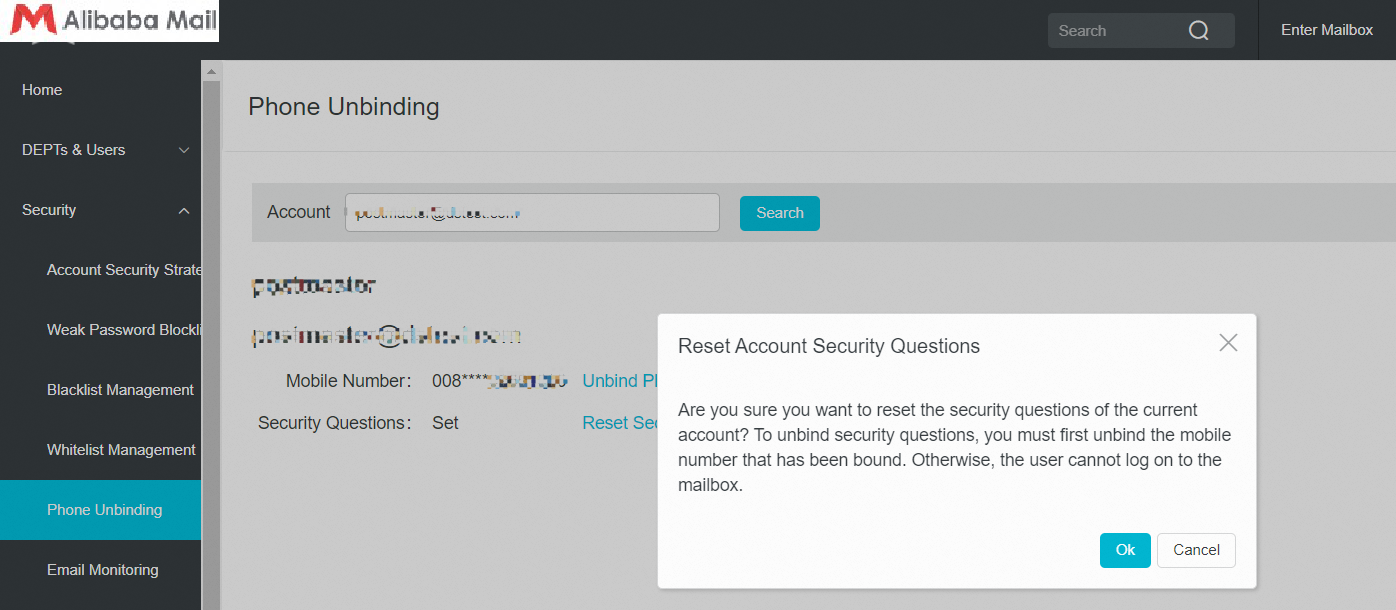
Note: Alibaba Mail does not support resetting security questions without also unbinding the mobile phone. The postmaster must unbind the mobile phone number first. Attempting to reset security questions while the phone is still bound returns the following error.
Reset security questions for a postmaster account
See The Security Mobile Phone Setup, Replace and Unbind of Alibaba Mail.