Bind, replace, and unbind a security phone
Bind a security phone to your Alibaba Mail account for two-factor authentication. Replace or unbind it when your phone number changes.
-
If your original phone is inaccessible, contact your mail administrator to unbind it (see Section III).
-
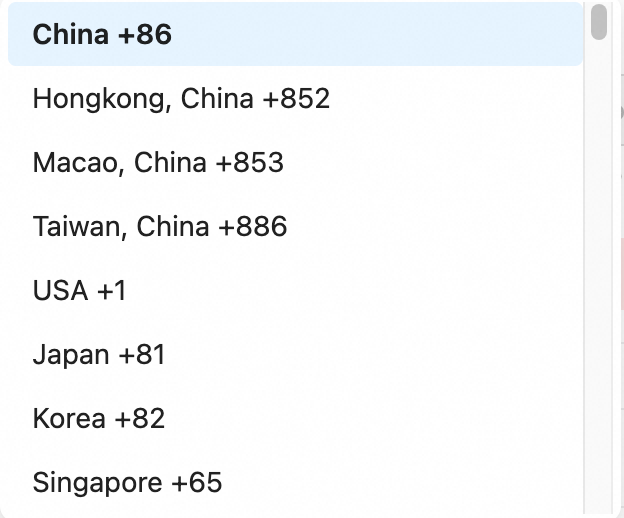
International phone numbers are supported. Select the country code from the drop-down list.
-
A single phone number can be bound to up to ten Alibaba Mail accounts.
I. Bind a security phone as an employee
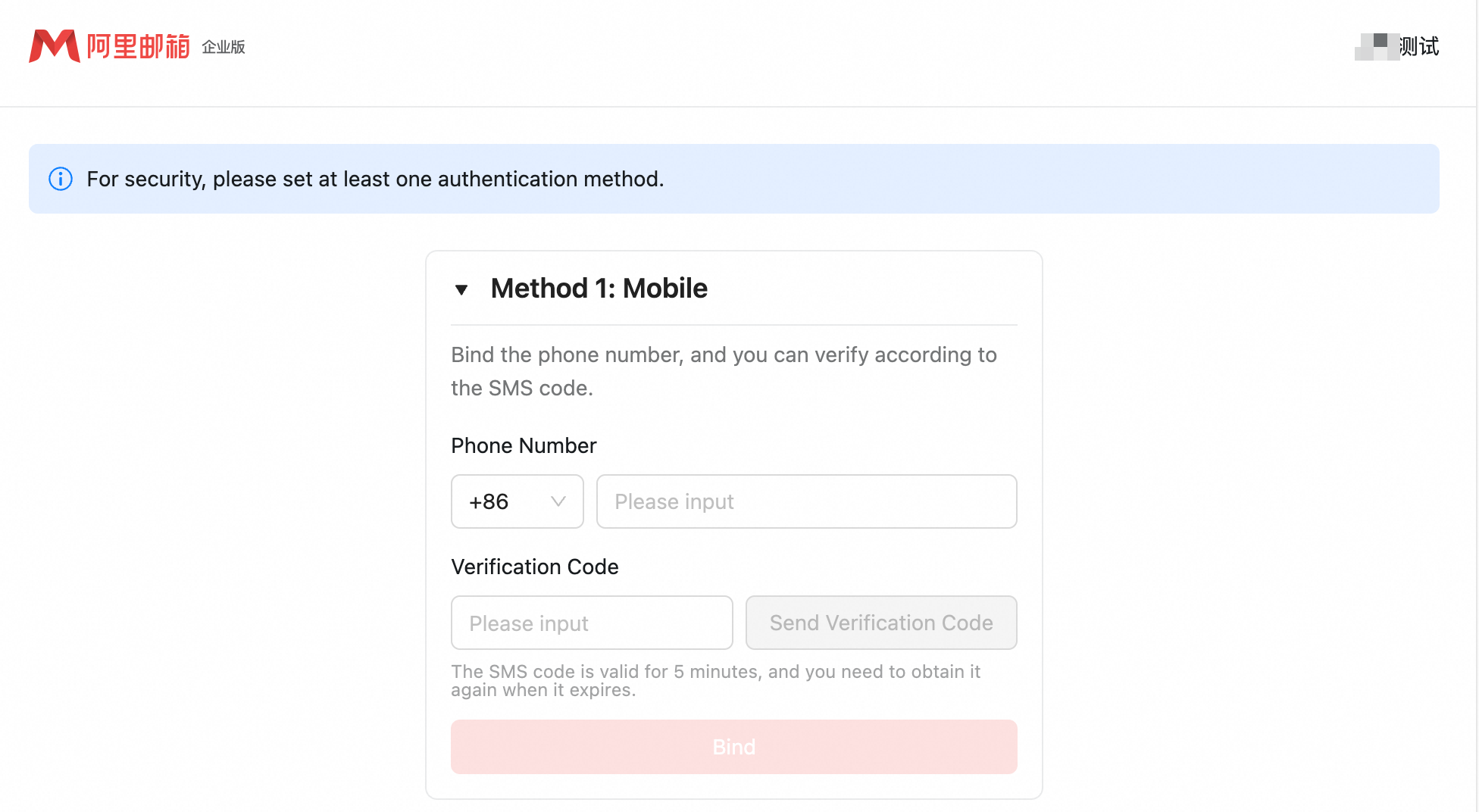
If two-factor authentication is enabled, bind a security phone on your first login to the Alibaba Mail web portal. Enter your phone number, click Get Dynamic Password, enter the verification code, and click Bind Now.
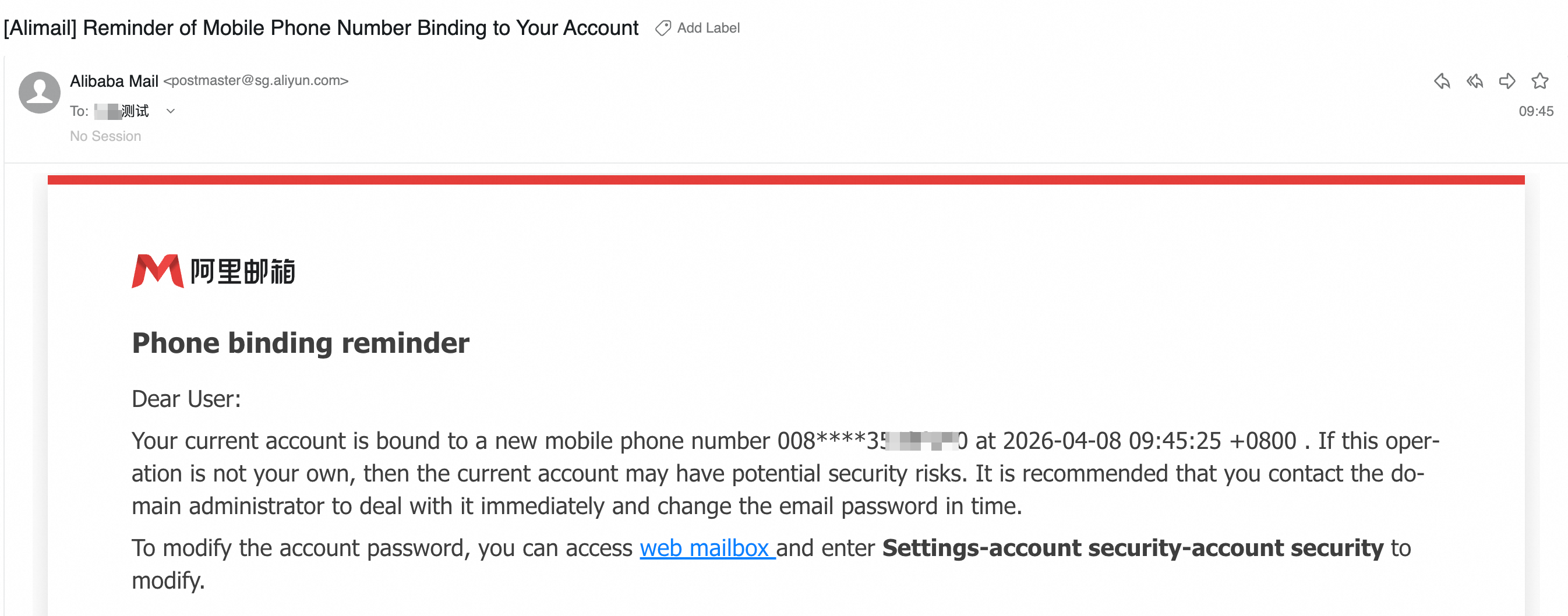
After binding, click Next to access your mailbox. You will receive an email confirmation.
II. Replace or unbind a security phone
To replace or unbind a security phone:
Log in to the Alibaba Mail web portal, go to Settings > View More Settings > Account and Security > Account Security, and then click Unbind Security Phone.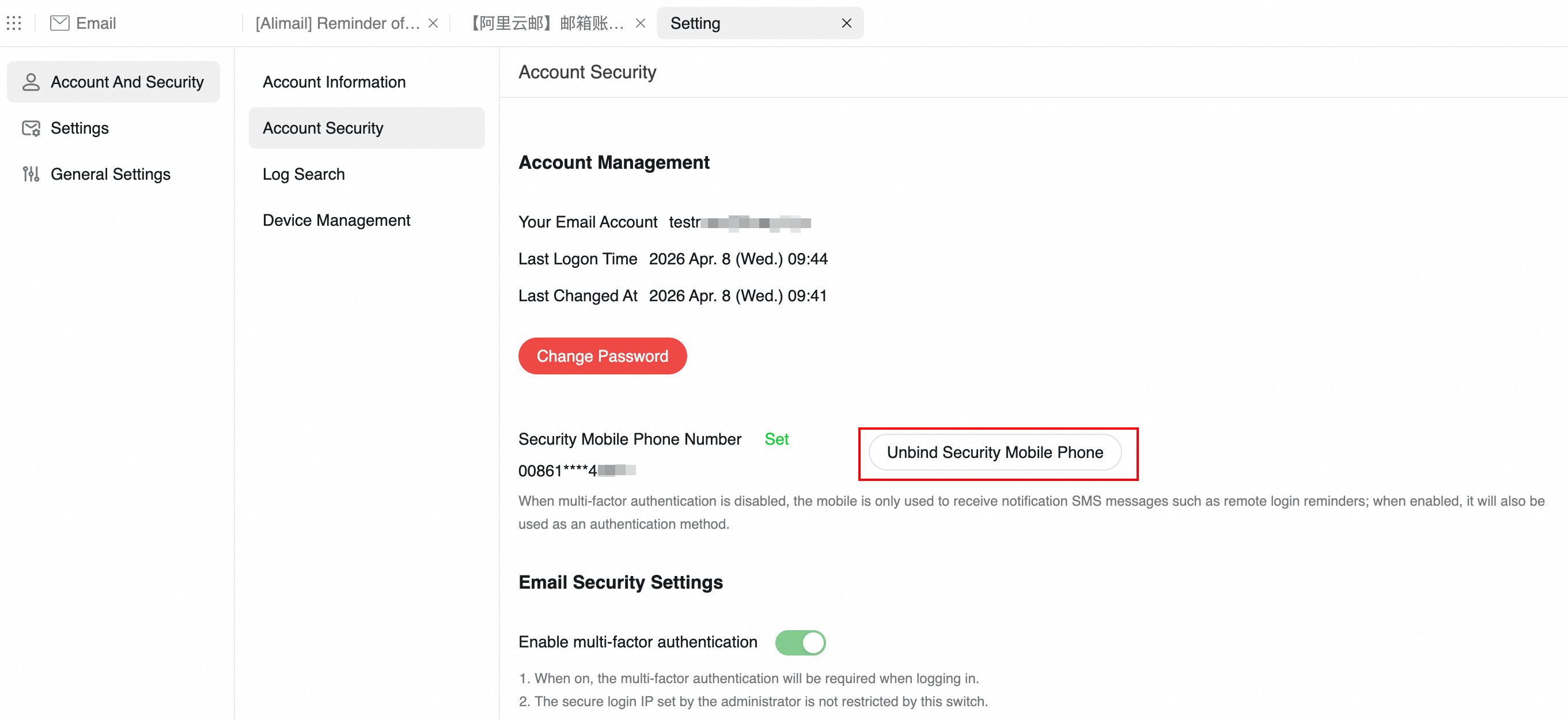
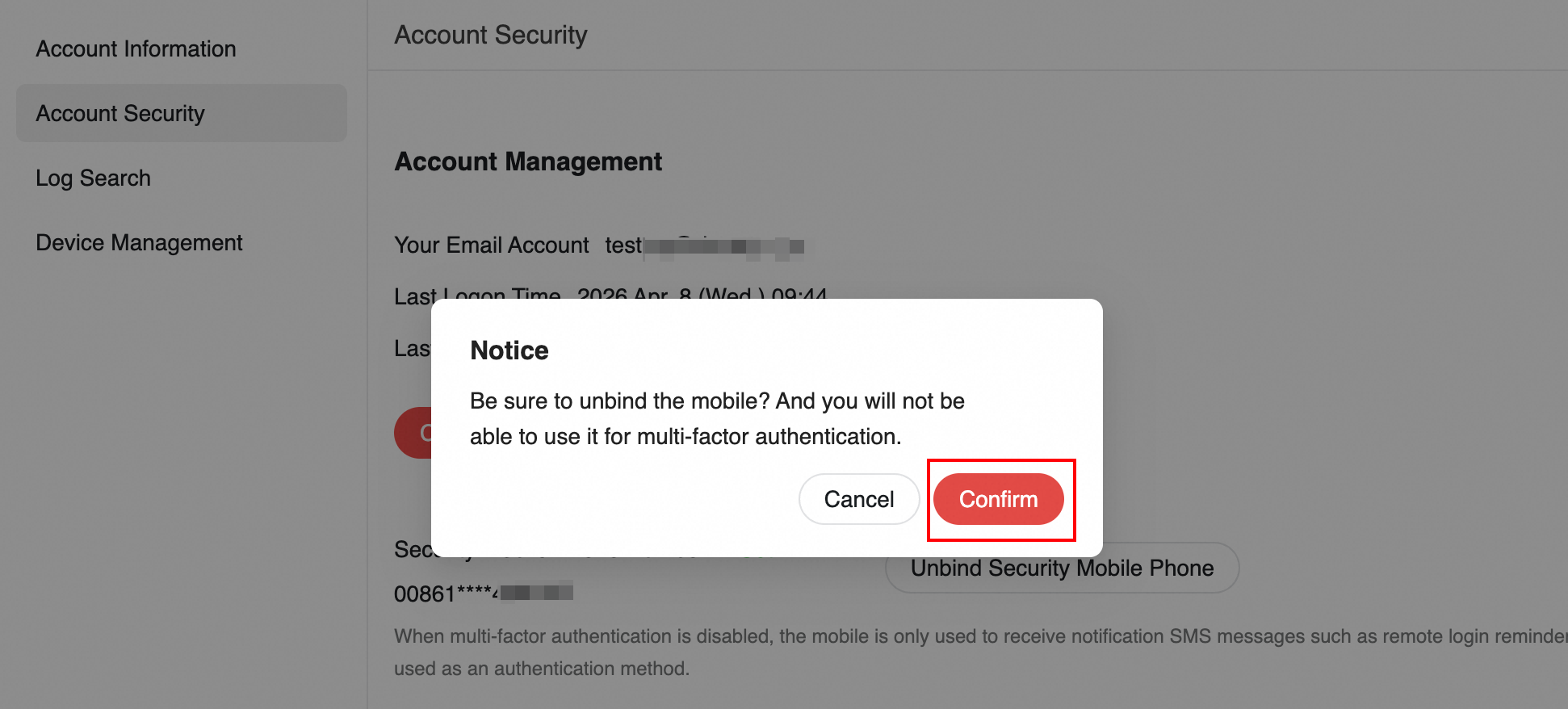
Click OK to continue.
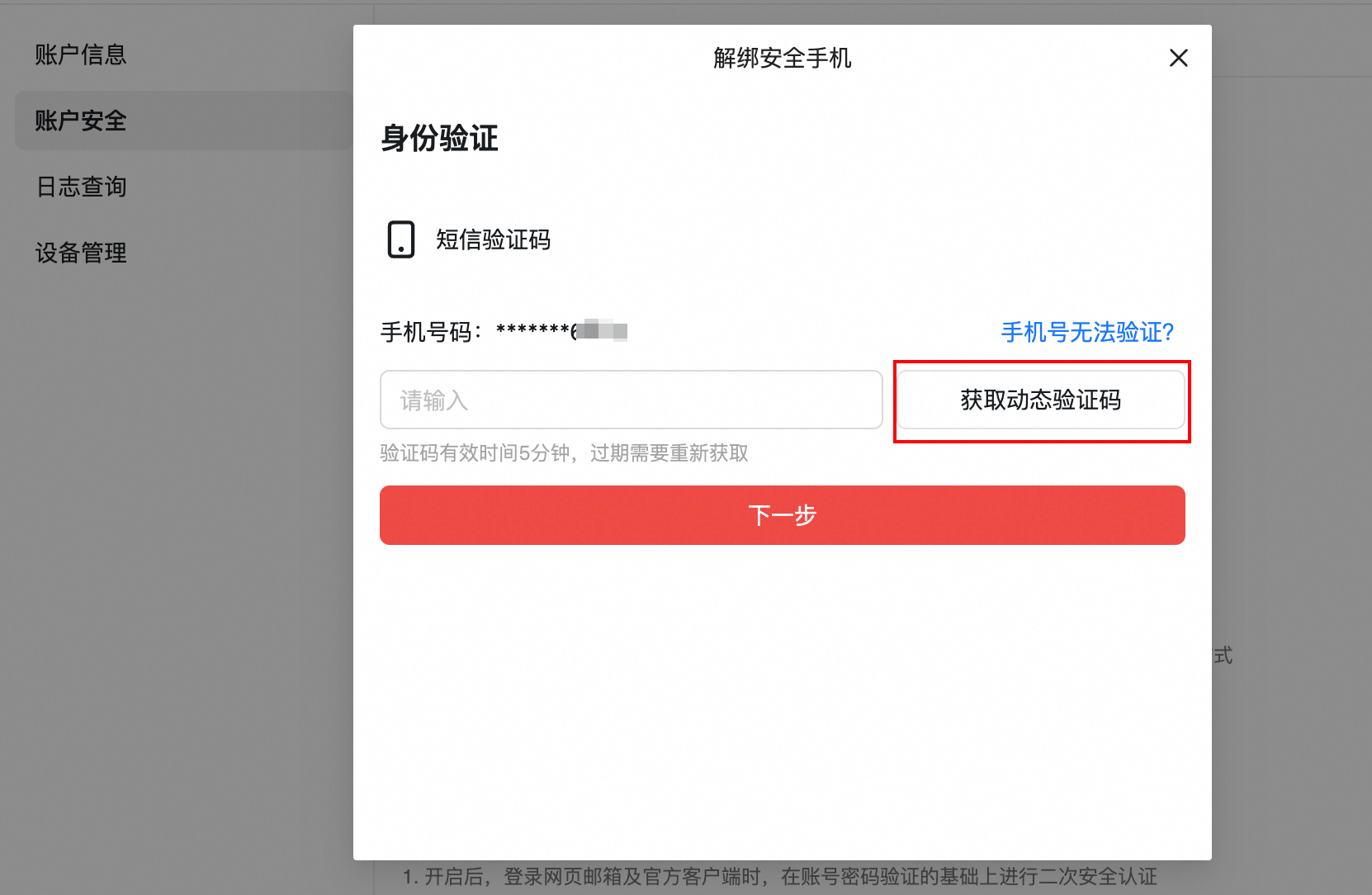
Enter the SMS verification code and click Next.
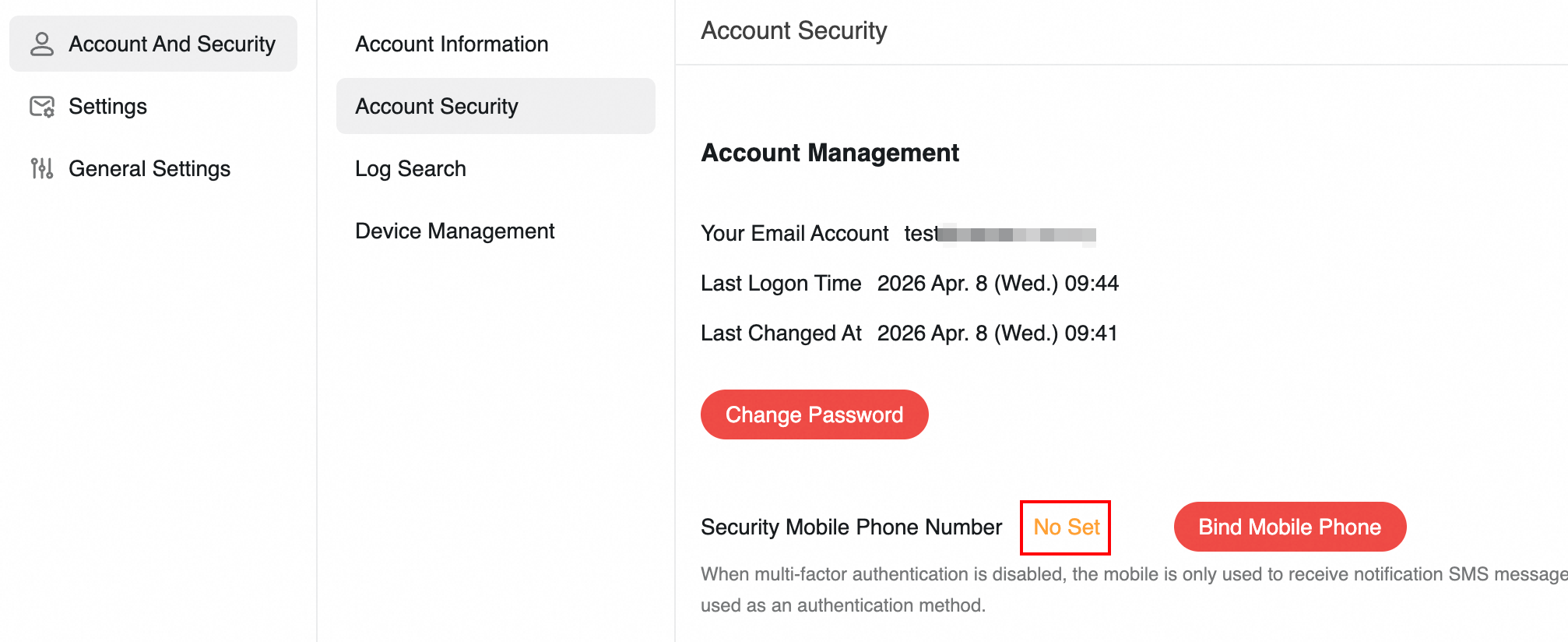
Once unbound, the status shows Not set, click Bind Security Phone. You can then bind a new number.
Important: The preceding steps apply to both administrator accounts and employee accounts. After unbinding the security phone, your account will no longer support phone-based notifications or verification services. Proceed with caution.
III. Administrator: Unbind an employee's phone
If an employee cannot log in to their account because their security phone is unavailable, an administrator can update or unbind the employee's security phone using either of the following methods.
Method 1: Unbind for a single account
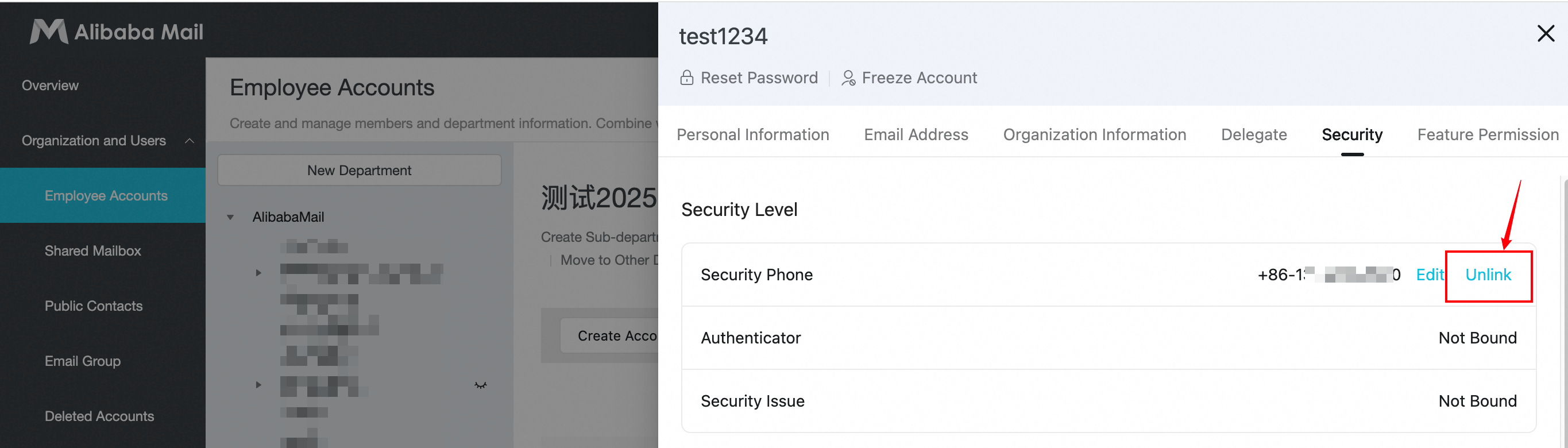
Log in to the admin console and go to Organization and Users > Employee Accounts. Select an employee account to open its details page, and click Security. Next to Security Phone, click Edit, enter the new phone number, and save to change it directly. Click Unbind Security Phone to unbind it.
Method 2: Unbind in bulk
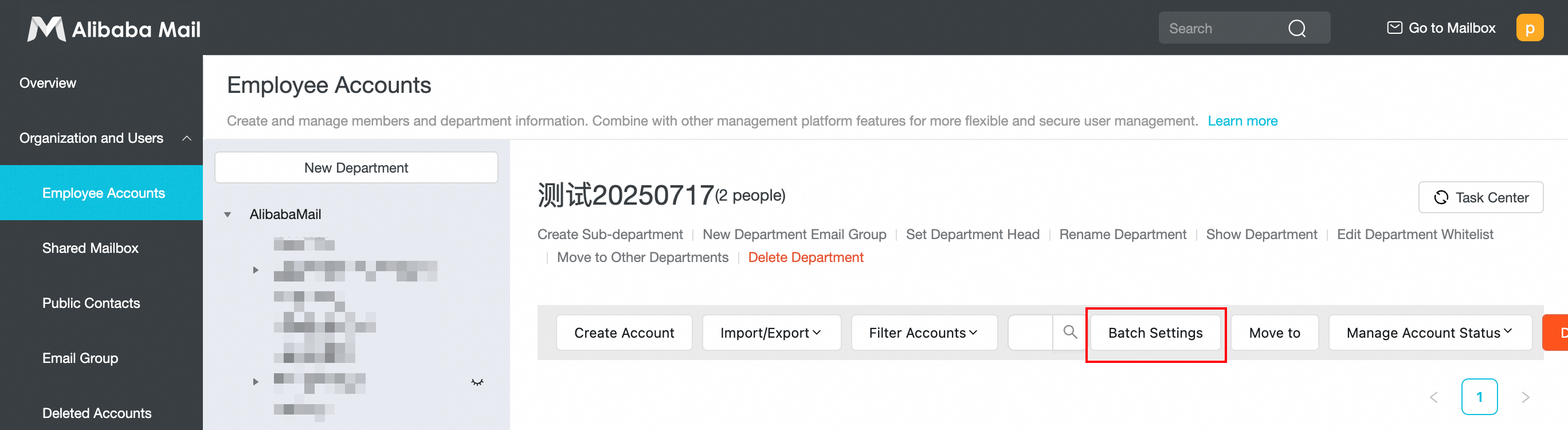
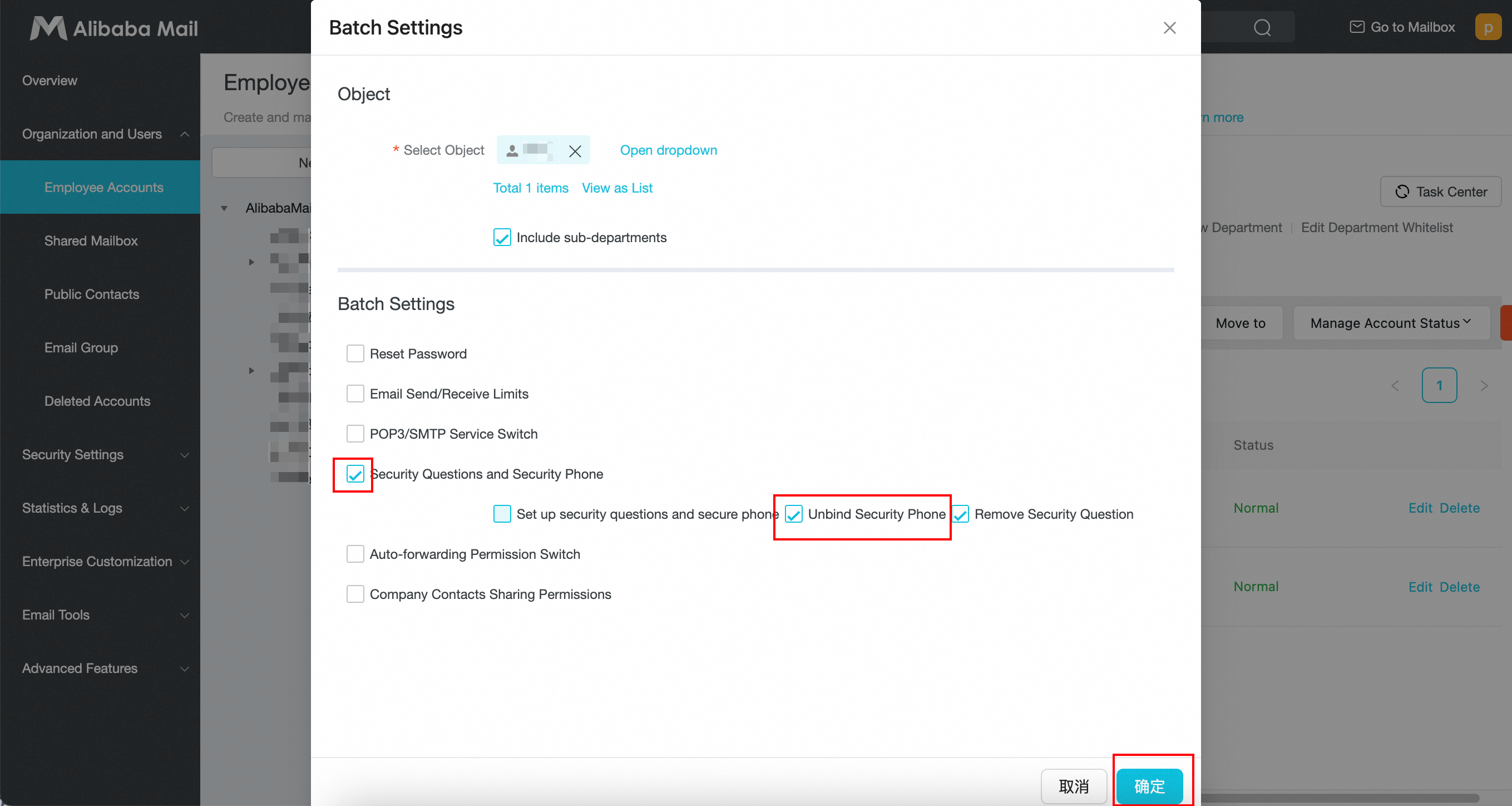
Log in to the admin console and go to Organization and Users > Employee Accounts. Click Batch Settings. Click Open Selection Box to select the target accounts. Select the Security Questions and Security Phone checkbox, and then select the Unbind Security Phone checkbox. Click OK.
IV. Replace an administrator's security phone
Use this method when the administrator's security phone is unavailable.
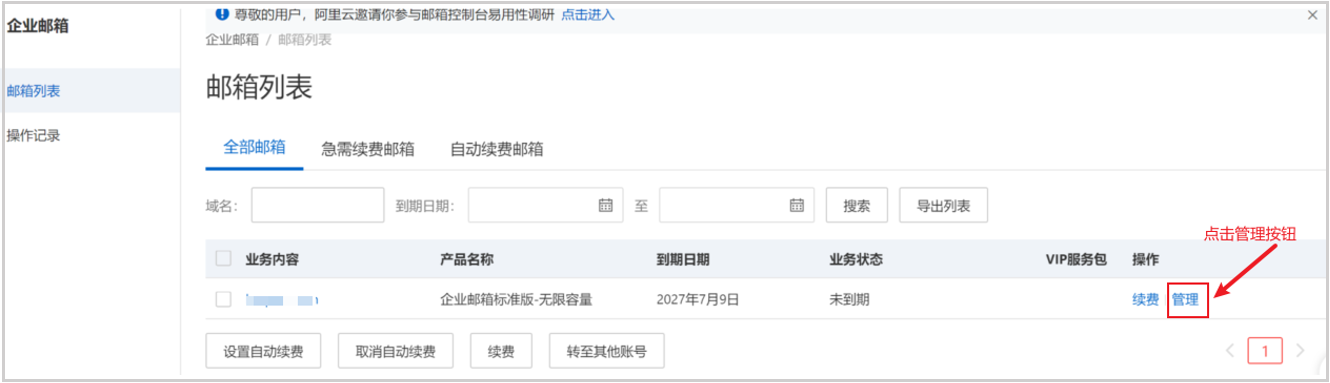
Log in to the Alibaba Cloud console. Go to Products and Services > Alibaba Mail > Manage > Reset Security Phone.
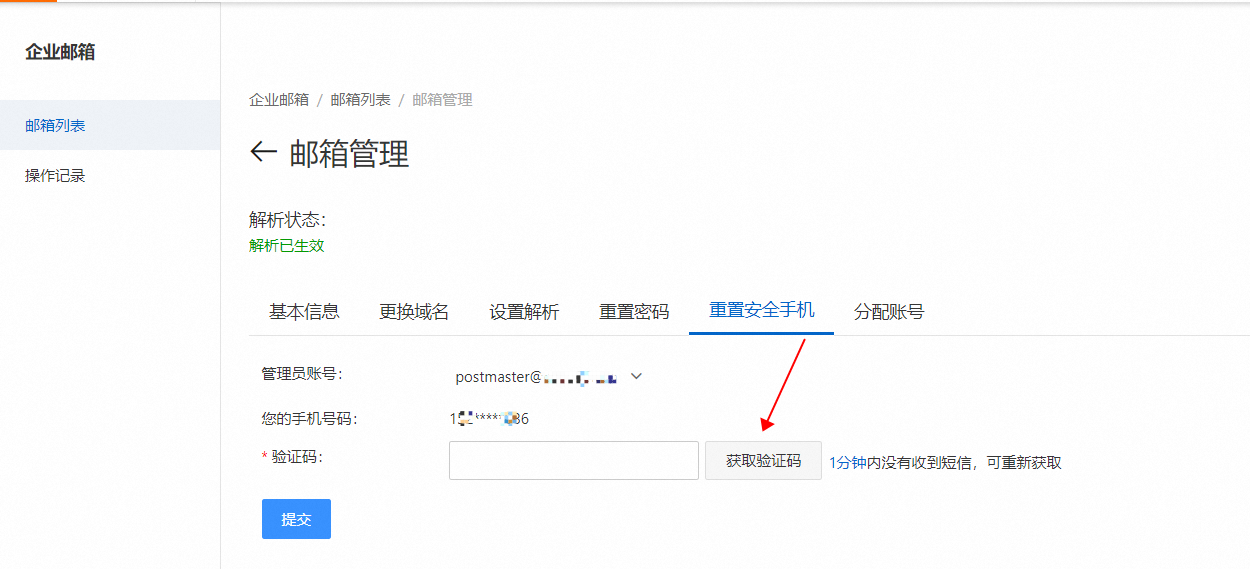
Enter the verification code and click Submit to reset the security phone. The administrator can then log in again to bind a new phone.
Note: This verification requires the phone number associated with your Alibaba Cloud account.
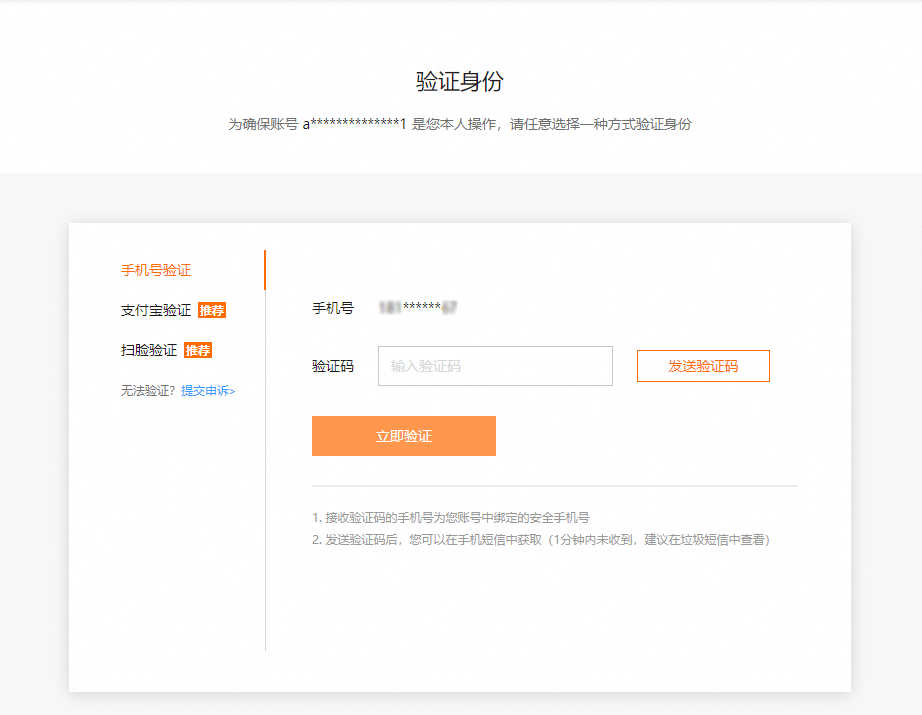
If your Alibaba Cloud account phone is also unavailable, change it in the account center. Go to account security > Security Phone Number > Modify.
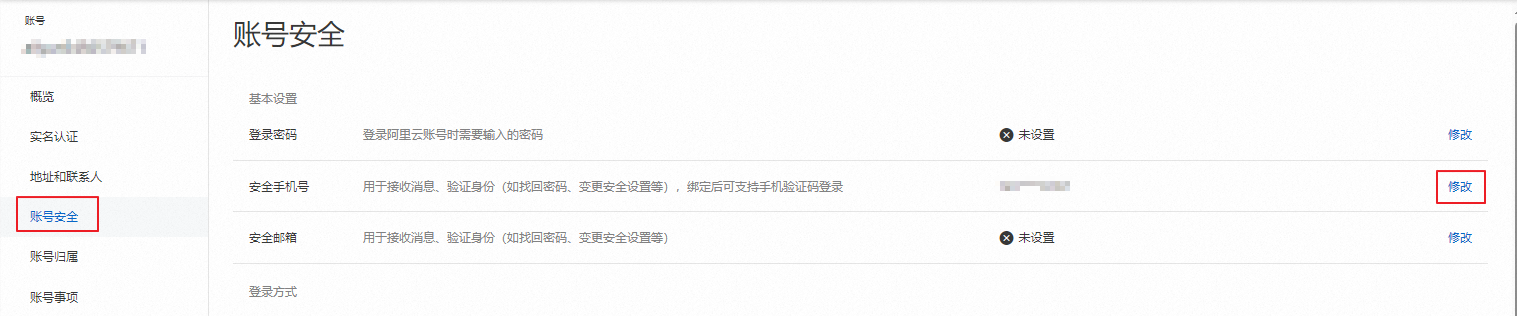
Verify your identity using one of three methods, then change the phone number.