Resource Center - Data Source Management - User Guide
This topic describes how to manage data sources in Intelligent Search.
Supported data sources
You can manage data sources for your enterprise knowledge base in the Resource Center. You can also select or add them on the quick creation page.
Supported data sources | Links |
ApsaraDB RDS for MySQL | |
Alibaba Cloud MaxCompute | |
Alibaba Cloud OSS |
Data source purchase and configuration
Alibaba Cloud Object Storage Service (OSS)
Links:
Official website: https://www.aliyun.com/product/oss
Bucket
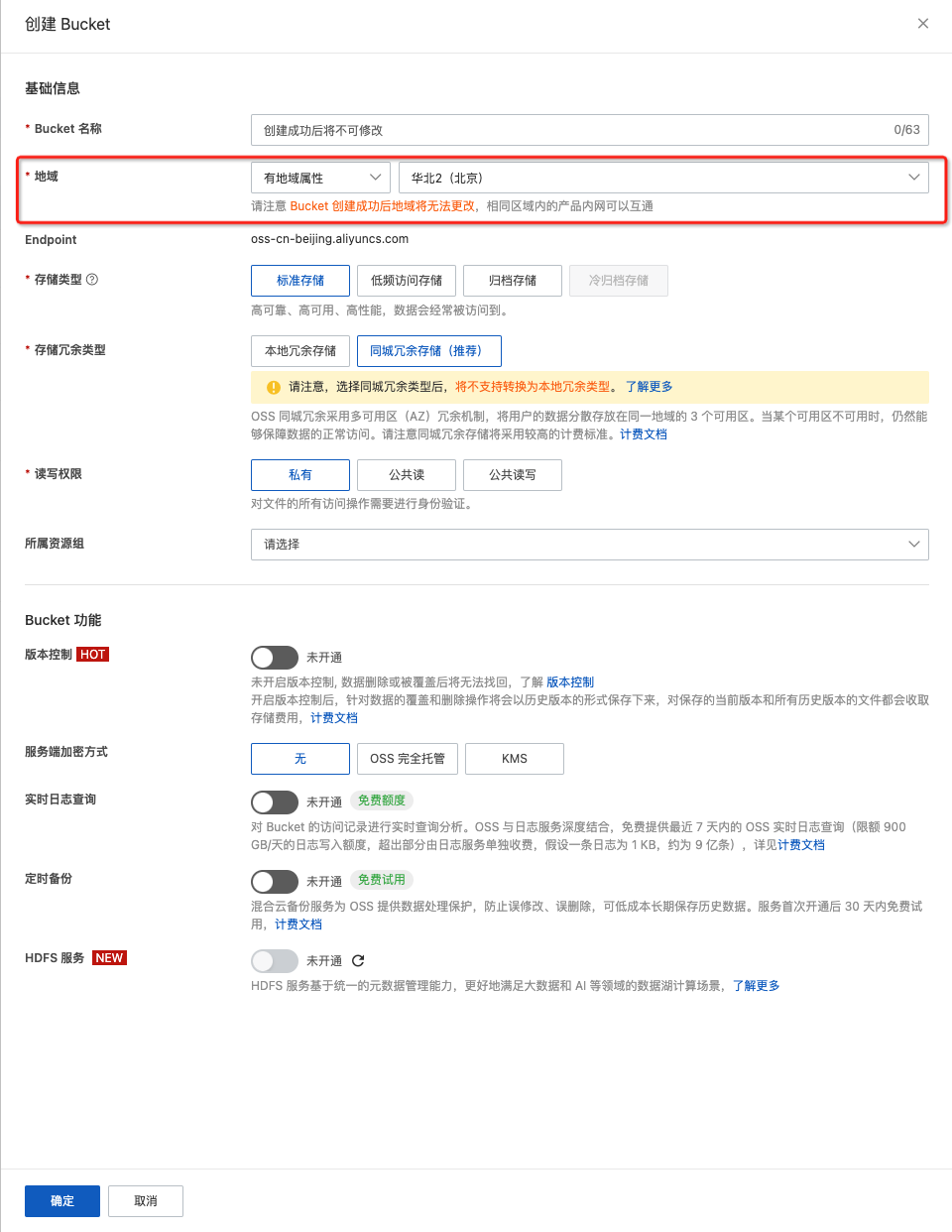
When you create a bucket, note its region. This property is required when you add a data source in the Intelligent Search console. For more information, see Regions and endpoints.
Data import
When you upload data to OSS, separate the data for initial index creation from the data for future updates. For example, you can create a root directory named 'root' in the bucket. In this directory, create two folders: 'create' and 'update'. Place the data for the initial import into the 'create' folder. Place subsequent incremental data into the 'update' folder. If you do not need to update data, you do not need to create the 'update' folder. (The names 'root', 'create', and 'update' are examples. Use names that fit your business needs.)
Endpoint
If you create a bucket in the China (Hangzhou) region, the endpoint is oss-cn-hangzhou.aliyuncs.com. For other regions, see Regions and endpoints.
Data source configuration
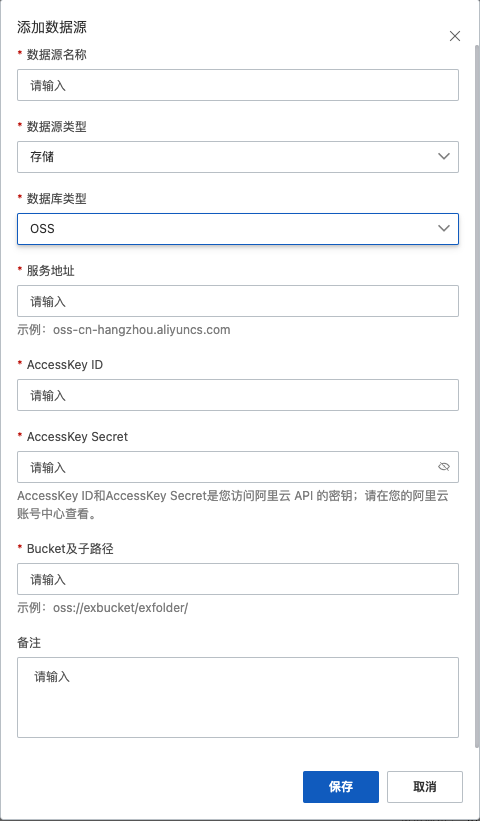
The AccessKey ID and AccessKey secret are for the Alibaba Cloud account that has permissions to access the OSS data. The bucket and its subpath form the OSS address for the data source. Use the format oss://${bucketname}/${path}. For example, to add files or subfolders from the 'exfolder' folder in the 'exbucket' bucket, enter oss://exbucket/exfolder/ in the Bucket and its subpath field.
Example
MaxCompute
MaxCompute is a cloud-native data warehouse that uses a Software as a Service (SaaS) model for analytics.
Official website: https://maxcompute.console.aliyun.com/
Console: https://maxcompute.console.aliyun.com/cn-hangzhou/project-list
Endpoint:
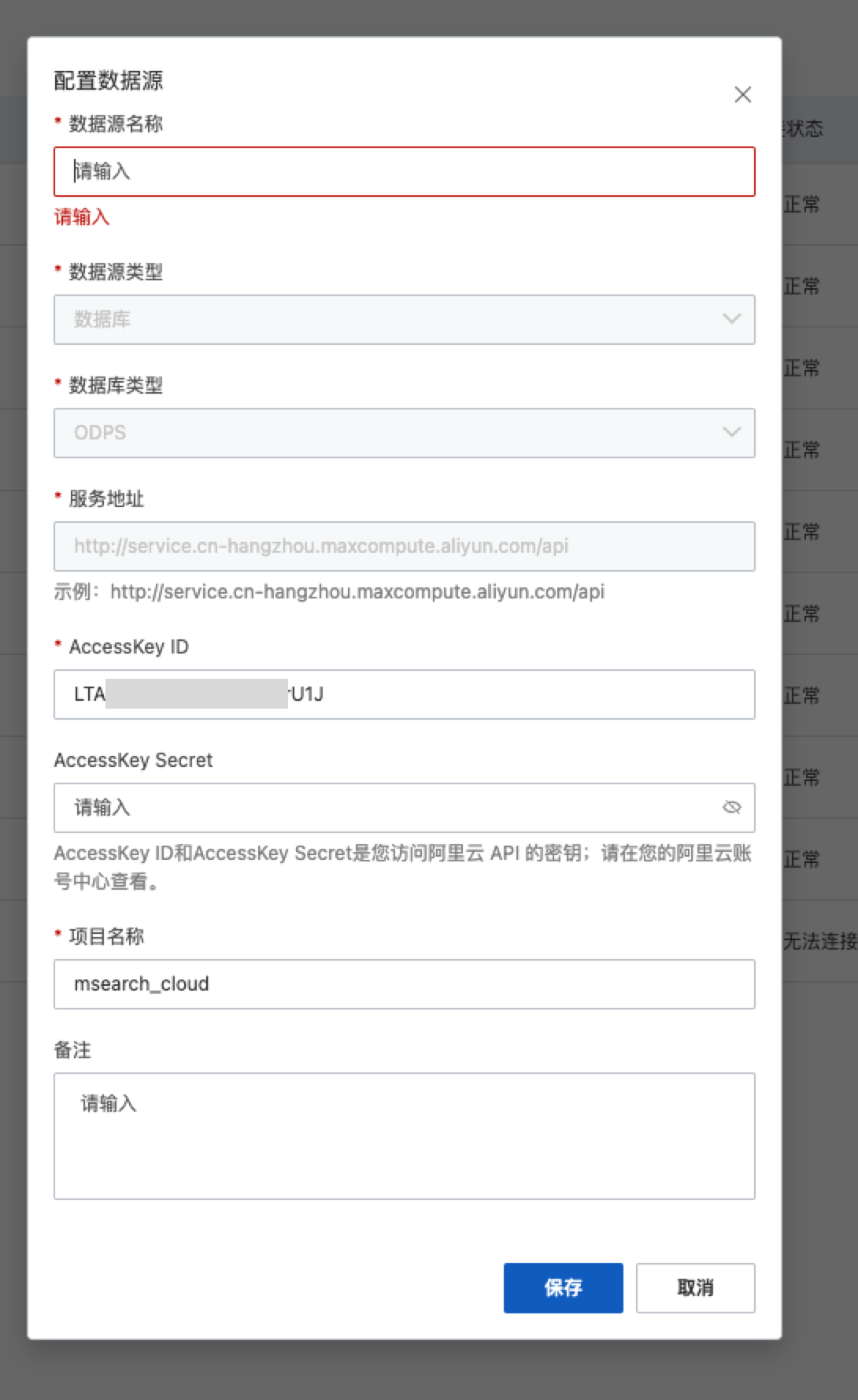
The endpoint uses the format http://service.${region}.maxcompute.aliyun.com/api, where `${region}` is the region in which you created the project. For more information, see Endpoints for each region (public network connection).
Data source configuration
The AccessKey ID and AccessKey secret are for the Alibaba Cloud account that has permissions to access the project.
Network configuration
How do I configure the network and whitelist for MaxCompute (ODPS)?
Go to the console. From the menu bar, navigate to 'Workspace' > 'Project Management' > 'Parameter Settings'. In the 'IP Whitelist' section, configure the 'Classic Network IP'.
To obtain the required IP addresses, contact us by submitting a ticket or by email at m_search@list.alibaba-inc.com.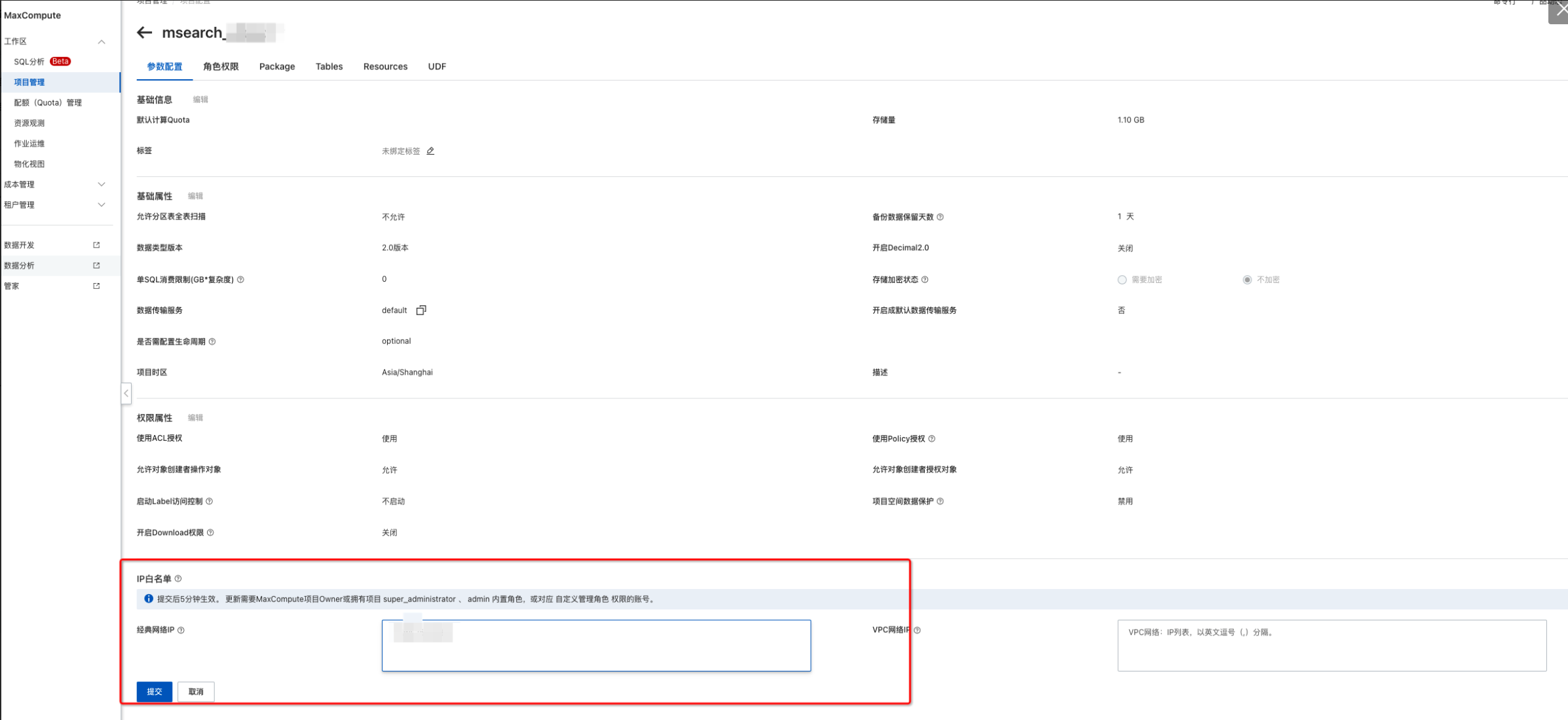
Configuration example
RDS
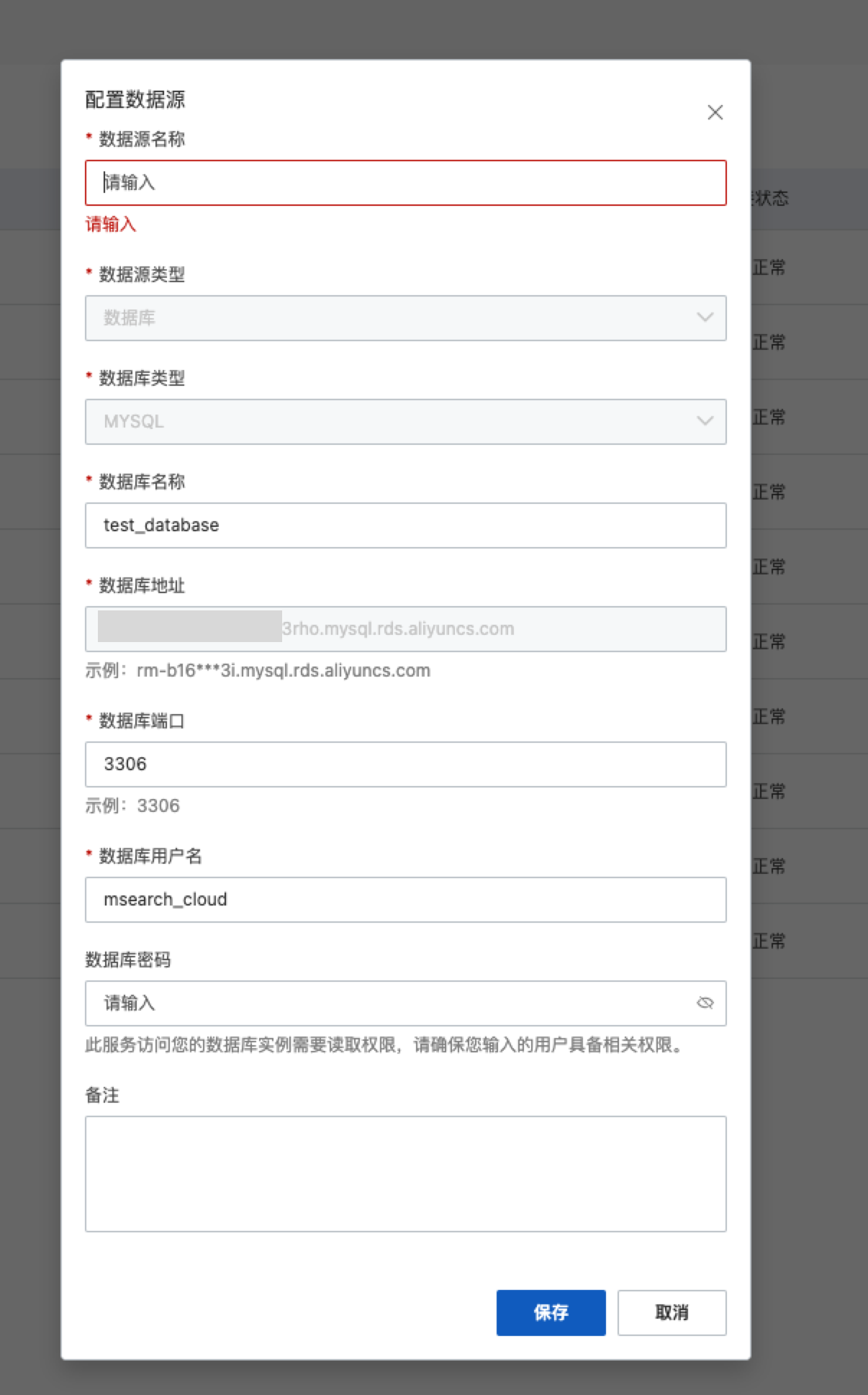
ApsaraDB RDS for MySQL supports basic features such as instance management, account management, database management, backup and recovery, whitelists, transparent data encryption, and data migration. It also supports advanced features such as read/write splitting, SQL audit, and multi-zone clusters.
Official website: https://www.aliyun.com/product/rds/mysql
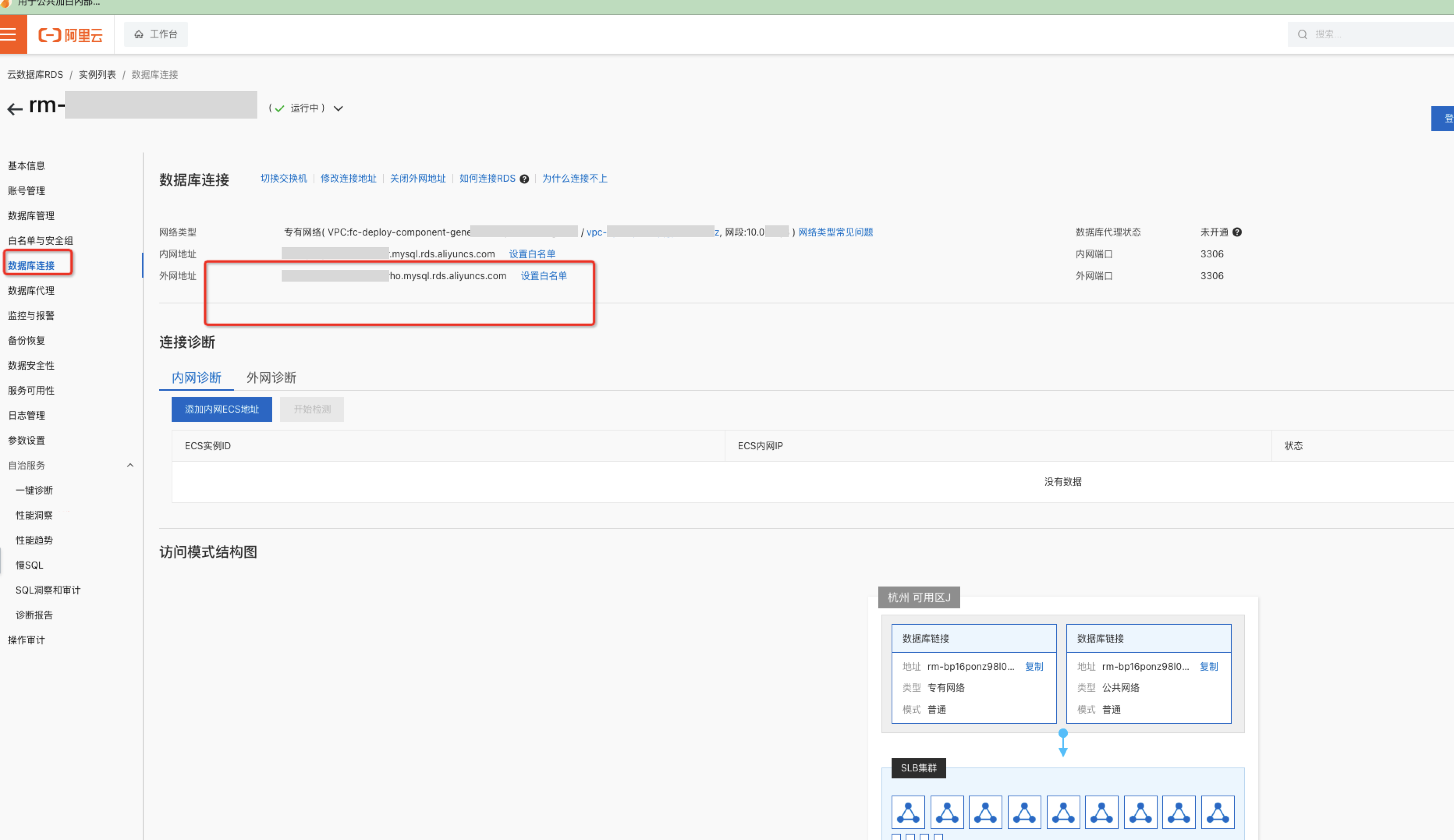
Endpoint:
After you enable a public endpoint, use this endpoint as the database address when you add the data source in the Intelligent Search console.
Network configuration
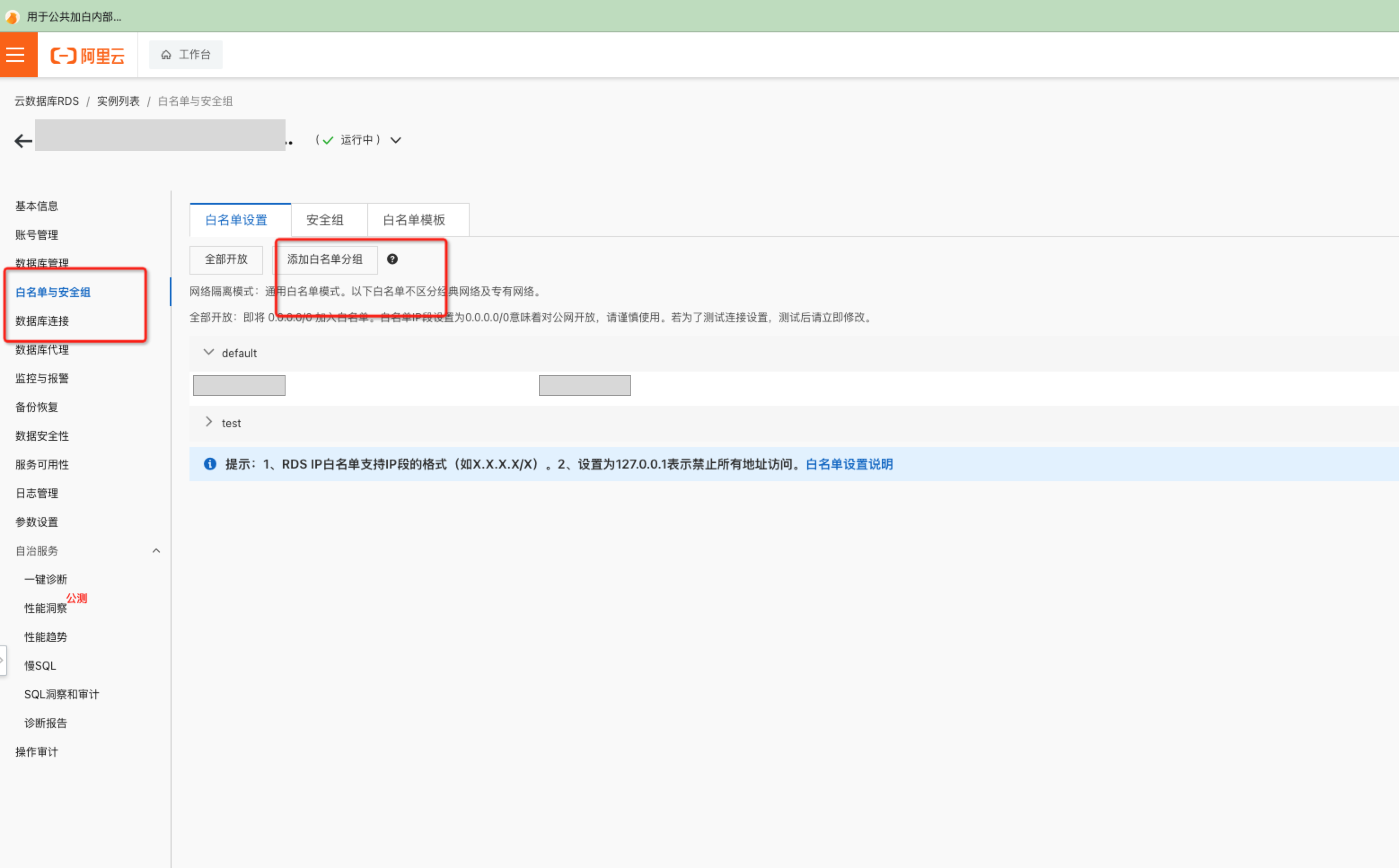
How do I configure the network and whitelist for RDS?
Go to the console. In the 'Instance List', select 'Whitelist and Security Group', and then add the required IP addresses to the whitelist in 'Whitelist Settings'.
To obtain the required IP addresses, contact us by submitting a ticket or by email at m_search@list.alibaba-inc.com.
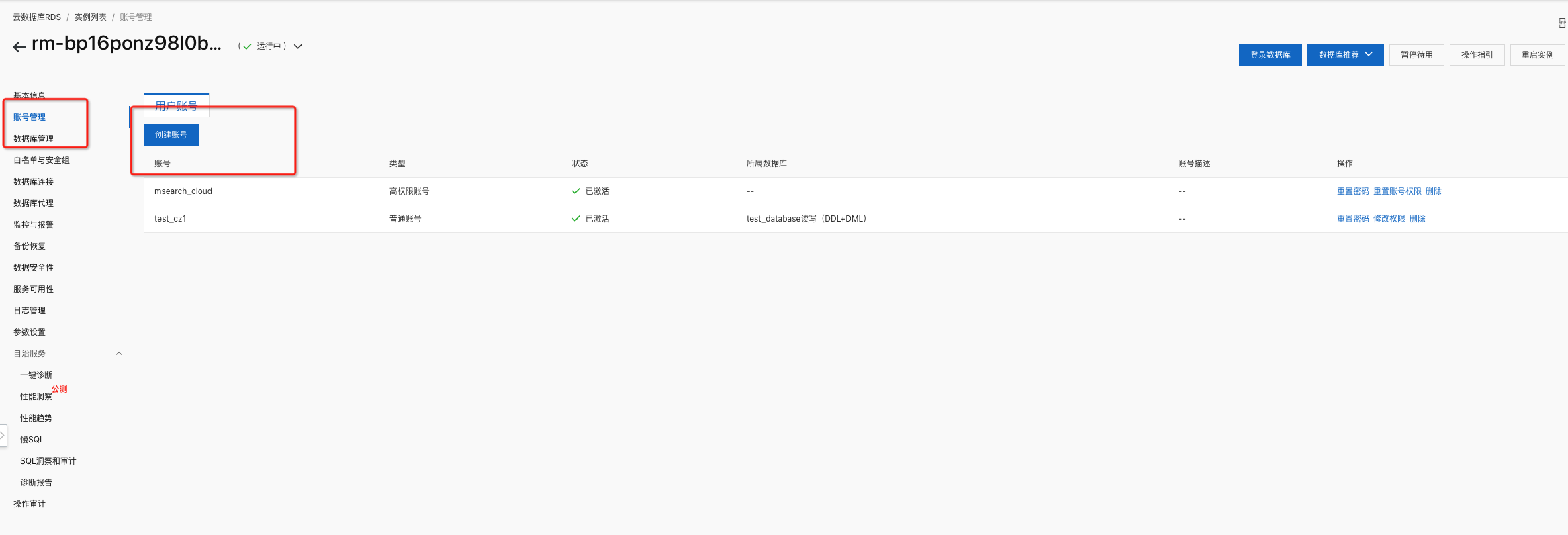
Account creation
Create a username and password. Use these credentials as the database username and password when you add the data source in the console.
Configuration example