Best practices for infrastructure security
Plan your network architecture, account structure, and workload security before migrating to Alibaba Cloud.
Networks, accounts, and workloads are foundational cloud resources. Plan your network and account structure carefully before migration, and validate your security posture through testing.
Alibaba Cloud offers cloud migration consulting. Plan your migration framework before moving to the cloud—proper planning prevents repeated restructuring and accelerates adoption. This framework is also known as alanding zone.
Network architecture design
Alibaba Cloud network architecture best practices cover enterprise network partitions, same-city and remote disaster recovery, DMZ-VPC areas, VPC east-west traffic isolation and control, and hybrid cloud networking across industries. Network Security Protection.
Account structure design
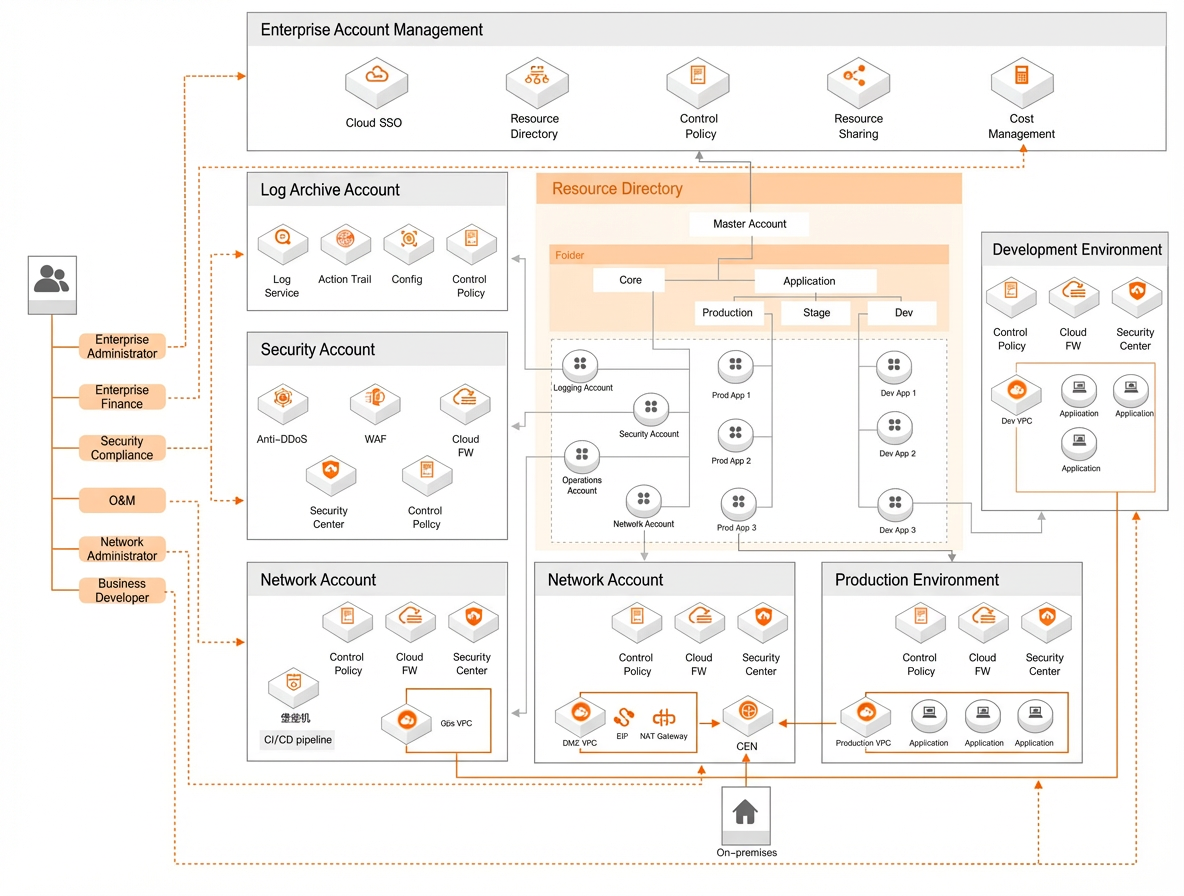
The Alibaba Cloud landing zone framework guides resource management, account structures, and isolation strategies.
Resource planning
Large enterprises require strict business isolation. Deploy different business units in separate Alibaba Cloud accounts to meet security or regulatory requirements. A landing zone uses a multi-account architecture that provides strong isolation, reduces threats, and supports companies with multiple branches, legal entities, and billing models. This structure simplifies management and eases business unit splits or mergers.
Account design
Each account serves a specific function:
-
Management account: Manages multiple accounts. Enable resource directory to build your account structure and apply rules such as audit rules and control policies to all member accounts. Typically serves as the main financial account for centralized financial management.
-
Security account: Manages security roles and hosts security products such as WAF and Cloud Firewall.
-
Log archive account: Aggregates logs from all member accounts for centralized collection and management.
-
Operations account: Hosts O&M tools such as Bastionhost, a unified monitoring platform, an enterprise cloud management platform (CMP), and a CMDB.
-
Shared service account: Hosts shared enterprise services such as networking.
-
Business accounts: Host business applications such as production accounts and development and testing accounts.
Account organization and business isolation
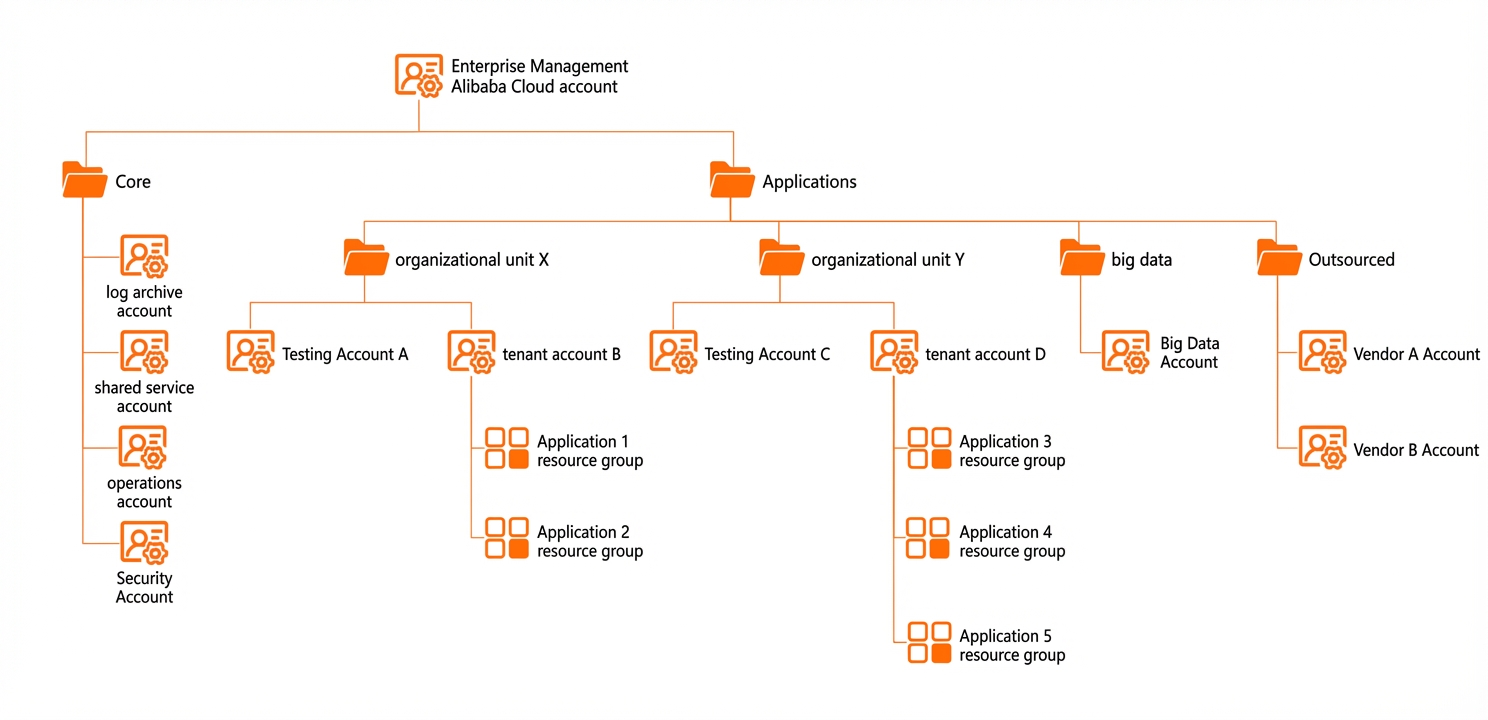
Notes and recommendations:
-
Use resource directory in the management account to build your account structure. Add other accounts as member accounts for centralized multi-account management.
-
Place core infrastructure accounts in the Core folder and business accounts in the Applications folder.
-
Organize business accounts by business unit—branches, departments, or products—to reflect your company structure and isolate workloads.
-
Create separate testing and production accounts within each organizational unit to isolate environments.
-
Use resource groups within an account to isolate application resources.
-
Place all big data services in a dedicated big data account within a big data folder.
-
Use an external folder for supplier accounts if needed. Apply baselines such as control policies to restrict their operations.
Workload architecture design
Design your workload architecture around three layers: workload protection, network design, and access control. Workload Security Protection.