This topic describes how to manage miniapp packages on iOS. You can query the IDs of all installed offline packages and miniapps, retrieve information about specific or installed packages, and delete package information.
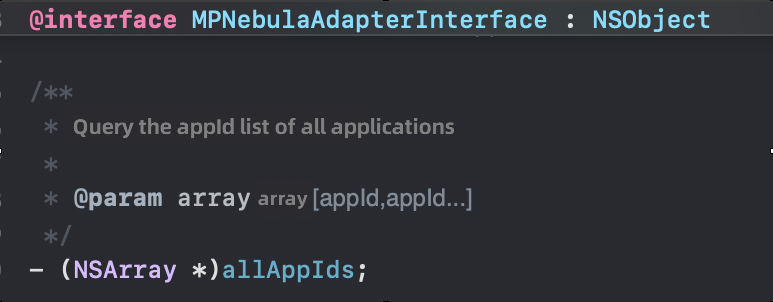
Query the IDs of all installed offline packages and miniapps
API description
Code example
NSArray *res = [[MPNebulaAdapterInterface shareInstance] allAppIds];
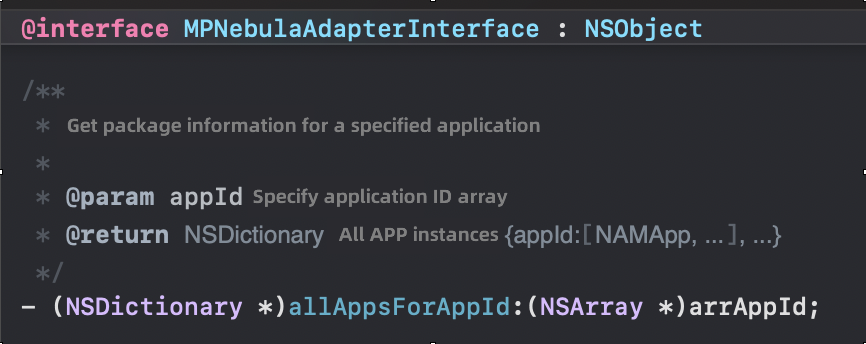
Get information about a specific miniapp package
API description
Code example
NSDictionary *res = [[MPNebulaAdapterInterface shareInstance] allAppsForAppId:@[@"2020012000000001"]];
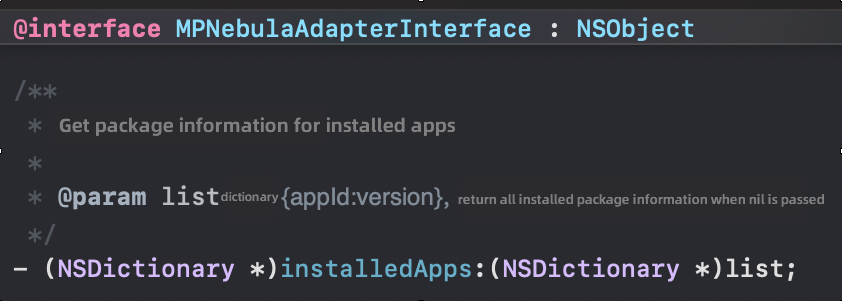
Get information about an installed miniapp package
API description
Code example
NSDictionary *res = [[MPNebulaAdapterInterface shareInstance] installedApps:@{@"2020012000000001":@""}];
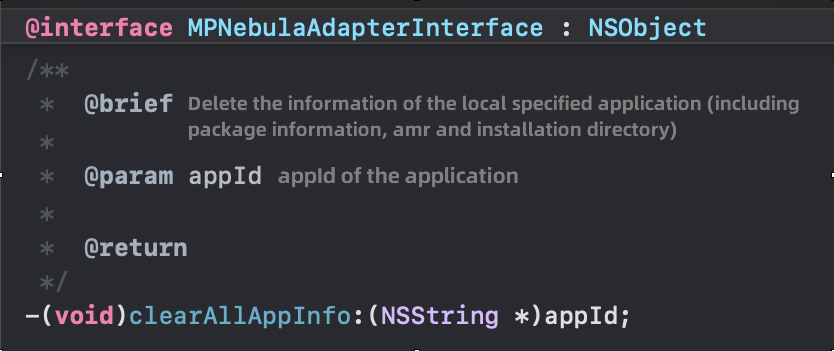
Delete information about a specific miniapp package
API description
Code example
[[MPNebulaAdapterInterface shareInstance] clearAllAppInfo:@"2020012000000001"];
    NSDictionary *app = [[MPNebulaAdapterInterface shareInstance] allAppsForAppId:@[@"2020012000000001"]];
    NSString *res = @"Deletion failed";
    if(!app){
        res = @"Deletion successful";
    }else{
        res = @"Deletion failed";
    }

    UIAlertView *alert = [[UIAlertView alloc] initWithTitle:@"message" message:[NSString stringWithFormat:@"%@", res] delegate:nil cancelButtonTitle:nil otherButtonTitles:@"ok", nil];
    [alert show];
该文章对您有帮助吗?