Largest Contentful Paint (LCP)
Largest Contentful Paint (LCP) is a stable and important Core Web Vitals metric that measures perceived load speed. It marks the point in the page load timeline when the main content has likely loaded. A fast LCP helps reassure the user that the page is useful.
What is LCP
Largest Contentful Paint (LCP) reports the render time of the largest image, text block, or video visible in the viewport, relative to when the page first started loading.
Note: LCP includes the unload time of the previous page, connection setup time, redirection time, and time to first byte (TTFB). This can cause a discrepancy between measured results and theoretical expectations.
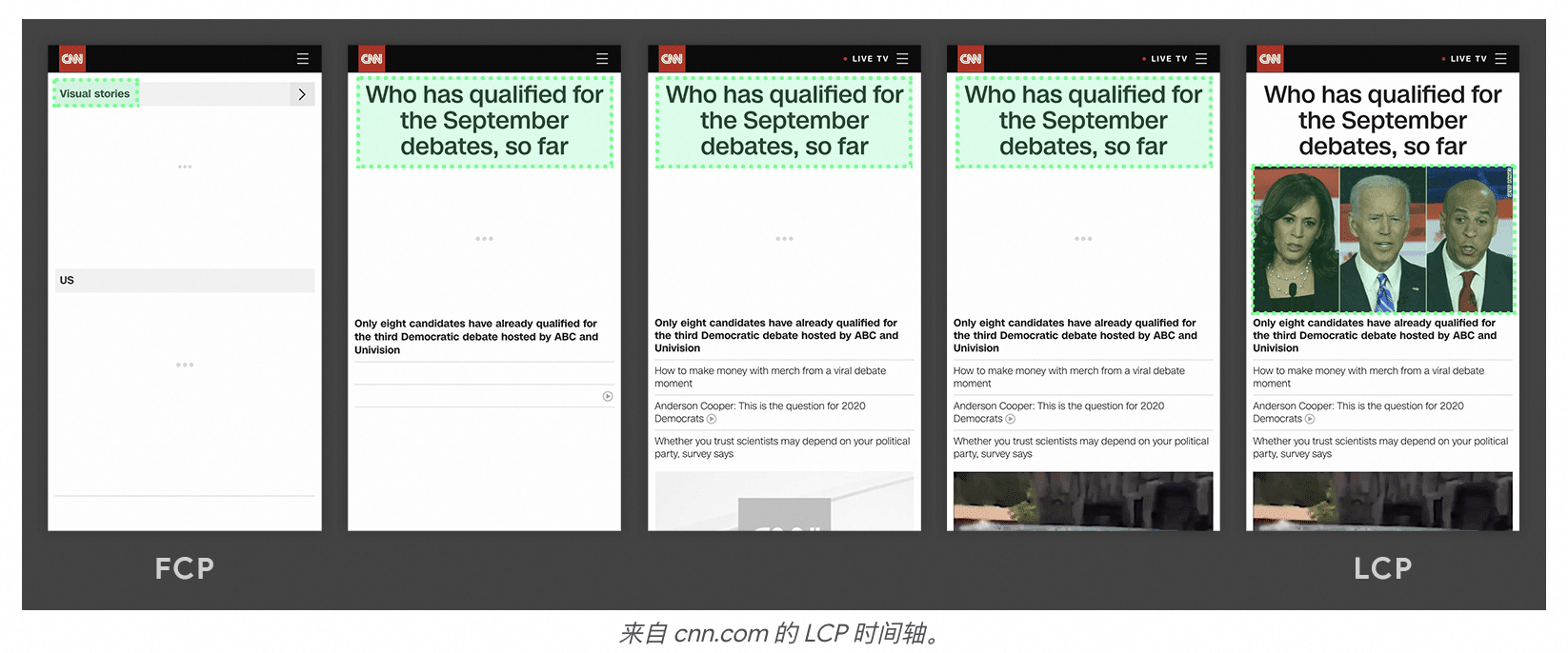
Which elements are considered?
As specified in the Largest Contentful Paint API, the elements considered for LCP include the following:
<img>elements (the first frame's presentation time is used for animated content such as GIFs or animated PNGs)<image>elements inside an<svg>element<video>elements (the poster image load time or the video's first frame presentation time is used, whichever is earlier)An element with a background image loaded using the url() function (as opposed to a CSS gradient)
Block-level elements containing text nodes or other inline-level text element children.
LCP measurements exclude certain elements that are considered "un-contentful". For Chromium-based browsers, these exclusions include the following:
Elements with an opacity of 0 that are invisible to the user
Elements that cover the full viewport, which are likely considered background rather than content
Placeholder images or other images with low entropy, which may not reflect the true content of the page
LCP score reference values
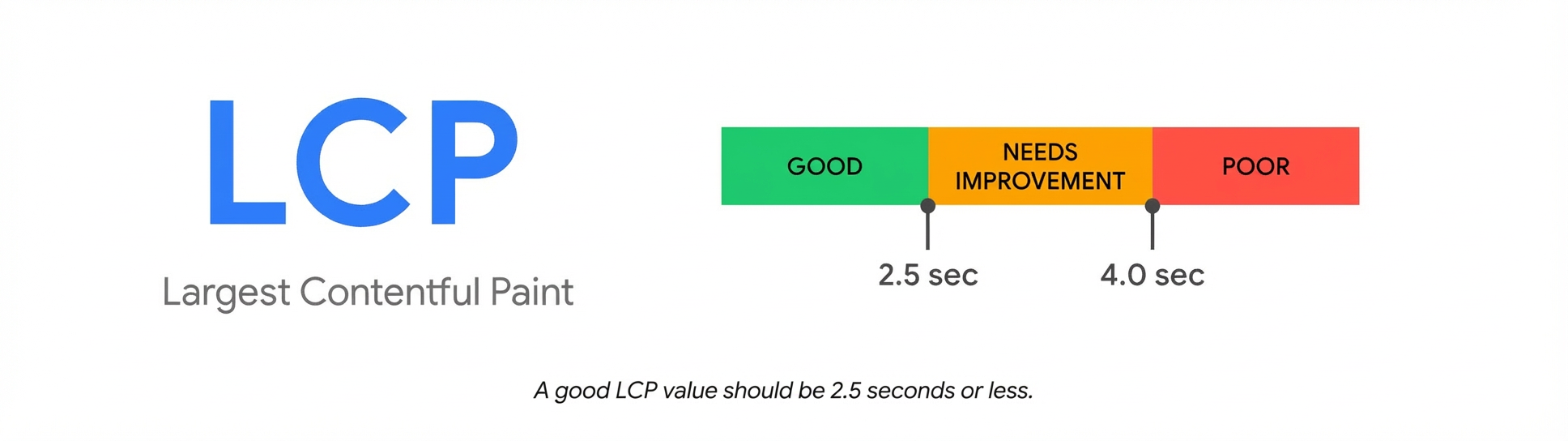
To provide a good user experience, sites should strive for an LCP of 2.5 seconds or less. A value less than 2.5 seconds is considered good, and a value greater than 4.0 seconds is considered poor. To ensure you are meeting this target for most of your users, you should measure the 75th percentile of page loads.
How to get LCP
In JavaScript, you can use the Largest Contentful Paint API to measure the LCP. The following example shows how to create a PerformanceObserver that listens for largest-contentful-paint entries and logs them to the console.
new PerformanceObserver((entryList) => {
  for (const entry of entryList.getEntries()) {
    console.log('LCP candidate:', entry.startTime, entry);
  }
}).observe({type: 'largest-contentful-paint', buffered: true});
In the example above, each logged largest-contentful-paint entry represents the current LCP candidate. Generally, the startTime value of the last entry emitted is the LCP value. However, not all largest-contentful-paint entries are valid for measuring LCP. The document Differences between the metric and the API describes the differences between what the API reports and how the metric is calculated. The plugin implementation accounts for these cases.
Note: In some cases, such as cross-origin iframes, you cannot measure the LCP in JavaScript. For more information, see the limitations section of the web-vitals library.
When to report LCP?
Because pages often load in stages, the largest element on the page can change. The browser continuously updates the largest contentful element as the page renders. The browser stops recording new entries as soon as a user interacts with the page, for example, by clicking, scrolling, pressing a key, or changing the page visibility. It then reports the largest contentful element at that time as the LCP. This is because user interaction often changes what is visible to the user.
Note: If a user opens a page in a background tab, the browser does not record a largest-contentful-paint entry until the user focuses on that tab. This can be much later than when the page first loaded. If a page is loaded in the background, the LCP metric is not reported because the timing would not reflect the user's perceived load time.
Reference links
Introduction to LCP: https://web.dev/articles/lcp?hl=zh-cn
Optimize LCP: https://web.dev/articles/optimize-lcp?hl=zh-cn