Interaction to Next Paint (INP)
Interaction to Next Paint (INP) is a stable Core Web Vitals metric that assesses page responsiveness using data from the Event Timing API. INP observes the latency of all user interactions with a page and reports a single value below which most interactions fall. A low INP value indicates that the page consistently responds quickly to most or all user interactions.
What is INP
INP is a metric that assesses a page's overall responsiveness to user interactions by observing the latency of all clicks, taps, and keyboard interactions that occur during a user's visit. The final INP value is the longest interaction observed, excluding outliers.
An interaction is a group of event handlers that trigger during the same logical user gesture. For example, a "tap" interaction on a touch screen device includes multiple events, such as pointerup, pointerdown, and click. Interactions can be driven by JavaScript, CSS, built-in browser controls (such as form elements), or a combination of these. The latency of an interaction is the duration of the longest single event in the group that triggers the interaction. This is measured from the time the user starts the interaction until the browser can paint the next frame.
The main differences between INP and First Input Delay (FID) are:
INP is the successor to FID. Although both are responsiveness metrics, FID only measures the input delay of the first interaction on a page. INP improves on FID by observing the entire duration of all interactions on a page, from the initial input delay, through the time it takes to execute event handlers, until the browser can paint the next frame.
These differences show that INP and FID are different types of responsiveness metrics. While FID assesses a page's load responsiveness, which reflects a user's first impression, INP is a more reliable indicator of overall responsiveness because it considers interactions throughout the page lifecycle.
INP score thresholds
To ensure a responsive user experience, a good threshold to measure against is the 75th percentile of page response times:
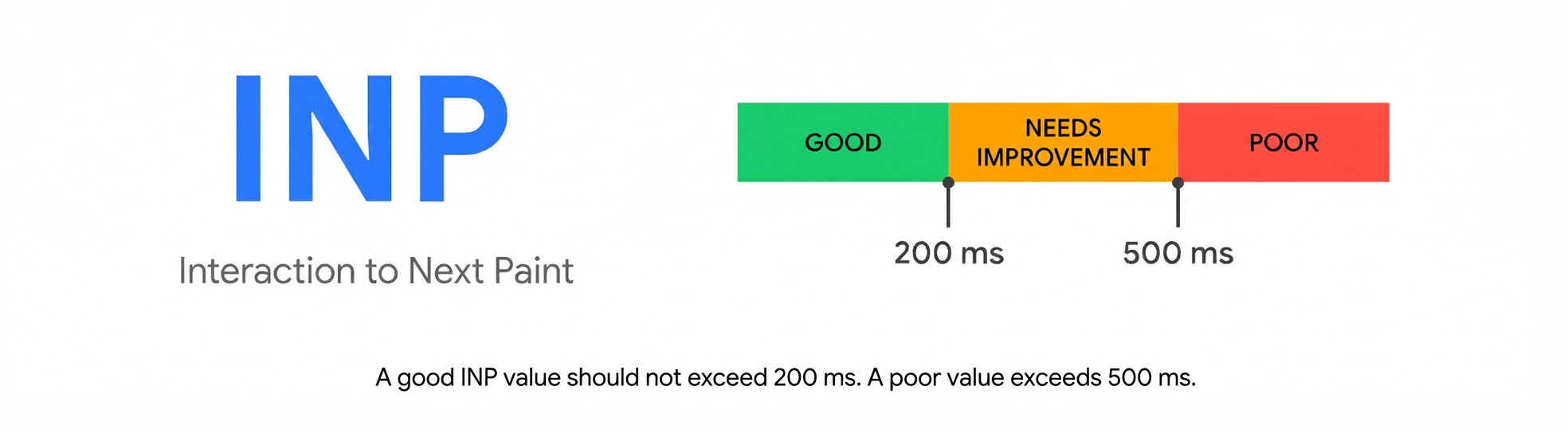
An INP at or below 200 ms means your page has good responsiveness.
An INP between 200 ms and 500 ms means your page's responsiveness needs improvement.
An INP above 500 ms means your page has poor responsiveness.
How to obtain INP
INP is calculated by observing all interactions a user has with a page. For most websites, the INP value is the interaction with the longest latency. However, for pages with many interactions, random stuttering can cause an unusually high interaction latency on an otherwise responsive page. This is more likely to occur on pages with a high number of interactions.
To more accurately assess the responsiveness of pages with many interactions, the single highest latency interaction for every 50 interactions is ignored. Because most pages have fewer than 50 interactions, the worst-performing interaction is typically reported. The 75th percentile of all page views is then calculated to further filter out outliers and provide a value that is more representative of the experience for most users.
References
For more information, see this introduction to Interaction to Next Paint (INP).
Optimize INP: https://web.dev/articles/optimize-inp?hl=zh-cn