You can create an H5 application in the Mini Program Open Platform to host your HTML5 content.
-
In the navigation pane on the left of the Developer Console on the Mini Program Open Platform, click Mini Program Management > H5 Applications to go to the My H5 Applications page.
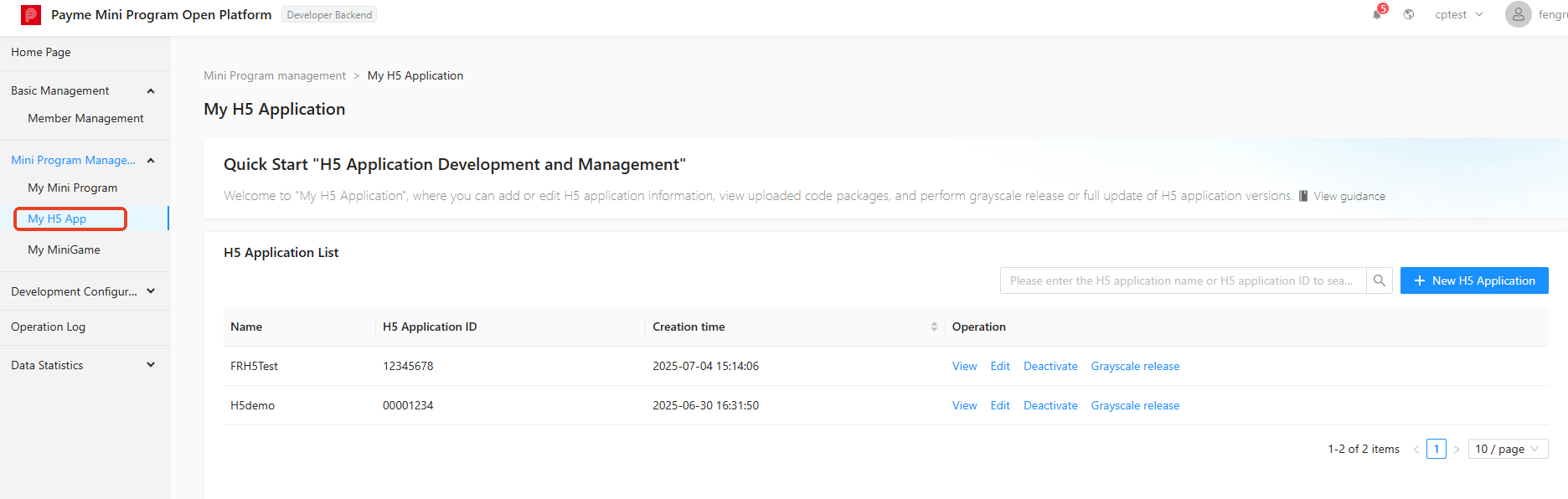
-
On the My H5 Applications page, click + Add H5 Application in the upper-right corner.
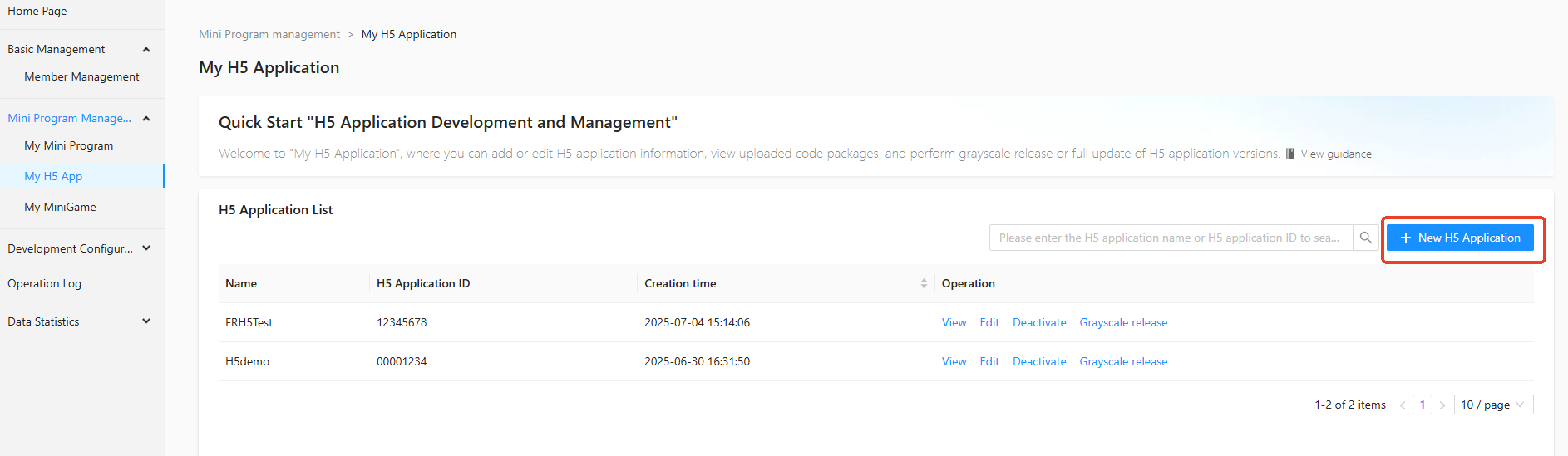
-
In the Add H5 Application dialog box, enter the H5 Application Name, H5 Application ID, H5 Application Purpose, and H5 Application Description.
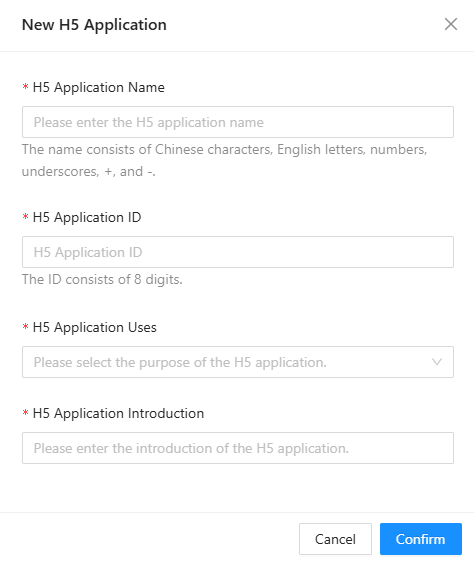
-
Click OK. The H5 application is created.
该文章对您有帮助吗?