Authorization code purchase and exam guide
This topic describes how to purchase and activate a certification authorization code with your Alibaba Cloud account, redeem a certification, and register for an Alibaba Cloud certification exam.
Instructions
You can directly purchase a certification product to take Clouder and ACA certification exams. To take Clouder, ACA, ACP, or ACE certification exams, you can purchase a certification authorization code and redeem it for an exam.
Purchase restrictions
Individual account: Individual users can purchase certification products or certification authorization codes. Only the purchaser is eligible to take the exam. For more information, see Certification Purchase and Exam Guide.
Enterprise account (Recommended): You can purchase authorization codes in bulk and distribute them to employees. Employees can log on to their individual identity-verified Alibaba Cloud accounts and use the assigned authorization codes to redeem certification courses and register for exams.
Registration restrictions
Account requirements: You must use an individual identity-verified Alibaba Cloud account.
ImportantEmployees who register for certification exams must use their individual identity-verified Alibaba Cloud accounts. Do not use RAM users assigned by the enterprise.
Document requirements: Candidates can use one of the following documents to take the exam.
Resident Identity Card of the People's Republic of China
permanent residence permit for residents of Hong Kong (China), Macao (China), and Taiwan (China)
Foreigner's Permanent Residence Card
Passport
Experience requirements: There are no restrictions on age, education, major, or work experience. The difficulty of the certifications increases from Clouder to ACA, ACP, and ACE. We recommend that candidates have relevant practical experience.
Purchase authorization codes
Clouder/ACA certifications
Log on to Alibaba Cloud Certification.
On the Alibaba Cloud Certification Authorization Code (ACA/Clouder) page, select the appropriate certification type, confirm the Duration and Quantity of the authorization code, then click Buy Now or Add to Cart, and follow the on-screen instructions to complete the order payment.
On the Payment Complete page, click Management Console to go to the Order List.
On the Order List page, find the target order and click View in the Operation column to retrieve the authorization code details.
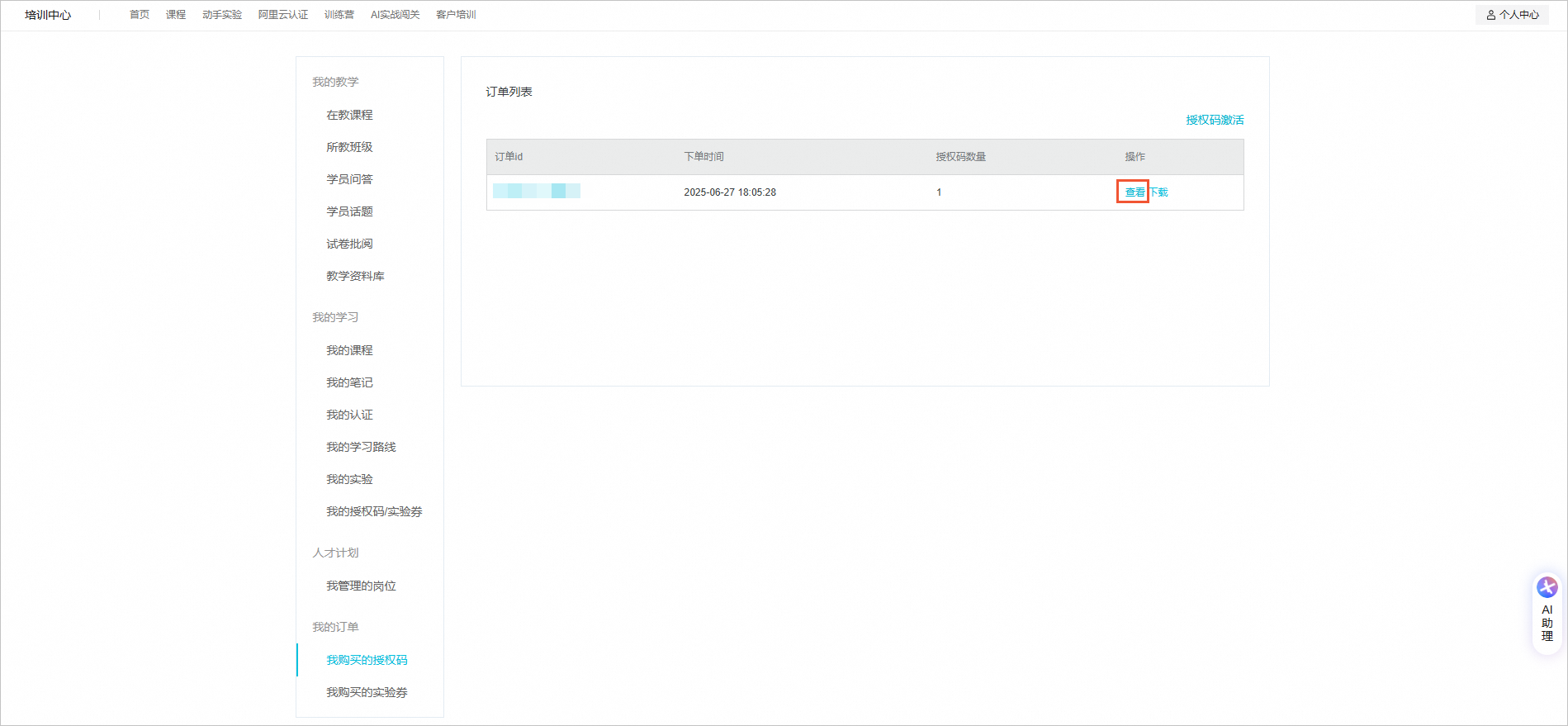
Click Download to save the authorization code information locally for backup.

ACP certifications
This topic uses the Alibaba Cloud Large Language Model Senior Engineer ACP certification as an example.
Log on to Alibaba Cloud Certification. On the certification overview page, select the ACP certification course that you want and click the certification name.
On the upper-left corner of the certification details page, you can click Buy Now.
On the Alibaba Cloud Certification Authorization Code (ACP) page, select the appropriate certification type, confirm the Validity period and Quantity, click Buy Now or Add to Cart, and follow the on-screen instructions to pay for the order.
NoteGeneral certification authorization codes can be redeemed for any certification. However, authorization codes for a specific course can be redeemed only for the corresponding certification.
On the Payment Complete page, click Management Console to go to the Order List.
On the Order List page, find the target order and click View in the Operation column to retrieve the authorization code details.
Click Download to save the authorization code information locally for backup.
ACE certifications
Certification introduction
Do not purchase authorization codes for the written exam, lab, and interview at the same time. This helps prevent authorization codes from expiring before you complete all stages. We recommend purchasing the authorization code for the next stage only after you pass the previous one. This approach provides flexibility for your exam schedule and ensures efficient use of resources.
Certification process
Written exam: Purchase and register a written exam authorization code. After you pass the written exam, you can schedule the lab exam.
Lab exam: After you pass the written exam, purchase and register a lab exam authorization code. After you pass the lab exam, you can schedule the interview.
Interview: After you pass the lab exam, purchase and register an interview authorization code. After you pass the interview, you receive the certificate.
Exam rules
Authorization code rules: Each authorization code is valid for one exam attempt. There is no limit on the number of authorization codes you can purchase.
Progression logic: You cannot proceed to the next stage if you do not pass the previous one. After you pass a stage, you must complete the subsequent exams within the validity period of the certification process.
Time requirements
Certification process validity period: You must complete all three exams (written, lab, and interview) within one year from the activation date of the written exam authorization code. If you do not complete the exams within this period, your certification qualification expires.
Procedure
Log on to Alibaba Cloud Certification. On the certification overview page, select the Alibaba Cloud Computing Architect ACE certification.
In the upper-left corner of the certification details page, click Buy Now.
On the Alibaba Cloud ACE Certification page, select the authorization code for the written exam, lab, or interview. Confirm its Validity period and Quantity, click Buy Now or Add to Cart, and follow the on-screen prompts to pay for the order.
On the Payment Complete page, click Management Console to go to the Order List.
On the Order List page, find the target order and click View in the Operation column to retrieve the authorization code details.
Click Download to save the authorization code information locally for backup.

View purchased authorization codes
Log on to Alibaba Cloud Certification.
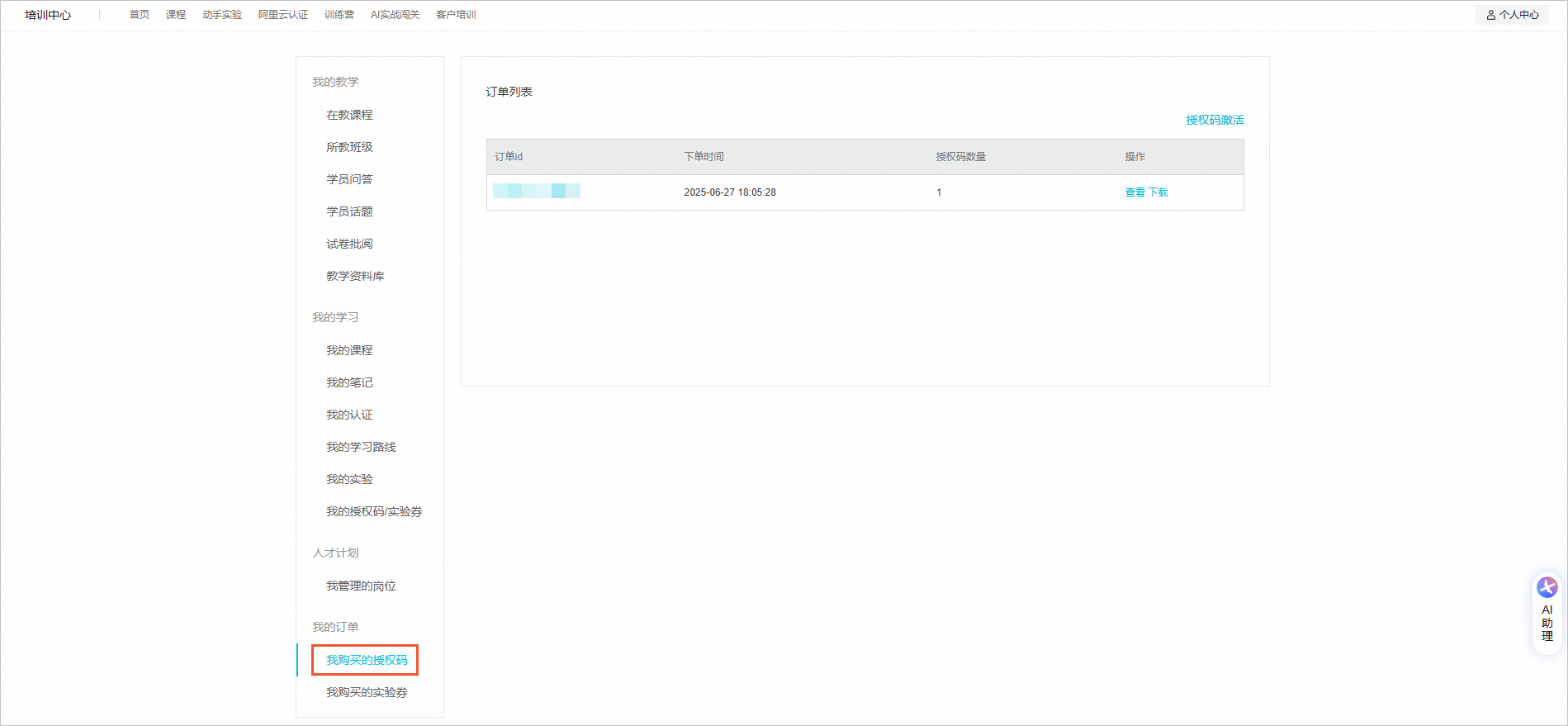
Below your profile picture in the upper-right corner, click Personal Center. Then, in the navigation pane on the left, select My Orders > My Purchased Authorization Codes. On the Order List page, view your purchased authorization code information.

Redeem/activate authorization codes
After you obtain an authorization code, log on to the Alibaba Cloud Certification center with your individual identity-verified Alibaba Cloud account. Select the certification for which you want to register, redeem the certification using the authorization code, and then take the exam.
Clouder and ACA certifications do not require an appointment. After you redeem the course with an authorization code, you can take the online exam on the official website.
ACP and ACE certifications require you to register and schedule an appointment at an offline test center. This topic uses the Alibaba Cloud Large Language Model Senior Engineer ACP certification as an example. Scheduling an exam involves two steps: Step 1: Register for the exam on the official website. Step 2: Schedule an appointment at a Prometric test center.
After you use an authorization code to redeem an exam or submit registration information, the code is activated and cannot be canceled, changed, or refunded. For more information, see Refund policy.
Clouder/ACA certifications
On the Certification/Course Authorization Code Redemption page, enter the authorization code and click Confirm Redemption.
In the displayed list of certifications, select the desired certification and click Confirm Redemption. The following figure shows an example of redeeming the Large Language Model ACA.
ACP/ACE certifications
Log on to Alibaba Cloud Certification. On the certification overview page, select the ACP certification course that you want and click the certification name.
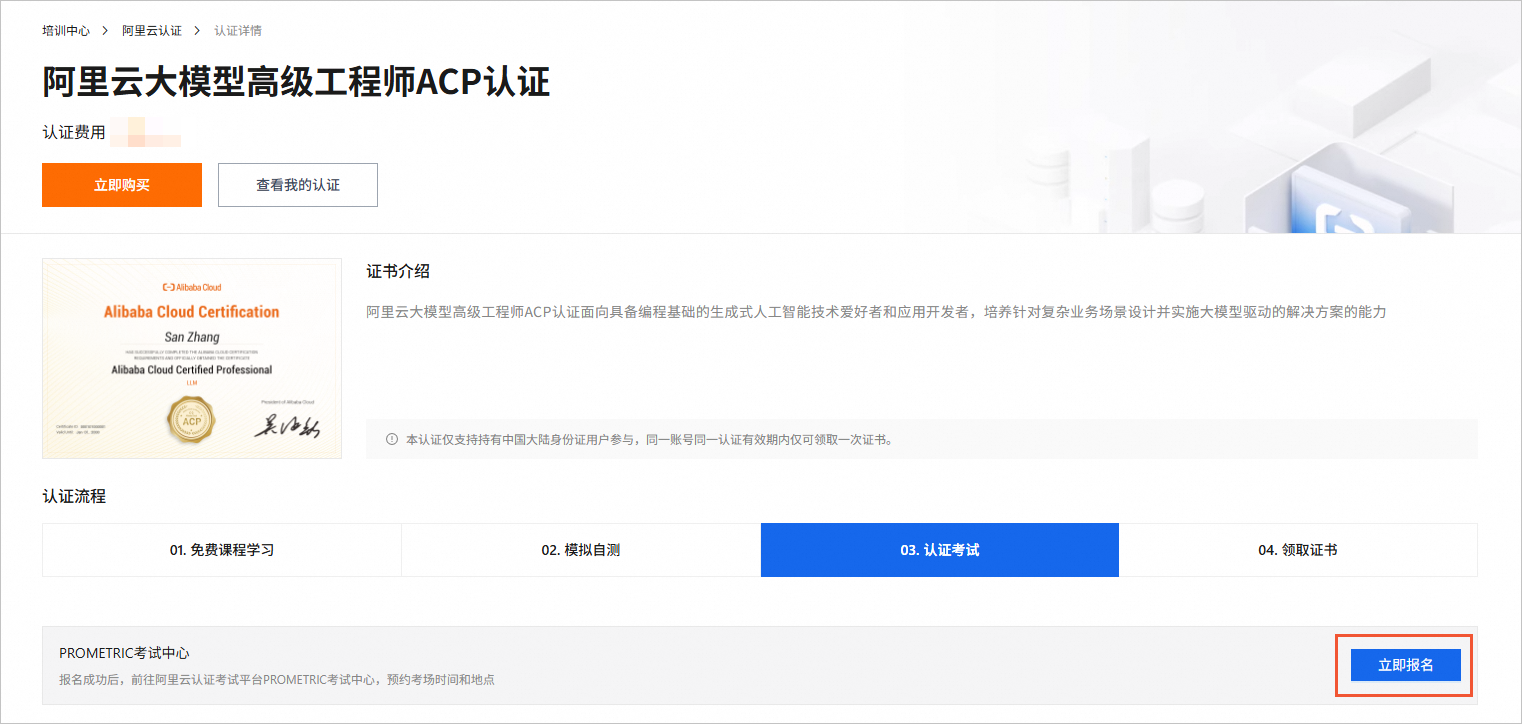
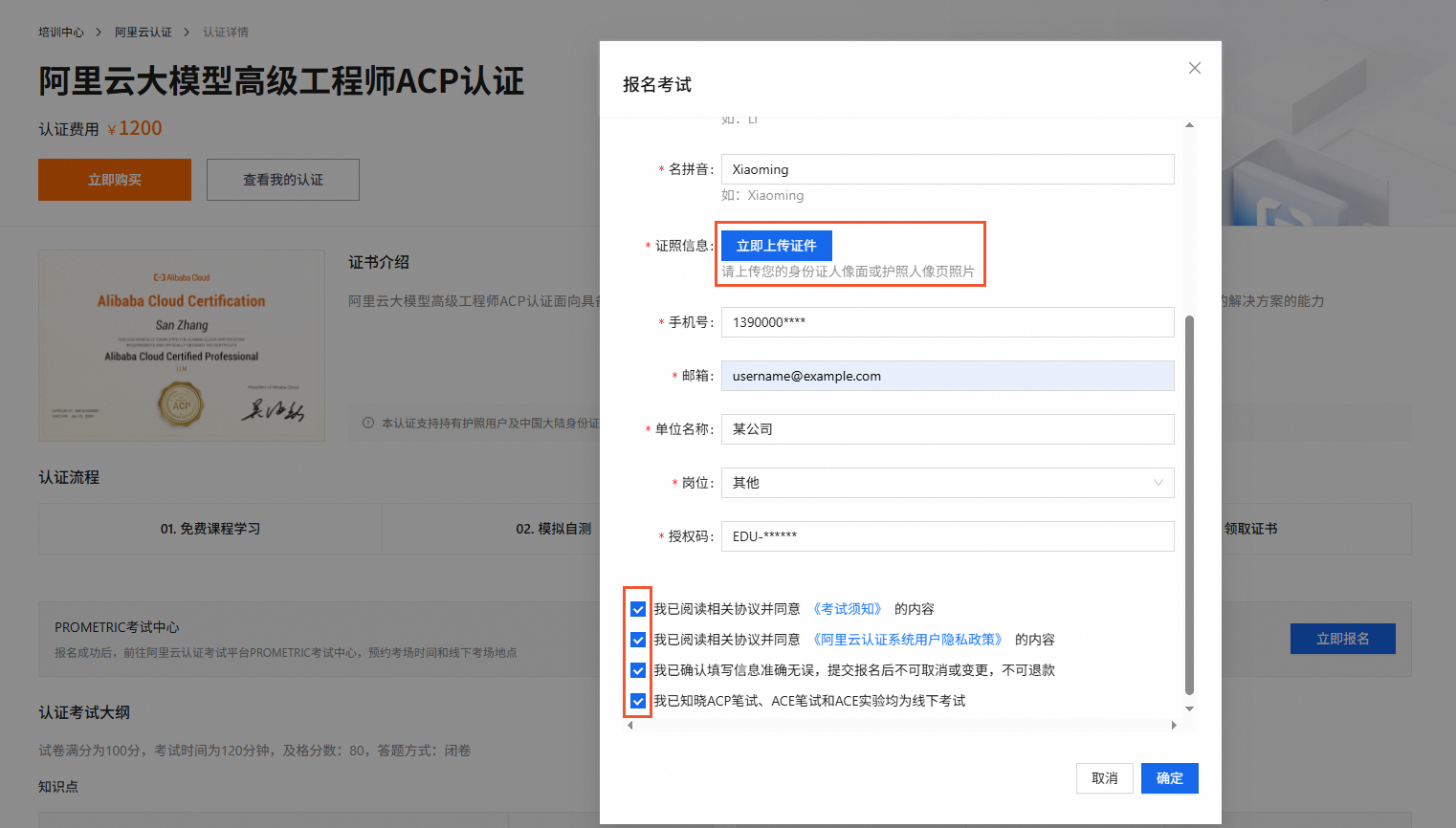
On the 03. Certification Exam tab of the certification details page, click Register Now.
In the Register for Exam dialog box that appears, you can fill in your personal information, upload a photo of your certificate, and read the Legal Resources. Then, confirm that the information is correct and click OK.
NoteBefore you confirm the registration, carefully check the certification course, the information you entered, and the Legal Resources.
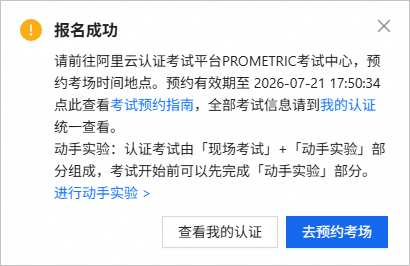
If the information is correct, a message is displayed to indicate that the registration is successful.For certification courses redeemed with an authorization code, the certification is valid for one year from the activation date. On the My Certifications page, you can view the specific expiration date of the certification.
 If the information is correct, a message is displayed to indicate that the registration is successful.
 For certification courses redeemed with an authorization code, the certification is valid for one year from the activation date. On the My Certifications page, you can view the specific expiration date of the certification.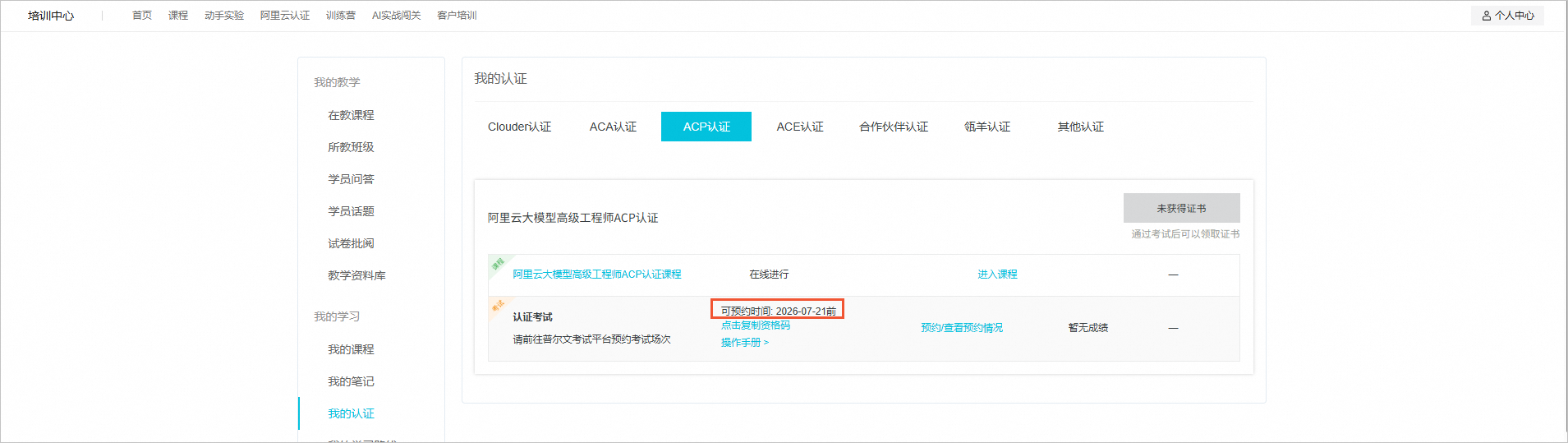
Schedule certification exams (ACP/ACE)
Scheduling process
After you register for an ACP or ACE certification exam on the official website and activate the authorization code, you must go to the Prometric test center website to schedule your exam time and location. After you schedule the exam, follow the instructions in the confirmation email to take the exam at the test center. Clouder and ACA certifications do not require scheduling. You can take the online exam directly on the official website.
Log on to the Prometric test center to schedule an exam.
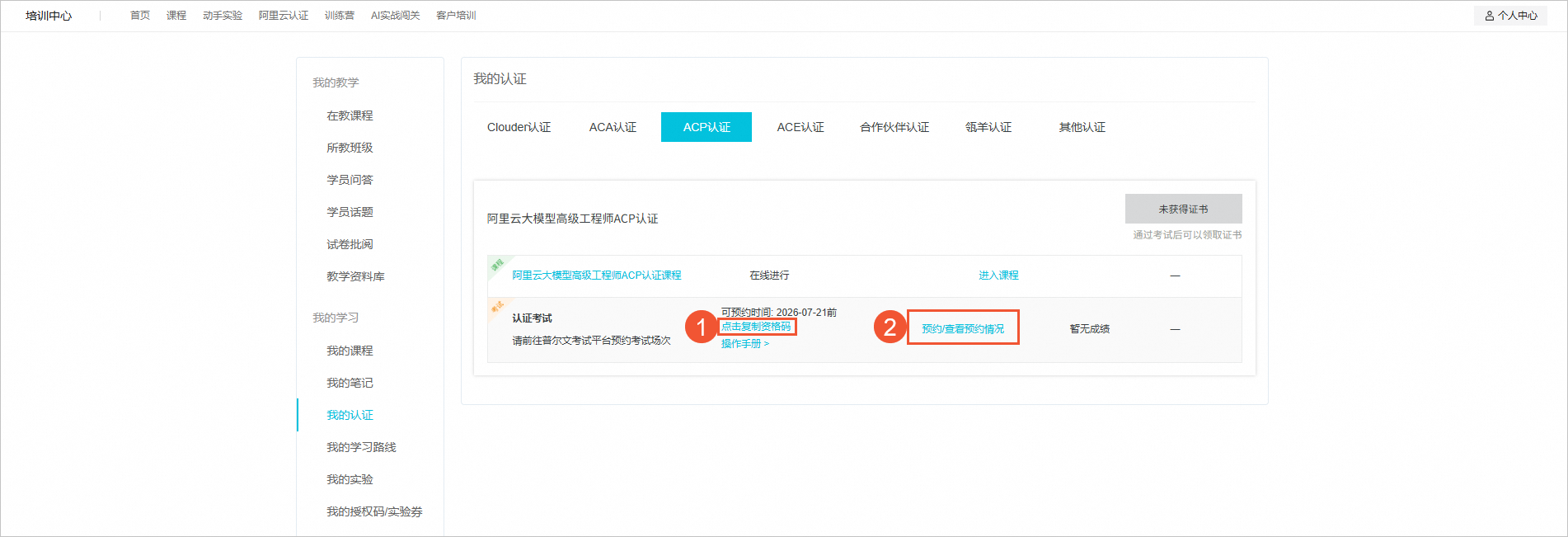
Method 1: On the Certification Exam tab on the certification details page, click Copy Qualification Code (①) and then click Schedule/View Appointment Status (②).
Method 2: On the My Certifications page, locate the certification course, click Copy Qualification Code (①), and then click Schedule/View Appointment Status (②).
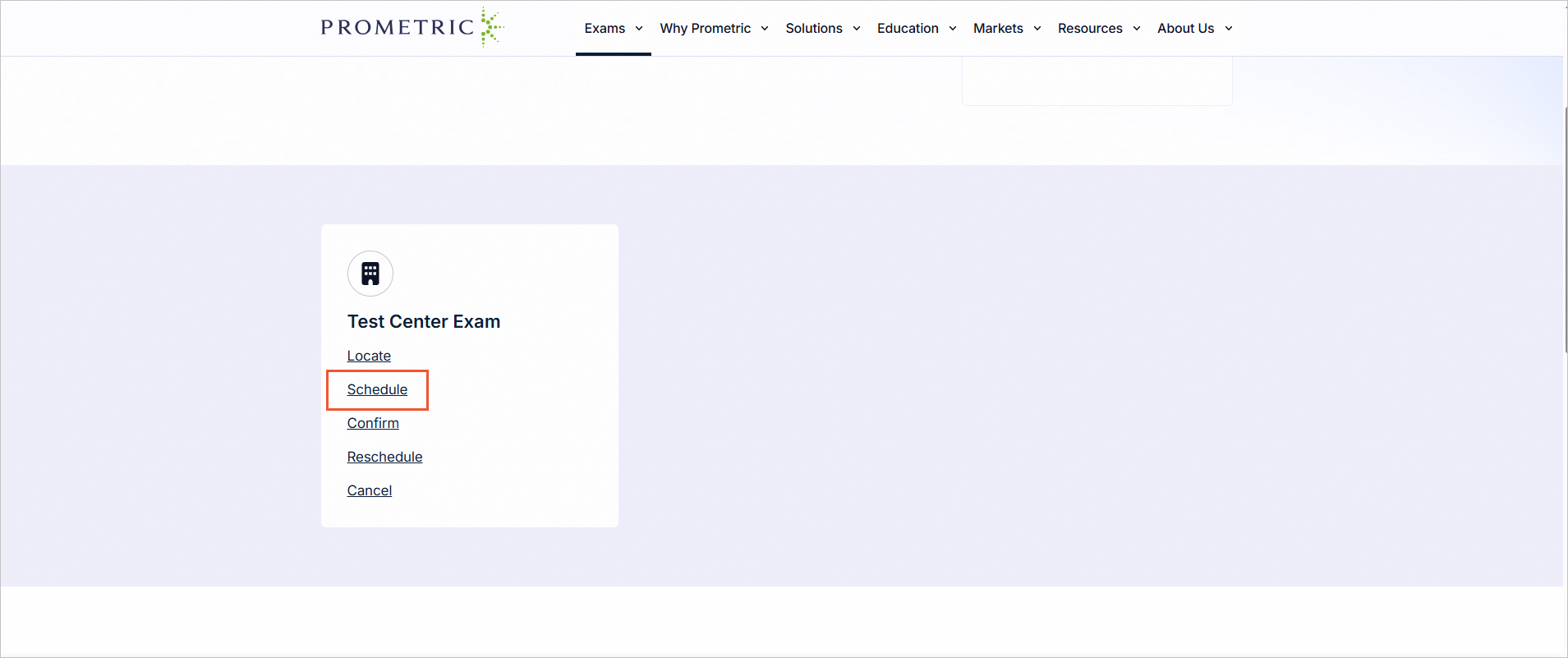
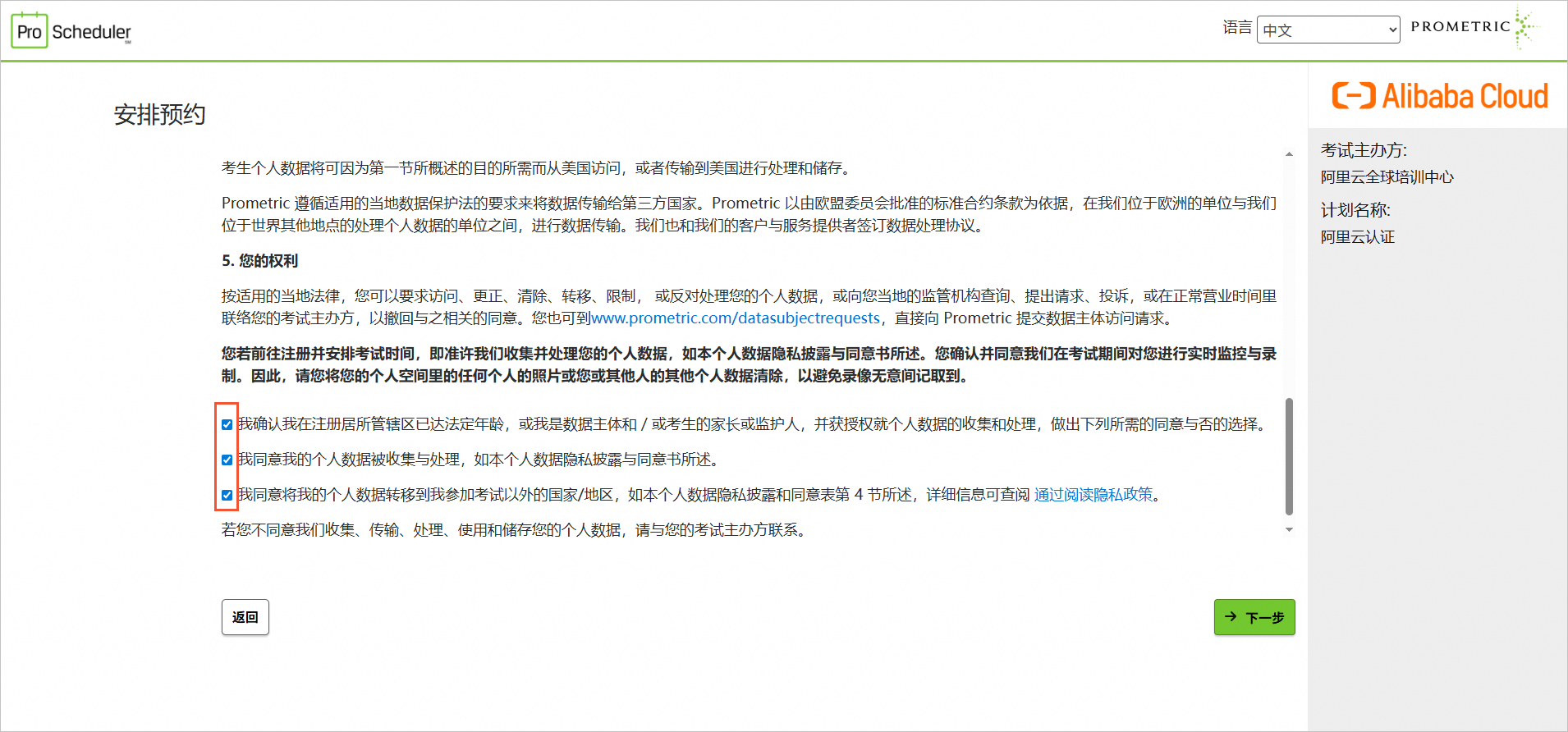
In the left-side menu bar of the Prometric test center, select Schedule. Follow the on-screen prompts and carefully read the exam scheduling notes. After you agree to the personal data privacy disclosure statement, click Next.
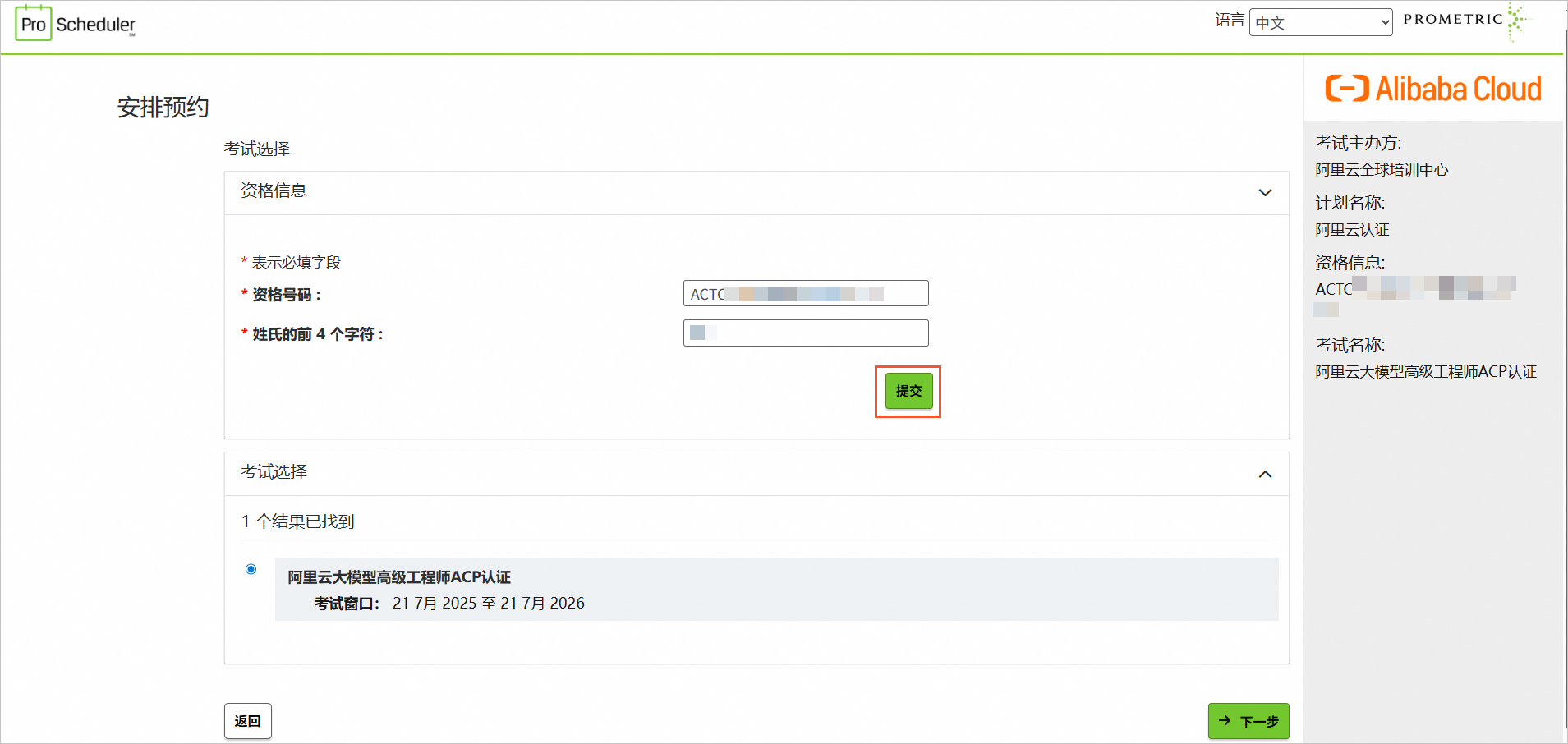
On the Exam Selection page, enter your qualification number and the Pinyin of your surname, then click Submit. If the information is correct, the page displays your scheduled exam course. Then, click Next. If your surname has fewer than 4 characters or more than 4 characters, enter it by capitalizing the first letter and not including the Pinyin of your given name.
Name
Correct example
Incorrect example
Zhang San
Zhan
Zhang
ZhangSan
San Zhang
San
Li Si
Li
LiSi
Si Li
Si
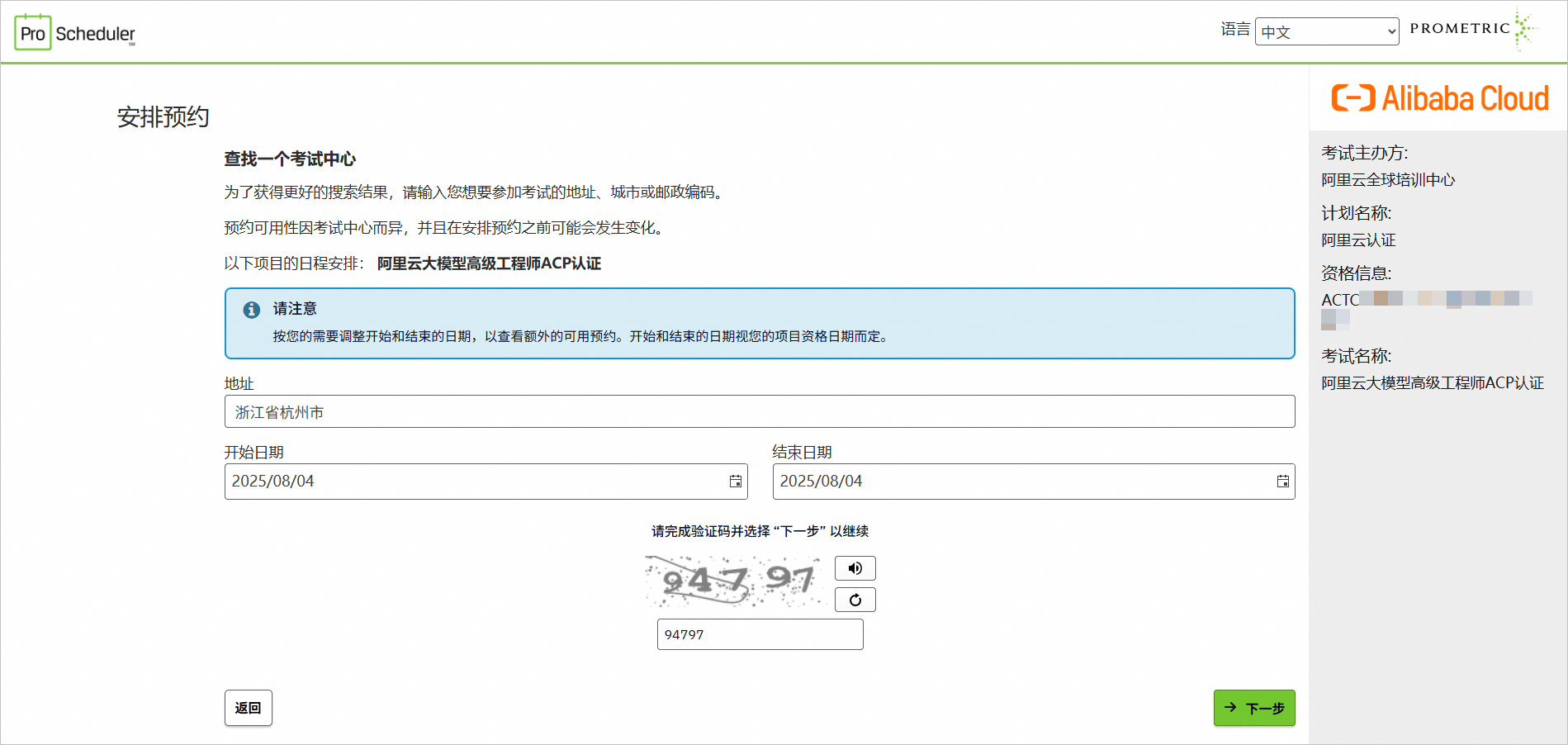
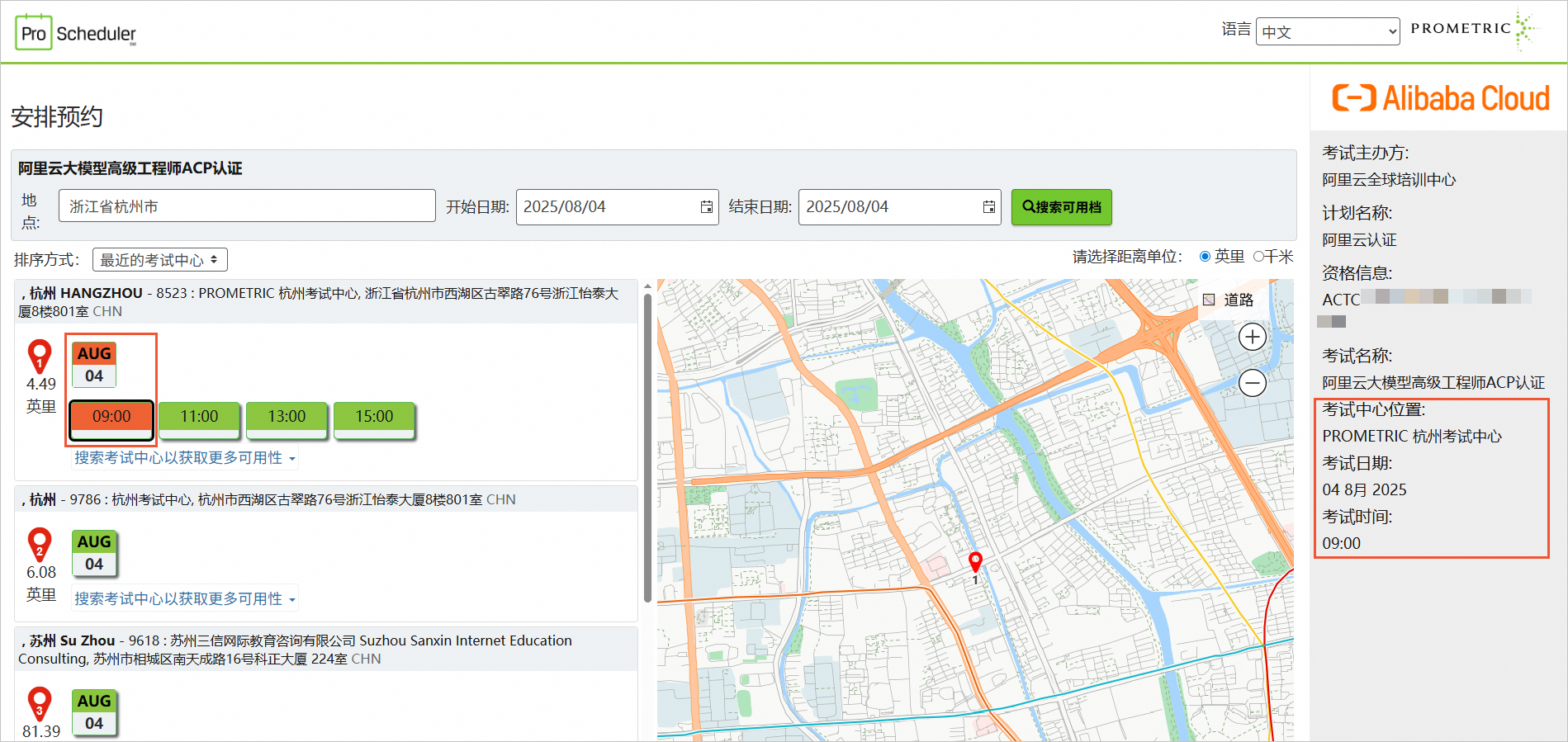
On the Find a Test Center page, enter the city’s Pinyin in the Address bar to view city options, select your preferred exam date range, and then click Next.
Select the appropriate location, month, and time. In the preview area on the right, confirm the Test Center Location, Exam Date, and Exam Time. Then, scroll to the bottom and click Next.
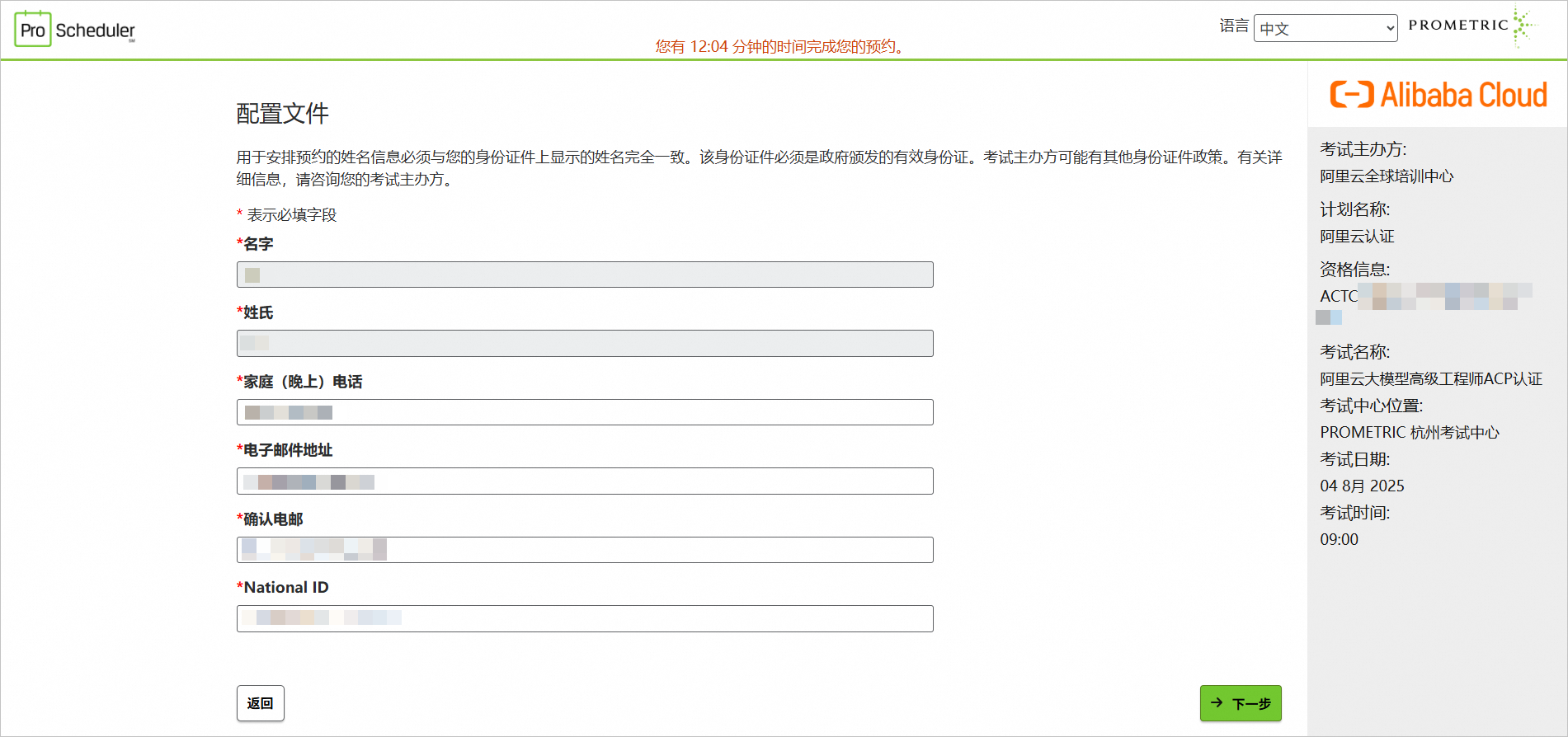
Confirm your first name and last name. Then, enter your phone number, email address, and National ID within the specified time frame, and click Next. Your National ID must match the identification document you uploaded when you registered for the exam by redeeming or activating the authorization code Redeem or Activate the Authorization Code. For example, if you uploaded an ID card, enter the ID card number.
After confirming your personal and exam appointment information, click Complete Appointment.
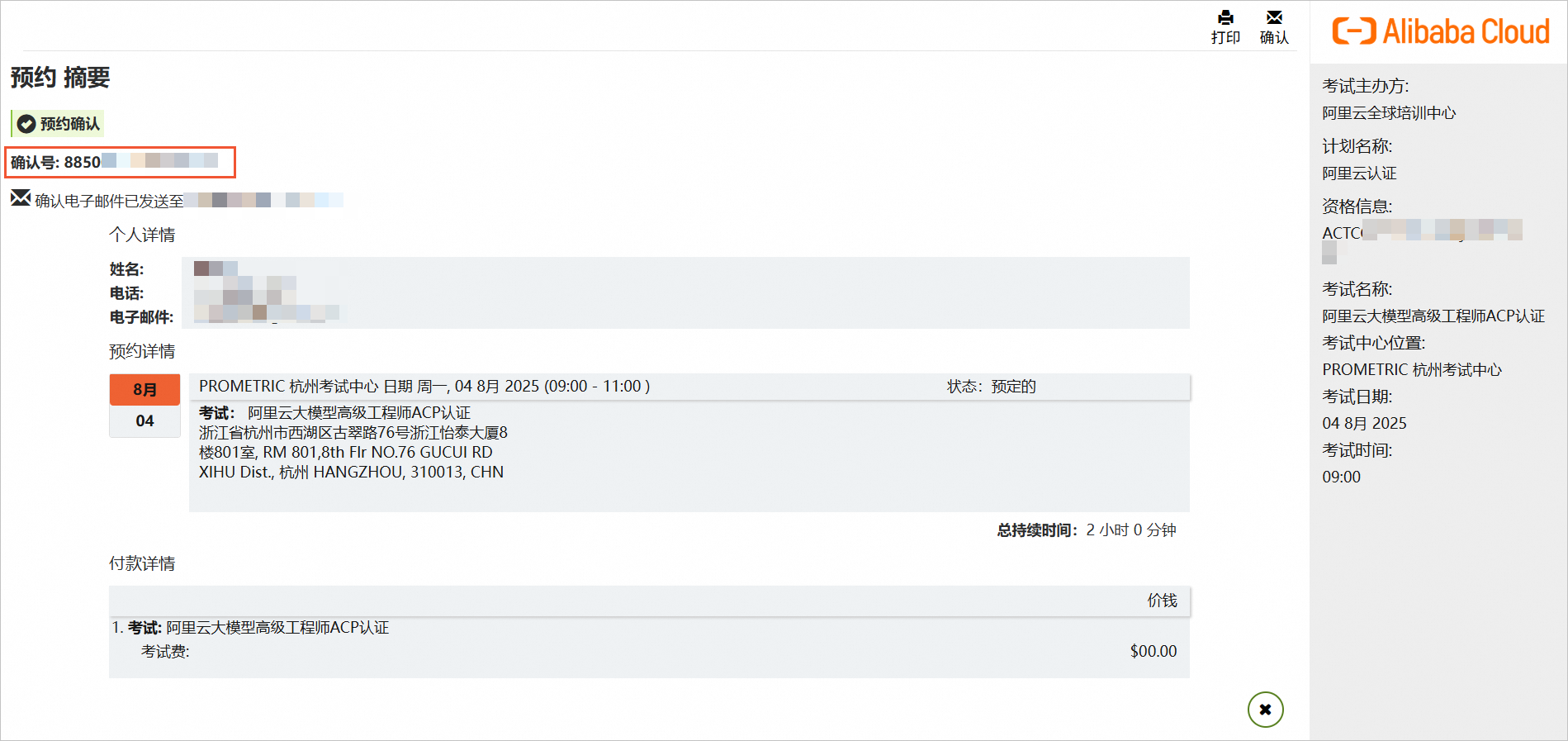
NoteAfter the appointment is complete, the system displays the appointment summary. The Confirmation Number displayed in the upper-left corner of the following figure is the unique identifier for this appointment. You must provide this confirmation number for any subsequent modifications or cancellations of the exam appointment. Also, check your email for the registration confirmation email from Prometric.
Change or cancel appointment process
To change or cancel an exam appointment, you must do so at least 24 hours before the scheduled exam date. After you cancel a scheduled exam, you can reschedule it within the validity period of the qualification code, which is one year from the activation date of the authorization code.
Log on to the Prometric test center.
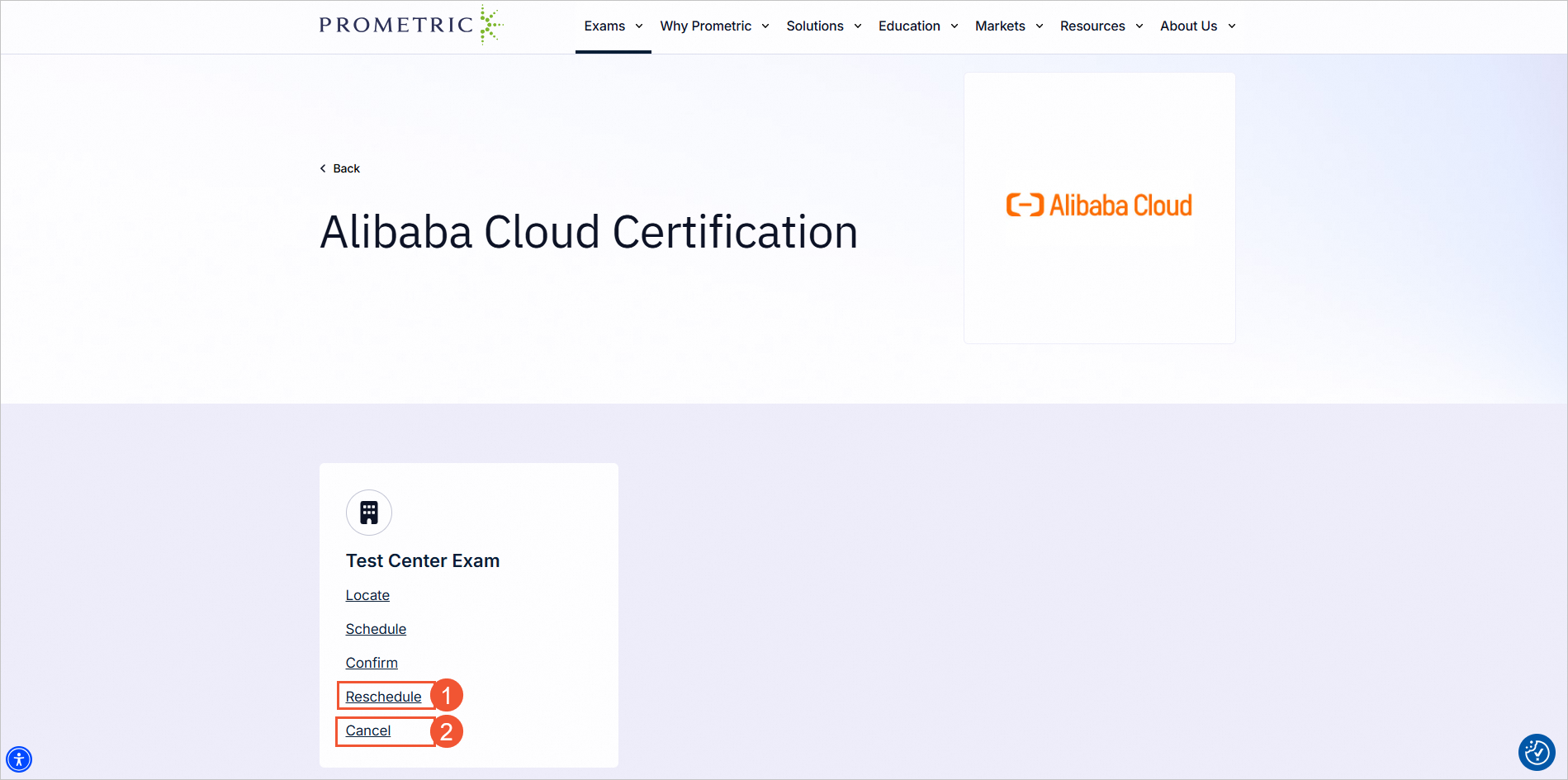
In the left-side menu bar, select Reschedule or Cancel to update your existing appointment. Each modification triggers the system to send a new confirmation email.
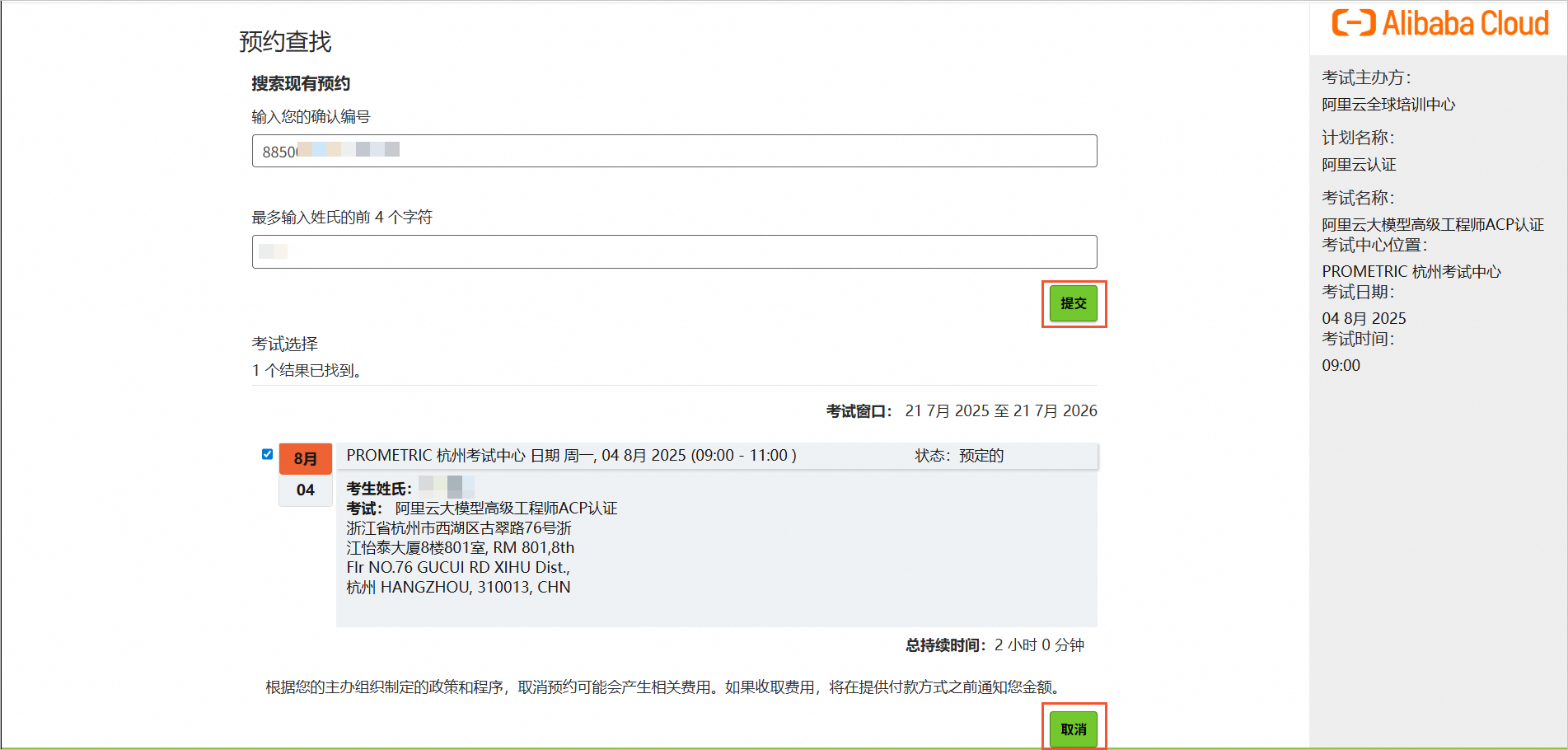
For example, to cancel an appointment: On the Find Appointment page, enter the confirmation number that was generated when you successfully scheduled your appointment and your surname, then click Submit. If the information is correct, the page displays your scheduled exam. Then, click Cancel.
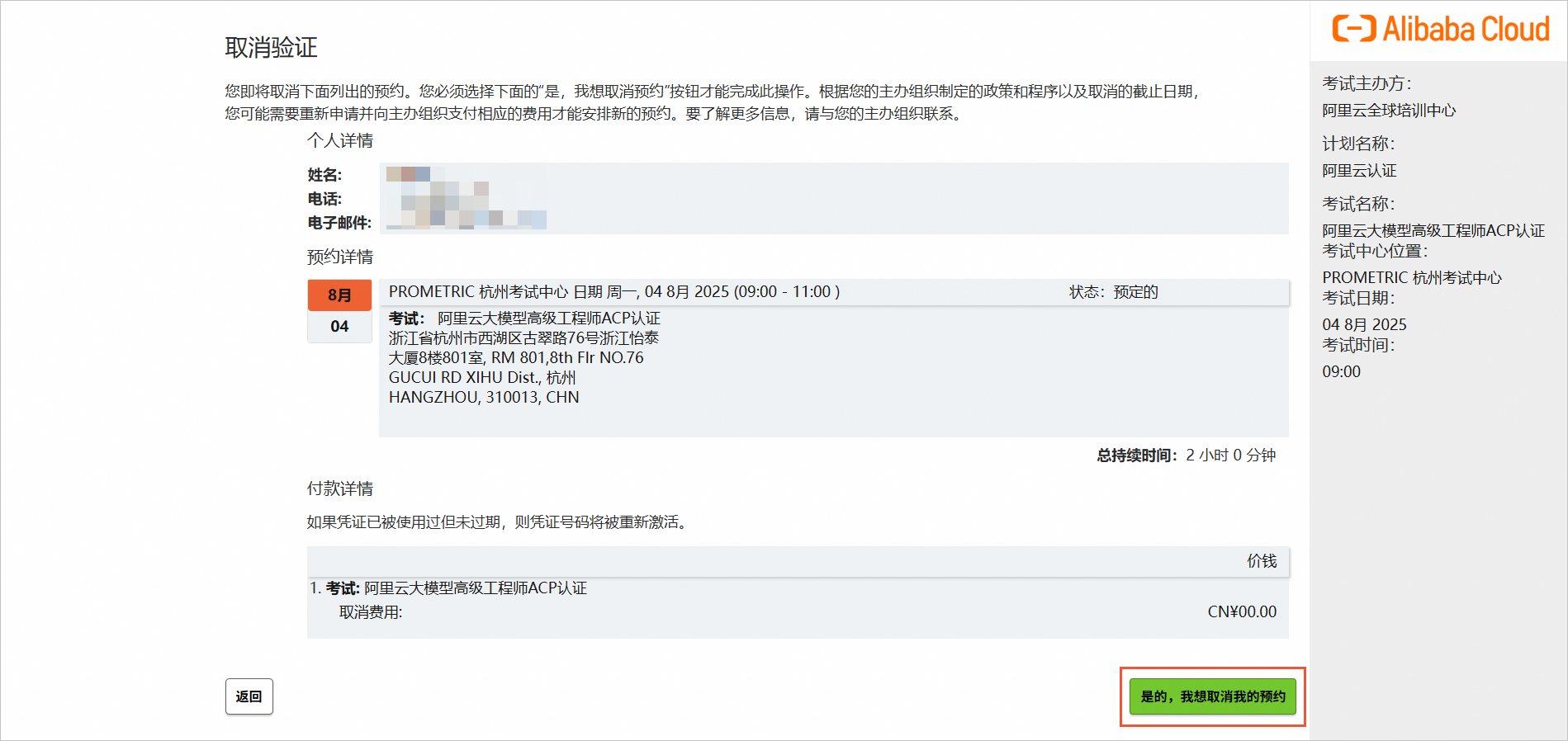
On the Cancel Verification page, confirm the exam information that you want to cancel, then click Yes, I want to cancel my appointment.
The Appointment Summary page confirms that your appointment was successfully canceled. You will also receive a confirmation email from Prometric.

Take certification exams
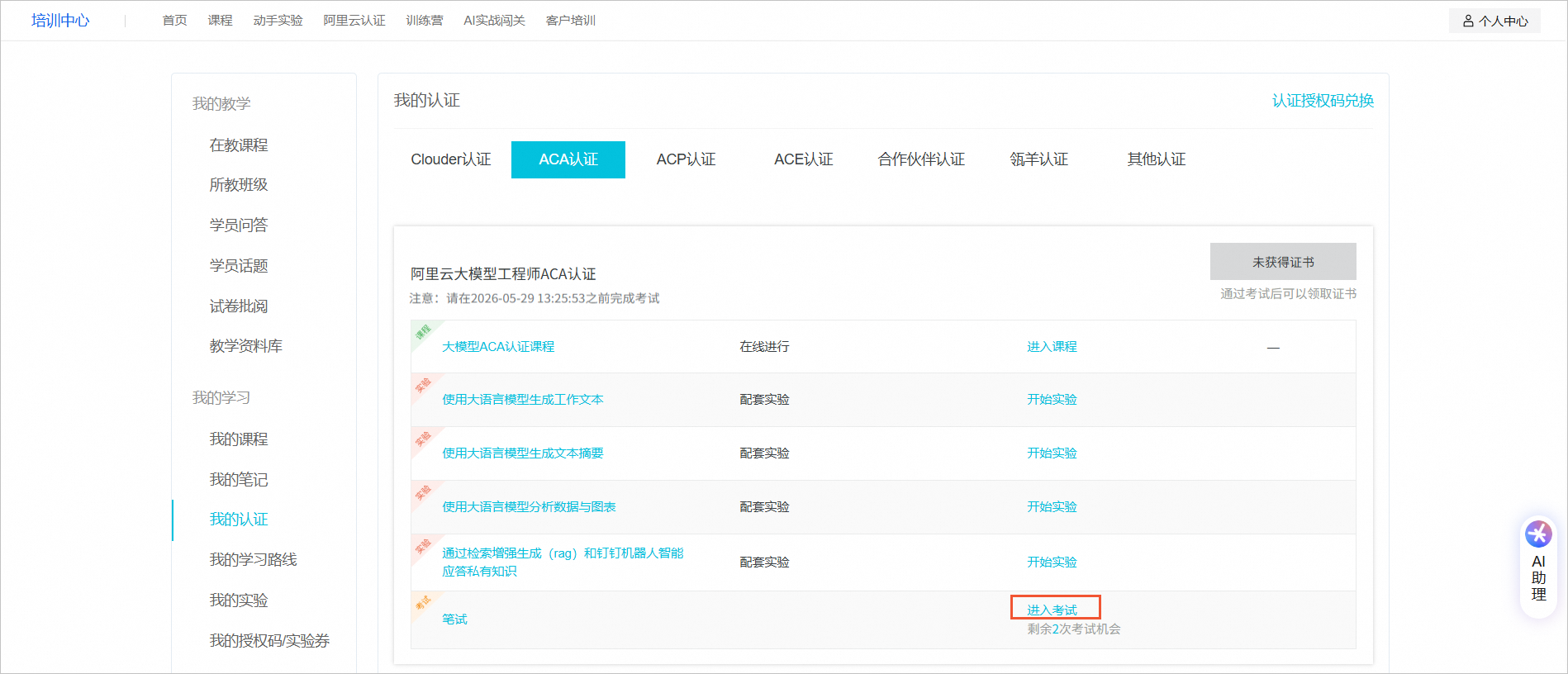
Online exam: Available for Clouder and ACA certifications. On the My Certifications page, locate the certification course you want to take and click Enter Exam.
Offline exam: This applies to ACP and ACE certifications. Use the appointment summary page and the email notification that you received after you scheduled the exam to obtain the confirmation number, exam time, test center address, and document requirements. Then, take the offline exam as scheduled.

Query Grades
Log on to Alibaba Cloud Certification.
In the upper-right corner, choose . Find the certification course that you want and view your exam results. If you pass the exam, you can claim your certificate. If you do not pass the exam, you must purchase another authorization code to retake the exam.
Download certificates
Log on to Alibaba Cloud Certification.
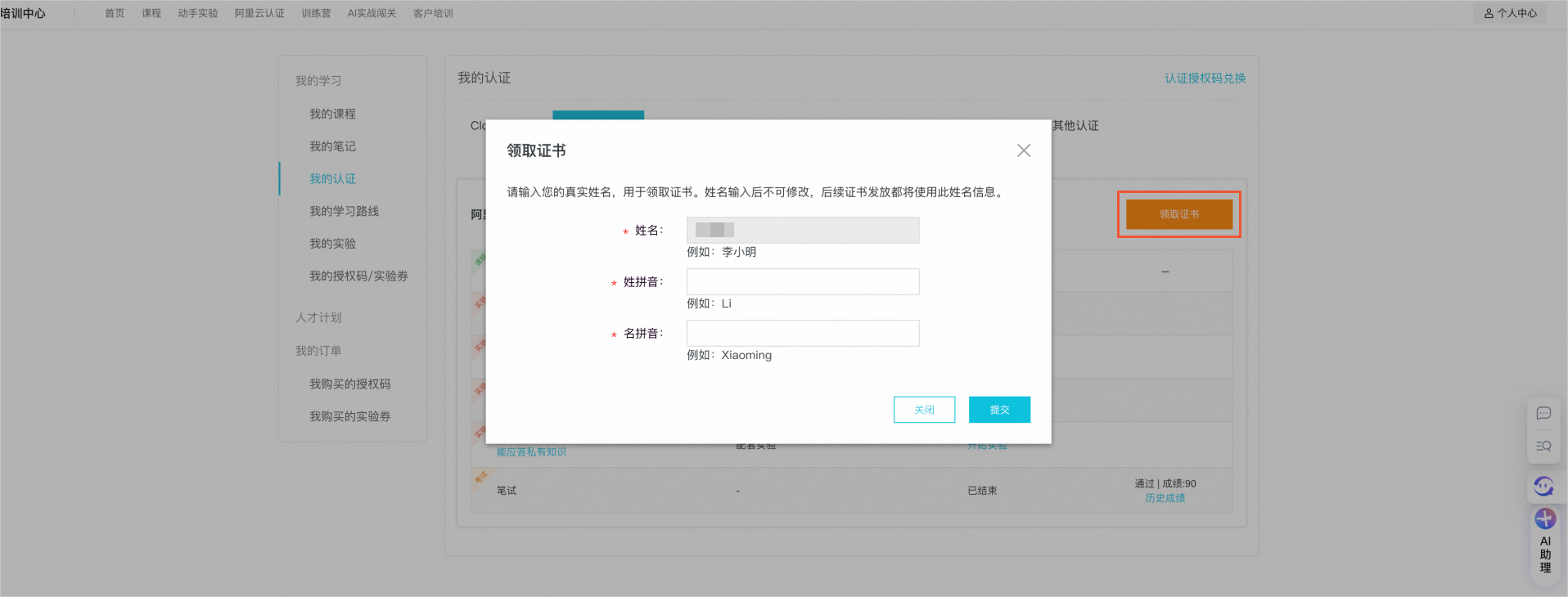
In the upper-right corner, choose . Find the certification course, click View Certificate in the upper-right corner of the course card, enter the information as prompted, and then download the electronic certificate.
ImportantAfter you pass the certification exam, you must download and save your electronic certificate in a timely manner.