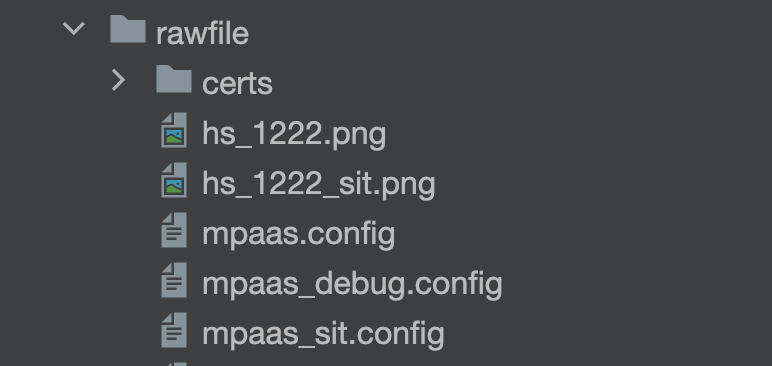
mPaaS supports dynamic environment switching starting with baseline version 10.2.3.41.
Configure multi-environment config files
Prepare the configuration files.
Place multiple mPaaS configuration files in the
rawfiledirectory. The filenames must end with.config.NoteBy default, the system reads the
mpaas.configfile.Specify the configuration file in code.
Set theMPFramework.configNameproperty to specify the configuration file to load at runtime.MPFramework.configName ="xxx";Notexxxis the base filename, without the.configsuffix.If this property is not set, the system reads
mpaas.configby default.
Configure multi-environment security images
Prepare the resources.
Place multiple security images in therawfiledirectory and assign custom filenames.NoteEach image filename must correspond to its configuration file, either by name or through a clear mapping.
Specify the image in code.
Set theMPFramework.imageNameproperty to specify the security image to load at runtime.MPFramework.imageName ="xxx";Notexxxis the base image filename, without the.pngsuffix.Default behavior: If this property is not set, the system reads
hs_1222.png.
Example image