Move Emails in the Web Client
Updated at:
Move emails between folders in Alibaba Mail using one of the following methods.
Scenario 1: Move emails in the current page's email list
-
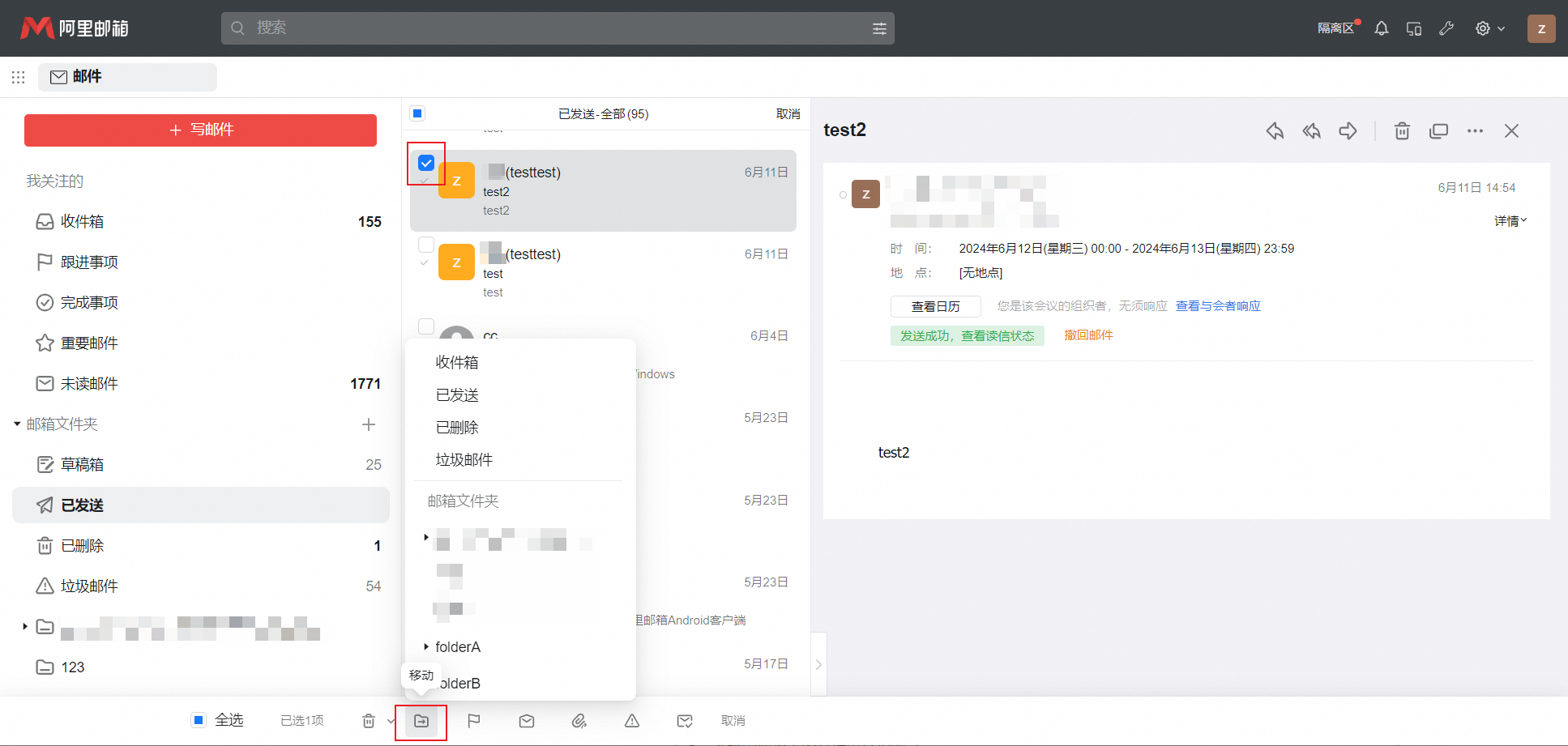
Select an email, click the Move icon, and choose the destination folder.
-
To select all emails in the folder, click Select All at the bottom of the page.
Scenario 2: Move all emails in a folder
-
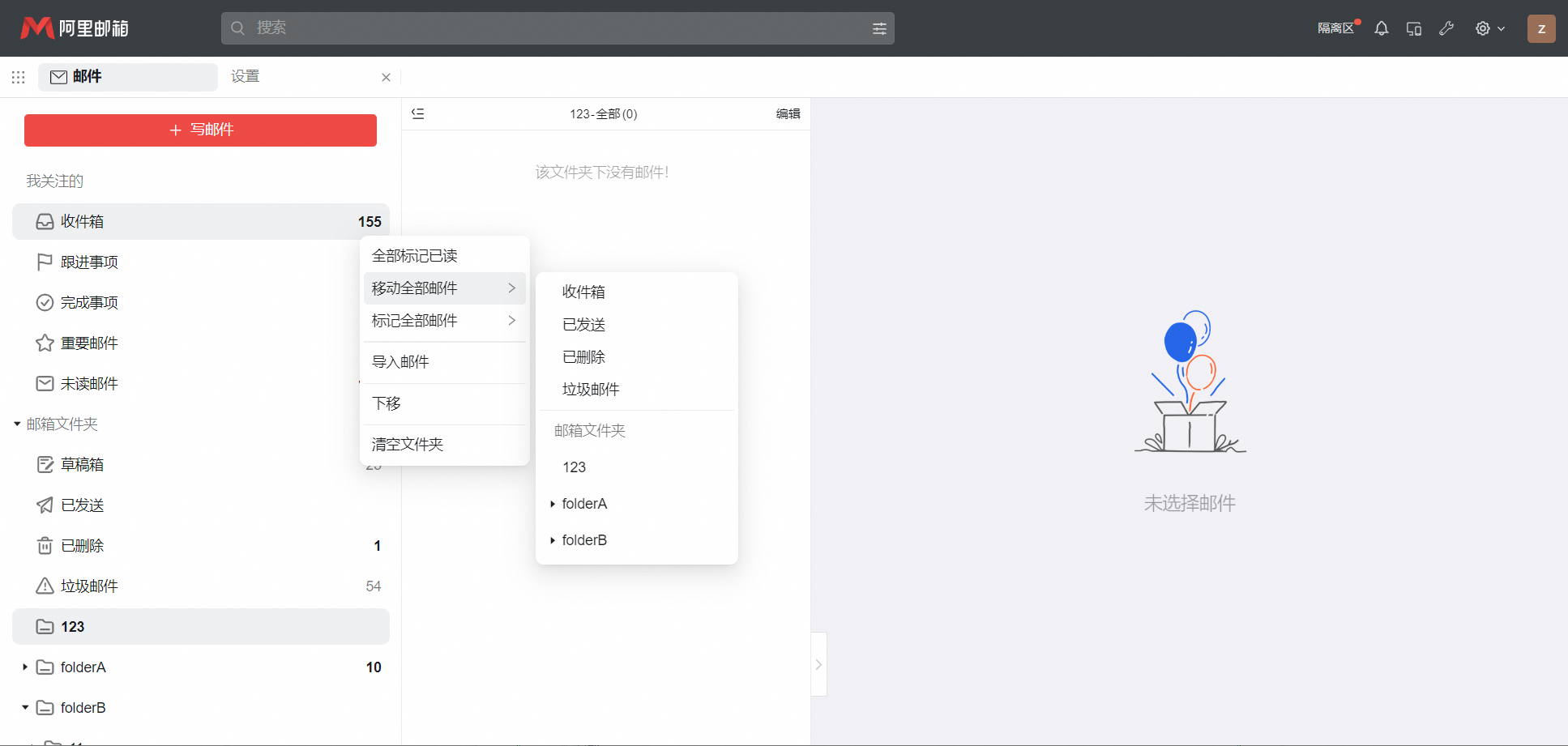
Click More next to the folder you want to move emails from.
-
Click the Move All Emails option.
-
Select the destination folder.
Is this page helpful?