Reset the postmaster administrator password
Reset the Alibaba Mail postmaster administrator password in several ways.
Find your administrator account name
The administrator account uses the format postmaster@yourdomain (for example, postmaster@example.com). Before you reset the password, confirm the full administrator account name.
-
Sign in to the Alibaba Mail console with the Alibaba Cloud account that purchased the mailbox.
-
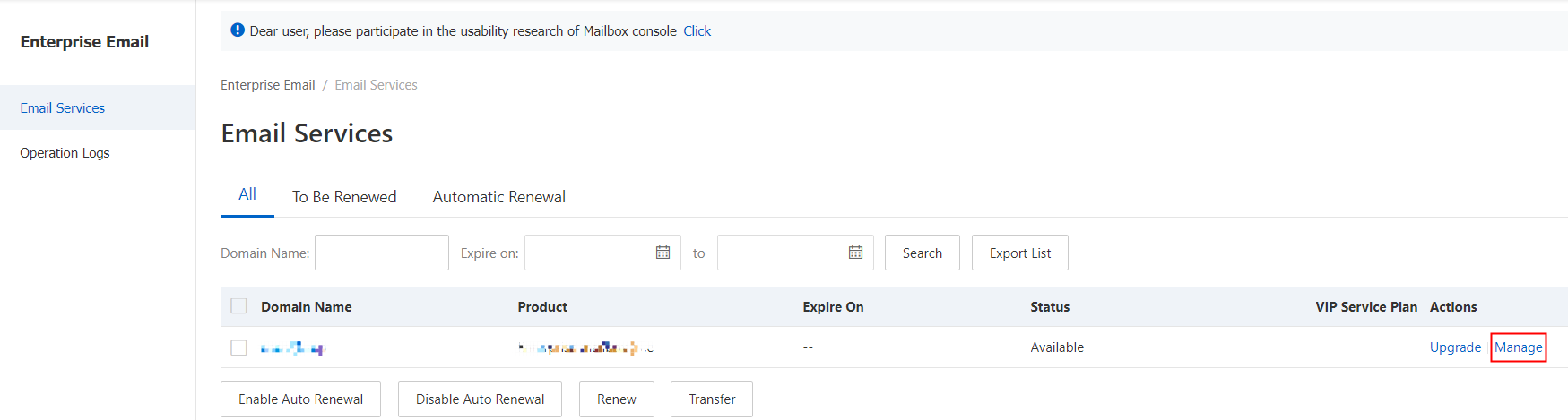
Find the mailbox in the mailbox list and click Manage in the Actions column to open the mailbox information page.
-
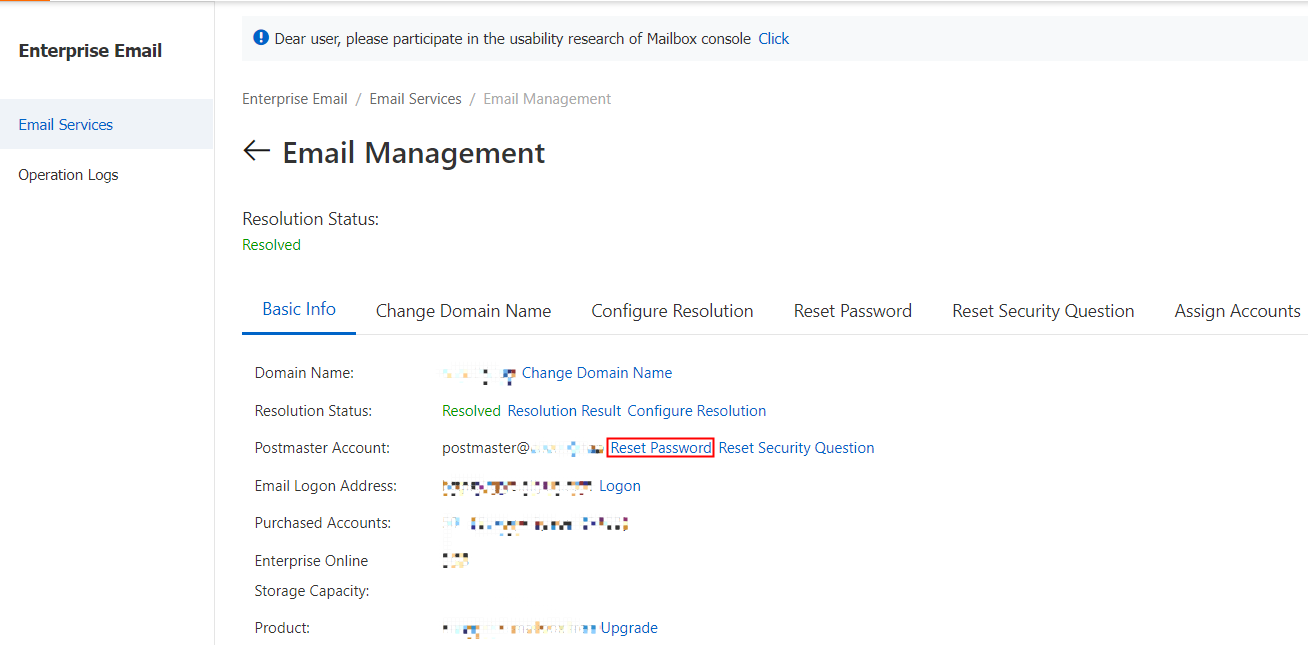
On the Basic Information tab, check the Administrator Account field for the full administrator account name.
Only the Alibaba Cloud account that purchased the mailbox instance can view the mailbox in the console. If you sign in with a different Alibaba Cloud account, the mailbox list is empty and you cannot view the administrator account across accounts.
Scenario 1: Reset the password on first login
The Alibaba Mail postmaster administrator account has no initial password. You must reset it to set one.
-
Sign in to the Alibaba Mail console with your Alibaba Cloud account. If you forgot the associated username, retrieve it here.
-
Find the mailbox and click Manage in the Actions column to open the mailbox information page.

-
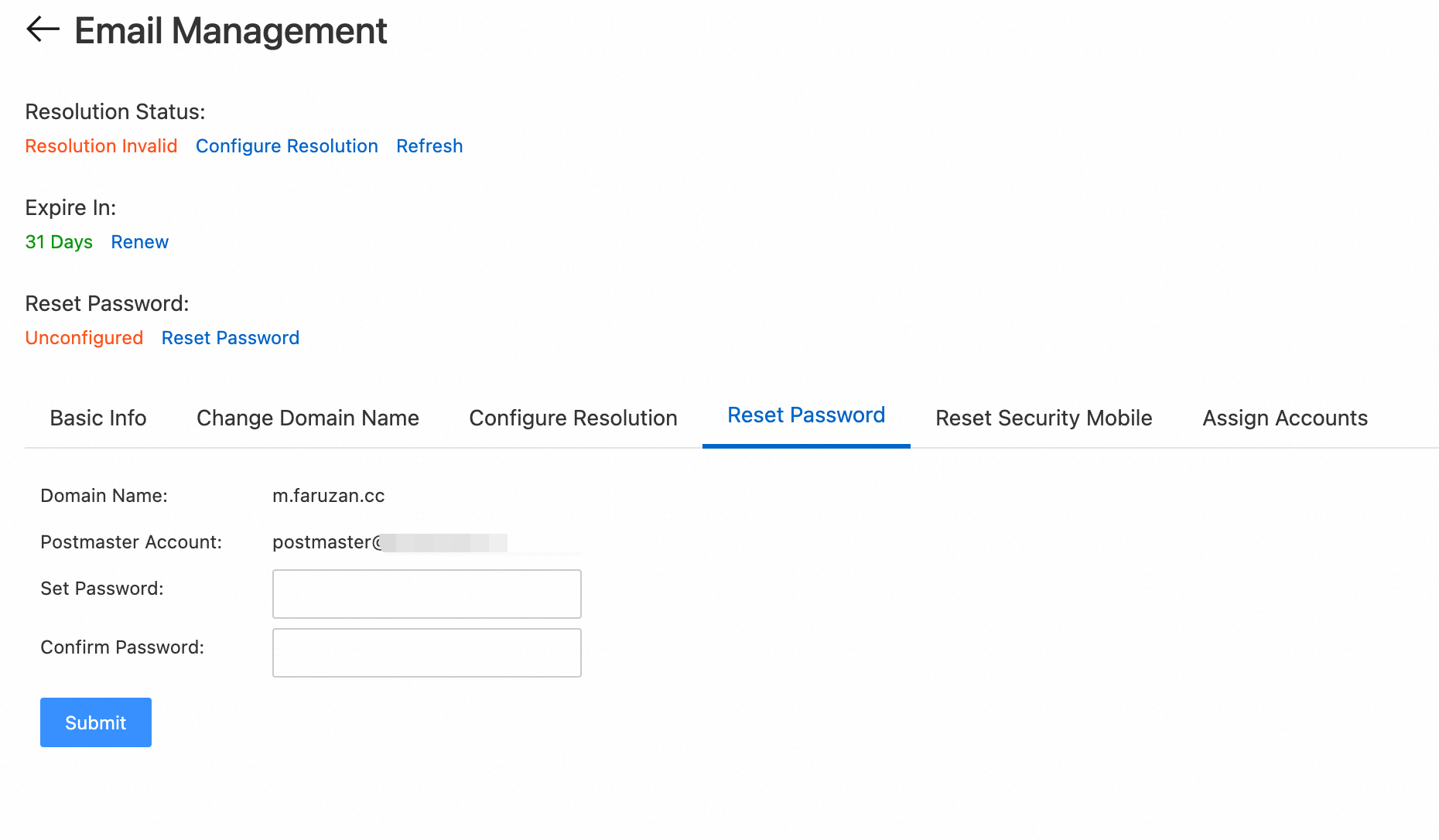
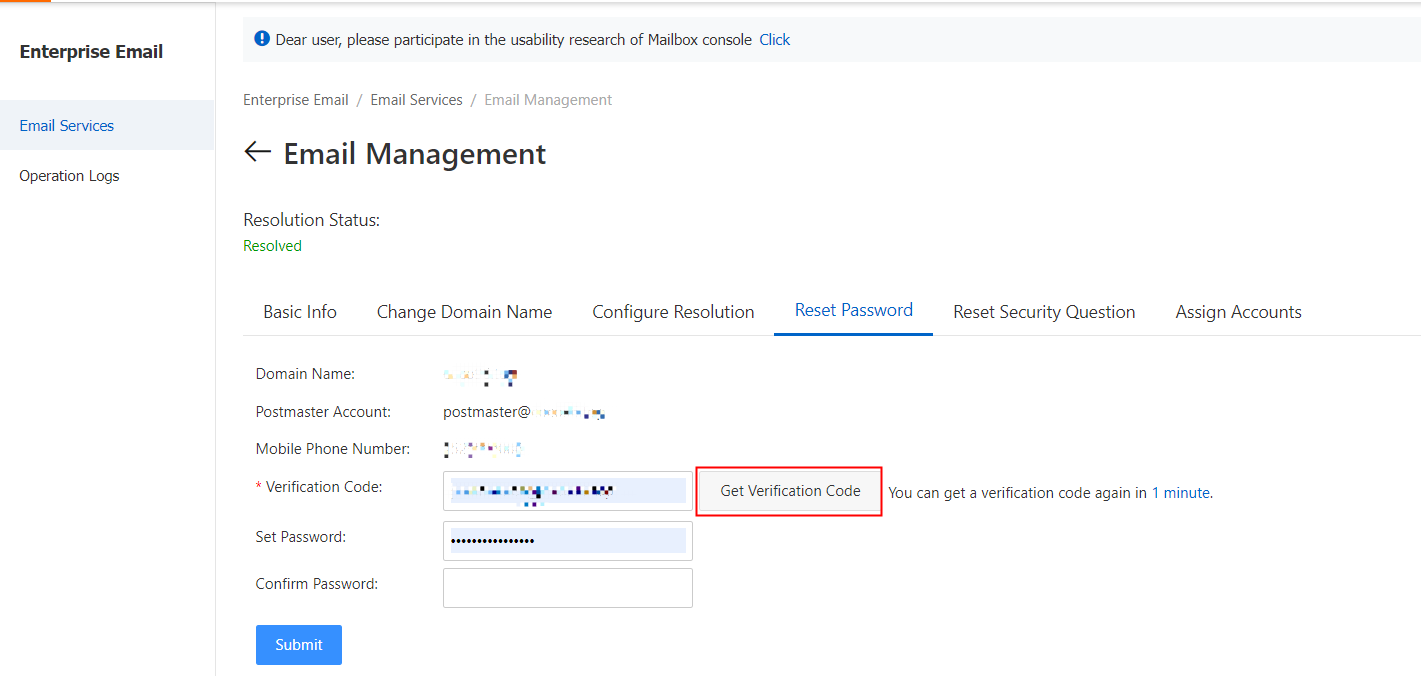
Go to the Reset Password tab. Enter a new password (no previous password required) and click Submit.
NoteThe new password must meet the following format requirements or the reset will fail.
Password requirements: 8–64 characters, combining at least three of: uppercase letters, lowercase letters, numbers, and special characters. The password cannot contain the email account name, and it must also pass the backend password strength check.
Scenario 2: Reset a forgotten password
Method 1: In the console
-
Sign in to the Alibaba Mail console with your Alibaba Cloud account. If you forgot the associated username, retrieve it here.
-
Find the mailbox and click Manage in the Actions column to open the mailbox information page.
-
Go to the Reset Password tab. Enter a new password (no previous password required) and click Submit.
NoteThe new password must meet the following format requirements or the reset will fail.
Password requirements: 8–64 characters, combining at least three of: uppercase letters, lowercase letters, numbers, and special characters. The password cannot contain the email account name, and it must also pass the backend password strength check.
Method 2: On the sign-in page
This method requires the secure phone linked to your account to be able to receive SMS verification codes. If the secure phone is unavailable, use Method 1 in the Alibaba Cloud Management Console to reset the password.
-
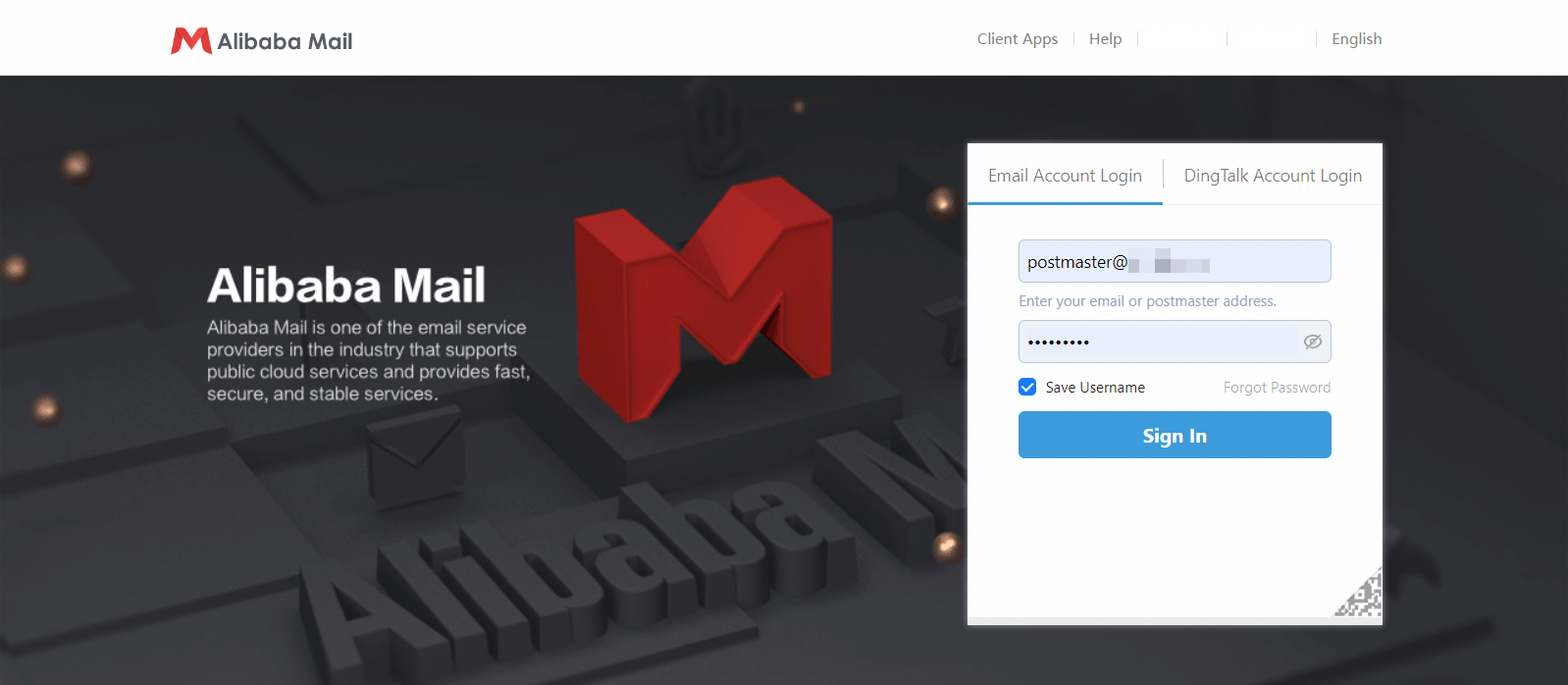
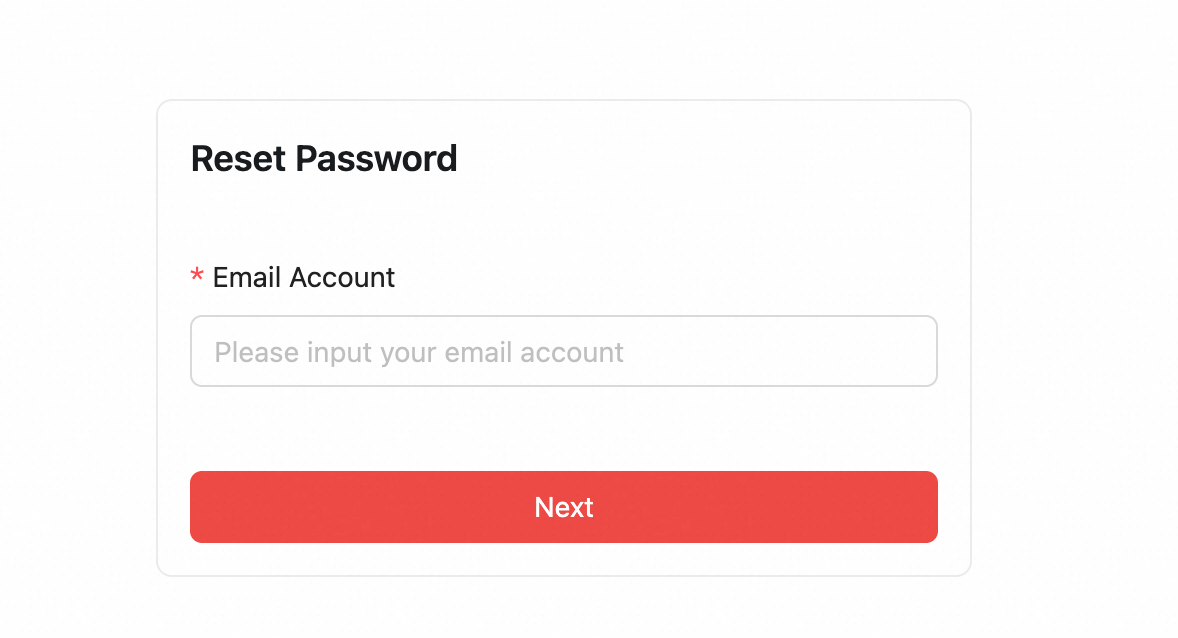
Go to the webmail sign-in page and click Forgot Password.
-
Enter the administrator account (for example,
postmaster@example.com) and complete any verification prompts.
-
Enter the SMS verification code sent to the account's security phone and click Next.
-
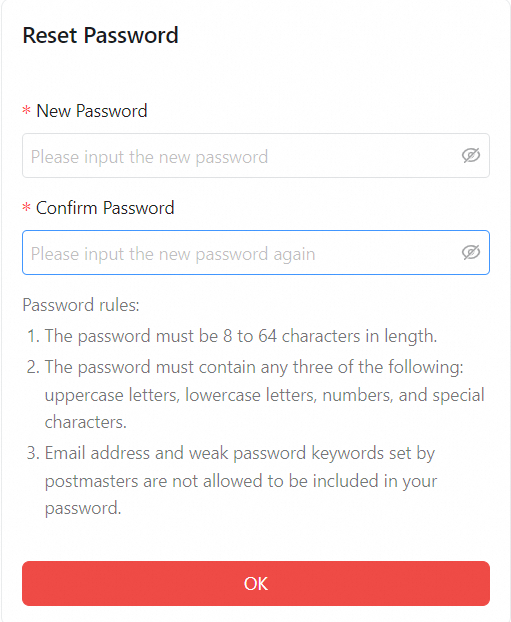
Enter your New Password and Confirm Password, then click OK. Return to the sign-in page to log in.
NoteThe new password must meet the following format requirements or the reset will fail.
Password requirements: 8–64 characters, combining at least three of: uppercase letters, lowercase letters, numbers, and special characters. The password cannot contain the email account name, and it must also pass the backend password strength check.
Scenario 3: Change the password while signed in
In email settings
-
Go to the sign-in page for Alibaba Mail (https://qiye.aliyun.com/) and sign in to your postmaster account.
-
In the top menu bar, click Enter Mailbox.
-
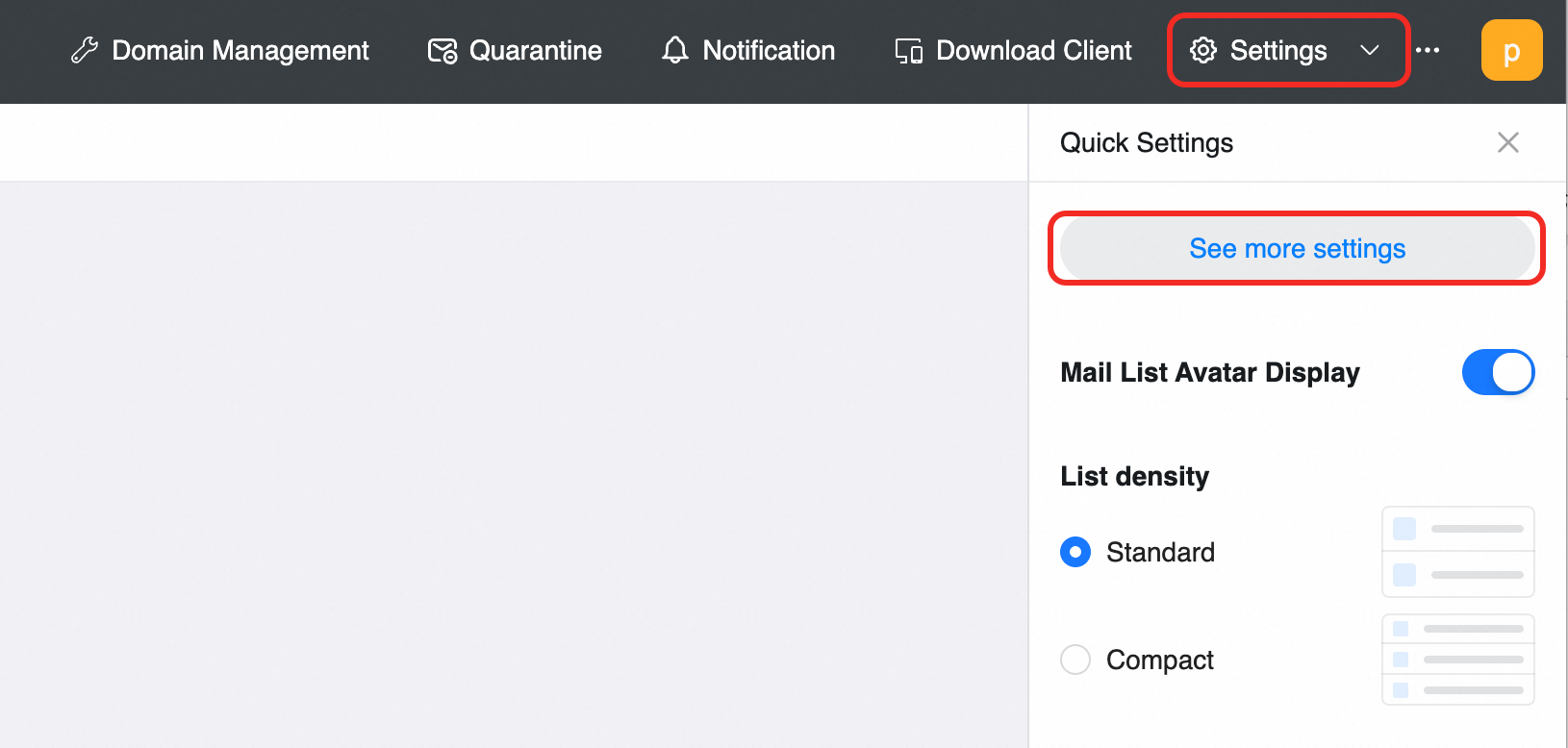
In the upper-right corner, click Settings > View more settings.
-
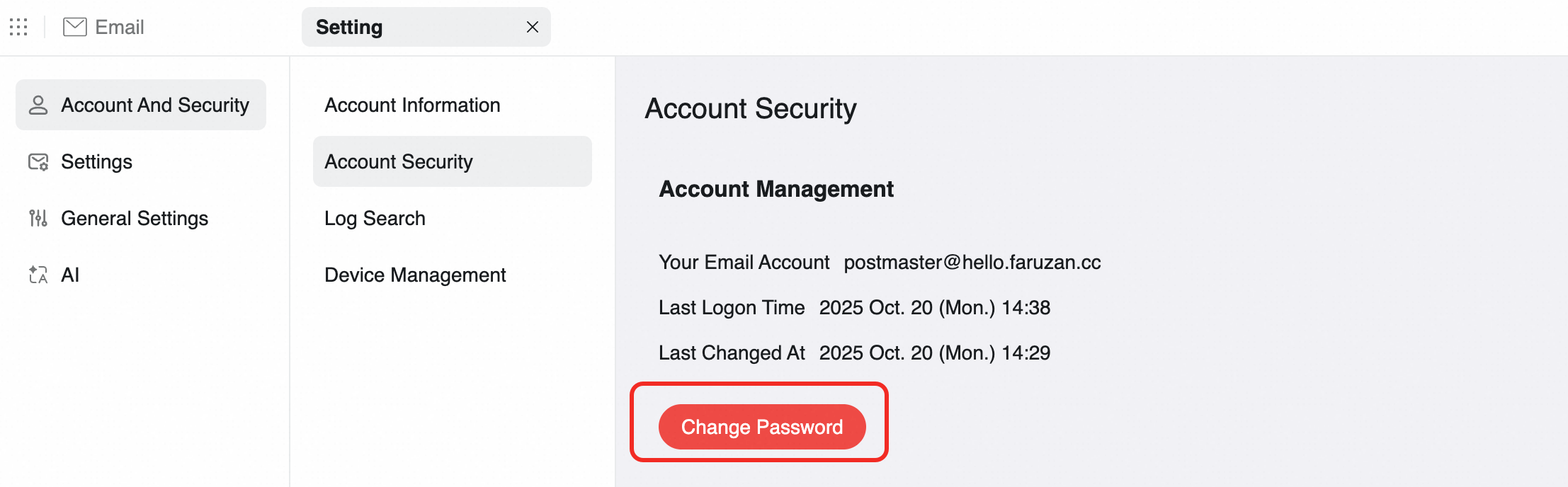
Go to Account and Security > Account Security and click Change Password.
-
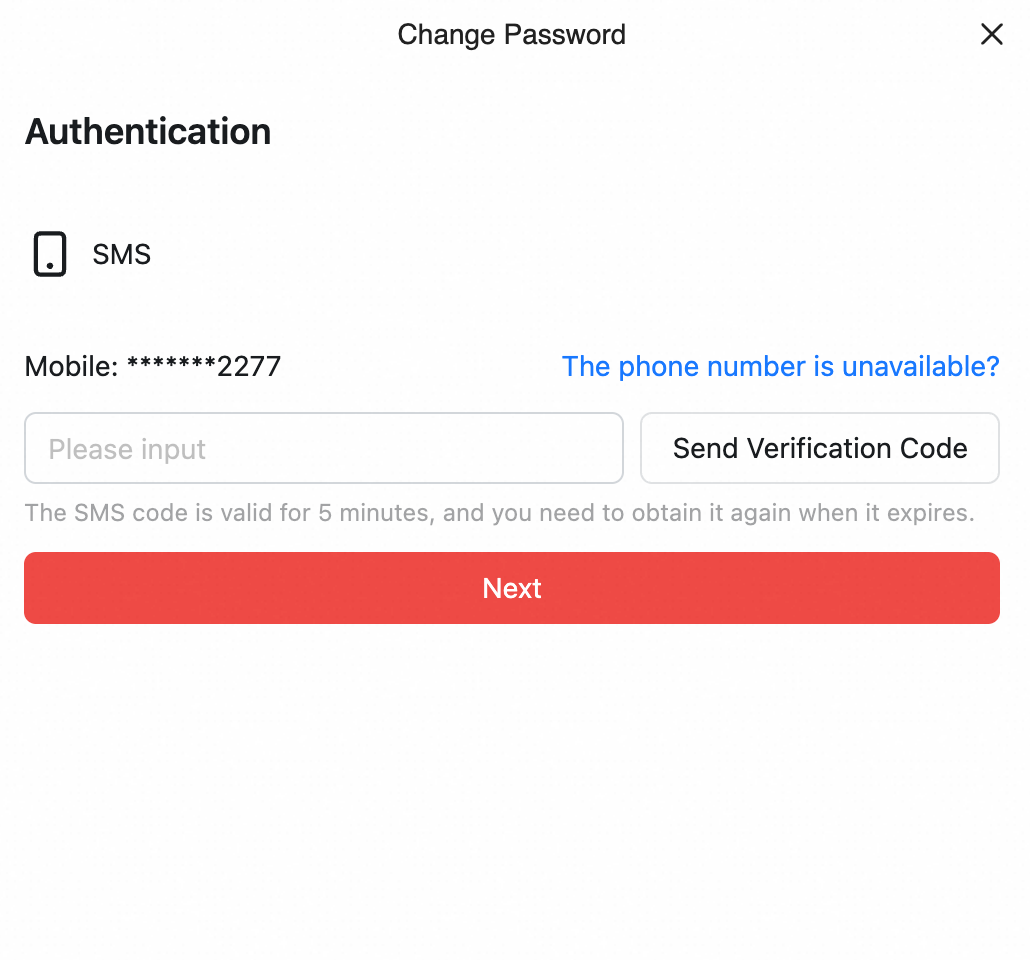
Verify your identity with the security phone linked to your account, then set a new password.
NoteThe new password must meet the following format requirements or the reset will fail.
Password requirements: 8–64 characters, combining at least three of: uppercase letters, lowercase letters, numbers, and special characters. The password cannot contain the email account name, and it must also pass the backend password strength check.

On the domain management page
-
Go to the sign-in page for Alibaba Mail (https://qiye.aliyun.com/) and sign in to your postmaster account.
-
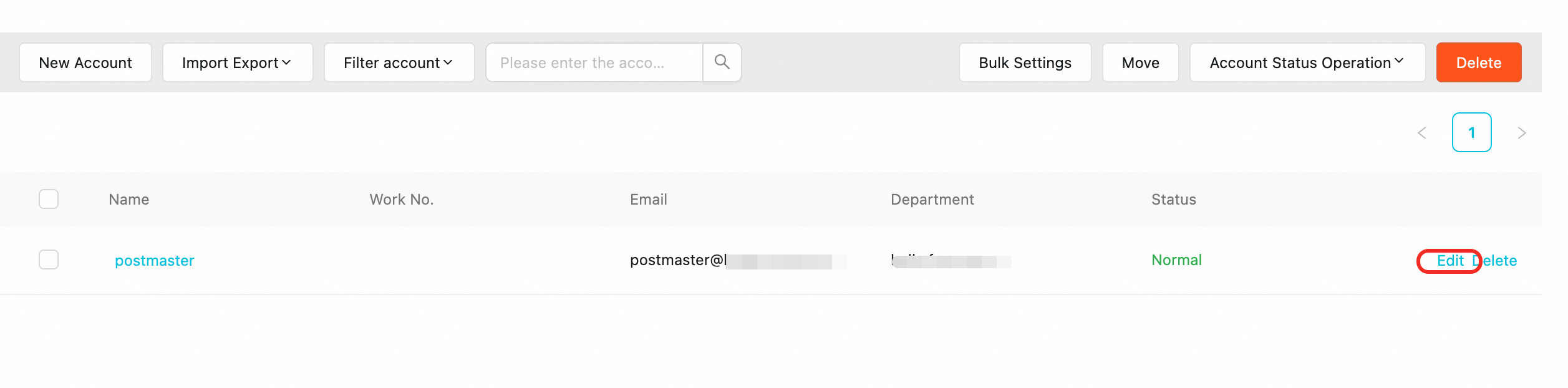
On the domain management page, go to Organization and Users > Employee Accounts and find the postmaster account.
-
Click Edit to open the account editing panel.
-
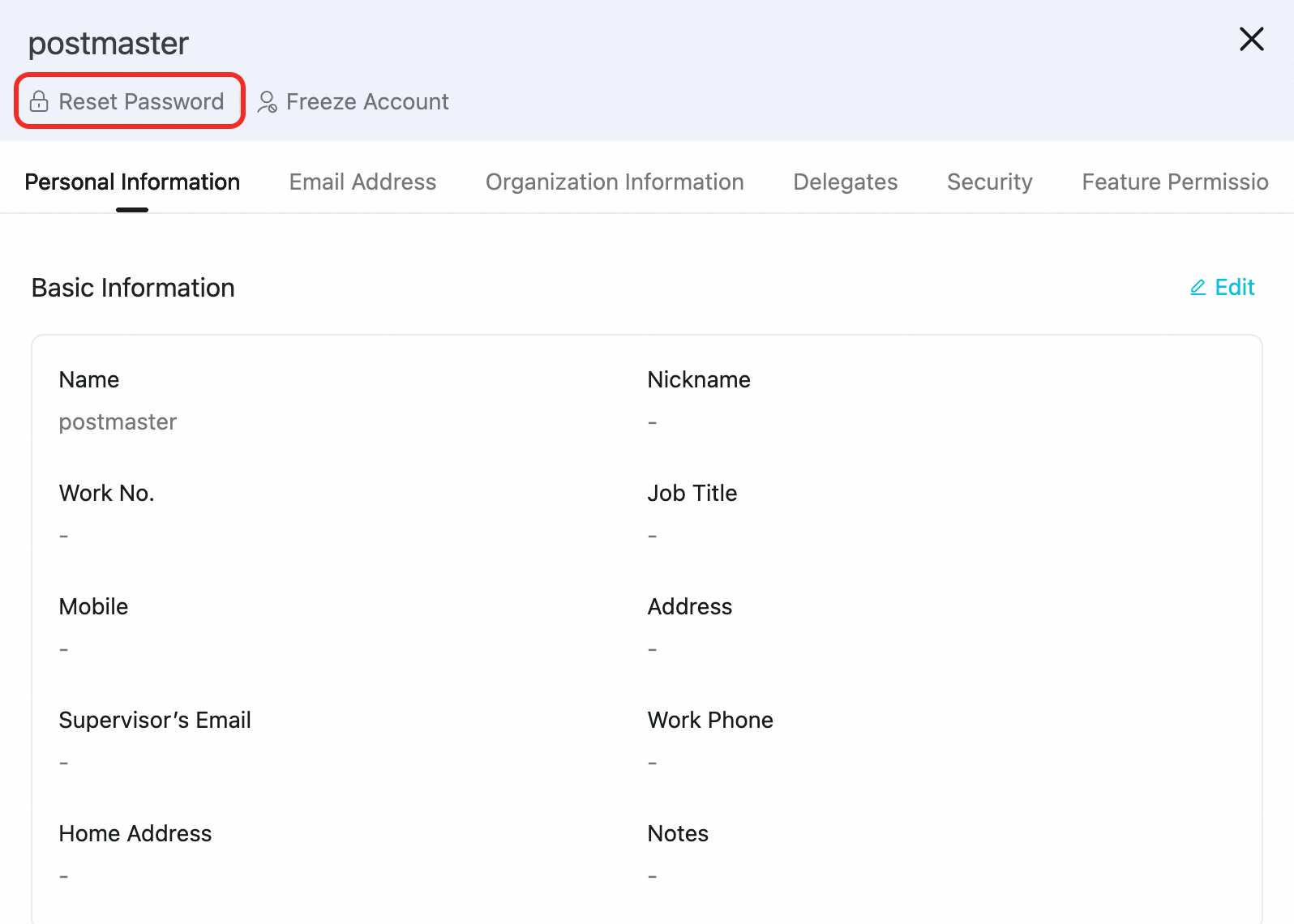
On the Edit Account page, click Reset Password. Set a new password and click Save.
NoteThe new password must meet the following format requirements or the reset will fail.
Password requirements: 8–64 characters, combining at least three of: uppercase letters, lowercase letters, numbers, and special characters. The password cannot contain the email account name, and it must also pass the backend password strength check.
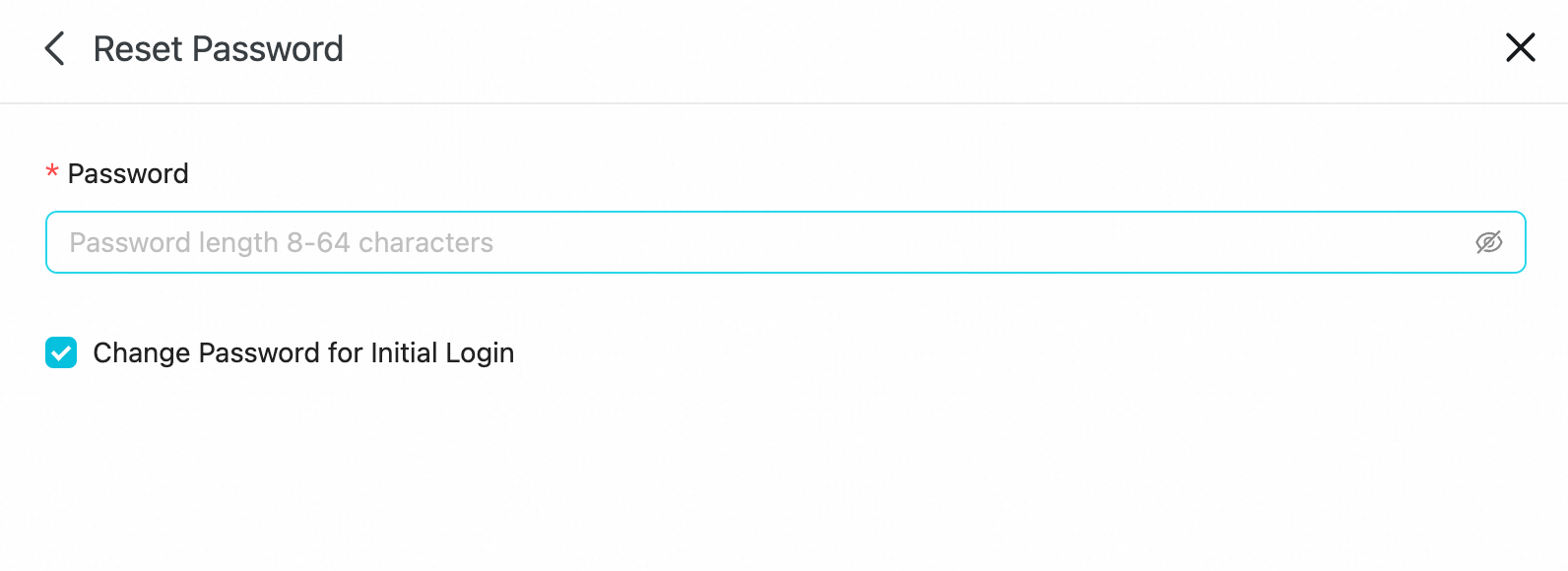
Scenario 4: Reset subsidiary administrator password
-
Sign in to the Enterprise Group Edition management platform with the group administrator account. On the Domain Management page, find the domain and click Edit to reset the password.
-
Expand the Domain List, find the target email domain, and click Edit.
-
Set a new password and click Save.