Reset security factors for a postmaster account
This topic describes how to reset security factors for a postmaster account.
To provide a more secure email environment, Alibaba Mail requires two-factor authentication for postmaster account logins.
Follow these instructions to reset your security mobile number if you changed your phone number and cannot receive verification codes, or if the number is no longer in use.
Alibaba Mail Standard users
Log on to the Alibaba Cloud console. Next to the email service you want to manage, click Manage. Click Reset Security Mobile Number, enter the verification code, and submit your request. After the reset, you can bind a new security mobile number the next time you log on to Alibaba Mail with your postmaster account.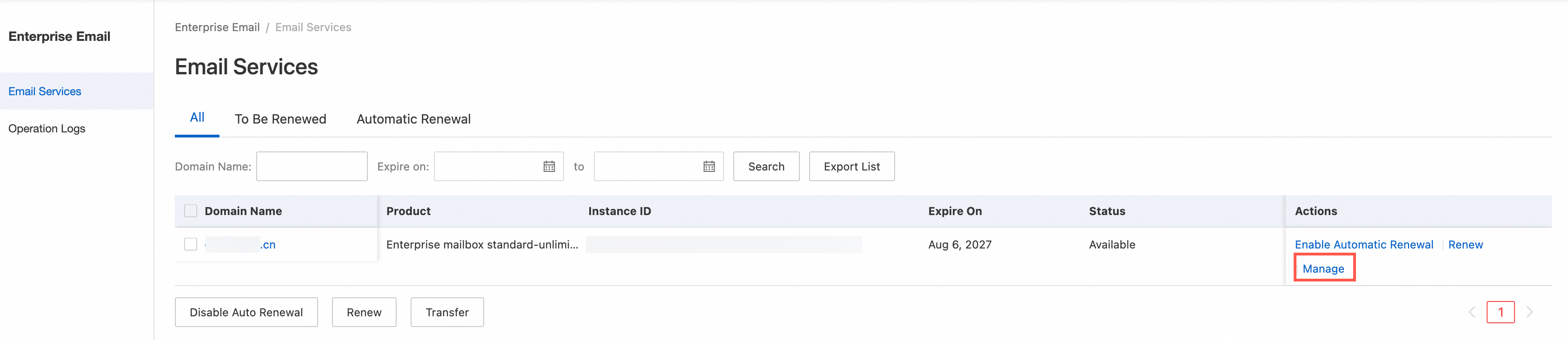
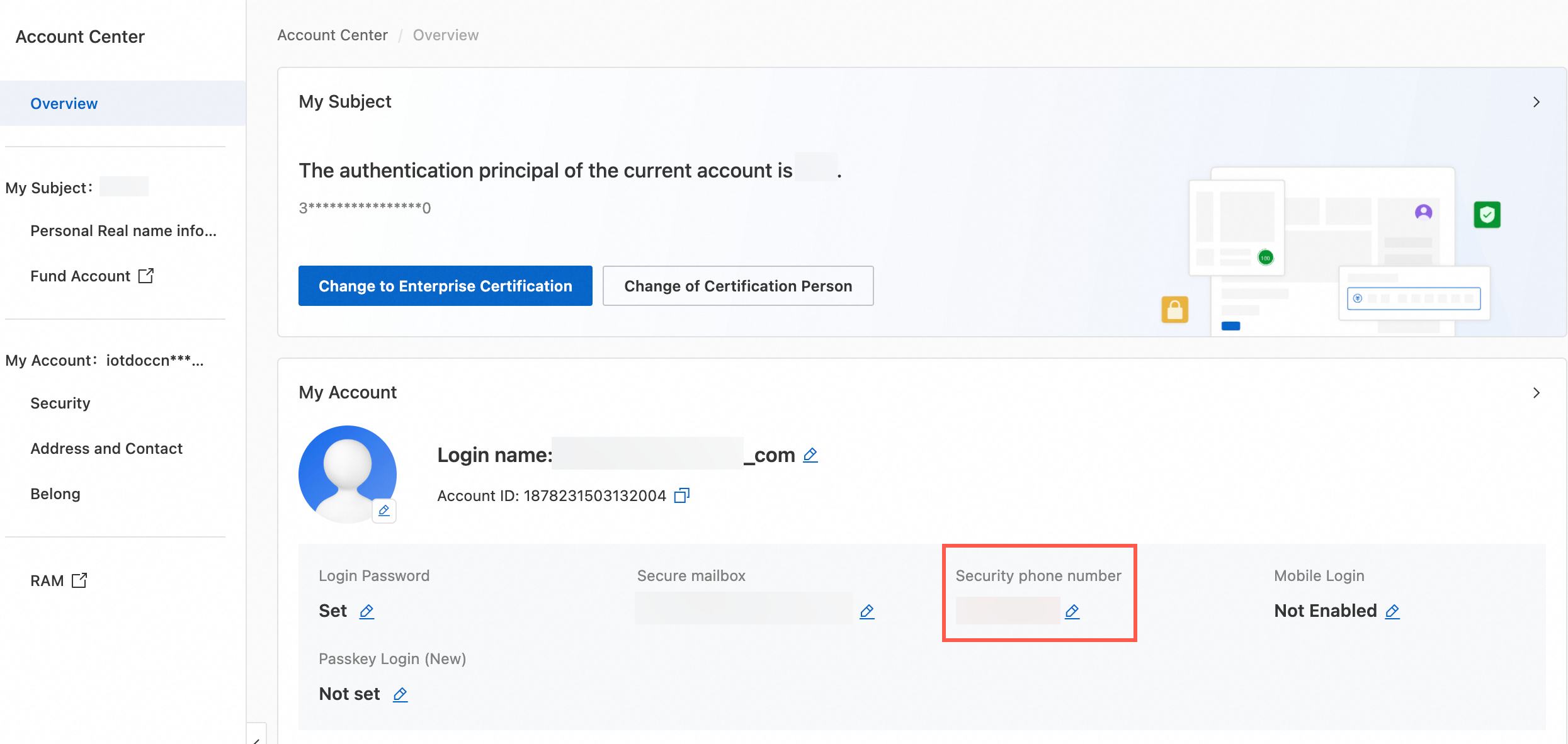
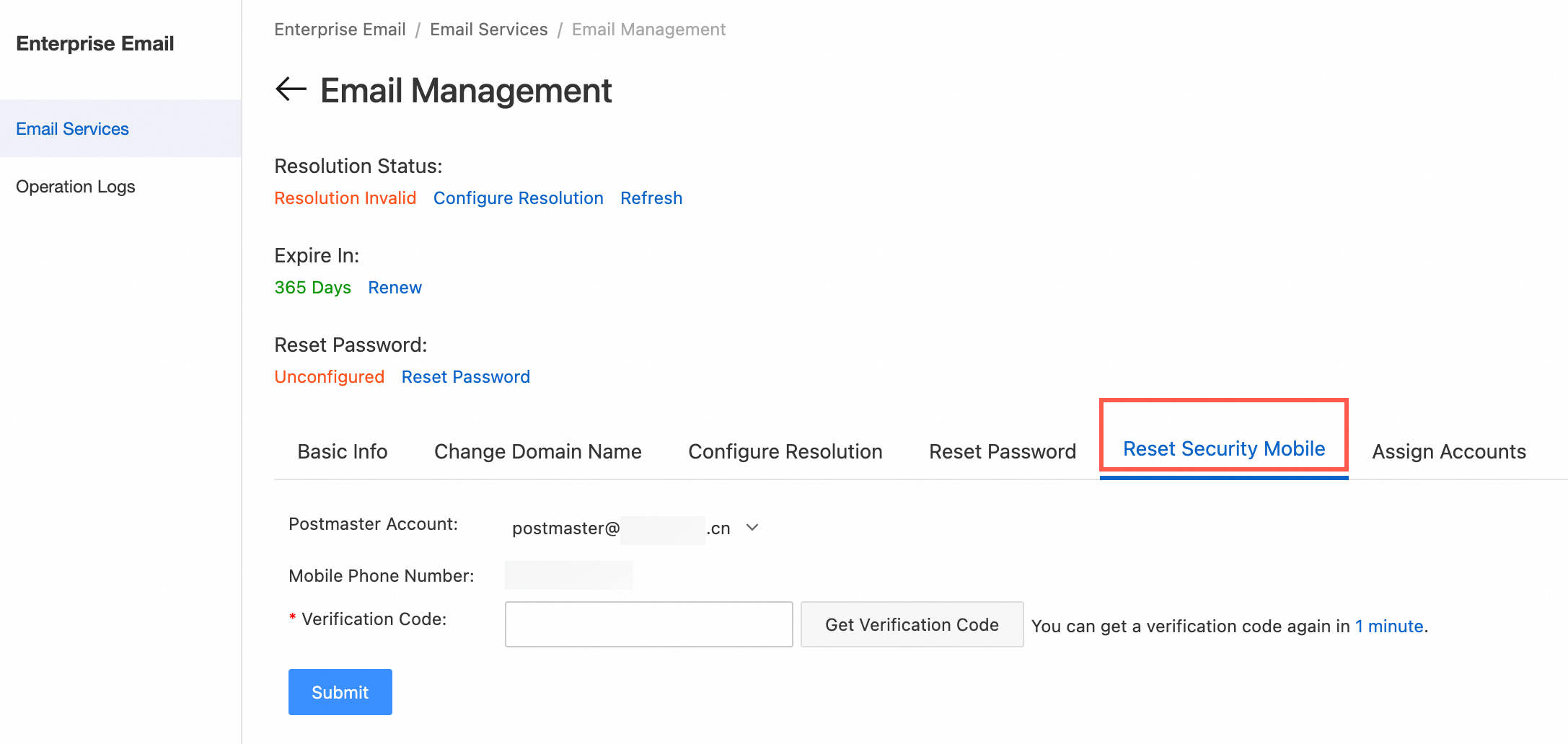 The "Your mobile number" in the Alibaba Cloud console is the number associated with your Alibaba Cloud account ID. If you also need to change this number, go to Account Center > Security Settings > Mobile Number for Verification > Modify to update the number.
Alibaba Mail Corporate Edition users
Refer to the guide for Alibaba Mail Corporate Edition postmaster accounts.