Change the domain name for Alibaba Mail
This topic describes how to bind and change the domain name for your Alibaba Mail Standard Edition or Group Edition mailbox. The domain name is first bound when you purchase the mailbox. To change the domain name after purchase, follow the steps in this topic.
Configure DNS resolution for the new domain name first. After the resolution takes effect, change the domain name in the Alibaba Cloud console.
Set up DNS resolution for an Alibaba Cloud domain name used with Alibaba Mail.
Set up DNS resolution for a domain name not registered with Alibaba Cloud.
Change the domain name for Alibaba Mail Standard Edition
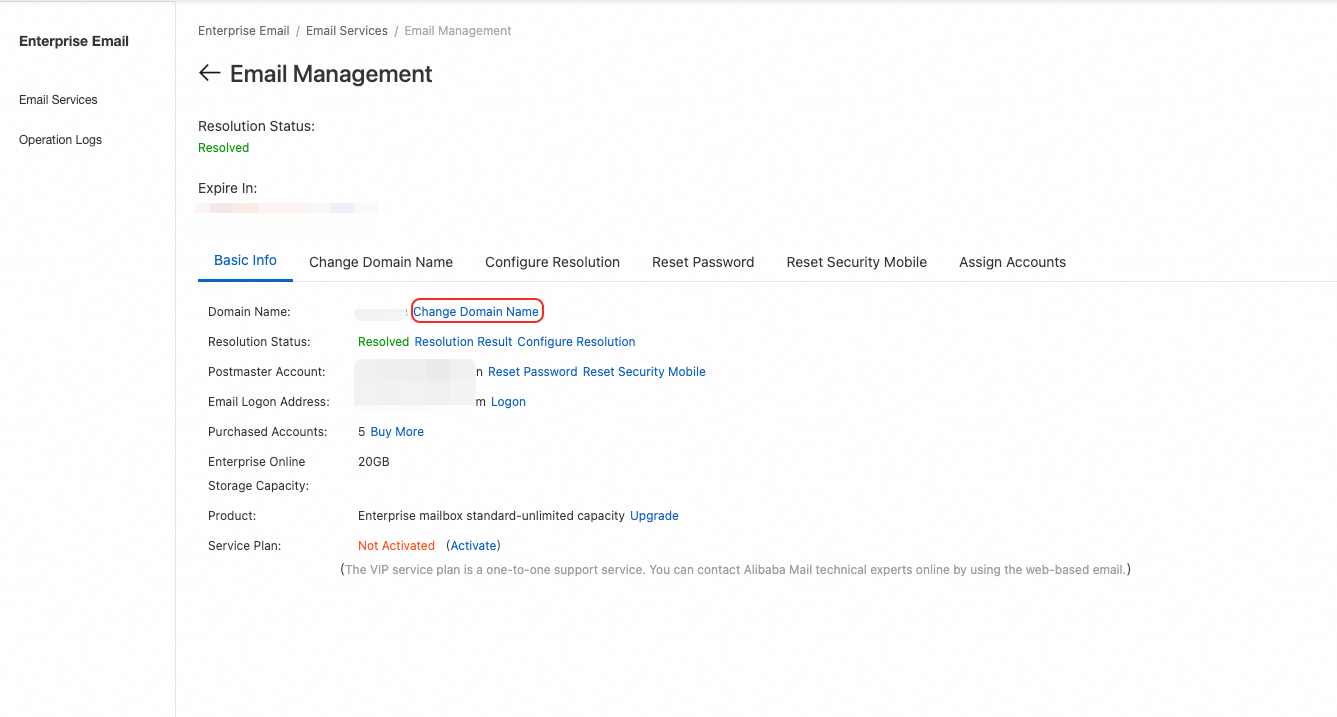
1. Log on to the Alibaba Mail console.
2. Click Change Domain Name.
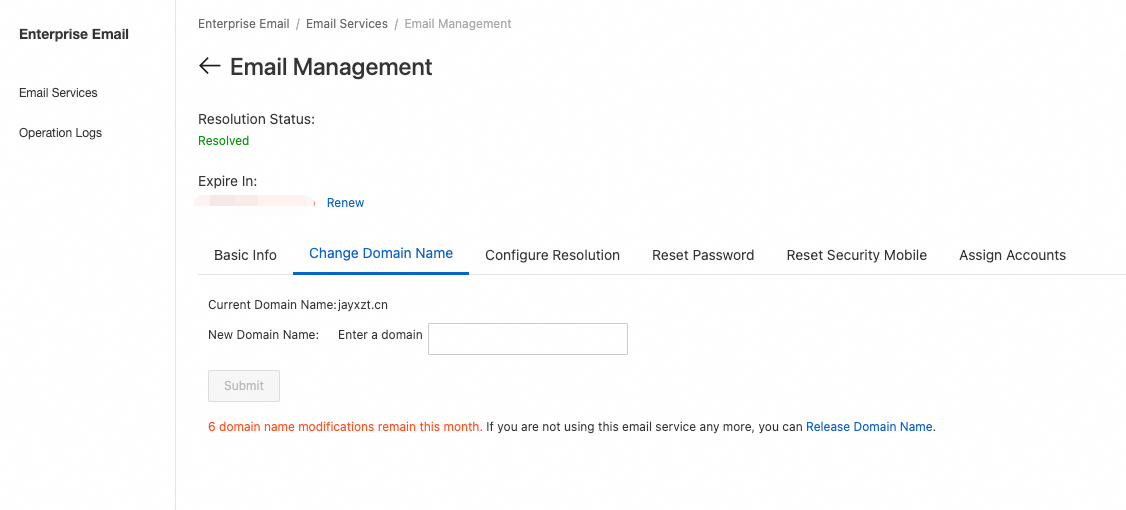
3. Enter the new domain name and click Submit.
Change the domain name for Alibaba Mail Group Edition
1. Log on to the Group Mailbox management page.
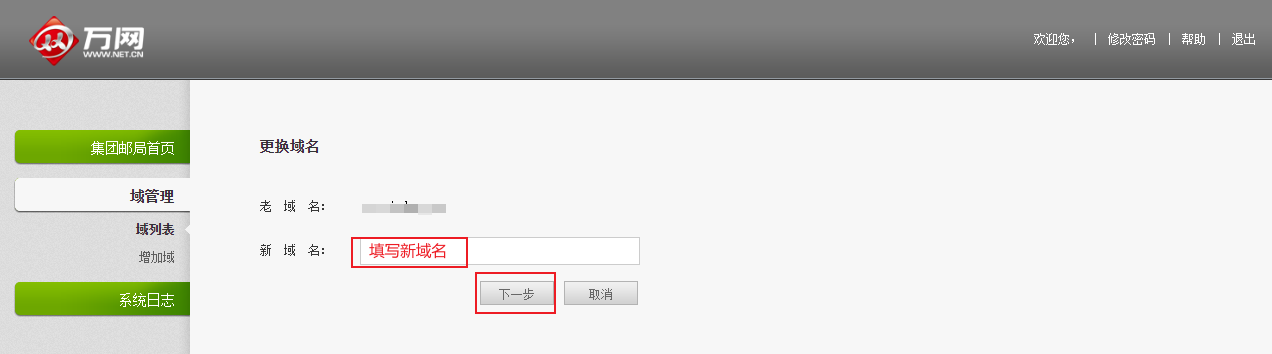
2. Go to Domain Management > Change Domain Name. Enter the new domain name in the New Domain Name field and click Next. Add the DNS resolution records as prompted.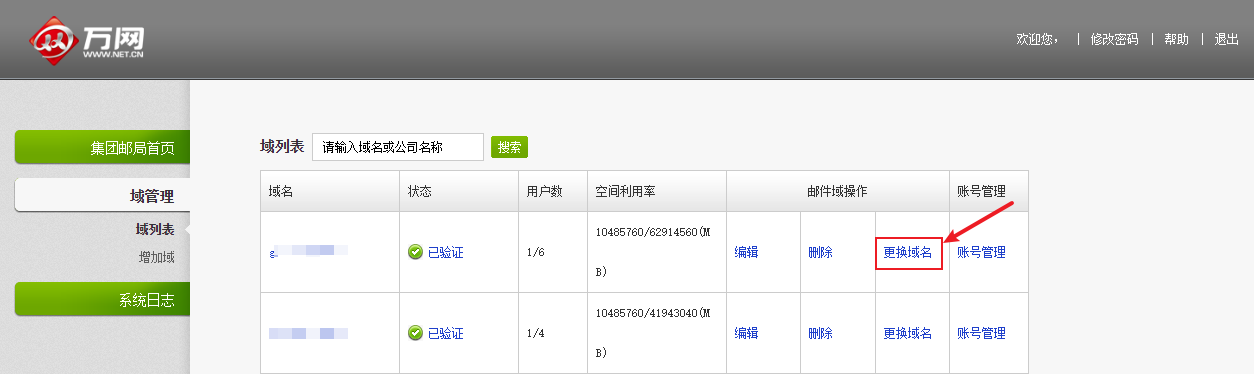
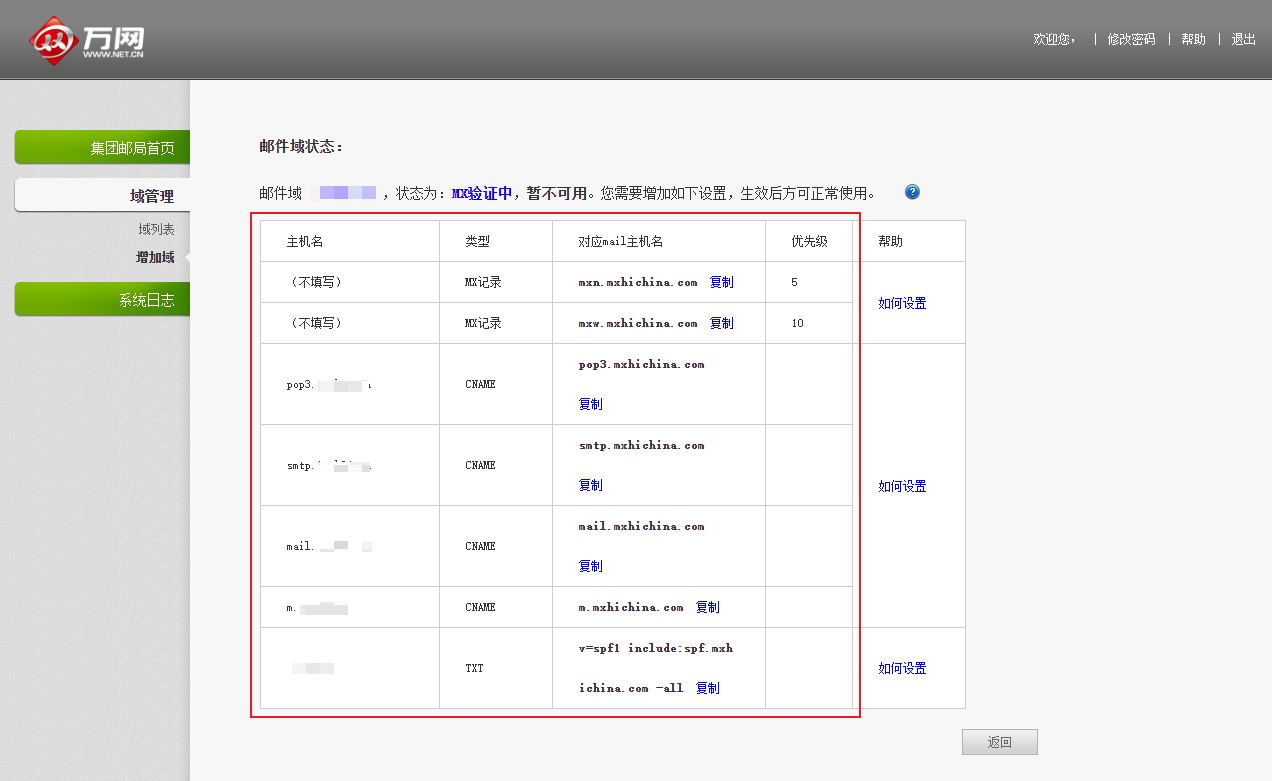
To keep your original domain name and add another as a mailbox suffix, add multiple domains and domain aliases.
FAQ
Q: Are historical emails, contacts, and calendar data retained after changing the domain name?
A: Yes. All emails, contacts, and calendar events are fully retained. Only the login suffix of employee accounts changes.
Q: Do employee accounts need to be recreated or have passwords reset?
A: No. The system automatically synchronizes the new suffix. All accounts remain intact and original logon passwords are unchanged.
Q: Does changing the domain name affect website access?
A: No. Alibaba Mail DNS resolution and website DNS resolution are independent of each other.
Q: Can the old domain name still receive emails after the change?
A: No. To keep receiving emails on the old domain name, add it as a domain alias.
Q: Is my old email address affected if I use it as an auxiliary email address on other platforms?
A: Yes. After you change the domain name, the old email address becomes invalid immediately and can no longer receive emails. If the old address is used for account binding, security authentication, notifications, or email collection on other platforms, those features will be affected. Before changing the domain name, check where the old address is used and update it to the new email address on the corresponding platforms in advance.
Q: Do third-party email clients such as Outlook or Foxmail need to be reconfigured?
A: Usually no reconfiguration is required. If errors occur, try removing the old account and re-adding it, or check the app password settings in the third-party client.
Q: Does the domain name change support rollback?
A: One-click rollback is not supported. You can manually revert to the original domain name by using the Change Domain Name feature, provided the original domain name is not in use and DNS resolution is functioning properly.
Q: How long does it take for the domain name change to take effect?
A: Changes within the same account typically take 10 to 15 minutes. Cross-account changes or changes that involve DNS verification may take longer.
Q: Does the login address change after I change the domain name?
A: No. After you change the domain name, the default login address remains the same. Administrators still log on to the management console at https://qiye.aliyun.com, and members in the domain keep using their original login address. Only the domain name suffix of their accounts changes. To let members log on with a custom domain address, you must configure a custom login address separately under Enterprise Customization > Interface Customization > Custom Login Address, which is independent of the domain name change. For more information, see How to Customize The Login Address?.