Audience Push Damengpan
You can push the user ID of Audience to a Damengpan on a daily, weekly, or monthly basis, or at a time.
The number of pushed audience users must be greater than 2000 and less than 50 million. The number of audience after ID matching on Damengpan should be greater than 1000 and less than 50 million. Otherwise, the push fails.
Procedure
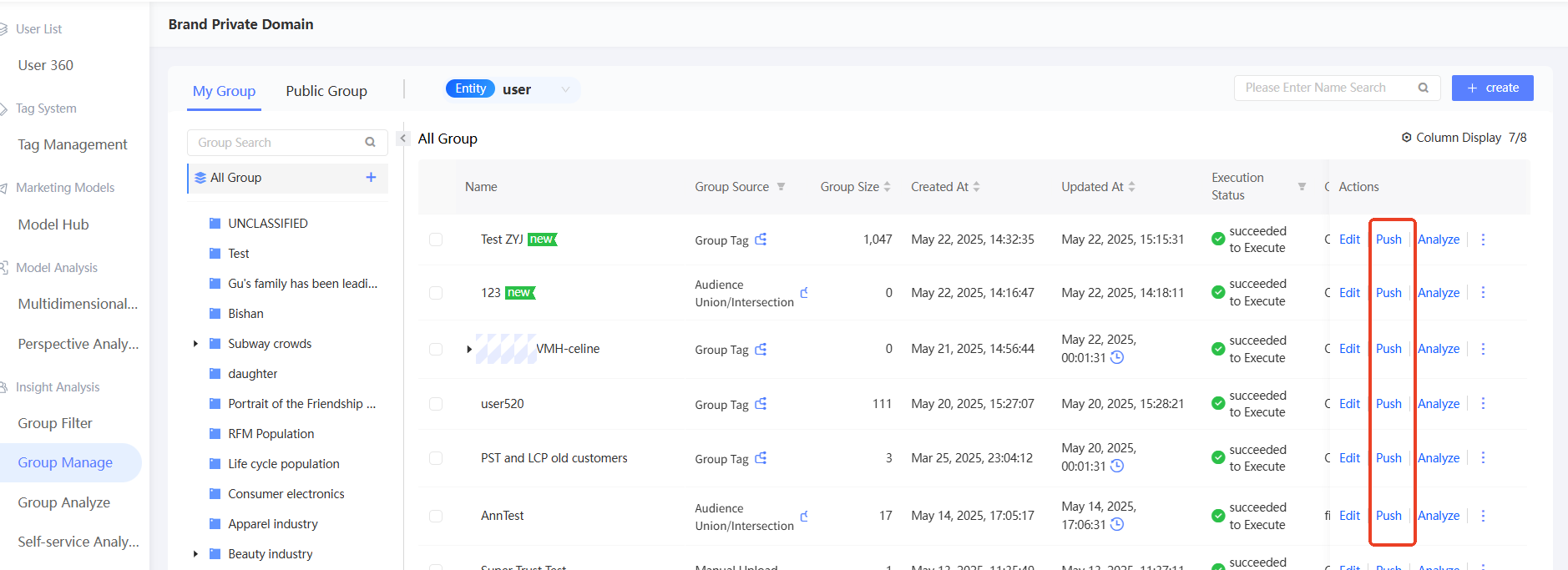
In the left-side navigation pane, choose User Insights > Audience Insights > Audience Management > My Audience. On the page that appears, click Push.
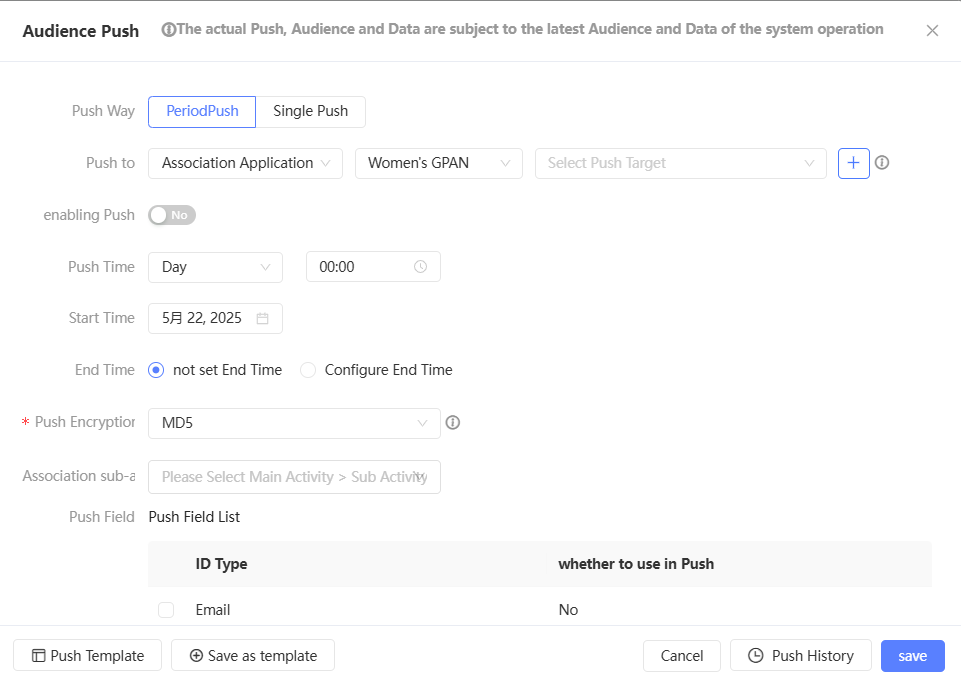
In the Push to drop-down list, select Associated Application, Damengpan, and then select a store or a brand in the store, as shown in the following figure.
 Note
NoteIf only stores are bound and brands are not bound, you can only push to stores.
If it is pushed to a brand under a store, the audience becomes the omnichannel consumer data asset of the specified brand; if it is pushed to a store, the audience does not belong to any brand. You can use the pushed group on the audience > First-party Data Upload page of Damengpan regardless of whether the audience is pushed to a store or a brand.
Set the push time.
For Periodic Push, turn on Enable Push and set the Push Cycle, Start Time, and End Time.
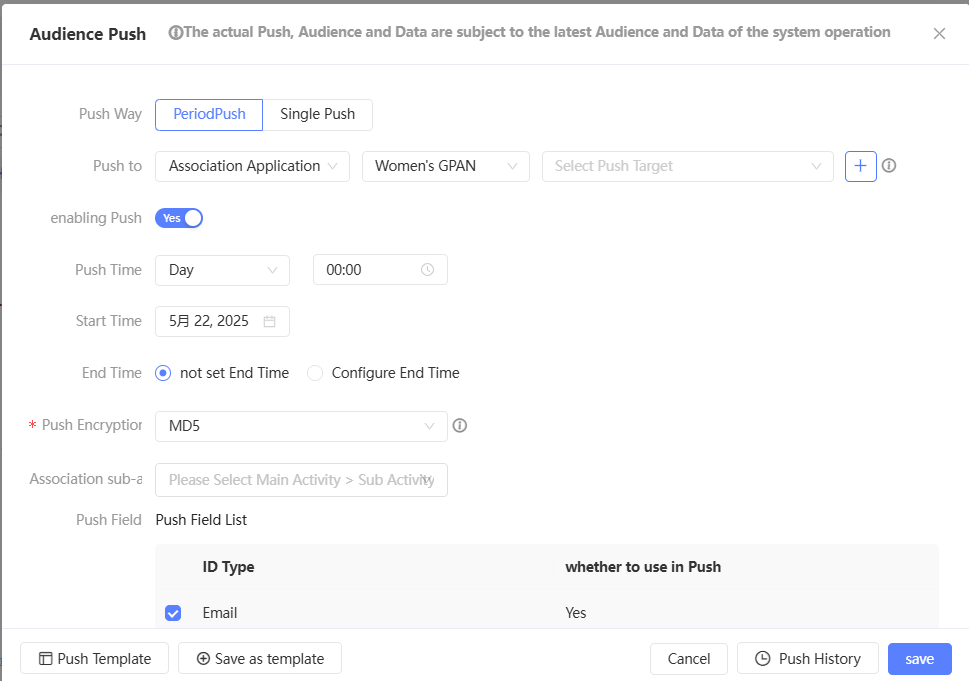
If the group has a periodic push configuration, the Remove Configuration button appears in the lower-right corner. You can click to clear the original configuration. The periodic push of the original configuration is no longer performed.
For One-time Push, you do not need to set the push time.
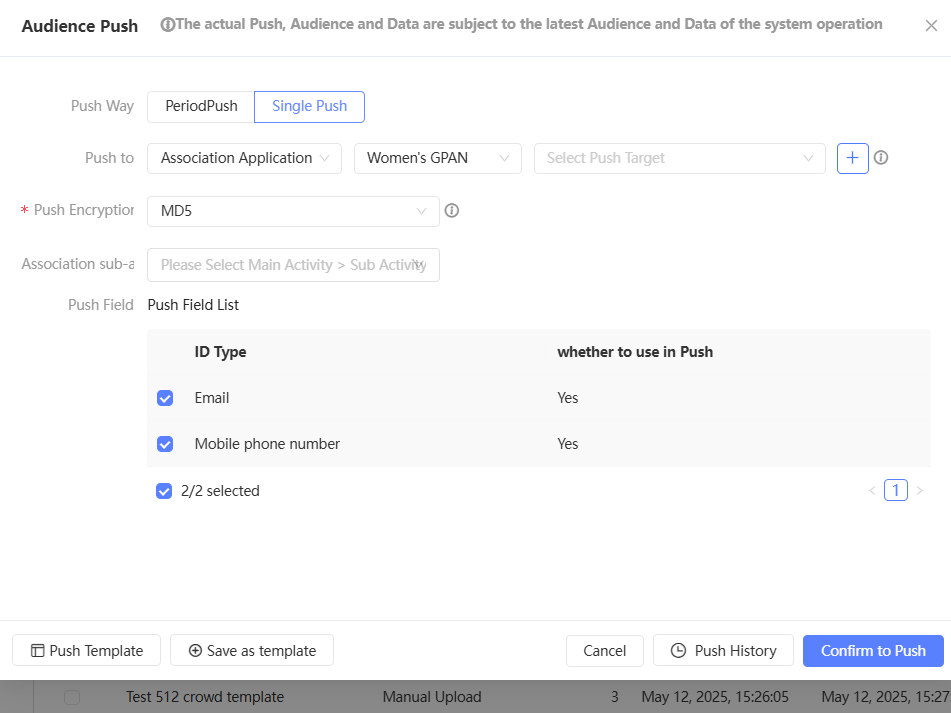
Push encryption method: To ensure information security, the system encrypts the user ID before push. Data banks receive the encrypted user ID. The MD5 and SHA256 encryption methods are supported.
If you select MD5, ID fields that have been encrypted by SHA256 before being pushed into the system are not supported. Only ID fields that have been encrypted by MD5, AES, or not encrypted before being pushed into the system are supported.
If you select SHA256, ID fields that have been encrypted by MD5 before being pushed into the system are not supported. Only ID fields that have been encrypted by SHA256, AES, or not encrypted before being pushed into the system are supported.
The encryption method of the ID field is specified when you configure the table structure. For more information, see Table Structure Configuration Documentation.
Associate Sub-activity: Select a main activity and select a sub-activity under the main activity. Separate sub-activities are displayed under-at the end of the main activity list. You can associate a marketing task with multiple sub-activities. For more information about marketing activities, see Marketing Campaign Documentation.
Pushed Field: Select the ID type from the drop-down list.
NoteYou can push the mobile phone number, email address, IMEI, IDFA, Taobao ID, and Taobao nickname.
If you select SHA256 for Push Encryption, only mobile phone numbers can be pushed.
The ID type can be selected to not indicate data. It may happen that no data is pushed to the data bank for the selected non-user ID.
Click Save or Confirm to push the data.
NoteIf the push parallelism of Damengpan has been set in the management center, people who exceed the limit need to wait in line for push. For more information, see Workspace System Configuration.
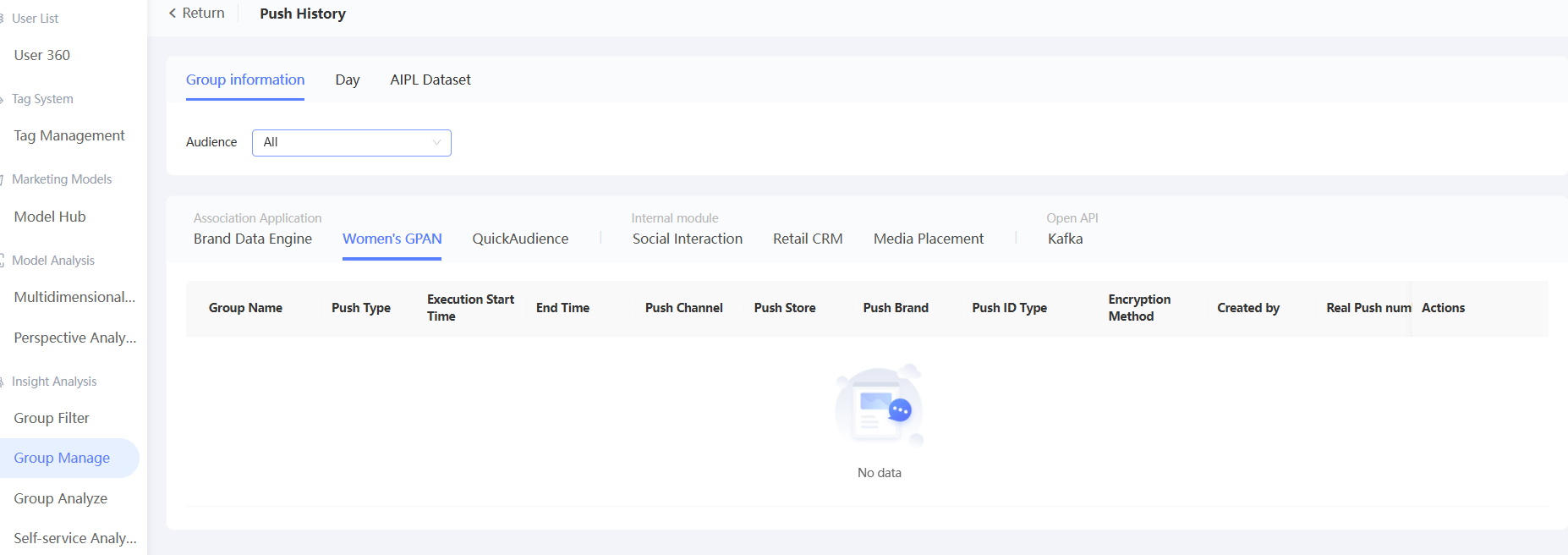
Click Push History to view the push results.
As shown in the following figure, the actual number of pushes in the list is equal to the sum of the number of people covered by each ID type, which is not necessarily equal to the audience size.
If the push fails, click Push again. If the push succeeds, click Enter Damengpan to use the pushed data.