Manage RAM access permissions
Prerequisites
You have registered and logged in to an Alibaba Cloud account. For more information, see Account Management.
You have activated the Mobile Feedback service. For more information, see Quick Start.
Overview
Go to the Resource Access Management page.
Create an entity. An entity can be a RAM user, a user group, or a RAM role.
Grant permissions. Grant read-only or management permissions to the specified entity.
Open the RAM console
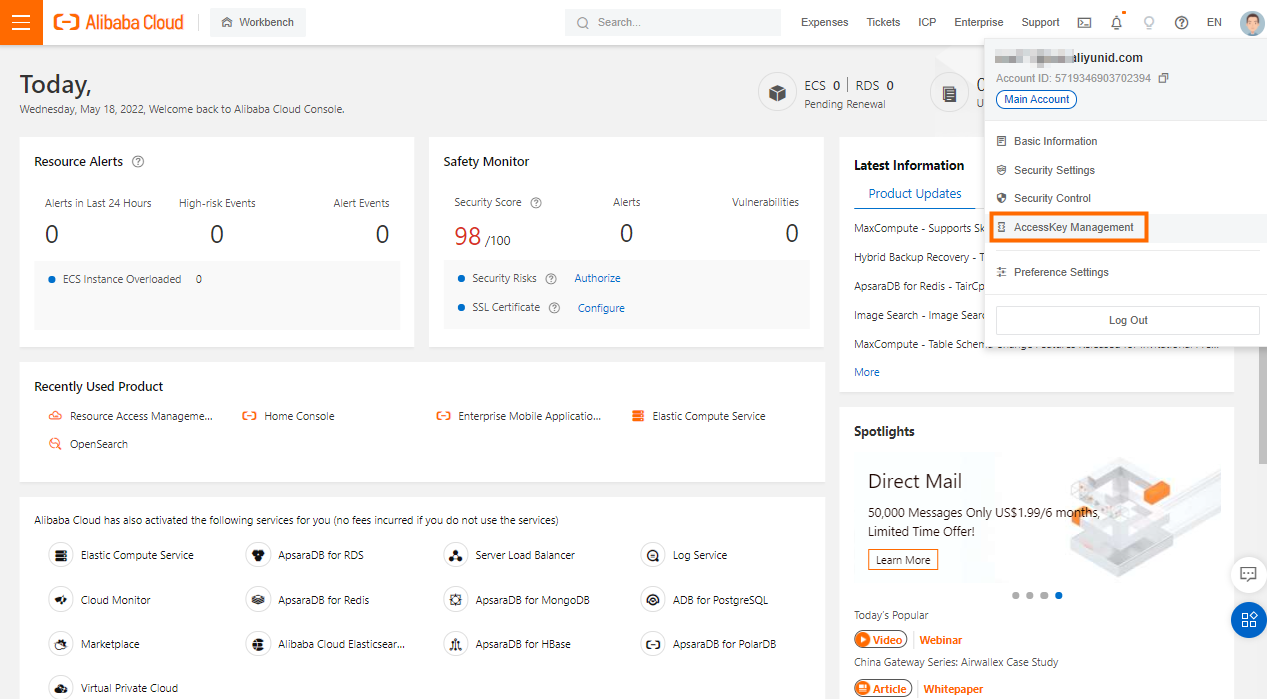
In the Alibaba Cloud Management Console, move the pointer over the profile picture in the upper-right corner. From the shortcut menu, click Access Control to open the RAM console.
Create an entity
Mobile Feedback supports access control for RAM users, user groups, and RAM roles.
On the Resource Access Management page:
Create a RAM user. For more information, see Create a RAM user.
Create a user group. For more information, see Create a user group.
Create a RAM role. For more information, see Overview of RAM roles.
Grant permissions
On the Resource Access Management page:
1. In the navigation pane, choose Permissions > Grant Permission.
2. On the Authorization page, click the Add Authorization button.
3. In the Grant Permission panel on the right:
a. Set Principal to the RAM user, user group, or RAM role that you created.
Fuzzy match is supported.
b. Set Select Policy to System Policy.
c. In the search box, enter the keyword Mobile Feedback to search for related access policies. The policies appear in the list below.
The access policies for Mobile Feedback include the following:
Access Policy Name | Description |
AliyunMHubFullAccess | Permissions to manage Multiexperience Development Platform EMAS. |
AliyunMHubReadOnlyAccess | Read-only permissions for Multiexperience Development Platform EMAS. |
AliyunFeedbackFullAccess | Permissions to manage the Mobile Feedback service. |
AliyunFeedbackReadOnlyAccess | Read-only permissions for the Mobile Feedback service. |
d. From the list, select the required access policies. The selected policies appear in the Selected list on the right.
e. Click OK to save the settings.
Related content
RAM is a common Alibaba Cloud service. For more information, see Resource Access Management.