Email monitoring and forwarding
The email monitoring feature in Alibaba Mail lets you monitor emails sent and received by specific employees or your entire organization. This helps you back up company emails, retain important information, and preserve evidence for compliance.
This feature is not available in the Free Edition. For a comparison of features across different editions, see Alibaba Mail editions.
Viewing employee email content
An administrator can view or monitor employee email content in the following ways:
Email monitoring and forwarding
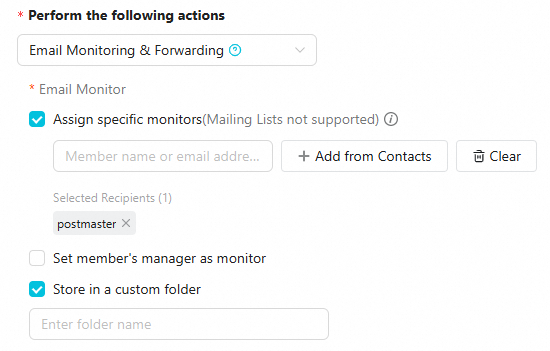
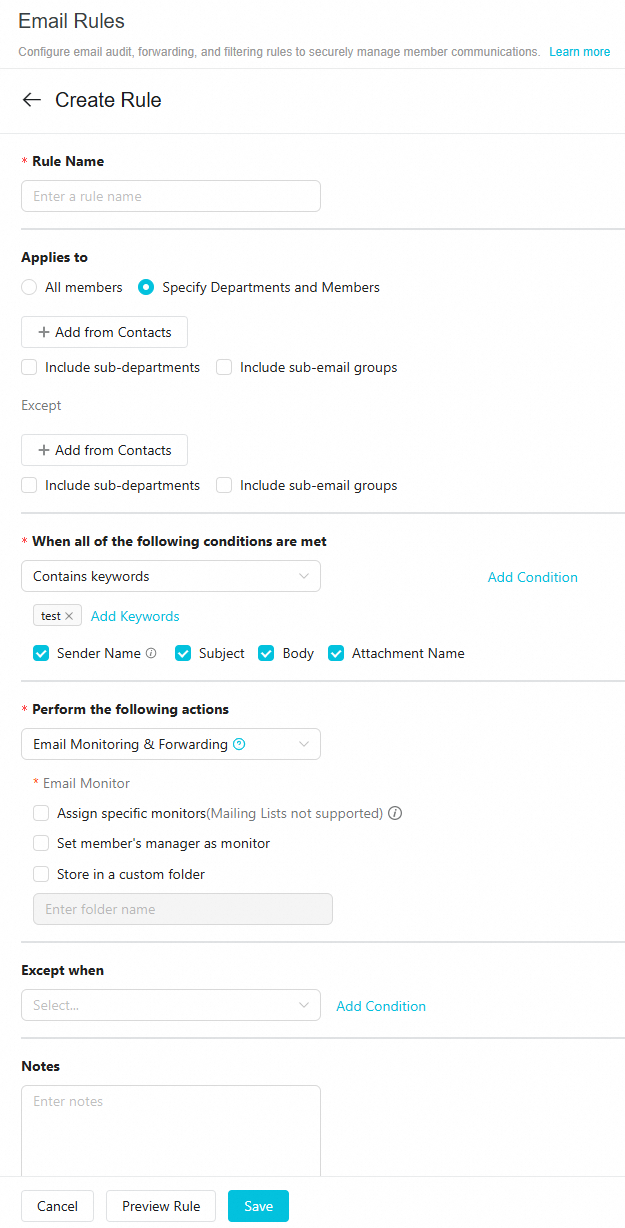
Log on to Alibaba Mail with the postmaster account. By default, the Domain Management page is displayed. Navigate to Mail > Mail Rules and click New Rule. In the Perform the following operations section, select Email monitoring and forwarding. You can then specify the employee mailboxes to monitor and the administrator mailbox that will receive the copies. Alibaba Mail automatically copies all emails sent to and from the monitored mailboxes to the administrator's mailbox. For detailed instructions, see the "Procedure" section in this article.
Mail approval
On this page, you can also select Mail approval in the Perform the following operations section to create an approval process for outgoing employee emails.
Mail archiving
In the Domain Management console, navigate to Mail > Mail Archiving > Query Archived Mail. Here, you can search historical emails by archived mailbox, full sender and recipient addresses, keywords, date range, or department. You can export the search results. An archive administrator must first enable this service.
Features
The email monitoring feature automatically copies emails sent to and from a monitored mailbox to a designated monitoring mailbox.
This feature monitors all incoming and outgoing emails within Alibaba Mail, including those sent from email clients and the webmail interface. You can configure which accounts to monitor for flexible and comprehensive management of your organization's email.
The maximum number of email monitoring and forwarding rules depends on your Alibaba Mail edition: 200 for the Standard Edition, 500 for the AI Premium Edition, and a custom quota for the Private Edition. The number of mailboxes you can monitor is limited only by the total number of rules that your edition allows. For more details on version differences, see Alibaba Mail editions.
Procedure
1. Log on to Alibaba Mail with the postmaster account. By default, the Domain Management page is displayed. Navigate to Mail > Mail Rules > New Rule.

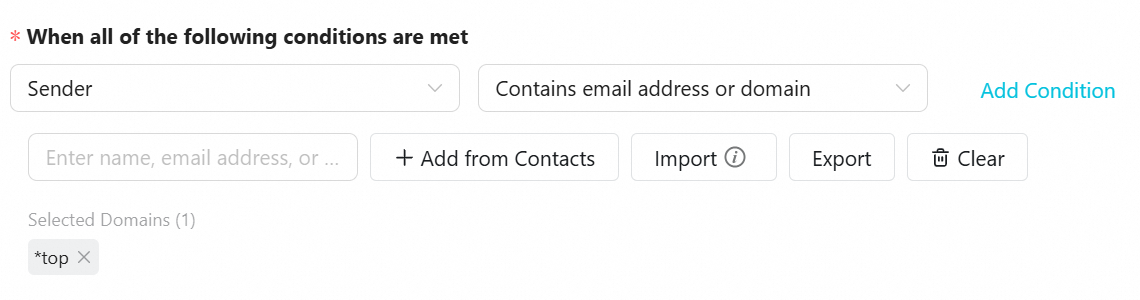
2. Configure the conditions for the rule under When all of the following conditions are met. For more information about available conditions, see Mail Rules.
3. Configure the action for the rule under Perform the following operations.
Select email monitoring and forwarding.
You can use the wildcard character (*) in domain names, for example, *.top.
Note:
1. If you do not specify a monitoring target, the system automatically forwards all emails in the domain.
2. If you do not specify an email direction, such as incoming or outgoing, all emails are monitored by default.
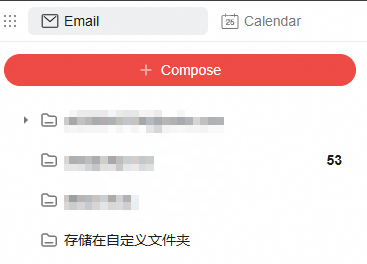
3. We recommend that you store monitored emails in a custom folder within the monitoring mailbox. If you configure the rule to use a custom folder, the system automatically creates a corresponding folder in the monitoring mailbox to store the copied emails.
4. The rule does not affect emails sent or received before it was enabled.
5. The rule applies to email accounts. Reassigning an email account to a different member does not affect the rule's execution. Mail group accounts are not supported.