The platform lets you configure automation scenarios and scheduling for your devices. These features include cloud-based scheduling, automation, smart scenarios, local scheduling, local countdown, and local recurring scheduling.
Prerequisites
You have created a product. For more information, see Create a product.
You have defined the functions for the product. For more information, see Add standard functions.
Background information
This page displays all product functions that support interaction. You can select the trigger conditions and actions that you want to make available for scenarios and scheduling. End users can then configure their devices based on your selections. This means that a device will perform a specific action when it meets a specific condition.
The cloud-based and local scheduling features require development using the App software development kit (SDK) plugin. For more information, see Plugin Usage Guide.
For devices with different network connection types, specific development is required to enable scheduling features:
- Wi-Fi devices: Implement the creation, deletion, and modification of local scheduled tasks according to the platform's standard data format. For more information, see Develop local scheduling features for devices.
- Bluetooth Mesh devices: Implement the device scheduling feature according to the platform's unified protocol for Bluetooth Mesh local scheduling. For more information, see Unified Protocol for Bluetooth Mesh Local Scheduling.
Procedure
- Log in to the IoT Platform console.
- Navigate to the Human-Computer Interaction page for the product.
- Choose .
- Configure automation scenarios.
Note Smart scenario configurations take effect only in the Yun Smart App and your proprietary apps. No configuration is required for Tmall Genie App scenarios.Note After you save the settings, the `DeviceTimer` property is automatically added to the Function Definition page for the product.
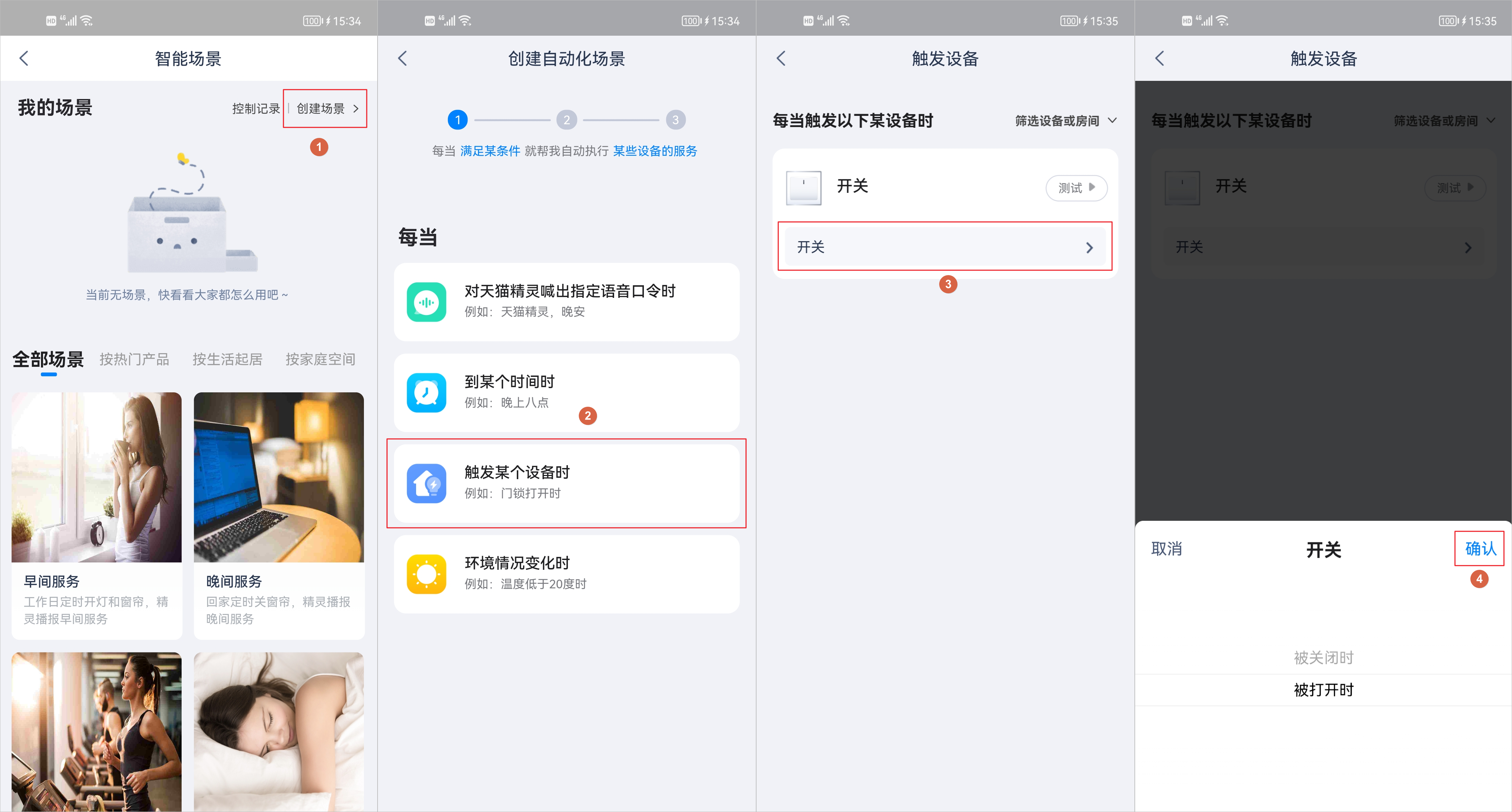
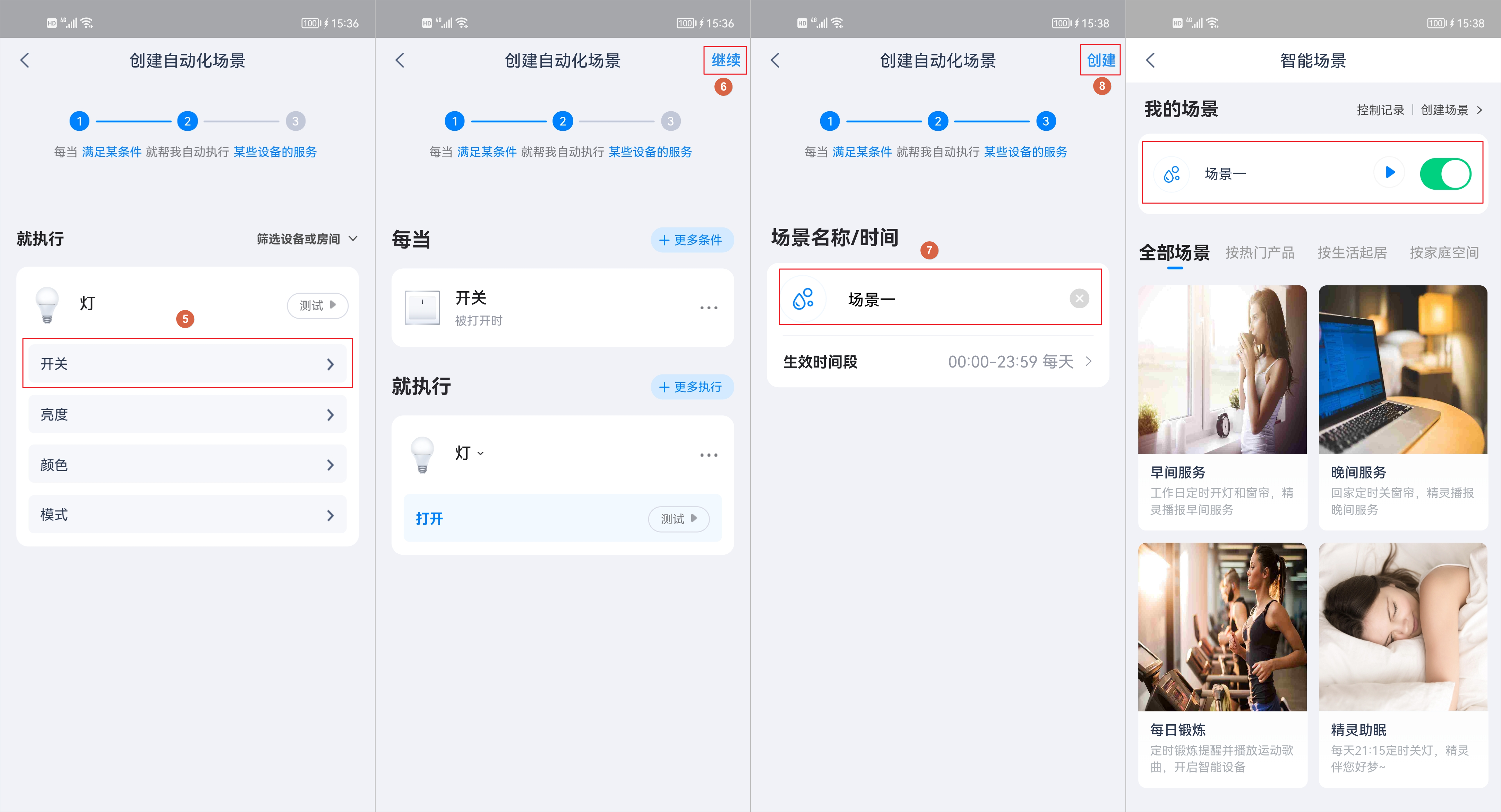
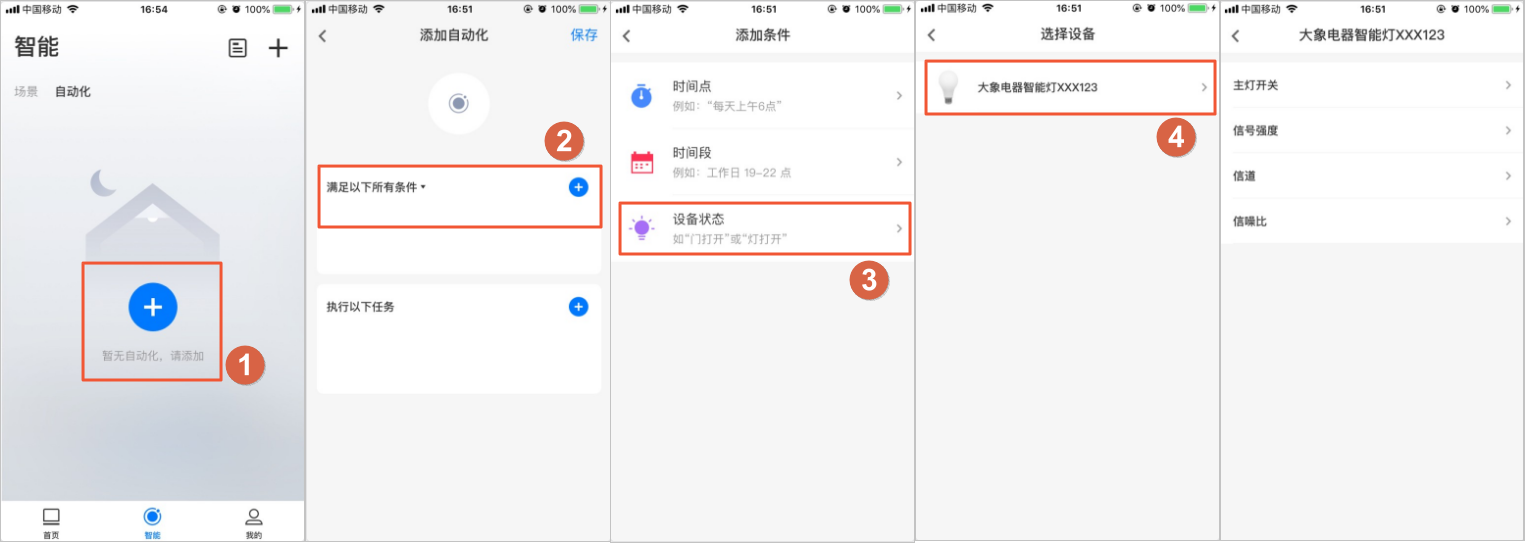
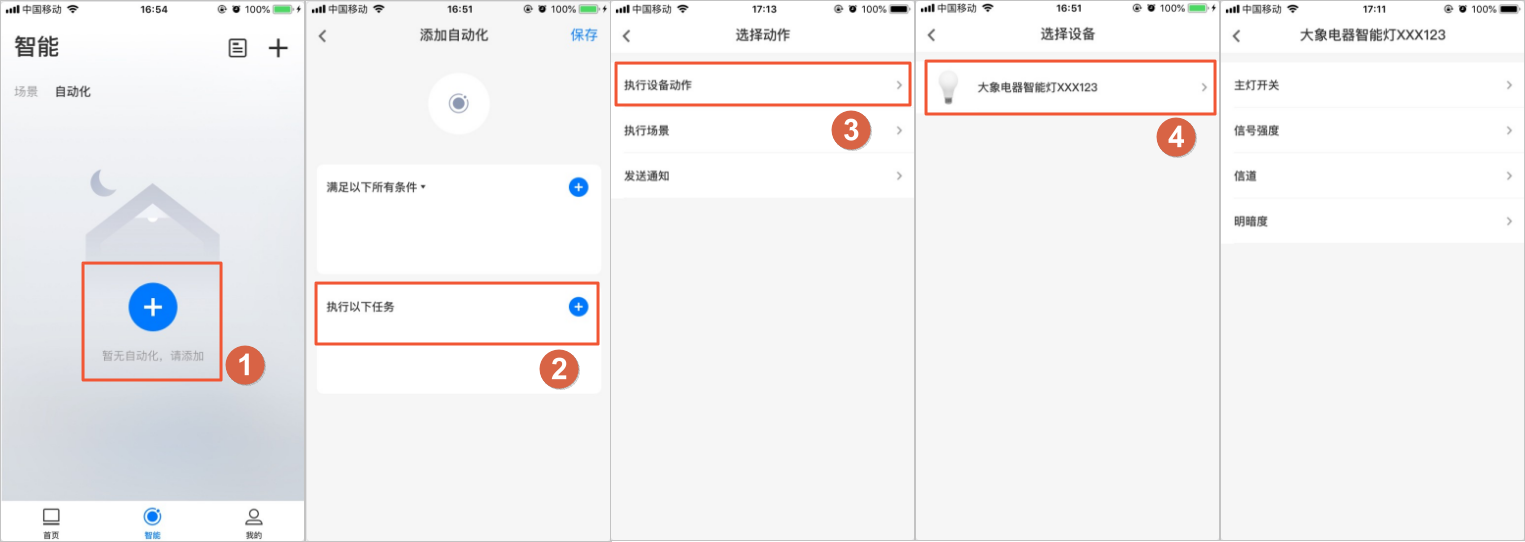
The functions that you select appear on the scenario configuration page for end users in the app. You can use the Tmall Genie App or the Yun Smart App to preview the product interface.
- The Tmall Genie App pages are as follows:
- The Yun Smart App pages are as follows:
- Adding automation conditions for the device.
- Adding actions for the device to perform.
- Adding automation conditions for the device.
- The Tmall Genie App pages are as follows: