This topic provides essential guidelines for customers throughout the website creation process.
You can track all project stages in the delivery center. The project workflow consists of four stages: requirement confirmation, prototype stage, visual design, and inner page design.
-
To ensure the project progresses smoothly and launches on time, each stage has a confirmation deadline. Once you confirm a stage, your approval is final, and you cannot modify it later.
-
Requirement confirmation: An assigned designer will contact you within one business day to discuss and confirm your requirements. If the requirements are clear and all necessary materials are provided, the project moves to the next stage. If the requirements or materials are insufficient for the designer to proceed, they will reject the current submission.
-
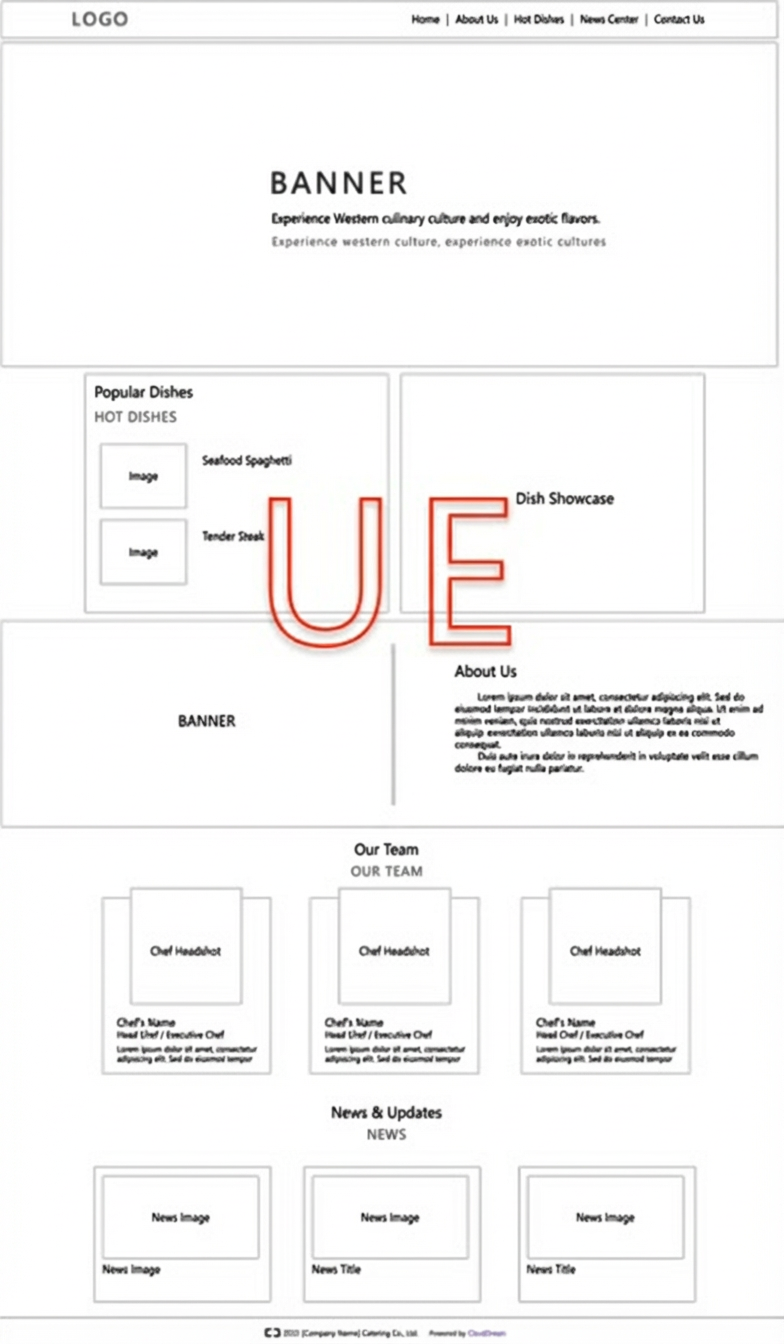
Prototype stage (prototype confirmation): Based on the confirmed requirements and materials, the designer builds the overall website structure according to the current version specifications. This takes two business days after requirement confirmation, and the system automatically submits the prototype. You have one business day from the submission to review the prototype and either approve it or reject it to request revisions. The project proceeds to the next stage only after your confirmation.
NoteThe prototype stage focuses on the overall website structure and page layout. The prototype is a black-and-white wireframe with a preview link for you to review online (as shown in the figure below).
-
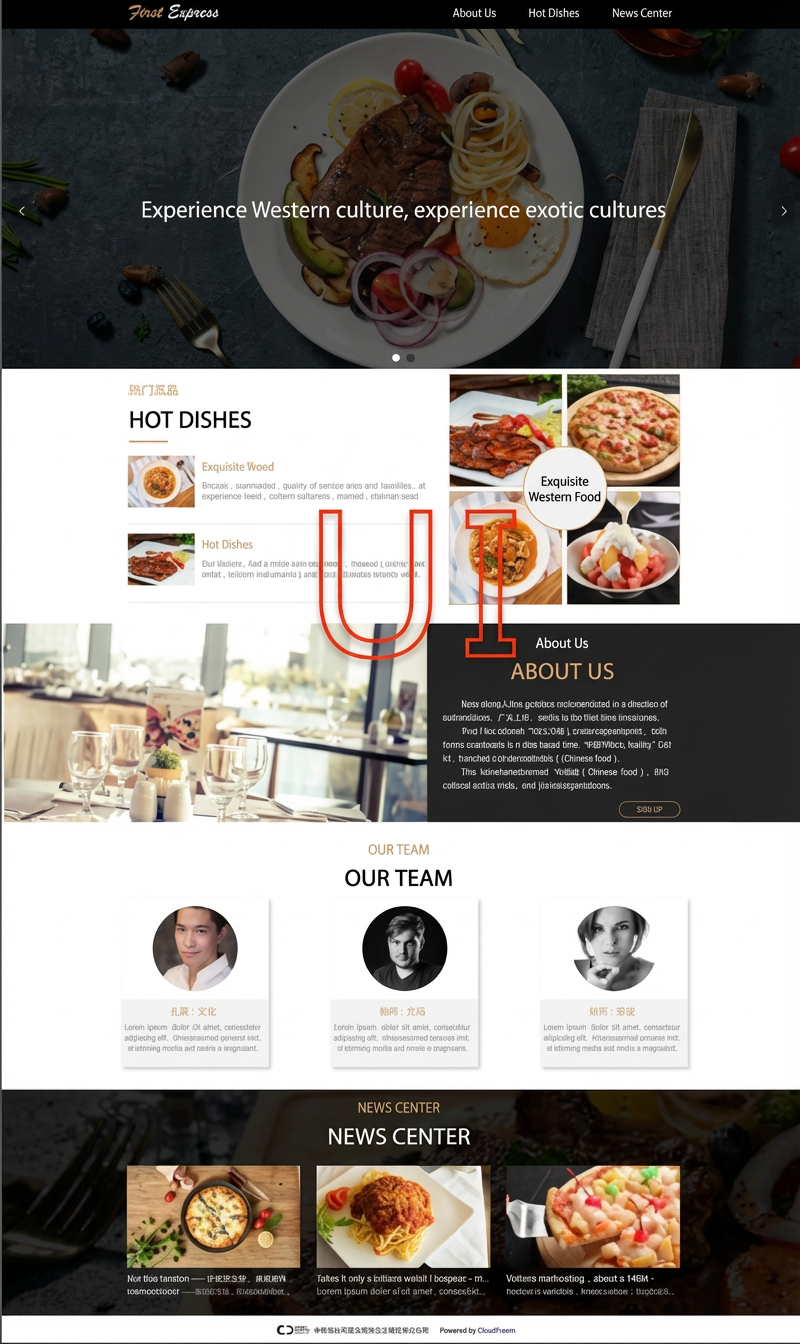
Visual design (visual design confirmation): In this stage, the designer builds upon the approved prototype to create the visual design for the homepage. This includes selecting colors, images, and refining details. This takes two business days after prototype confirmation, and the system automatically submits the design. You have one business day from the submission to either approve the design or reject it with revision requests. The project proceeds to the next stage only after your confirmation.
NoteThe visual design stage covers the homepage banner and the site’s overall style and color palette. You will receive a preview link to review the design online (as shown in the figure below).
-
Inner page design (site-wide confirmation): Based on the confirmed homepage style, the designer applies the color scheme and populates the inner pages with your content and images. This process takes two business days, and the system automatically submits the result. You have one business day from the submission to either approve the entire site or reject it with revision requests.
ImportantIn the final site-wide confirmation stage, if you do not request revisions or reject the site within seven business days, the system will automatically confirm it on your behalf.
Accessing the delivery center
You can use the delivery center to track project progress and to confirm or reject submissions.
-
Log in to the Alibaba Cloud account that you used to purchase the Cloud Enterprise Website product at https://www.aliyun.com/.
-
Go to the Domains & Websites console. In the left-side navigation pane, click Wanxiaozi (AI Application).
-
In the list of purchased products, click delivery details.
Following the described workflow in the delivery center ensures a timely launch for your website. If you have any questions about the project workflow, contact your assigned designer.