Test a Spring Cloud service
When debugging deployed Spring Cloud microservices, you typically need to invoke endpoints, verify responses, and inspect live data. The service testing feature in Enterprise Distributed Application Service (EDAS) lets you do this directly from the console -- no client code required.
Service testing is in public preview. You can use this feature free of charge.
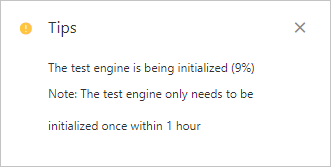
On the first run, the test engine takes 30 to 50 seconds to initialize. If you see the message "The test engine is being initialized.", wait and try again.
Prerequisites
Before you begin, make sure that you have:
A Spring Cloud application deployed on EDAS
(RAM users only) Permissions for service testing, granted in the Resource Access Management (RAM) console. See Configure permissions for service testing in the RAM console
Test a service
-
Log on to the EDAS consoleEDAS console.
-
In the left-side navigation pane, choose .
In the left-side navigation pane of Spring Cloud, click Service Testing.
In the top navigation bar, select a region.
On the Service Testing - Select Service page, select a microservices namespace from the Microservice Namespace drop-down list, and then click the name of the target service in the service list.
In the Interface metadata section of the Select Test Method panel, find the service to test and click Test in the Request Path column.
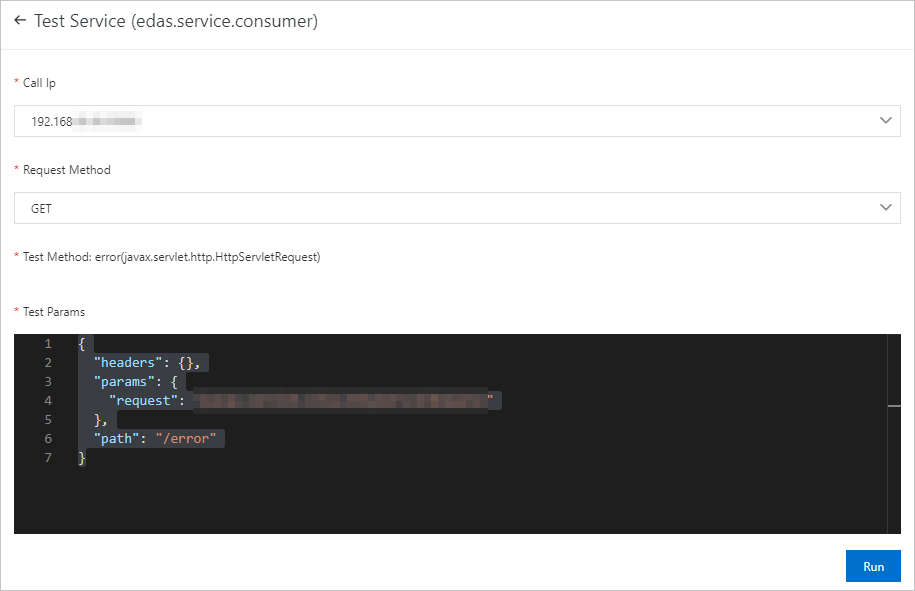
In the Test Service panel, configure the following parameters:
Parameter Description Call IP IP address of the target instance (Elastic Compute Service (ECS) instance or pod) where the service is deployed. If the service runs on multiple instances, select one. Request Method Request method of the class that the service belongs to. If multiple methods exist, select one. Test Method Method to invoke. Configure the request parameters in the Test Params section based on your service code. Click Run.
Interpret test results
After the test completes, check the Result section for the response. Results fall into three categories:
| Result | Description | Action |
|---|---|---|
| Test engine initializing | The error message "The test engine is being initialized." appears. | Wait 30 to 50 seconds for the engine to initialize, then run the test again. |
| Successful response | The service returns a valid response body. | Review the response data to verify correctness. |
| Failed response | The service returns an error response. | Troubleshoot based on the error details. Common causes include port misconfiguration, network connectivity issues, or bugs in service code. |