Agent state
You can retrieve the current state of an agent by using the AICallKit SDK.
Usage notes
-
This example uses the API to implement this feature without UI integration.
-
You must first integrate the AICallKit SDK. For integration instructions, see Android Integration Overview, iOS Integration Overview, Web Integration Overview, and Harmony Integration Overview.
Agent state preview
|
Listening The agent is listening for user input.
|
Thinking The agent is thinking, and the large language model (LLM) is generating a response.
|
Speaking The agent is speaking. This process can be interrupted.
|
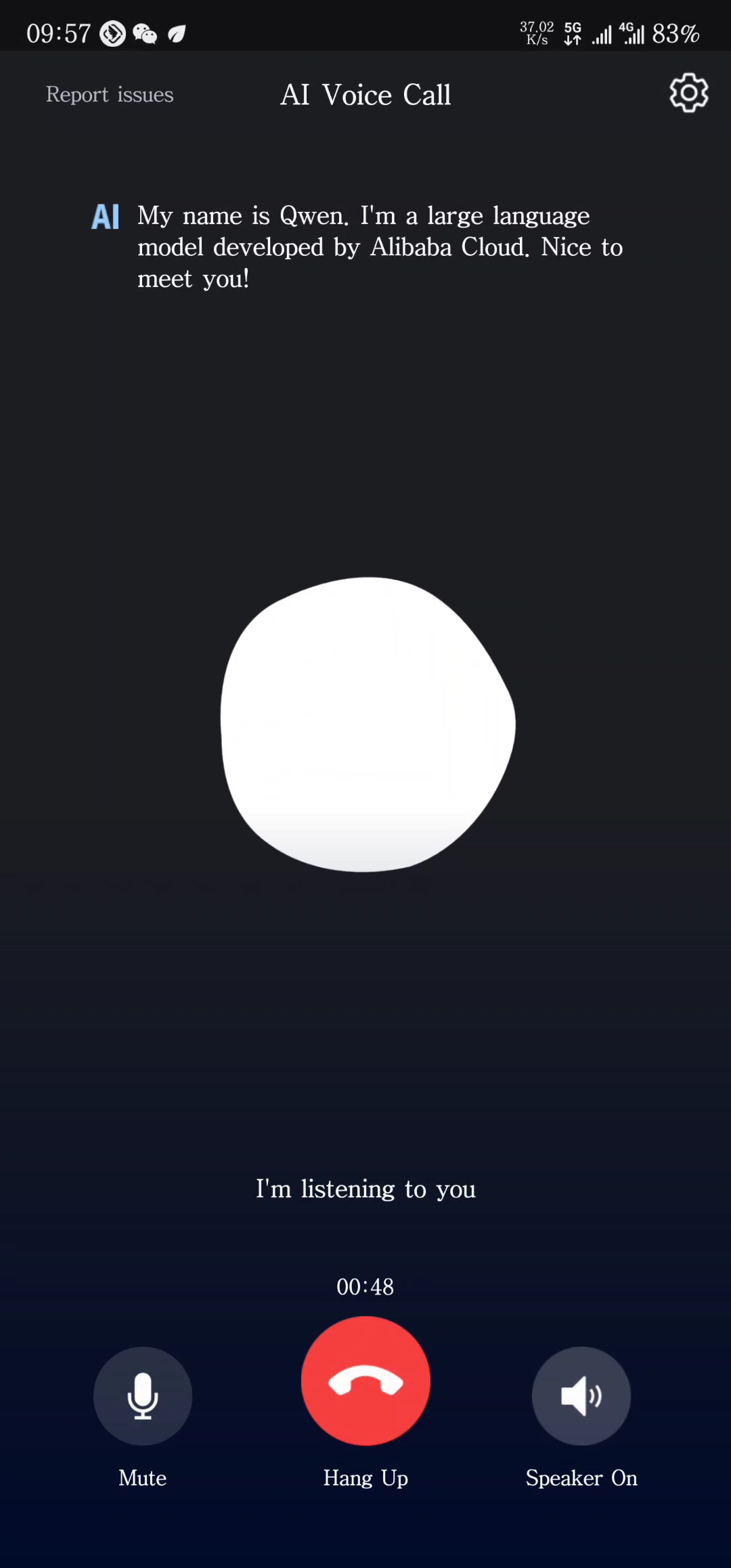
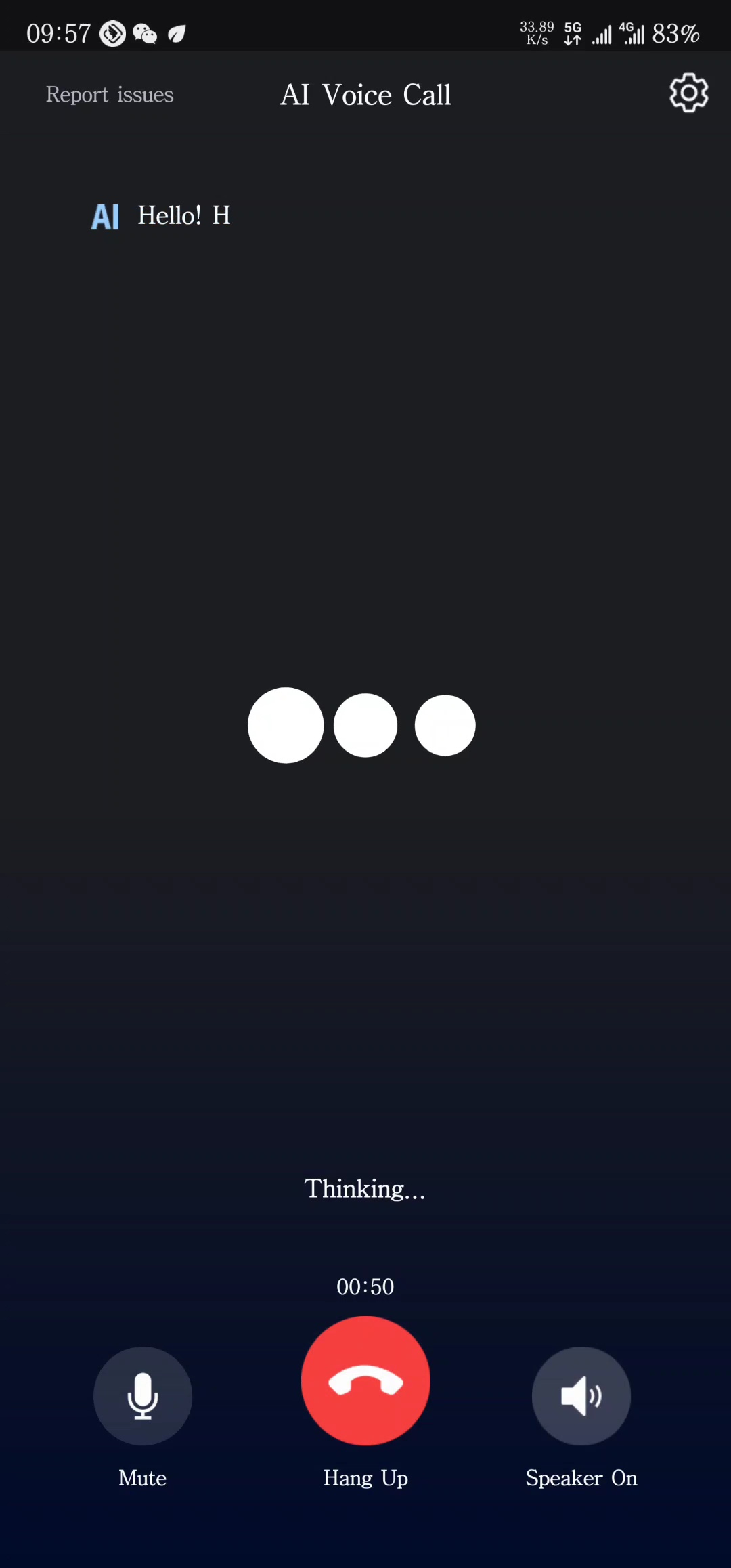
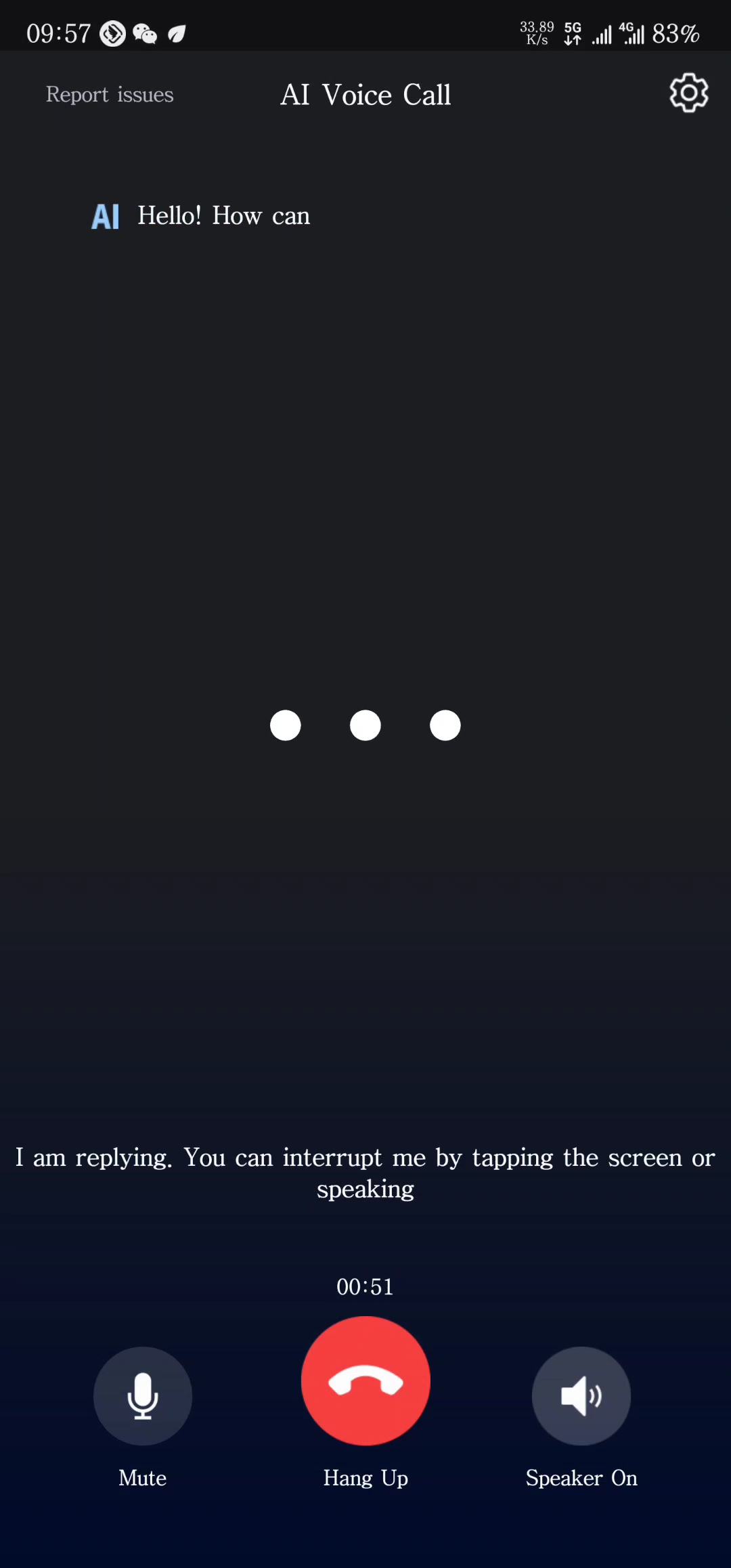
This feature and its UI are built into the UI integration solution. For more information, see Solution with UI Integration.
Get the agent state
Agent state
|
State |
Description |
|
Listening |
The agent is listening for user input. If the user is speaking, display the user's volume bar in this state. |
|
Thinking |
The agent is thinking while the large language model (LLM) generates a response. You can interrupt this process, which returns the agent to the Listening state. |
|
Speaking |
The agent is speaking the LLM response. You can interrupt this process, which returns the agent to the Listening state. |
Sample code
Android
// Set a callback for the engine.
mARTCAICallEngine.setEngineCallback(mCallEngineCallbackWrapper);

// Callback handler (only showing callback operations relevant to this example).
ARTCAICallEngine.IARTCAICallEngineCallback mCallEngineCallbackWrapper = new ARTCAICallEngine.IARTCAICallEngineCallback() {
    @Override
    public void onAICallEngineRobotStateChanged(ARTCAICallEngine.ARTCAICallRobotState oldRobotState, ARTCAICallEngine.ARTCAICallRobotState newRobotState) {
        // Update the UI state based on newRobotState.
    }

    @Override
    public void onVoiceVolumeChanged(String uid, int volume) {
        // If the agent is in the Listening state, display the user's volume bar.
    }
}
iOS
// Set the delegate for the engine.
self.engine.delegate = self

func onAgentStateChanged(state: ARTCAICallAgentState) {
    // The agent state has changed. Update the UI based on the state.
}

func onVoiceVolumeChanged(uid: String, volume: Int32) {
    // If the agent is in the Listening state, display the user's volume bar.
}
Web
engine.on('agentStateChange', (state) => {
  // The agent state has changed. Update the UI based on the state.
  console.log('AICallAgentStateChange to:', state);
});

engine.on('speakingVolumeChanged', (userId, volume) => {
  // The agent's current speaking volume.
  // An empty userId string indicates the volume of the local user.
  console.log('AICallSpeakingVolumeChanged', volume);
});
Harmony
const listener = new ARTCAICallEngineListener();

listener.onAgentStateChangedCallback = (state: ARTCAICallAgentState) => {
  // The agent state has changed.
};

listener.onVoiceVolumeChangedCallback = (uid: string, volume: number) => {
  // If the agent is in the Listening state, display the user's volume bar.
};

...

this.aiCallSDK.listener = listener;